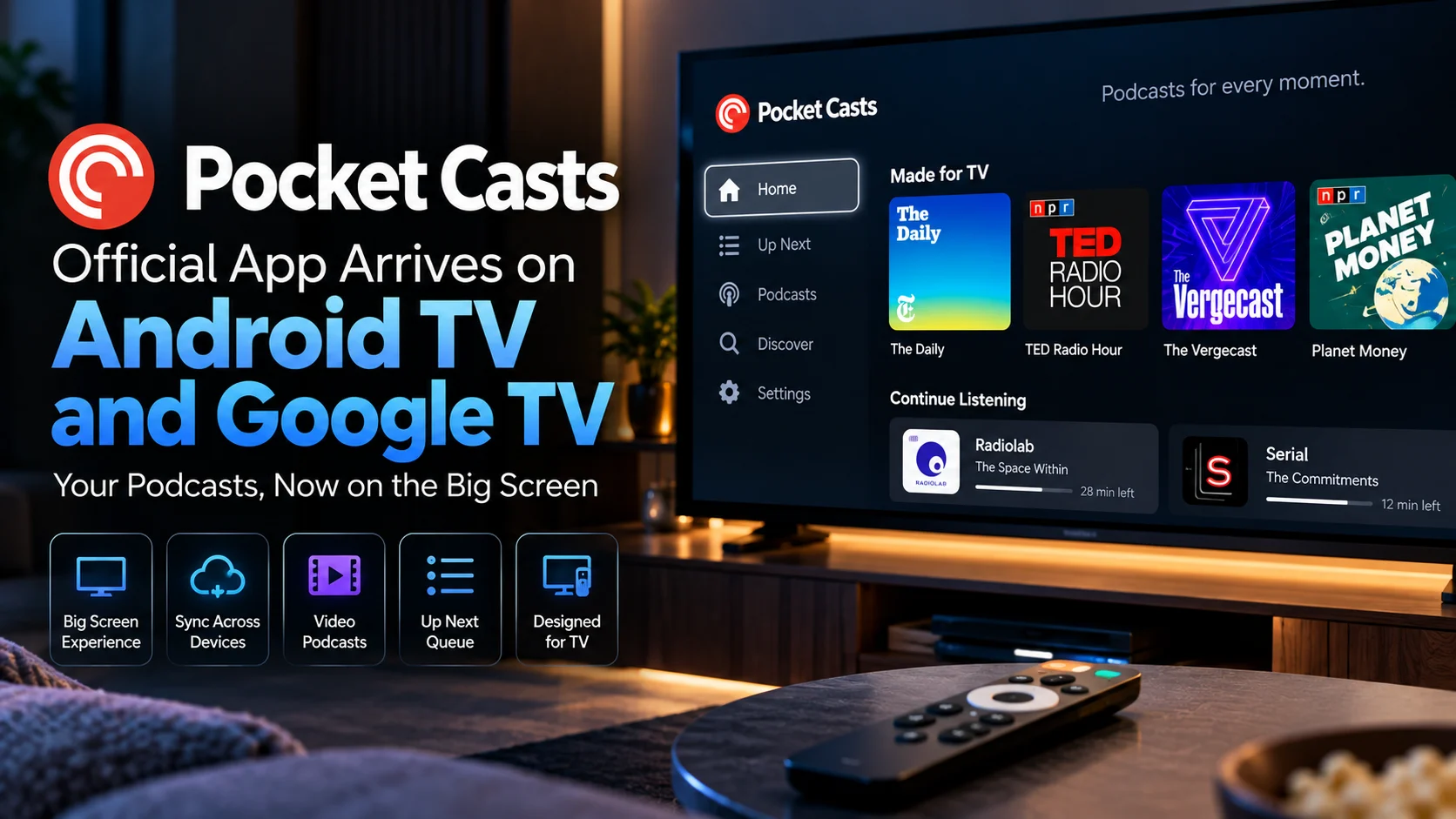
Pocket Casts is now available on Android TV and Google TV, giving podcast listeners a dedicated big-screen app instead of forcing them to cast audio from a phone or tablet.
The new Pocket Casts Android TV app is designed specifically for television use and connects directly to an existing Pocket Casts account.
Once signed in, users can access their podcast subscriptions, Up Next queue, listening history, and saved playback position directly from the TV.
The application also supports background playback and includes a dedicated Made for TV area built around video podcasts and content that works particularly well on a television.
That makes this launch more interesting than simply adding another app icon to Google Play.
Pocket Casts is effectively extending a listening experience that already follows users across phones, cars, computers, and watches into the living room.
What Is Pocket Casts on Android TV?
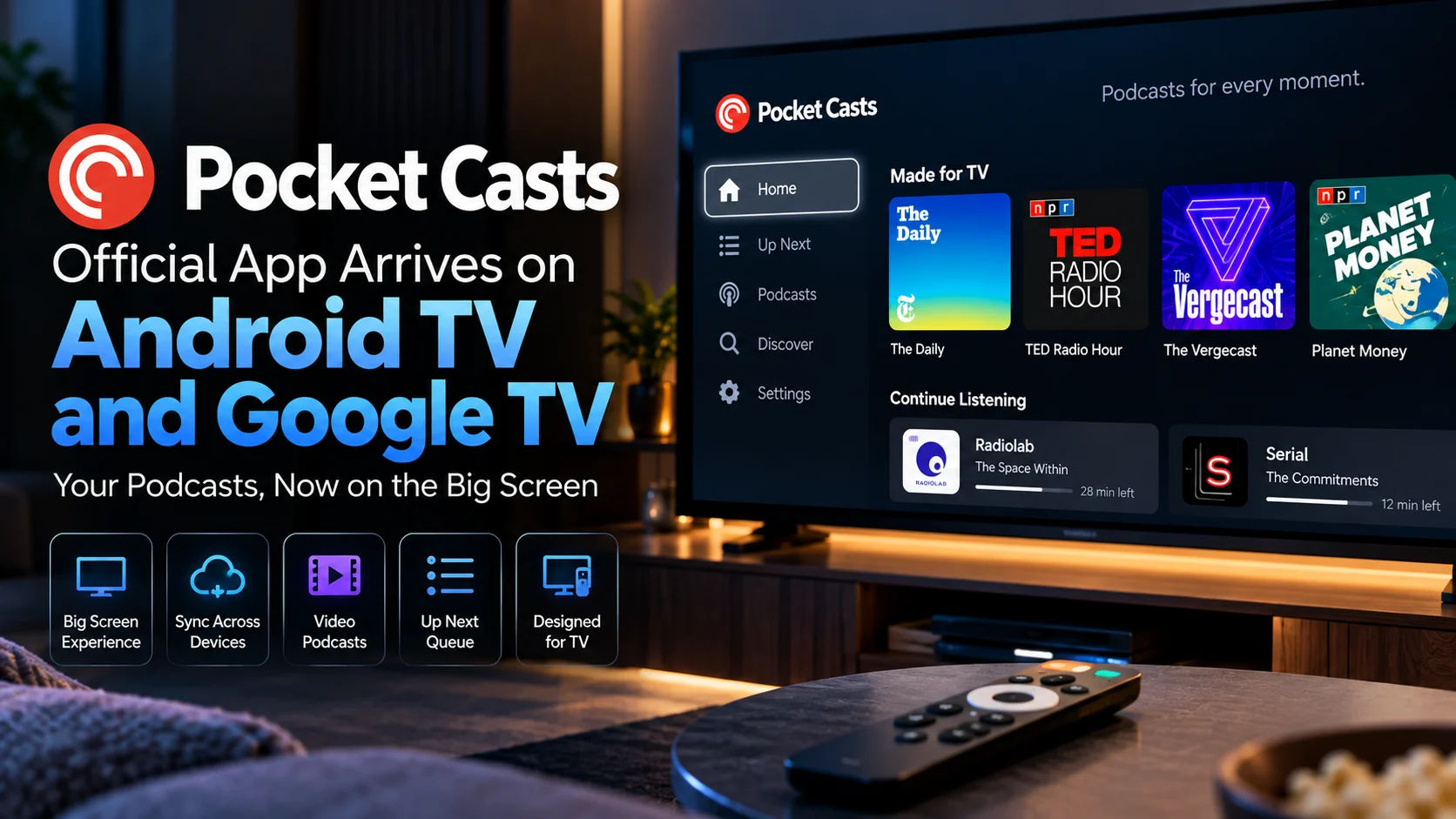
Pocket Casts Android TV is a native television version of the Pocket Casts podcast application.
It can be installed directly on compatible Android TV and Google TV hardware rather than requiring users to mirror or cast from another device.
The app pairs with an existing Pocket Casts account using a QR code. After pairing, it automatically syncs subscriptions, playlists, queues, and playback progress.
Users can begin an episode on their phone and continue from the same position on their television without manually finding their place again.
Pocket Casts TV App at a Glance
| Feature | What It Does | Why It Matters |
|---|---|---|
| Feature | What It Does | Why It Matters |
| Native TV App | Runs directly on Android TV and Google TV | No phone casting required |
| QR Code Pairing | Connects an existing Pocket Casts account | Faster TV login |
| Account Sync | Syncs subscriptions and account data | Same library across devices |
| Up Next | Shows upcoming queued episodes | Easy big-screen listening |
| Playback Sync | Remembers listening position | Continue from phone to TV |
| Background Playback | Audio continues when the app is minimized | Better TV multitasking |
| Made for TV | Highlights video-friendly podcast content | Better use of a large display |
| Video Podcasts | Supports watch-and-listen content | Expands beyond audio-only playback |
Why a Native TV App Is Better Than Casting
Before a dedicated TV app, the obvious way to listen to podcasts on a TV was to start playback elsewhere and cast it to the TV.
That works, but it creates an extra dependency.
The phone remains part of the playback workflow.
A native Google TV podcast app changes that.
Users can open Pocket Casts with the remote, browse their queue on the television itself, and select an episode without reaching for another device.
The difference sounds small until the TV becomes a regular listening device.
A dedicated interface is particularly useful for long podcasts, video shows, and living-room setups connected to better speakers.
Pocket Casts itself described television as a missing piece in its cross-device strategy: a listener might start on a phone and later want to continue from the same point on the largest screen and best speakers in the home.
How Does Pocket Casts Sign In on Android TV?
Pocket Casts avoids forcing users to type a long email address and password using a television remote.
Instead, the Pocket Casts TV app uses QR-code account pairing.
After connecting the account, the app can retrieve the user's existing podcast information.
That includes subscriptions, playlists, account data, and listening progress.
This is a sensible approach for TV software.
Text entry is one of the least convenient parts of setting up a streaming device, especially when the remote only provides directional navigation.
QR-based authentication reduces that friction and makes the TV client feel more like an extension of the existing Pocket Casts setup.
Does Playback Sync Between Your Phone and TV?
Yes.
Cross-device synchronization is one of the strongest parts of the new experience.
Pocket Casts says the goal is to keep the same queue, history, and playback position available wherever a user listens.
That means someone can start an episode on a phone, stop midway, and later open Pocket Casts on the TV without manually searching for the timestamp.
The same Up Next queue also travels between supported devices.
For regular podcast listeners, that matters more than flashy TV graphics.
Continuity reduces the amount of navigation needed every time the listening device changes.
What Is the “Made for TV” Section?
The Android TV version includes a dedicated Made for TV area.
This section is designed to surface podcasts that benefit from being viewed on a television rather than simply heard in the background.
Video podcasts are the clearest example.
Many podcast shows now record full video versions, and a television is a far more natural place to watch those than a phone sitting on a table.
The TV experience can highlight this type of content while still supporting traditional audio podcasts.
This gives Pocket Casts a stronger reason to exist on televisions.
If the app only reproduced audio playback with a giant episode title on-screen, users might question why they should open it instead of using a speaker.
Video podcast support changes the equation.
Does Pocket Casts Continue Playing in the Background?
The Android TV app supports continued playback when the application is minimized or closed from the foreground experience.
That allows users to start a podcast and then perform other supported TV actions without immediately stopping the audio.
Background playback is especially useful for podcast software because many listeners do not need to watch the interface continuously.
The screen is useful for selecting an episode, browsing a queue, or viewing video content.
Once a traditional audio episode starts, the interface itself becomes less important.
Which Devices Can Run Pocket Casts?
The application is being distributed for Android TV and Google TV devices.
That covers a wide range of television hardware, including dedicated streaming boxes, streaming dongles, and smart TVs using Google's television platform.
Exact performance may still vary by device.
Storage, memory, processor performance, and the version of the operating system can influence how smoothly any television application behaves.
If you are choosing hardware specifically for living-room apps, PlayerSDK's streaming device comparison lets you compare performance, storage, platform features, and playback capabilities across popular streaming devices.
The useful distinction here is that Pocket Casts is not restricted to one Google-branded streaming box.
It is joining the broader Android TV ecosystem.
What About Chromecast With Google TV?
Chromecast with Google TV remains relevant because many households still use it as their primary Google TV platform.
The availability of a native Pocket Casts client gives those devices another direct media application without relying on casting.
Users still running Google's older hardware can also read PlayerSDK's Chromecast with Google TV 4K update coverage for information on the device's recent security and performance maintenance.
This is an important part of the broader story.
Older streaming hardware can remain useful when its software ecosystem continues gaining apps.
What About the Google TV Streamer?
The newer Google TV Streamer is another natural home for Pocket Casts.
Compared with older Chromecast hardware, it is designed more explicitly as a full streaming box rather than a compact casting-focused device.
Pocket Casts fits well into that direction because it treats the TV as an independent media destination.
PlayerSDK has also covered the next-generation Google TV Streamer, which is reportedly moving toward faster hardware and deeper smart-home integration.
As television hardware becomes more powerful, applications that were traditionally associated with phones have more reason to build dedicated big-screen experiences.
How Is This Different From a Video Player?
Pocket Casts is primarily a podcast application, not a general-purpose file player.
That distinction matters.
A traditional media player may handle local videos, network files, subtitles, and a large range of codecs.
Pocket Casts is designed around podcast discovery, subscriptions, queues, and synchronized listening.
Its video support exists within that podcast-focused experience.
If you need broader local and network media playback, PlayerSDK's media player comparison compares different players by codec support, performance, and playback features.
The two categories overlap, but they solve different problems.
Is Pocket Casts Free on TV?
Pocket Casts described its big-screen application as free for users when announcing the television expansion.
The service has paid options for additional features elsewhere in its ecosystem, but the television application itself is positioned as part of the broader Pocket Casts experience rather than a separate paid TV product.
That lowers the barrier for existing users who simply want their current podcast library on another screen.
Why Might the App Not Appear in Search?
Some users may not immediately see Pocket Casts when searching directly from an Android TV or Google TV device.
The rollout has taken time to become widely visible across compatible devices.
If the application does not appear through the TV interface, users may be able to open Google Play in a web browser, find Pocket Casts, and select a compatible connected television or streaming device as the installation destination.
This does not necessarily mean the hardware is unsupported.
Store availability can vary while a new television application propagates through Google's distribution system.
Is Pocket Casts Worth Installing on a TV?
For people who only listen through headphones, perhaps not.
For users who regularly play podcasts through living-room speakers, the native application is much more compelling.
The strongest use cases are households with a good television audio setup, people who consume long-form podcasts at home and viewers who increasingly watch video podcasts.
Account synchronization is what makes the experience practical.
Without it, the TV application would become a separate podcast library that users have to manage manually.
With synchronization, television becomes another endpoint in the same listening workflow.
That is the right approach for a media app designed around continuous listening.
What Does This Mean for Android TV and Google TV?
The arrival of Pocket Casts highlights a broader change in television software. Smart TVs and streaming boxes are no longer limited to movies, live channels, and traditional video services. They increasingly host applications originally associated with phones and computers.
Podcast software is a good example. The content itself works almost anywhere. What matters is whether the application has been redesigned properly for remote navigation, long viewing distances, and television audio systems.
Pocket Casts appears to be treating the television as its own interface rather than simply stretching the mobile application onto a larger display.
Final Verdict
The launch of the official Pocket Casts Android TV and Pocket Casts Google TV application fills a noticeable gap in the service's device ecosystem.
Users no longer need to rely on phone casting simply to get Pocket Casts onto the living-room screen.
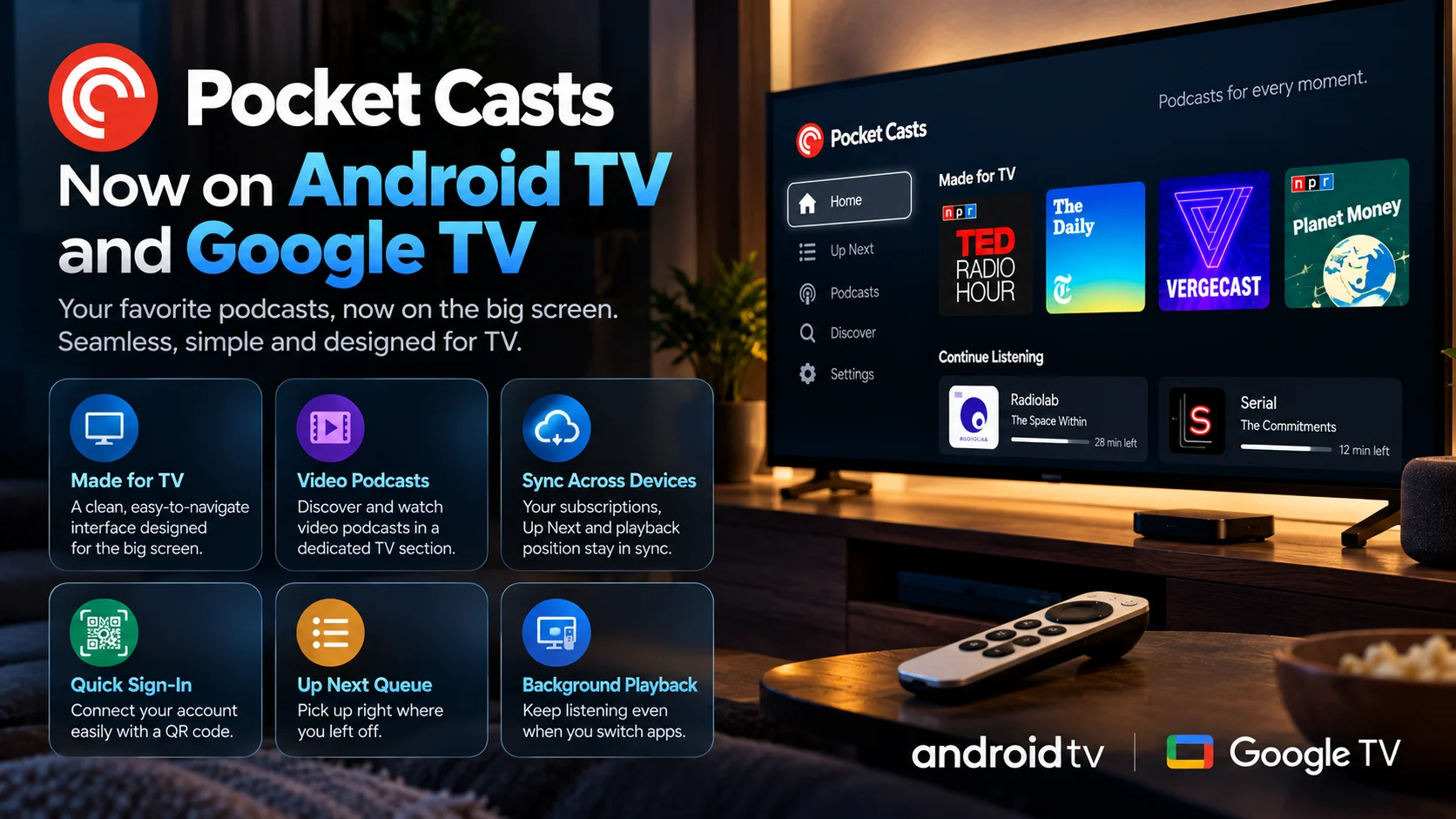
The native application provides QR-code pairing, synchronized subscriptions, Up Next access, preserved playback position, background audio, and a dedicated area for video-friendly podcast content.
None of these features radically change what a podcast is.
What they change is where listening fits into the home.
A podcast started on a phone can move naturally to the television without forcing the listener to rebuild a queue or search for the point where they stopped.
For audio-only listeners with no interest in TV playback, the new app may not change much.
For households that use their television and sound system as a central media hub, it makes Pocket Casts significantly more useful.
And for the broader Android TV ecosystem, it is another sign that the big screen is becoming a home for more than traditional video apps.
Frequently Asked Questions
1) Is Pocket Casts available on Android TV?
Yes. Pocket Casts now has a native application for compatible Android TV devices. It can run directly on the television platform instead of requiring casting from a phone.
2) Is Pocket Casts available on Google TV?
Yes. The native Pocket Casts television application is also available for compatible Google TV hardware.
3) Does Pocket Casts sync between phone and TV?
Yes. Account data, including subscriptions, Up Next, and playback position, can sync so users can continue listening from another supported device.
4) How do I sign in to Pocket Casts on Android TV?
The TV application supports QR-code pairing with an existing Pocket Casts account, avoiding lengthy password entry with a remote.
5) Can Pocket Casts play video podcasts on Google TV?
Yes. The television experience includes a Made for TV area that highlights video podcasts and other content suitable for watching and listening on a large screen.
6) Does Pocket Casts keep playing when minimized?
The Android TV application supports continued playback when the app is minimized, making it practical for audio-first podcast listening.
7) Why can't I find Pocket Casts in the TV Play Store?
Availability may take time to appear consistently in direct TV searches. Users can also try the Google Play Store through a browser and choose a compatible connected TV device for installation.
8) Is Pocket Casts a replacement for VLC or other media players?
No. Pocket Casts is primarily designed for podcast subscriptions, discovery, and synchronized playback. General media players are better suited to local files, broad codec support, and network video libraries.
9) Which streaming device is best for Pocket Casts?
Any compatible Android TV or Google TV device can potentially run the app, but hardware performance and storage differ. Use PlayerSDK's streaming device comparison to compare available options.
Want to build a better Android TV or Google TV media setup?
Use PlayerSDK's streaming device comparison to compare television hardware, or explore the media player comparison to understand how different apps handle playback, codecs, and media features across your devices.
