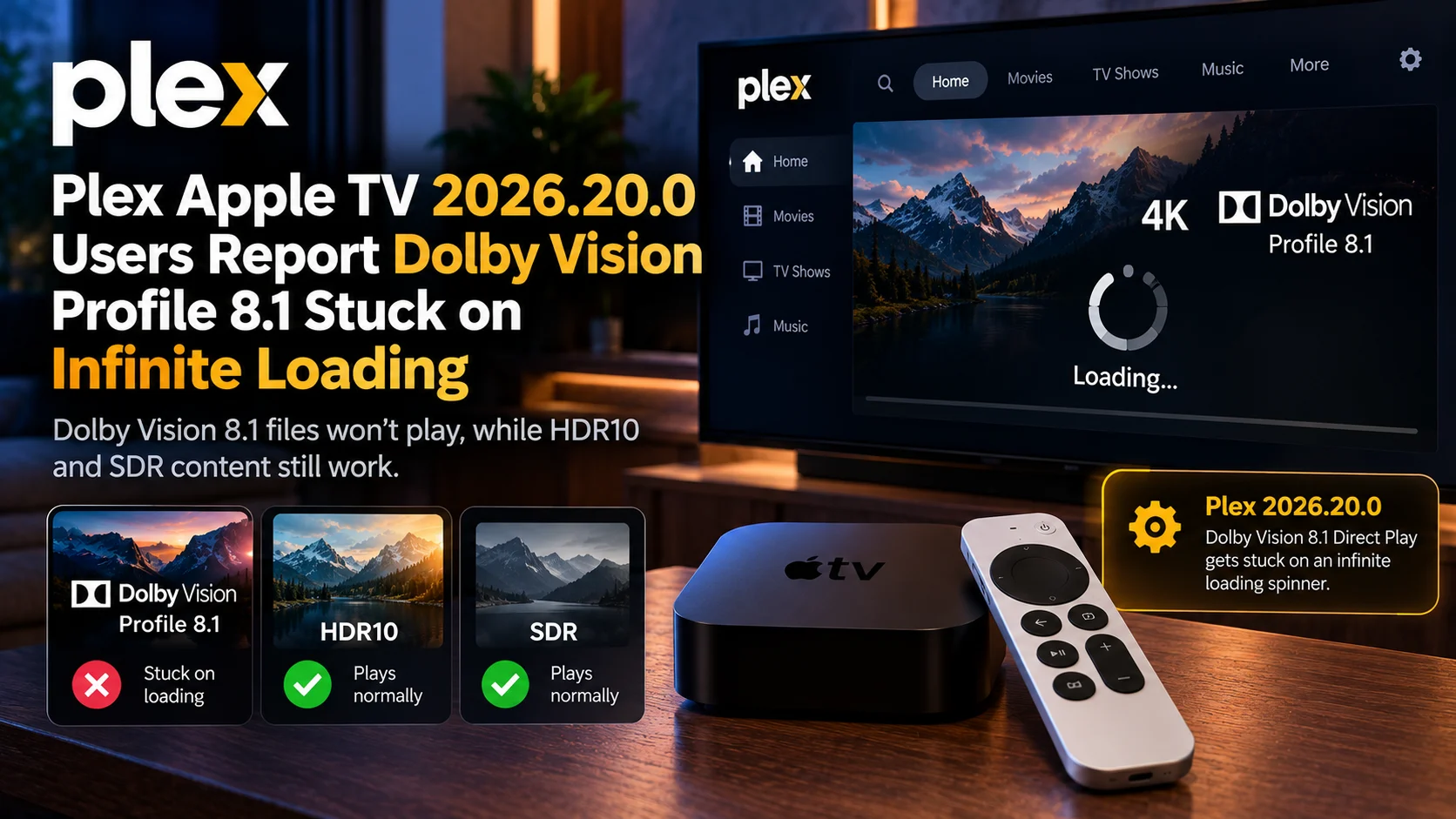
A new Plex Apple TV Dolby Vision 8.1 playback problem is drawing attention after users updated to Plex 2026.20.0. The symptom is straightforward but frustrating.
A compatible 4K HEVC Dolby Vision Profile 8.1 movie is selected, Plex opens the player, and then nothing happens beyond the loading spinner.
The server may continue sending large amounts of data to the Apple TV, yet playback never actually begins. What makes the report particularly useful is that the failure does not appear to affect every type of media.
In one detailed test, Dolby Vision Profile 8.1 files repeatedly failed while ordinary HDR10, AV1 HDR10, and 1080p SDR content started normally. The same Dolby Vision files had also worked before the client update. That strongly suggests a Plex 2026.20.0 playback regression rather than a simple network or server-speed problem.
However, Plex has not publicly identified the exact technical cause, so it would be premature to blame one specific decoder or tvOS component.
What Is Happening With Dolby Vision 8.1?
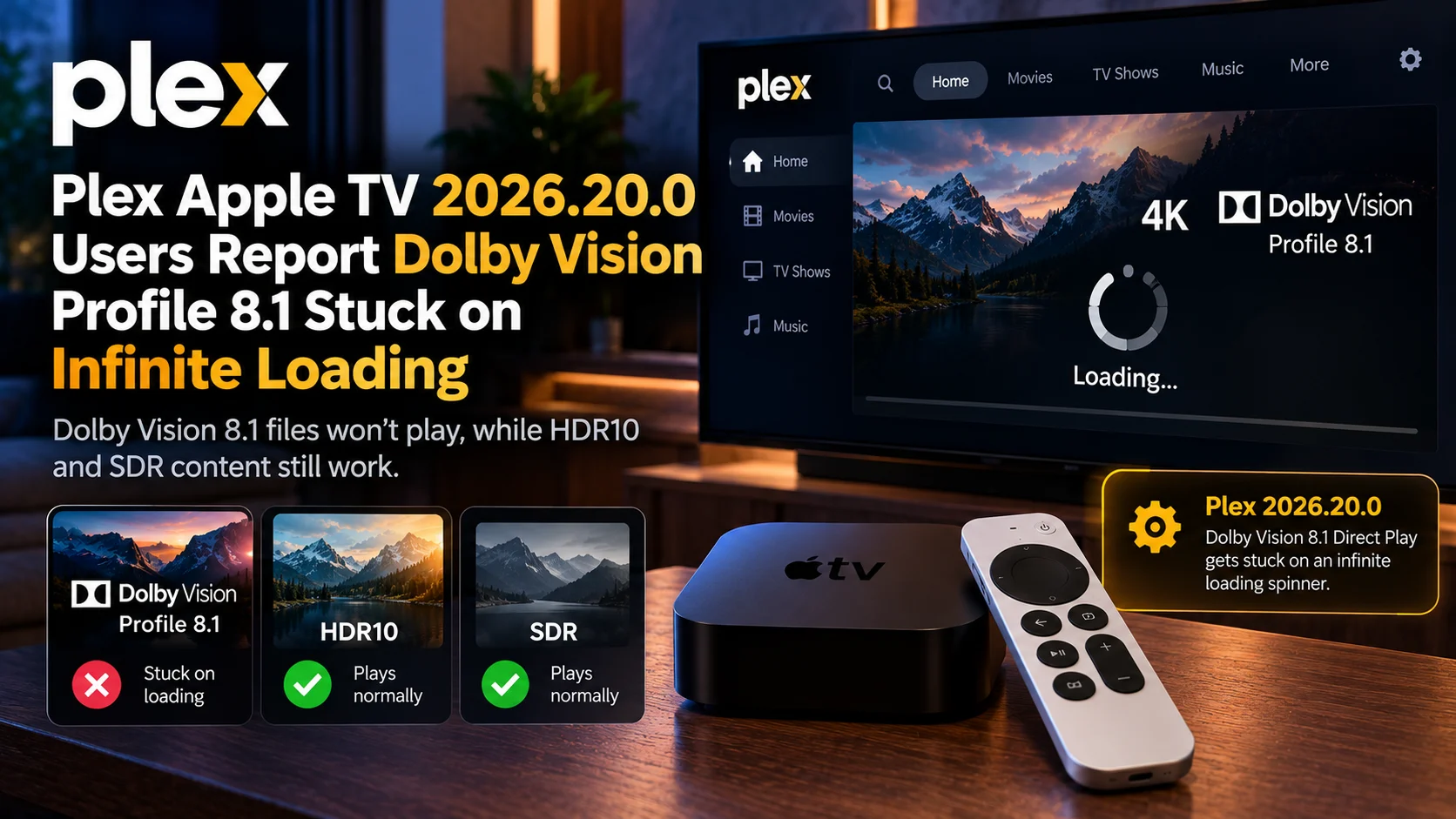
Some Plex 2026.20.0 users on Apple TV report that Dolby Vision Profile 8.1 HEVC files get stuck buffering indefinitely during Direct Play.
The media server appears to approve Direct Play and can send data at high speed, but the Apple TV client never transitions from buffering to actual playback.
In the strongest test available, HDR10 and SDR files played normally on the same hardware and network, while lowering the playback quality enough to force transcoding allowed the Dolby Vision title to begin immediately.
A separate beta report also found that rolling back from 2026.20.0 to 2026.19.0 restored playback for the same class of Dolby Vision files.
That makes the client version one of the strongest clues currently available.
Plex Dolby Vision 8.1 Issue at a Glance
| Area | Reported Behaviour |
|---|---|
| Plex Client | 2026.20.0 |
| Device | Apple TV 4K |
| Video Codec | HEVC / H.265 |
| HDR Format | Dolby Vision Profile 8.1 |
| Playback Path | Direct Play |
| Main Symptom | Infinite loading spinner |
| Data Transfer | Server can continue sending large amounts of data |
| HDR10 Content | Reported working |
| SDR Content | Reported working |
| Forced Transcode | Can allow playback to start |
| Older Plex Version | 2026.19.0 reportedly restores playback |
| Root Cause | Not officially confirmed |
Why This Looks Different From Ordinary Buffering
Normal buffering usually points users toward the network.
Maybe Wi-Fi is weak.
Maybe the server cannot deliver data quickly enough.
Maybe a high-bitrate 4K movie is overwhelming the connection.
That does not fit the strongest Plex Apple TV 2026. 20.0 reports very well.
The affected setup was using a wired local network, and the Plex server was transferring data at more than enough speed to begin playback.
The report says the client downloaded hundreds of megabytes and, in some attempts, much more without ever moving past the buffering state.
At the same time, other 4K files played correctly.
This makes a simple bandwidth shortage much less convincing.
The problem appears closer to the stage where the Plex client receives the media, prepares the playback pipeline, and decides how to process the Dolby Vision stream.
Why Dolby Vision Profile 8.1 Is Important Here
Dolby Vision Profile 8.1 is commonly relevant to local 4K media because it combines Dolby Vision metadata with an HDR-compatible base layer.
That means a file can contain information useful for Dolby Vision playback while retaining compatibility with an HDR10 path.
In theory, that gives playback software options.
A capable device can use the Dolby Vision information, while another path may fall back to the HDR base layer.
The current Plex behavior is therefore particularly frustrating because affected users are not simply reporting incorrect Dolby Vision colors.
The file does not begin playing at all.
One user specifically expected Plex to either direct play the Dolby Vision stream correctly or at least fall back to its HDR10 base layer. Instead, playback remained stuck.
Is Direct Play the Problem?
Direct Play appears to be where the failure is visible, but that does not mean Direct Play itself is universally broken.
Plex officially describes Direct Play as the mode used when the media is natively compatible and can be sent to the client without conversion. Its Apple TV settings still include an Allow Direct Play option for that purpose.
The important clue is what happens when that path changes.
In one documented test, the Dolby Vision file remained stuck when Plex attempted Direct Play.
When playback quality was reduced enough to force server conversion, playback began almost immediately.
That suggests the source file can still be decoded through another route.
The failure is more likely connected to the way the updated Apple TV client handles the original Dolby Vision Direct Play stream.
Does This Affect All HEVC Files?
No.
Current evidence does not support saying that HEVC is completely broken on Plex Apple TV 2026.20.0.
HDR10 HEVC files have been reported working in the same environment where Dolby Vision Profile 8.1 fails.
That distinction matters because PlayerSDK has previously covered a different Plex Apple TV HEVC Direct Play issue involving version 2026.18.0.
In that older case, some HEVC files were being transcoded to H.264 because Direct Play appeared disabled for particular sessions.
The new 2026.20.0 report is different.
Here, Plex may approve Direct Play and begin sending the file, yet the client never actually starts displaying the video.
That makes this a separate playback regression rather than simply a continuation of the earlier HEVC negotiation complaint.
Are Multiple Apple TV Generations Affected?
Reports involve more than one Apple TV setup.
One detailed case uses an Apple TV 4K 3rd generation.
Another report involves a first-generation Apple TV 4K running Plex 2026.20.0 and describes Dolby Vision HEVC content buffering forever after the update.
There are also reports of related Dolby Vision failures on other Apple devices running the same Plex generation.
That does not prove every Apple TV model is affected.
But it makes the problem harder to dismiss as one isolated hardware failure.
What Happens With HDR10 and SDR?
This is one of the most useful parts of the test data.
In the detailed Profile 8.1 report, the user tested multiple formats.
Dolby Vision Profile 8.1 files failed.
A 4K HEVC HDR10 file worked.
A 4K AV1 HDR10 file worked.
A 1080p HEVC SDR file also worked.
That pattern narrows the issue considerably.
If all 4K playback failed, users might reasonably suspect bandwidth, HDMI configuration, server performance, or the overall HEVC decoder.
Instead, the failure appears closely associated with the Dolby Vision playback path.
Does Changing the Apple TV HDR Setting Help?
Not in the documented test.
The affected user changed Apple TV output to 4K HDR10 and disabled Dolby Vision output, but the Profile 8.1 content still failed to start.
That suggests simply changing the system's display-output mode may not bypass the problem.
It also supports the idea that the failure happens before the final image reaches the television.
If Plex cannot successfully initialize the source stream, changing the display format afterward may not solve anything.
Does Restarting Plex or the Server Help?
Again, not consistently.
Users have reported restarting devices, clearing application cache, and restarting servers without fixing the playback failure.
Those steps are still reasonable when troubleshooting.
A temporary application state or server problem can cause buffering.
But once the same media repeatedly works on one client version and fails after an update, repeated restarts become less useful evidence.
Version comparison becomes more important.
Does Rolling Back Plex Fix It?
This is one of the strongest pieces of evidence.
A beta tester reported that Dolby Vision content stopped loading after installing 2026.20.0.
The user then rolled the application back to 2026.19.0, and the same content began playing normally again.
Another user reported that an iPad still running 2026.19.1 could play the same class of content while newly updated Apple devices could not.
A controlled version comparison is much more useful than simply saying an update “feels broken.”
It shows the media, server, and network can remain unchanged while the client version changes the result.
That makes a regression in the newer Plex player a plausible explanation.
Is Rolling Back Recommended?
Not necessarily for everyone.
App Store environments do not always make downgrading straightforward, and staying permanently on older software can create compatibility and security trade-offs.
For most users, rollback is better viewed as diagnostic evidence than as an ideal long-term solution.
If you already have another Apple device on an older Plex build, comparing the same file there can be extremely useful.
Otherwise, users may prefer to wait for a Plex client update or temporarily use a different playback path.
Can Forcing a Transcode Work Around the Issue?
In at least one documented setup, yes.
Reducing quality enough to force a transcode allowed the Dolby Vision file to begin playing quickly.
That does not make transcoding the ideal permanent fix.
It can increase Plex Media Server CPU or GPU usage and may alter HDR behavior or video quality.
But it is useful diagnostically.
If the original file fails through Direct Play but starts after conversion, the server and basic client connection are functioning.
The difference is the media path.
Could Another Player Help Confirm the Problem?
Yes.
Testing the same file through another Apple TV media player is one of the best ways to isolate a Plex-specific regression.
If another player handles the exact same Dolby Vision file correctly on the same Apple TV, television, network, and HDMI chain, the media file itself becomes a less likely culprit.
PlayerSDK's media player comparison can help compare software based on playback features and codec support.
That type of controlled comparison is much more informative than changing several Apple TV and television settings simultaneously.
How Is This Different From the Android TV Dolby Vision Problem?
PlayerSDK recently covered a Plex Android TV Dolby Vision 8.1 issue, but the symptoms are very different.
On affected Android TV setups, the video plays, but users report gray letterbox areas instead of proper black.
On Apple TV 2026.20.0, the new reports describe Profile 8.1 video never beginning at all.
One is a rendering problem.
The other appears to be a playback-initialization problem.
They both involve Dolby Vision Profile 8.1, but there is currently no evidence proving they share the same technical cause.
Has Plex Confirmed the Root Cause?
Not publicly in the material currently available.
Plex's official 2026.20.0 release information lists new features and interface changes but does not identify a known Dolby Vision Profile 8.1 regression in the published notes.
The evidence currently comes primarily from detailed user reports in Plex's own community forums.
Those reports are technically useful because they include player versions, server versions, device models, test files, networking details, and controlled comparisons.
But until Plex engineering identifies the exact fault, explanations involving the decoder, player engine, tvOS, HLS path, or Dolby Vision metadata remain hypotheses.
What Should Affected Users Test?
Start with the same file every time.
Confirm whether Plex reports Direct Play.
Then test an HDR10 file and an SDR file on the same client.
If those play normally while Profile 8.1 hangs, your setup resembles the current reports.
Next, try another compatible player or Apple device if available.
Avoid changing television calibration settings because this is not currently presenting like a black-level or color problem.
If you are evaluating alternative hardware entirely, PlayerSDK's streaming device comparison can help compare HDR and playback capabilities across Apple TV and competing streaming devices.
Final Verdict
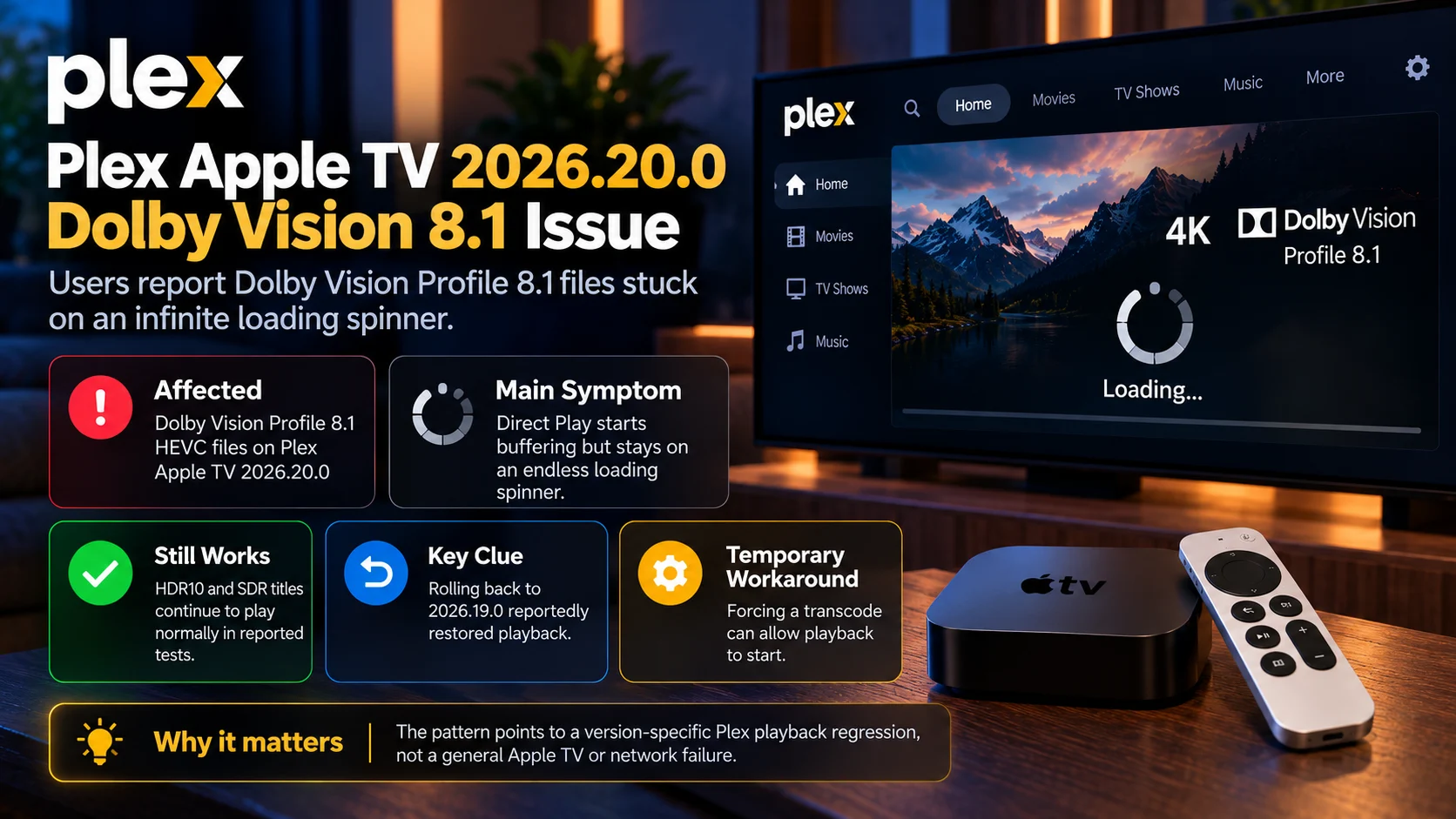
The reported Plex Apple TV 2026.20.0 Dolby Vision Profile 8.1 problem looks like a credible client-side playback regression.
The strongest evidence is not simply that users are seeing an infinite spinner.
It is the pattern around that spinner.
Profile 8.1 files fail.
HDR10 and SDR files can still play.
The server can deliver data at high speed.
Forcing conversion can make the affected file start.
And rolling back to 2026.19.0 has restored playback in controlled testing.
That does not tell us exactly which internal Plex component is responsible.
But it makes a weak network, broken television, or universally incompatible HEVC file much less convincing as the explanation.
Until Plex provides a confirmed technical fix, affected users should treat this as a version-specific Dolby Vision playback issue, test alternate playback paths, and avoid making unnecessary changes to otherwise working home-theater equipment.
Frequently Asked Questions
1) Why is Plex Apple TV 2026.20.0 stuck loading Dolby Vision?
Users report that some Dolby Vision Profile 8.1 HEVC files remain in an infinite buffering state during Direct Play. The exact technical cause has not been publicly confirmed.
2) Does Plex 2026.20.0 break all 4K video?
No. In documented testing, 4K HDR10 and other non-Dolby Vision files continued to play normally.
3) Is Dolby Vision Profile 8.1 specifically affected?
Current reports strongly point toward Profile 8 content, including 8.1. Beta users specifically narrowed the failure to Dolby Vision Profile 8.
4) Does rolling back Plex fix the problem?
One controlled test found that returning from 2026.20.0 to 2026.19.0 restored playback immediately. This is useful diagnostic evidence but not necessarily the best permanent solution.
5) Does forcing transcoding help?
In one detailed test, forcing Plex to convert the affected Dolby Vision file allowed playback to begin. That suggests the failure is tied to the original playback path rather than basic file accessibility.
6) Does changing Apple TV from Dolby Vision to HDR10 fix it?
Not in the reported test. The same Profile 8.1 file remained stuck even after the Apple TV output was changed to HDR10.
7) Is this the same as the Plex HEVC Direct Play problem?
No. PlayerSDK's earlier HEVC Direct Play report involved some HEVC media being transcoded unexpectedly. The new issue involves Dolby Vision content getting stuck before playback begins.
8) Is the Apple TV hardware itself broken?
There is no evidence supporting that conclusion. Reports involve more than one Apple TV generation and show other video formats working normally.
9) Should I change television picture settings?
Probably not. This issue appears to occur before normal playback begins, so picture calibration changes are unlikely to address the underlying problem.
10) Has Plex released a permanent fix?
No confirmed permanent fix for this specific Profile 8.1 infinite-loading behavior appears in the current public release information.
Having trouble with Plex Apple TV video playback?
Use PlayerSDK's media player comparison to compare playback software and codec capabilities, or explore the streaming device comparison to evaluate Apple TV against other hardware for Dolby Vision, HDR, HEVC, and local-media playback.
