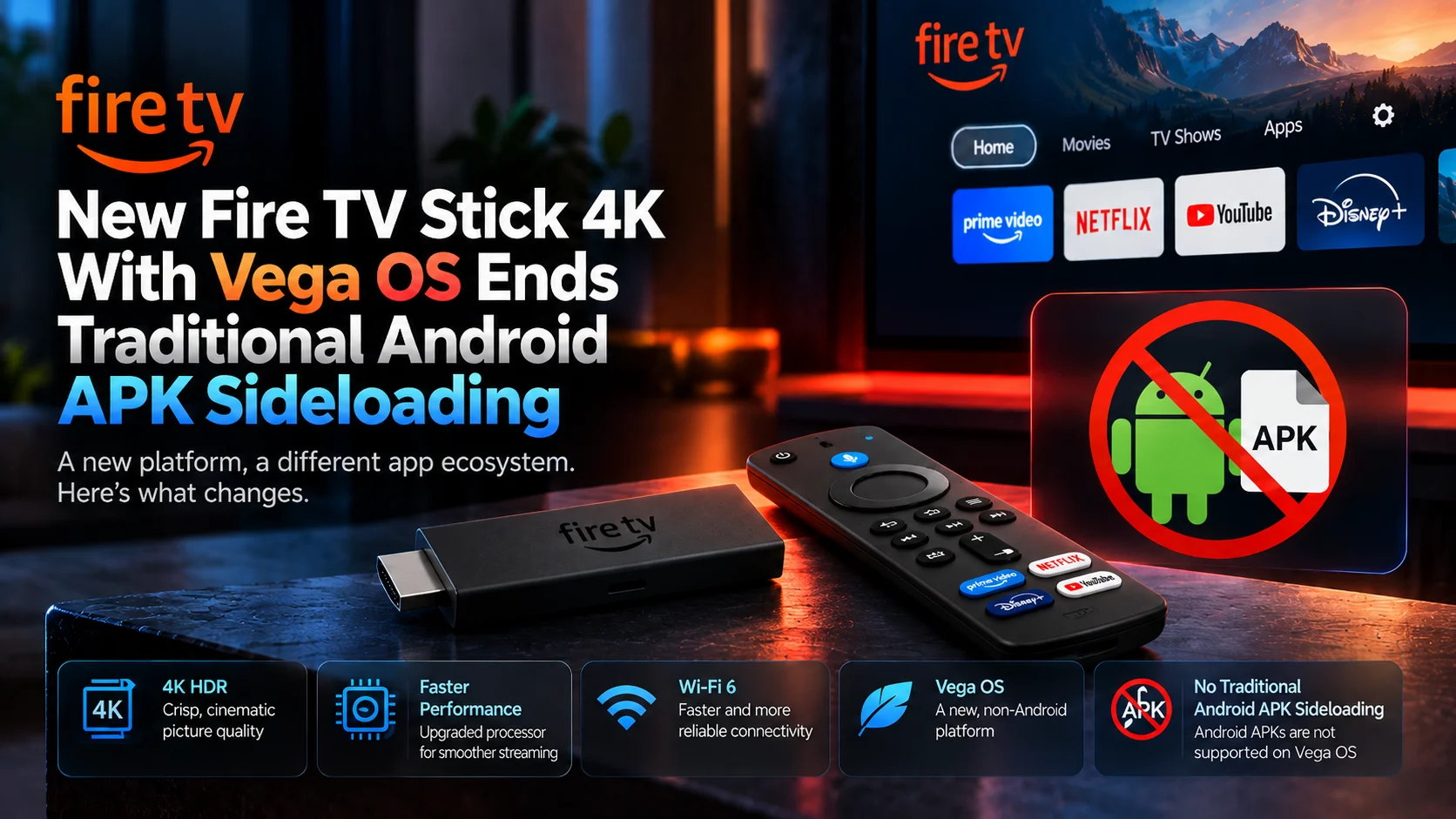
Amazon's newest Fire TV Stick 4K brings faster performance, 4K HDR playback, Wi-Fi 6, and a cleaner setup, but one change is far more important for power users than the hardware specifications.
The device runs Vega OS rather than Android-based Fire OS. That means the traditional method of downloading an Android APK and installing it manually on a Fire TV Stick no longer applies.
For years, Fire TV's Android foundation made the platform unusually flexible. Users could install supported apps from Amazon's store while also manually adding Android software that was not available there. The new Fire TV Stick 4K Vega OS changes that relationship completely.
Amazon's own developer documentation identifies the Fire TV Stick 4K 3rd Gen as running Vega OS 2.0, while its Fire OS documentation describes Fire OS as an Android fork. Vega applications, by contrast, use Amazon's new Vega development environment and a different package format.
For mainstream viewers who use Netflix, Prime Video, Disney+, YouTube, VLC, and other major apps already available on Vega, this may have little immediate effect. For users who relied on manually installed Android media players, utilities, or other APK-only applications, it is a major platform change.
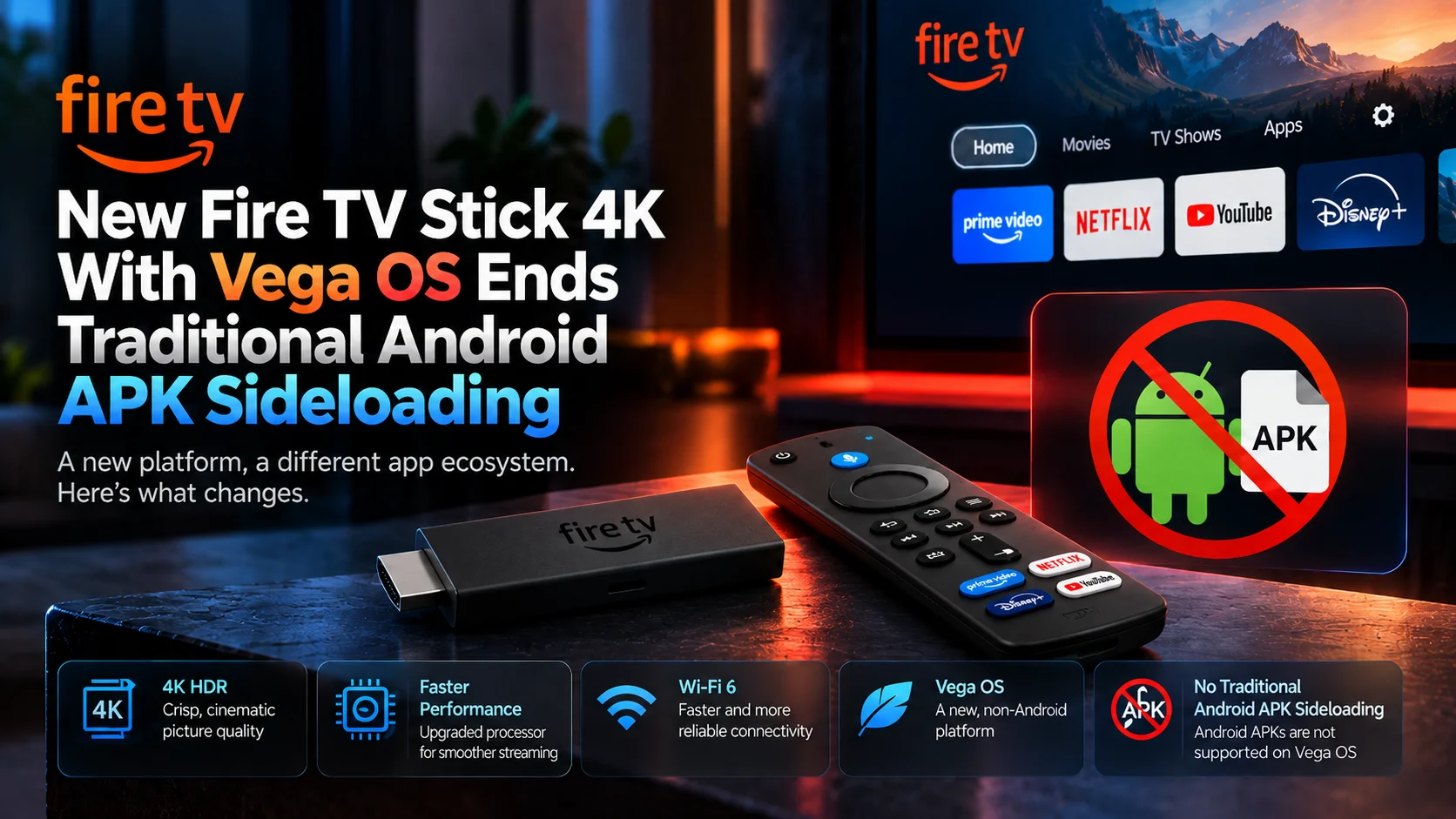
Can You Sideload Android APKs on the New Fire TV Stick 4K?
No, not in the traditional Fire OS sense.
The new Fire TV Stick 4K runs Vega OS rather than Android-based Fire OS. Android APK files are therefore not the native application format for the device.
Amazon requires Vega applications to be packaged as VPKG files, while its traditional Fire OS application flow continues to use APK or Android App Bundle formats.
There is an important technical distinction, however.
Vega OS does have a developer mode that allows registered developers to install and test Vega development builds on compatible Fire TV hardware. Amazon documents a command-line process for installing VPKG files through its Vega developer tools.
So the accurate statement is:
Traditional consumer Android APK sideloading is gone on Vega OS, but developer installation of native Vega packages still exists.
Fire TV Stick 4K Vega OS Changes at a Glance
| Area | Older Fire OS Workflow | New Vega OS Workflow |
|---|---|---|
| Operating System | Android-based Fire OS | Vega OS 2.0 |
| Android APK Support | Yes | No native APK support |
| Consumer Sideloading | APK installation possible | APK installation possible |
| Developer Packages | APK / AAB | VPKG |
| Developer Testing | Android tools | Vega Developer Tools |
| App Store | Amazon Appstore | Amazon Appstore |
| Media Players | Android/Fire OS versions | Vega-native or supported store versions |
| Main Impact | High flexibility | Greater dependence on Vega app availability |
Why Fire TV Sideloading Worked Before
The older Fire TV experience was flexible largely because Fire OS is based on Android.
Amazon's own Fire OS documentation explicitly describes the operating system as an Android fork and notes that Android applications often require little or no adjustment to work on Fire devices.
That Android foundation made APK files relevant.
A user could enable installation from outside the normal store flow, download a compatible Android package, and install it directly.
This became particularly useful for specialized media players, home-theater software, and file-management tools and applications that were available for Android but not listed in Amazon's store.
PlayerSDK's existing VLC Media Player installation guide for Android reflects that older workflow, including Fire OS installation through Amazon's store and manual APK installation on compatible Android-based devices.
Those APK instructions remain relevant to older Fire OS hardware.
They should not be applied to the new Vega-based Fire TV Stick 4K.
Why Vega OS Changes Everything
Vega OS is a separate application platform.
Amazon's developer documentation says Vega uses its own SDK and builds applications into VPKG packages rather than Android APKs. Amazon's development workflow also uses Vega Studio, Vega CLI, and React Native-based tooling.
That means an existing Android application cannot simply be copied onto the new Fire TV Stick and expected to run.
The problem is not merely that an "Unknown Sources" switch has been hidden.
The software package was built for a different operating system environment.
This is why the move to Vega represents a more fundamental change than Amazon simply tightening a security setting.
For developers, supporting both platforms may now require maintaining an Android/Fire OS build and a Vega-specific version.
Amazon allows developers to submit APKs for Fire OS and VPKGs for Vega OS under the same application listing, but the binaries remain separate.
Does This Mean the Fire TV Stick Has Fewer Apps?
Vega OS began with a smaller application ecosystem than Fire OS, but Amazon has been expanding it.
Amazon says it has added more than 2,000 apps since launching the first Fire TV hardware based on Vega. The company specifically lists services and apps, including Spotify, Xbox, VLC, VPN applications, Netflix, Disney+, YouTube, Prime Video, Max, Peacock, and others.
That is important context.
The new Fire TV Stick 4K is not a device with only a handful of streaming services.
For mainstream entertainment, much of what the average user needs may already be available.
The gap becomes more noticeable when you move beyond major store apps.
A user who depends on one specific Android-only video player or utility needs to check whether a native Vega version actually exists before buying the device.
What Happens to Media Player Apps?
This is where the Vega transition matters most to PlayerSDK readers.
A media player distributed through Amazon's Vega-compatible Appstore can work normally.
Amazon specifically lists VLC among the apps now available for Vega-based Fire TV hardware.
But an Android media player that exists only as an APK cannot simply be manually installed anymore.
That creates a new buying question.
Previously, users could choose a Fire TV device first and often solve app availability later through APK installation.
With Vega OS, app compatibility needs to be checked before the hardware purchase.
PlayerSDK's media player comparison is useful here for identifying the player features you need, but Vega users should additionally confirm that their chosen application has an official Vega-compatible release.
What About Kodi and Other Android-Based Apps?
Any application without a native Vega version or supported store distribution can become a problem.
The change is especially important for software traditionally installed outside Amazon's Appstore.
The issue is not whether the application itself is technically capable of playing 4K video.
It is whether a Vega build exists.
A powerful media player packaged only for Android remains an Android application.
Vega does not become Android-compatible simply because both platforms run on ARM-based television hardware.
This is the central compatibility difference users need to understand before upgrading.
Can Developers Still Sideload Apps?
Yes, but this should not be confused with the old consumer APK workflow.
Amazon explicitly documents Developer Mode for Vega Fire TV devices.
Developers can register supported hardware, build a Vega application into a .vpkg package, and install that package using Amazon's Vega command-line tools.
This exists so developers can test software before submitting it to the Amazon Appstore.
It does not provide a method for taking an arbitrary Android APK and making it run on Vega.
That distinction is why saying "Vega completely blocks all sideloading" is technically too broad.
It blocks the workflow most Fire TV owners mean when they talk about sideloading: manually installing ordinary Android APKs.
Native Vega development builds remain installable through Amazon's supported developer process.
Is the New Fire TV Stick 4K Still Good for Video Playback?
From a hardware perspective, it remains a capable mainstream 4K streaming device.
Amazon lists a quad-core processor running up to 1.7 GHz, 8 GB of storage, Wi-Fi 6, Bluetooth 5.3, and support for video formats including H.265/HEVC, H.264, VP9, and AV1. Output resolutions reach 4K at up to 60 frames per second, with HDR10, HDR10+, and HLG support.
The device also supports several major audio formats and passthrough options.
So the Vega controversy is not primarily about raw video capability.
It is about software freedom.
For someone who uses only officially available services, that distinction may barely matter.
For someone who chooses streaming hardware specifically around customized media-player software, it can matter more than CPU speed.
How Does It Compare With Fire TV Stick 4K Max?
The Fire TV Stick 4K Max remains particularly interesting because current models in PlayerSDK's database use Fire OS, retaining the Android application ecosystem and broader APK flexibility.
PlayerSDK's Fire TV Stick 4K Max 2nd Gen guide covers its playback features, hardware acceleration, and home-theater configuration.
This creates an unusual choice inside Amazon's own ecosystem.
The newer standard Fire TV Stick 4K brings Vega and Amazon's future platform direction.
The 4K Max can remain more attractive to users who specifically need Android-based software compatibility.
Users comparing those trade-offs can use PlayerSDK's streaming device comparison to evaluate Fire TV against Apple TV and other streaming hardware.
Does Vega OS Make Fire TV More Secure?
Amazon has positioned Vega as a purpose-built platform, and moving away from arbitrary Android APK installation reduces one obvious route through which unverified software can reach a television device.
That does not mean every manually installed Android app was unsafe.
Many legitimate open-source players and utilities were historically distributed outside the Amazon Appstore.
The trade-off is therefore straightforward.
A more controlled software ecosystem can reduce some security risks while also removing flexibility from advanced users.
Whether that is positive or negative depends heavily on how the Fire TV is used.
Should Existing Fire TV Owners Be Worried?
No.
A Fire TV Stick already running Fire OS does not suddenly become Vega simply because Amazon released a new model.
Amazon's documentation continues to list different Fire TV products on different operating system branches.
Older compatible Fire OS devices can continue using their existing Android applications and normal supported installation methods.
The key point is to check the exact model before assuming all Fire TV devices behave the same way.
"Fire TV" is now a platform family that includes both Fire OS and Vega OS hardware.
That distinction will become increasingly important in setup guides and device comparisons.
Should Media-Player Users Buy the New Fire TV Stick 4K?
It depends on the apps they actually need.
If your streaming setup relies on major services and media players already available through Amazon's Vega ecosystem, the new Fire TV Stick 4K remains attractive.
It offers 4K playback, modern codec support, Wi-Fi 6 and Amazon's latest interface in a compact design.
If your setup depends on Android-only applications, custom tools or manually installed APK media players, buying a Vega device without checking compatibility first is risky.
In that case, an Android-based Fire TV model or another Android TV/Google TV device may offer more flexibility.
The important change is that software compatibility should now be treated as a hardware-buying criterion.
Final Verdict
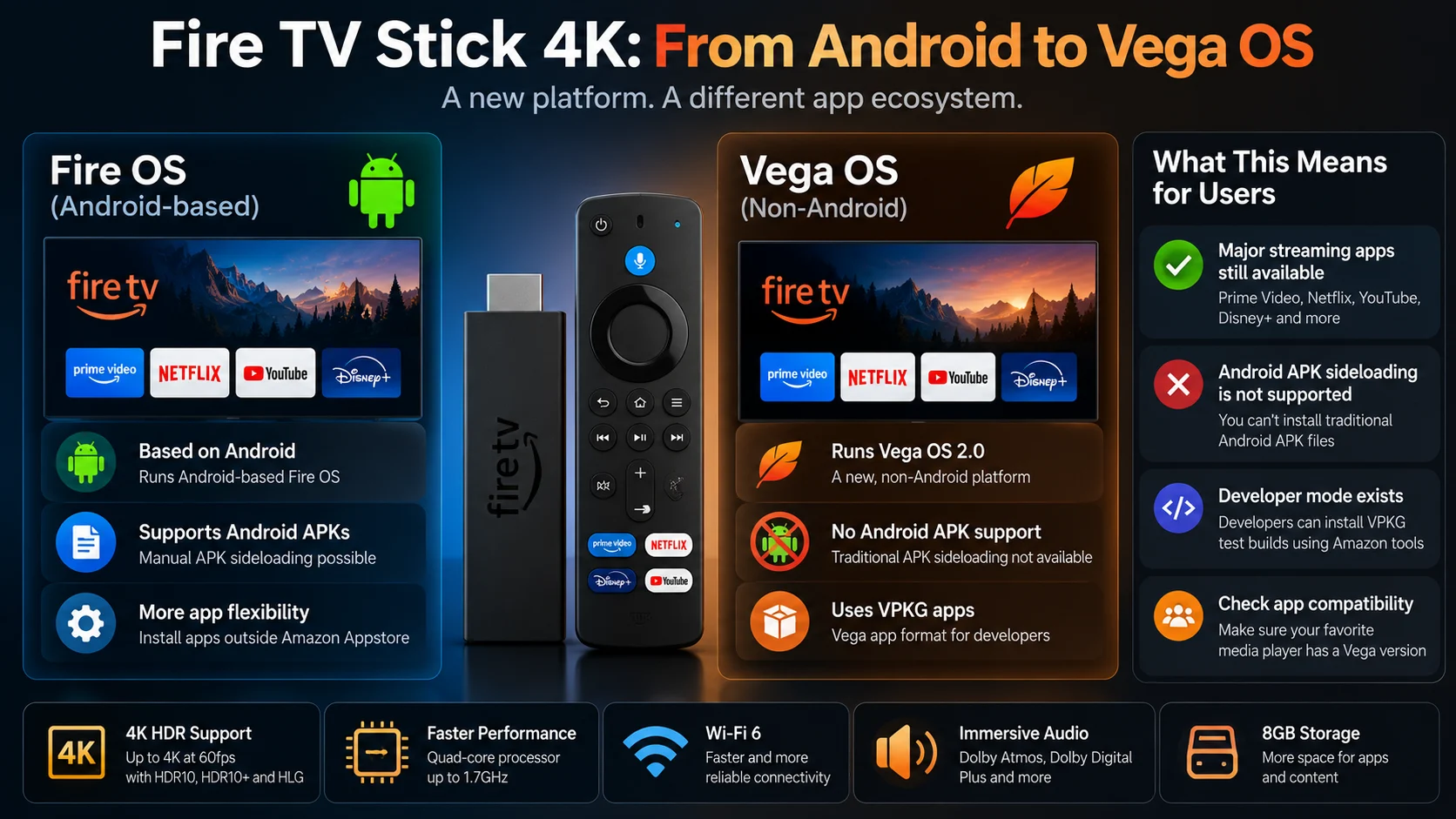
The new Fire TV Stick 4K Vega OS is more than another Fire TV hardware refresh. It marks a fundamental change in how software reaches Amazon's streaming sticks.
Traditional Fire OS devices benefited from their Android foundation. That allowed compatible Android APK files to be installed manually when an application was not available through Amazon's store.
Vega breaks that compatibility. The new platform uses VPKG applications and its own developer toolchain rather than Android APK packages. That means the familiar consumer sideloading workflow is effectively over on the new Fire TV Stick 4K.
At the same time, it is important not to overstate the restriction. Vega still supports developer-mode installation of native Vega applications, and its official app ecosystem is growing quickly. For mainstream viewers, the transition may be almost invisible.
For advanced media-player users, it changes one of Fire TV's defining advantages. The question is no longer simply whether a Fire TV Stick is powerful enough to play your media. It is whether the exact player you want exists for the operating system inside the stick.
Frequently Asked Questions
1) Does the new Fire TV Stick 4K run Android?
No. Amazon lists the Fire TV Stick 4K 3rd Gen as running Vega OS 2.0, while traditional Fire OS devices are based on Android.
2) Can I install Android APK files on Vega OS?
Not through the traditional consumer Fire TV workflow. Vega uses its own application format rather than Android APK packages.
3) Does Vega OS support sideloading at all?
Developers can install VPKG development builds using Amazon's Vega developer tools and Developer Mode. That is different from manually installing arbitrary Android APK files.
4) What app format does Vega OS use?
Vega applications are distributed as VPKG packages. Fire OS continues to use Android APK or AAB packages.
5) Does VLC work on Vega OS?
Amazon says VLC is among the apps added to the Vega ecosystem, so users do not need Android APK sideloading just to install VLC on supported Vega devices.
6) Do older Fire TV Sticks still support Android apps?
Fire TV devices that continue to run Fire OS remain Android-based. Compatibility depends on the exact device and Fire OS version.
7) Does Fire TV Stick 4K Max run Vega OS?
The Fire TV Stick 4K Max currently remains a separate model from the new Vega-based standard Fire TV Stick 4K. Check the exact model before purchasing because Amazon's Fire TV lineup now spans different operating systems.
8) Is Vega OS worse than Fire OS?
Not necessarily. Vega can offer a streamlined, purpose-built Fire TV experience, but it is less flexible for users who depend on Android APK installation.
9) Is the new Fire TV Stick 4K good for 4K video?
Yes. Amazon lists support for 4K output up to 60fps, HEVC, AV1, VP9, HDR10 and HDR10+, along with Wi-Fi 6 connectivity.
10) Which Fire TV should I buy for maximum app flexibility?
Users who specifically need Android-based applications should confirm that the device runs Fire OS before buying. PlayerSDK's streaming device comparison can help compare available hardware and platform capabilities.
Choosing a new Fire TV device for 4K video playback or advanced media-player use?
Before buying, check both the hardware specifications and the operating system. Use PlayerSDK's streaming device comparison to compare streaming hardware, and the media player comparison to see which playback apps and codec features best match your setup.
