VLC Media Player continues to evolve even as VideoLAN works toward the much-anticipated VLC 4.0 generation.
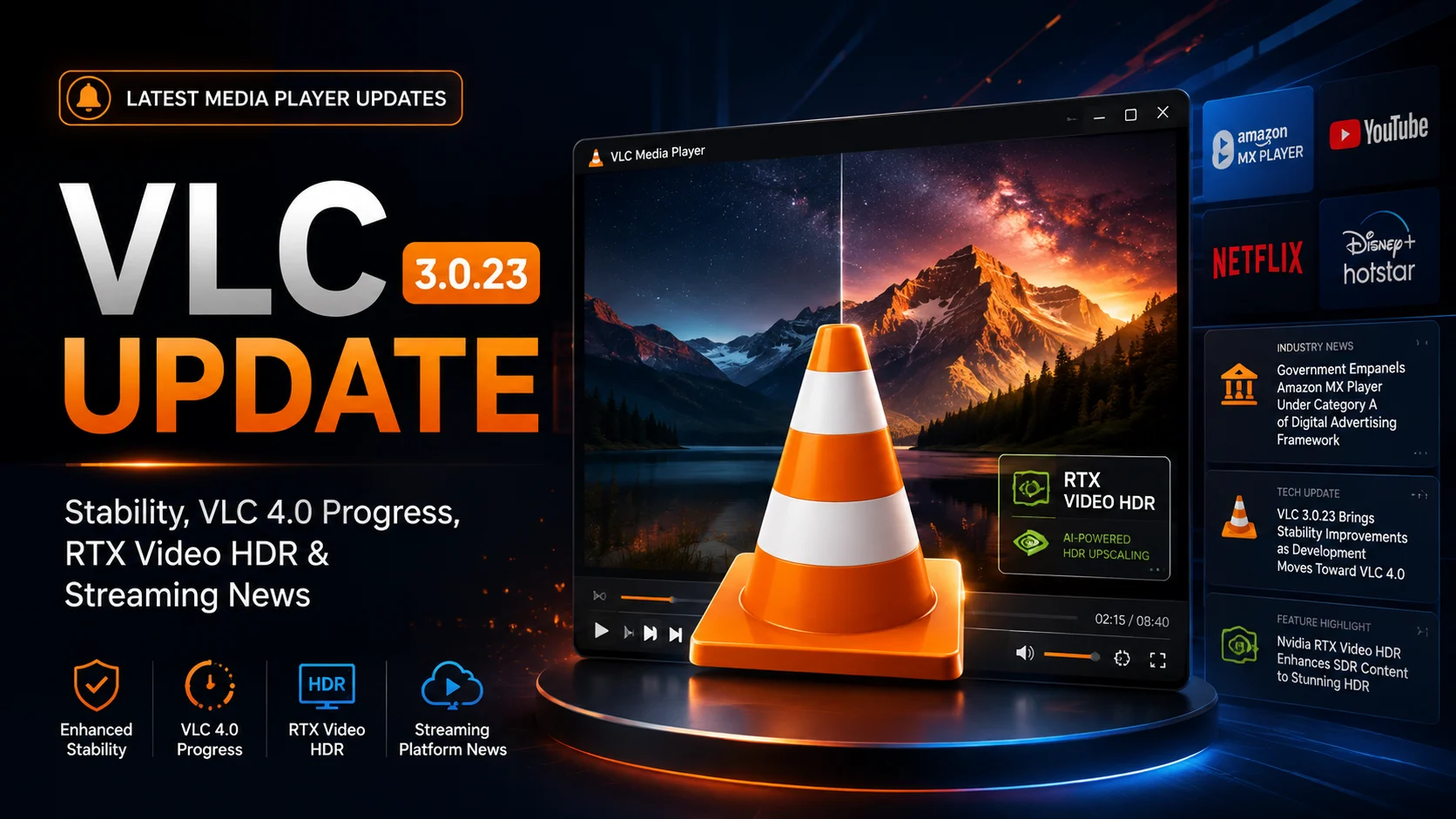
The current VLC 3.0.23 update is focused primarily on making the existing player more reliable, secure, and compatible with modern hardware. Rather than introducing a completely redesigned player, the release strengthens the long-running VLC 3.0 branch with stability fixes, updated multimedia libraries, improved subtitle handling, Windows ARM64 support, and a Dark Mode option for desktop users.
At the same time, development of VLC 4.0 continues in the background. Experimental builds are available for testing, but VLC 3.0.23 remains the safer choice for everyday users who need a stable media player.
Another development worth watching is NVIDIA RTX Video HDR, which demonstrates how AI-powered GPU technology is becoming increasingly involved in video playback and image enhancement.
Beyond VLC itself, the broader streaming ecosystem is also changing. In India, Amazon MX Player and several other major streaming platforms have recently become part of the government's digital advertising framework.
Together, these developments show that media playback is changing at several levels at once—from player stability and hardware acceleration to streaming distribution and advertising.
What Is New in VLC 3.0.23?
VLC 3.0.23 is part of the long-running VLC 3.0 “Vetinari” branch.
Unlike a major version upgrade, it is primarily a maintenance release. However, that does not make it insignificant. Media players depend on large numbers of codecs, libraries, subtitle engines, hardware interfaces, and file parsers, so improvements behind the scenes can have a major impact on reliability.
The update focuses on correcting bugs, improving stability across different media formats, updating third-party libraries, and addressing security-related issues.
Users may notice fewer playback problems when opening unusual media files, improved handling of subtitles, and better compatibility with modern systems.
One of the most visible improvements is Dark Mode support on Windows and Linux, giving users a more modern interface without needing to wait for VLC 4.0.
VLC 3.0.23 also adds Windows ARM64 support, which is increasingly important as more Windows laptops and devices adopt ARM-based processors.
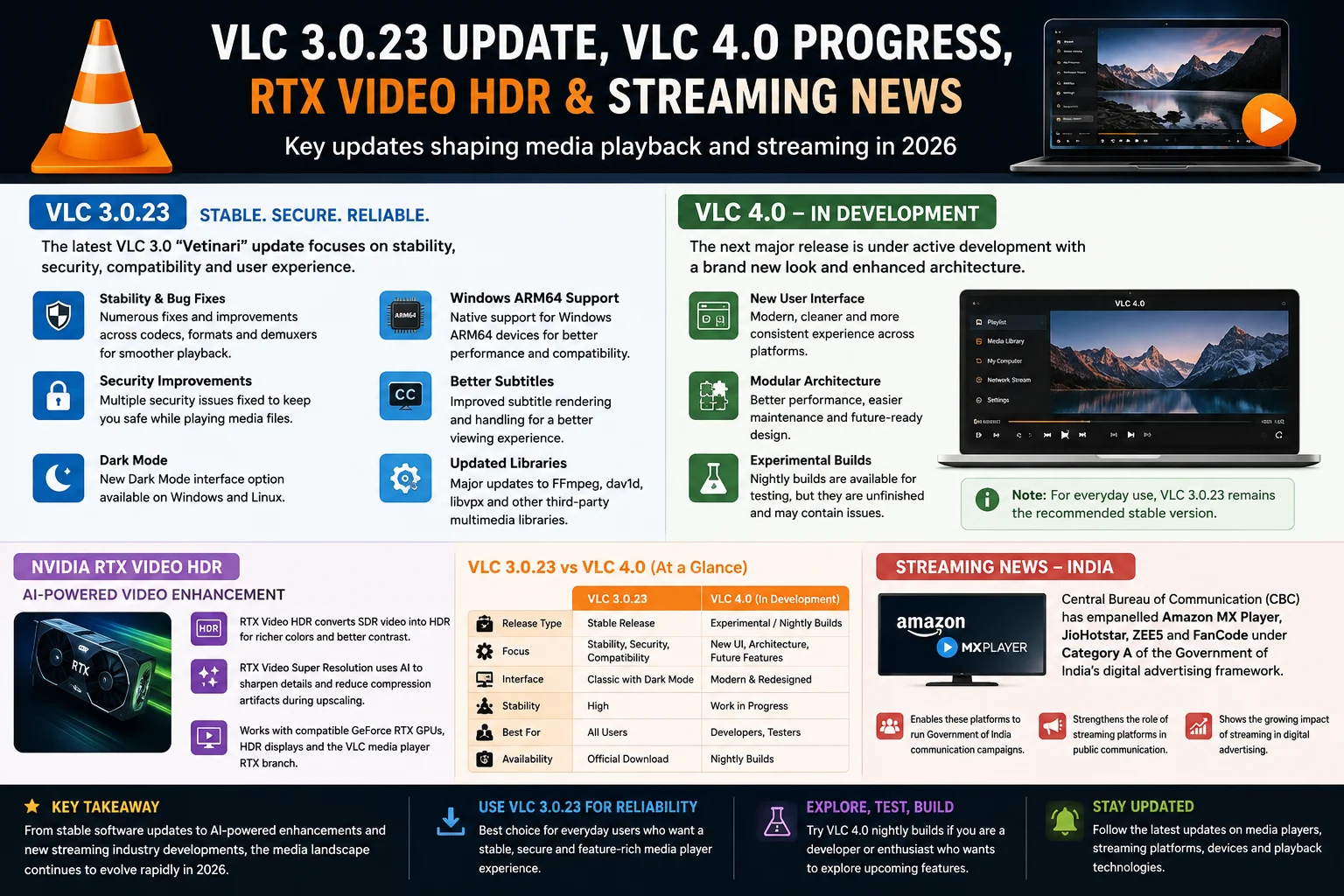
VLC 3.0.23 at a Glance
| Area | VLC 3.0.23 |
|---|---|
| Release branch | VLC 3.0 “Vetinari” |
| Main focus | Stability, security and compatibility |
| Interface | Dark Mode support on Windows and Linux |
| Windows support | Windows ARM64 support added |
| Playback | Multiple fixes and compatibility improvements |
| Subtitle support | Improved subtitle rendering and handling |
| Libraries | Updated multimedia and third-party components |
| Security | Multiple security-related fixes |
| VLC 4.0 | Still under active development |
Why Stability Is Still a Major Priority for VLC
VLC is different from many media players because it supports an extremely broad range of audio and video formats.
Users often turn to VLC specifically when another application cannot play a particular file. That flexibility means VLC must process many different codecs, containers, subtitle formats, metadata structures, and network sources.
Even small bugs in one of those components can cause playback failures, crashes, visual problems, or incorrect file handling.
That is why stability remains an important part of VLC development even while VLC 4.0 receives much of the attention.
For everyday users, stability improvements may be more valuable than major visual changes. A media player that opens quickly, handles files correctly, and plays video reliably delivers more practical value than one that simply has a redesigned interface.
Security Improvements Make Updating More Important
Security is another reason users should pay attention to VLC maintenance releases.
A media player constantly processes external files, metadata, subtitles, audio streams, and video streams. Those files may come from downloads, local storage, removable drives, network locations, or other external sources.
Because of this, outdated multimedia libraries can create unnecessary security risks.
VLC 3.0.23 includes security-related fixes alongside its stability improvements. Keeping the player updated therefore helps users benefit from both new compatibility work and corrections to known problems.
For users still running significantly older VLC 3.x versions, upgrading to the current stable release is generally more sensible than remaining on an outdated build simply because basic video playback still works.
Dark Mode Gives VLC 3.x a More Modern Experience
One of the most noticeable additions in VLC 3.0.23 is the availability of a Dark Mode interface for Windows and Linux.
Dark interfaces have become common across modern operating systems and media applications, particularly because users often watch movies and video content in darker environments.
A bright media-player interface surrounding a dark movie scene can be distracting. Dark Mode helps VLC blend more naturally into the viewing environment.
It is still not the full UI transformation expected from VLC 4.0, but it gives current users a useful visual improvement while the next-generation version remains under development.
Windows ARM64 Support Expands VLC Compatibility
Windows hardware is changing.
Traditional Windows PCs have largely relied on x86 processors from Intel and AMD, but ARM-based Windows devices are becoming increasingly important.
VLC 3.0.23 adds support for Windows ARM64, allowing VLC to better serve this growing category of devices.
Native application support can be particularly important for media software because playback performance, decoding efficiency, and hardware acceleration can all depend on how well an application communicates with the underlying platform.
The addition also demonstrates that VideoLAN is still actively improving the VLC 3.x branch rather than focusing entirely on VLC 4.0
What Is Happening With VLC 4.0?
VLC 4.0 remains one of the most anticipated upgrades in the project's history.
The next major version is expected to represent a much larger change than routine VLC 3.x updates, including significant work on the user interface and underlying player architecture.
However, development has taken considerable time.
Experimental VLC 4.0 nightly builds are available for users and developers who want to see the latest work, but these builds should not be treated like normal stable releases.
Nightly versions can contain unfinished features, bugs, crashes, or functionality that changes between builds.
That means VLC 3.0.23 remains the better option for users who rely on VLC for regular daily playback.
VLC 4.0 nightly builds are better suited to developers, testers, and enthusiasts who specifically want to experiment with unfinished software.
Why VLC 4.0 Is Taking Time
Building a major new VLC version is more complicated than redesigning a few menus.
VLC includes a substantial multimedia framework supporting video decoding, audio playback, subtitles, hardware acceleration, network protocols, streaming, different operating systems, and many file formats.
Changing major parts of that architecture without losing VLC's extensive compatibility requires significant testing.
VideoLAN also needs to consider Windows, macOS, Linux, mobile platforms, televisions, and different processor architectures.
Maintaining VLC 3.x while VLC 4.0 develops therefore provides an important balance. Existing users continue receiving security and reliability improvements while developers can work on the larger long-term upgrade.
NVIDIA RTX Video HDR Brings AI Into Video Playback
Another important development around modern media playback is NVIDIA RTX Video HDR.
RTX Video HDR uses AI processing on compatible NVIDIA GeForce RTX GPUs to enhance standard dynamic range video for HDR displays.
Instead of simply decoding and displaying the source exactly as provided, compatible hardware can process the image in real time to create a richer HDR presentation.
For supported systems, this can improve perceived brightness range, highlights, and color presentation.
NVIDIA has also developed RTX Video Super Resolution, which uses AI-assisted processing to improve video quality and reduce visible compression artifacts while upscaling lower-resolution content.
These technologies demonstrate a broader shift in media playback.
Traditionally, media players were primarily responsible for decoding a file and displaying it correctly. Increasingly, modern GPU hardware can participate in improving the image during playback.
Is RTX Video HDR Included in Every VLC Installation?
No.
This is an important distinction.
RTX Video HDR should not be understood as a feature that automatically activates on every computer running VLC 3.0.23.
NVIDIA's RTX video functionality depends on compatible GeForce RTX hardware, supported drivers, appropriate configuration, and an HDR-capable display.
NVIDIA has also used a VLC-specific RTX workflow for supported local video playback.
Therefore, ordinary VLC users without compatible RTX hardware should not expect the player to automatically transform SDR content into HDR.
The feature is better understood as an example of how VLC can work within a broader hardware-accelerated video ecosystem.
VLC Development Goes Beyond Desktop
VLC development is not limited to desktop PCs.
VideoLAN continues to maintain VLC across platforms including Android, iOS, iPadOS, Apple TV, and other environments.
Mobile and television versions require different interface decisions and playback optimizations compared with traditional desktop software.
This multi-platform development is important because video consumption has increasingly moved beyond the computer.
Users now watch content across smartphones, tablets, smart TVs, streaming devices, laptops, and desktop systems.
For developers and streaming businesses, this means playback compatibility has to be considered across an increasingly diverse collection of devices and operating systems.
Amazon MX Player and India's Digital Advertising Expansion
While VLC is evolving technically, major streaming platforms are also changing commercially.
India's Central Bureau of Communication has recently empanelled platforms including Amazon MX Player, JioHotstar, ZEE5, and FanCode under Category A of its digital advertising framework.
This allows these platforms to participate in Government of India digital communication campaigns under the approved framework.
The development demonstrates how important streaming platforms have become as advertising and communication channels.
Services that once competed primarily around entertainment catalogues are increasingly becoming major digital distribution platforms capable of reaching large audiences across smartphones, televisions, and connected devices.
Why the Amazon MX Player Development Matters
Amazon MX Player has become an increasingly important part of Amazon's entertainment strategy in India.
The platform combines free, advertising-supported entertainment with Amazon's broader streaming ecosystem.
Government advertising eligibility gives the service another role beyond conventional entertainment advertising.
More broadly, this reflects the growing influence of streaming platforms in the digital advertising market.
As viewers spend more time consuming video through connected devices and streaming applications, advertisers and institutions are increasingly following those audiences.
For technology and streaming companies, this means the industry is evolving both technically and commercially.
What These Changes Mean for Media Developers
The most interesting takeaway from these developments is how many different parts of video technology are changing simultaneously.
VLC 3.0.23 highlights the importance of stable codecs, security, subtitles, and hardware compatibility.
VLC 4.0 represents the longer-term evolution of media-player architecture and user experience.
RTX Video HDR demonstrates how GPUs and AI can enhance video during playback.
Meanwhile, streaming platforms such as Amazon MX Player show how video distribution and monetization continue expanding beyond traditional entertainment models.
For developers building video applications, these developments make platform awareness increasingly important.
Playback software can no longer be considered separately from GPUs, operating systems, connected devices, streaming platforms, advertising systems, and evolving user expectations.
Should You Upgrade to VLC 3.0.23?
For most users running an older stable VLC 3.x release, upgrading to VLC 3.0.23 makes sense.
The release prioritizes exactly the areas users typically want from a mature media player: reliability, security, compatibility, subtitle improvements, updated libraries, and support for newer hardware.
Users who simply want VLC to work reliably should remain on the stable branch rather than switching to VLC 4.0 nightly builds.
Those experimental builds are more appropriate for people who specifically want to test upcoming features and are comfortable dealing with unfinished software.
Final Thoughts
The VLC 3.0.23 update may not completely reinvent VLC Media Player, but it strengthens the areas that matter most for everyday playback.
Improved stability, security fixes, updated multimedia components, Dark Mode, better subtitle handling, and Windows ARM64 support help keep the established VLC 3.x platform relevant while VLC 4.0 development continues.
At the same time, technologies such as NVIDIA RTX Video HDR show how AI and GPU acceleration are beginning to play a larger role in modern video playback.
And beyond the player itself, developments around Amazon MX Player demonstrate how rapidly the wider streaming ecosystem is evolving.
The result is a media landscape where software, hardware, AI processing, streaming platforms, and digital distribution are becoming increasingly interconnected.
FAQs About VLC 3.0.23 and VLC 4.0
1) What is VLC 3.0.23?
VLC 3.0.23 is a maintenance release in the VLC 3.0 “Vetinari” branch focused on stability, security, compatibility, updated multimedia components, Dark Mode, and Windows ARM64 support.
2) Is VLC 4.0 available as a stable release?
VLC 4.0 continues to be developed. Experimental nightly builds are available, but regular users should continue using the current stable VLC release unless they specifically want to test unfinished software.
3) Does VLC 3.0.23 support Dark Mode?
Yes. VLC 3.0.23 introduces a Dark Mode interface option for Windows and Linux users.
4) Does VLC support Windows ARM64?
Yes. Windows ARM64 support is one of the notable platform improvements included in VLC 3.0.23.
5) What is NVIDIA RTX Video HDR?
RTX Video HDR is NVIDIA's AI-powered video enhancement technology designed to transform SDR video into an HDR-like presentation on compatible GeForce RTX hardware and HDR displays.
6) Does RTX Video HDR work on every computer running VLC?
No. It requires supported NVIDIA RTX hardware, compatible software and drivers, and an HDR-capable display.
7) What is changing with Amazon MX Player?
Amazon MX Player has been included among major streaming platforms approved under India's government digital advertising framework, expanding its role as a digital distribution and advertising platform.
Stay Updated with the Player SDK Guide Hub
Media players and streaming platforms continue to evolve quickly. New software releases, playback technologies, connected devices, operating-system changes, and platform updates can directly affect how video applications are developed and experienced. That's why we created the Player SDK Guide Hub.
The Player SDK Guide Hub covers the latest media player updates, streaming device news, software releases, playback technologies, platform developments, device specifications, and major streaming industry changes in one place.
Whether VLC reaches another development milestone, NVIDIA introduces new video-enhancement technology, a major streaming device receives an update, or platforms such as Amazon MX Player introduce important changes, our Guide Hub helps explain what changed, why it matters, and what developers and streaming teams should watch next.
Explore the Player SDK Guide Hub for the latest media player news, streaming device updates, technical guides, platform developments, and streaming technology insights.
