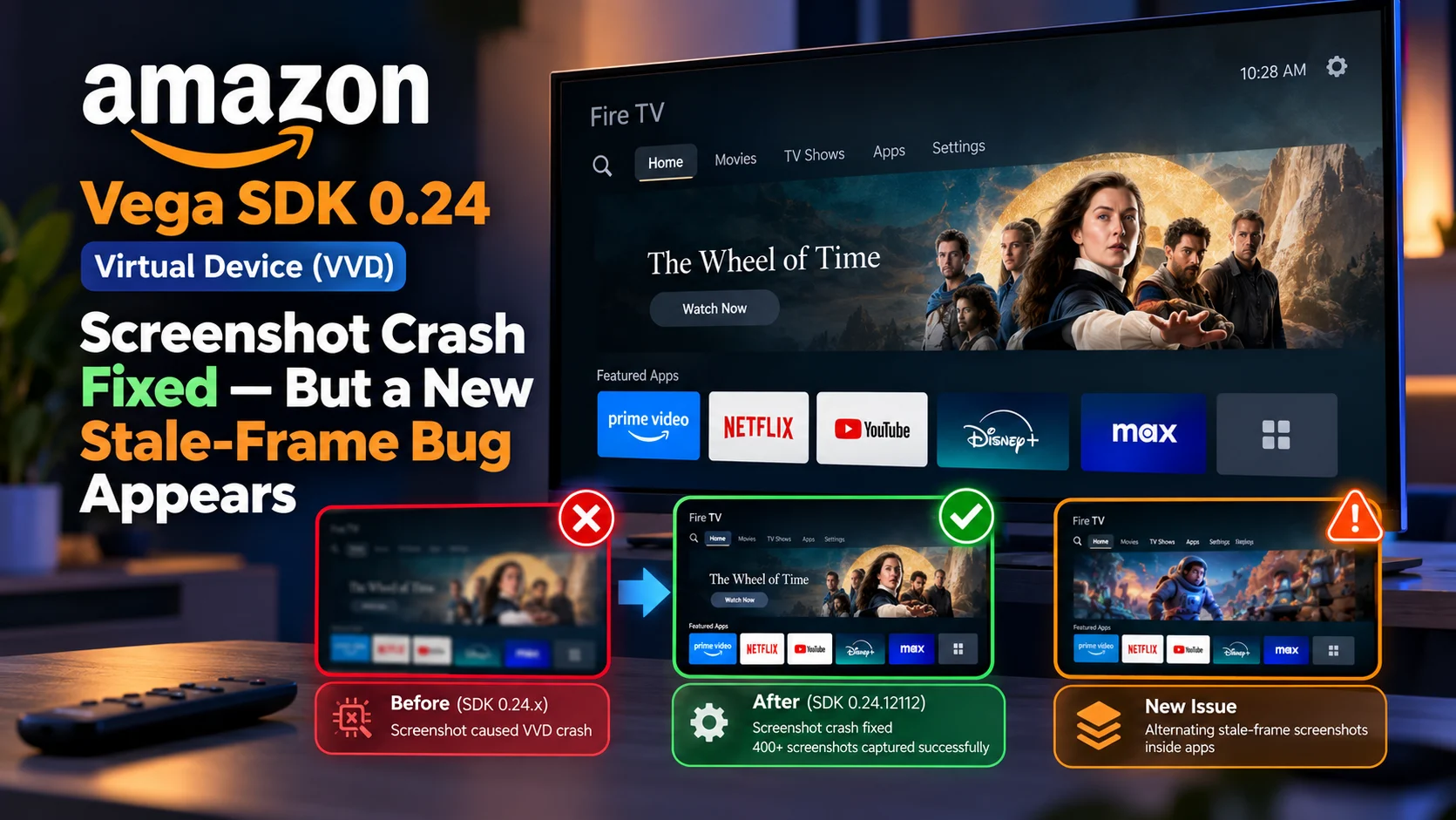
Amazon’s latest Vega SDK 0.24 Virtual Device update has resolved a serious screenshot crash affecting automated testing, but the fix has exposed another unusual problem: screenshots captured from applications can now alternate between the current screen and an older, stale frame.
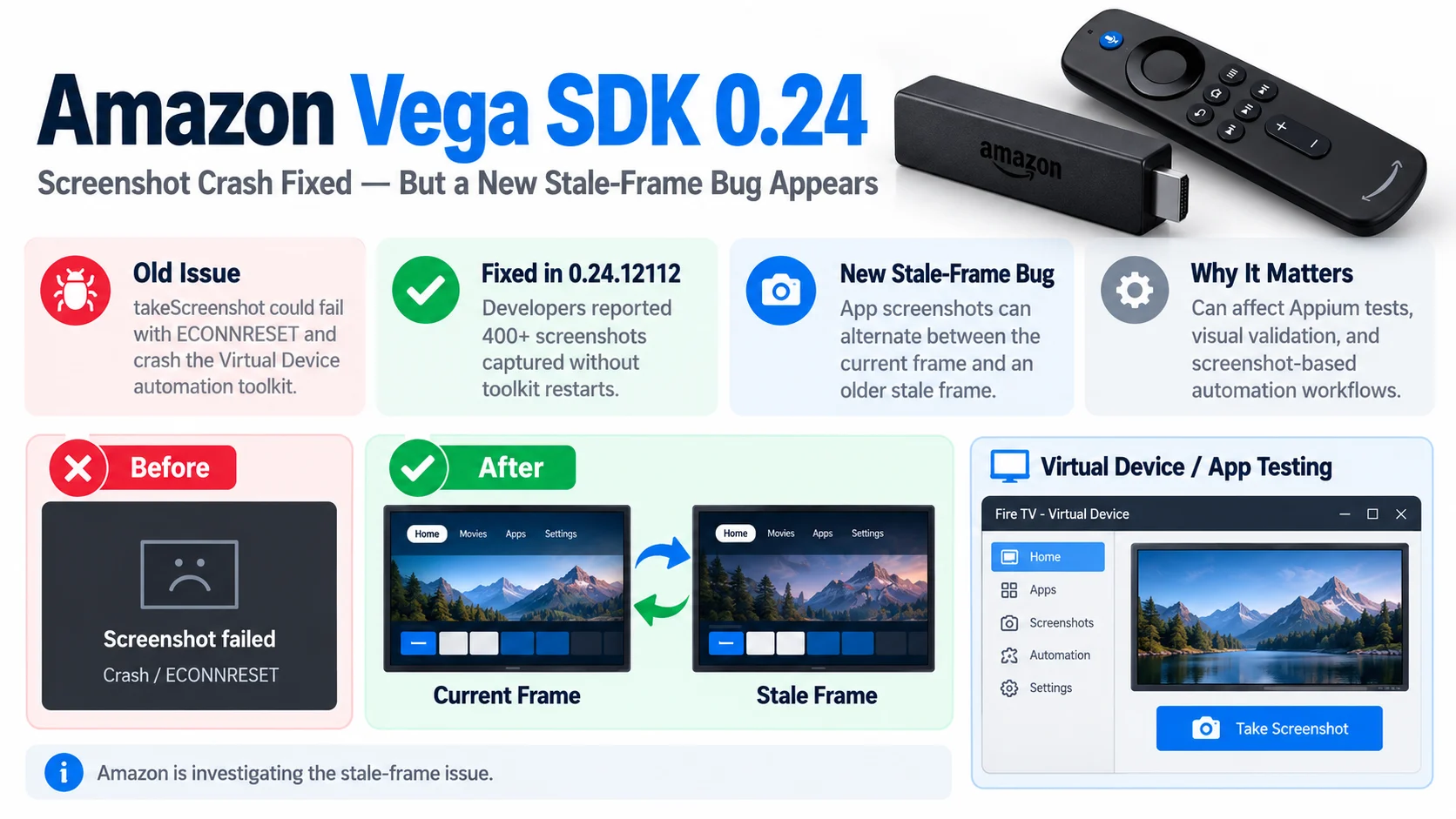
The original bug affected the Vega Virtual Device, or VVD, included with several SDK 0.24.x builds. Calling Appium’s screenshot command or the underlying automation-toolkit takeScreenshot method could reset the connection and crash the toolkit service. After several failures, the service could stop recovering altogether until the virtual device was rebooted.
A developer testing Vega SDK 0.24.12112 reported on September 24 that the crash itself is now fixed. More than 400 screenshots were captured without automation-toolkit restarts. Amazon subsequently acknowledged that confirmation.
What Changed in Vega SDK 0.24.12112?
The practical improvement is straightforward: the catastrophic screenshot crash appears to be resolved.
Before the patch, screenshot requests against affected Vega SDK 0.24 VVD images could produce an ECONNRESET connection failure. The automation toolkit would restart, and repeated screenshot calls could eventually leave not only screenshot capture but also other automation operations unavailable until the VVD itself was rebooted.
With version 0.24.12112, the reporting developer successfully captured more than 400 screenshots without reproducing the service crash.
Amazon’s representative responded by thanking the developer for confirming that the new build fixed the original crash, then said the company was looking into the newly discovered screenshot problem. It is worth noting that Amazon’s main Vega SDK 0.24 release note page does not currently document version 0.24.12112 as a separate screenshot-fix entry. The fix is instead confirmed through the active Amazon Developer Community thread and Amazon’s response there.
Vega VVD Screenshot Issue at a Glance
| Area | Earlier Vega SDK 0.24 Behaviour | Vega SDK 0.24. 12112 Behaviour |
|---|---|---|
| Screenshot command | Could crash the automation toolkit | Crash appears fixed |
| Appium result | ECONNRESET / screenshot failure | Screenshot requests complete |
| Repeated capture | Could kill toolkit after several attempts | 400+ captures tested without toolkit restart |
| Other automation commands | Could become unavailable after service failure | No longer blocked by screenshot crash |
| Screenshot accuracy | Crash prevented reliable capture | New alternating stale-frame behavior reported |
| VVD window | Display itself could remain correct | Still shows current state |
| Page source | Could work until toolkit died | Can show current UI even while screenshot is stale |
| Physical Fire TV | Original crash did not reproduce in testing | Issue remains primarily VVD-focused |
| Amazon status | Investigated original crash | Now investigating stale-frame behaviorq |
The Original Screenshot Bug Was Severe for Appium Testing
The original problem was more disruptive than a single failed screenshot.
The developer first reported that on Vega SDK builds including 0.24.9785, 0.24.9859, and 0.24.9914, calling takeScreenshot caused the connection to reset. The toolkit service then restarted automatically.
After approximately three crashes within a short period, the service could stop restarting.
At that point, unrelated automation operations could also stop working until the developer rebooted the virtual device.
Through Appium, the failure appeared as an inability to retrieve screenshot data combined with a socket hang-up.
That is particularly problematic because Appium workflows often capture screenshots automatically.
Visual test frameworks, failure-reporting systems, Appium Inspector sessions, and video-recording helpers may request screenshots repeatedly without the developer manually triggering each call.
So one screenshot problem could effectively bring down an entire automation session.
Vega SDK 0.23 Did Not Show the Same Behavior
The developer compared the affected Vega SDK 0.24 Virtual Device with SDK 0.23.8358.
Using the same host configuration, the older 0.23 VVD reportedly supported screenshot capture and even continuous screenshot polling at roughly seven frames per second for several minutes without the automation service failing.
That comparison was important because it helped isolate the problem.
If exactly the same automation stack works against SDK 0.23 but fails deterministically against several 0.24 Virtual Device images, the evidence points more strongly toward a change in the 0.24 VVD environment rather than a generic Appium problem.
The developer also compared the behavior with real Fire TV hardware.
Physical Fire TV Hardware Did Not Reproduce the Crash
A physical Fire TV device running Vega OS 1.1 did not reproduce the same repeated automation-toolkit crash.
The developer tested the same screenshot workflow against real hardware. Screenshot calls could still encounter graceful errors such as a timeout or a null screenshot buffer, but they did not trigger the Virtual Device’s repeated service-crash behavior.
The automation-toolkit binary on the physical device was also different from the binary included in the SDK 0.24 Virtual Device image.
That evidence led the developer and Amazon discussion toward treating the original issue as VVD-specific rather than a universal Vega automation defect.
That is good news for teams testing on actual hardware, but virtual device reliability remains important because automated development pipelines increasingly depend on emulators for quick and repeatable testing.
Vega SDK 0.24.12112 Fixes the Crash
The September 24 update brought the first major positive result.
After installing 0.24.12112, the developer ran more than 400 screenshot captures without seeing any automation-toolkit restart.
That indicates the original crash path has been corrected in this virtual device build.
From a CI perspective, this is a substantial improvement.
A test job should no longer lose its entire automation connection simply because it tries to capture screenshots for an assertion, failure artifact, or test report.
But while stress-testing the fix, the developer noticed that the screenshots were not always showing the correct frame.
The New Problem: Every Other Screenshot Can Be Stale
The newly reported issue is more subtle.
Inside applications running on the VVD, the first screenshot after a visible UI change can still show the previous screen state, even when the developer waits two seconds before capturing it.
Meanwhile, two other sources can already show the correct state: the visible Vega Virtual Device window itself and the application's page-source hierarchy. That means the application has actually changed. The screenshot API is simply returning an older image.
Even stranger, the developer reports that if the app remains idle and screenshots are captured repeatedly, the output can alternate indefinitely between the current image and an older frame.
This creates a very different automation problem from the original crash. The toolkit survives—but developers may no longer be able to trust every image it returns.
The Stock React Native Template Reproduces the Problem
The report does not depend on a large production streaming application.
The developer reproduced the stale-frame behavior using Amazon’s stock helloWorld-rn72 React Native template, with the issue reproducing in all six reported test runs.
That makes application-specific rendering code a less obvious explanation.
Interestingly, the same alternating screenshot behavior reportedly does not appear on the Virtual Device’s built-in Settings screen.
The distinction suggests that the capture path used for app-rendered surfaces may behave differently from the system UI.
Amazon has not yet published a technical root cause.
Could Double Buffering Be Responsible?
The reporting developer suggested that the behavior resembles a double-buffered surface problem.
Modern rendering pipelines commonly maintain more than one image buffer. While one buffer is being displayed, another can be prepared for the next frame.
The developer’s theory is that screenshot capture may be alternating between those buffers, with one containing the current frame and the other retaining an older image.
That would explain the highly regular current-frame / stale-frame / current-frame pattern.
But this remains a developer hypothesis.
Amazon has not confirmed that double buffering is the cause, and its response simply says the company is investigating the additional problem. Until Amazon publishes a diagnosis, it is safer to describe the symptom rather than treat the proposed buffer explanation as established fact.
Why a Stale Screenshot Is Dangerous for Automated Testing
At first glance, returning one old screenshot sounds less serious than crashing the automation toolkit.
For visual testing, however, stale screenshots can create misleading results.
Imagine an automated Roku-style focus test on Vega.
The script presses Right to move focus from one content card to another. The page source confirms that the second card is focused, and the actual Virtual Device window visibly shows the new highlight.
The automation framework captures a screenshot to validate that focus styling.
If that screenshot still contains the previous frame, the test can report a visual failure even though the application behaved correctly.
The reverse is also possible.
A stale frame could accidentally match the expected image and allow a genuine UI regression to pass unnoticed.
For visual regression systems, screenshot consistency matters just as much as screenshot availability.
Page Source May Help Separate UI State From Screenshot State
One useful observation from the report is that page-source information can already reflect the new state while the screenshot remains stale.
That can help developers diagnose test failures.
If the page hierarchy says the focus moved correctly but the screenshot shows the previous focus position, the discrepancy may be coming from the screenshot capture path rather than the application.
It does not fully solve visual testing, because page-source data cannot validate pixel-level rendering.
But teams running automation on the affected virtual device may want to avoid using a single screenshot as the sole proof of UI state until Amazon resolves the issue.
Why the Vega Virtual Device Matters
Vega SDK 0.24 already places increased emphasis on virtual device tooling.
Amazon added the ability to capture rendered UI contents directly from the VVD, including both a text-oriented representation and a complete view hierarchy. The release also adds text copy/paste and parental controls support to make local testing more useful without physical hardware.
Those improvements make screenshot reliability increasingly important.
The more developers depend on the Virtual Device for debugging and automated validation, the more important it becomes that the visual state returned through automation matches what the emulator actually displays.
That is especially true for television applications where remote focus, poster highlighting, menus, video surfaces, and overlays frequently change in response to directional input.
What Developers Should Do With Vega SDK 0.24.12112
Teams affected by the original crash have a strong reason to test the newer build because 0.24.12112 has been verified in the Amazon Developer Community to survive hundreds of screenshot requests without the previous toolkit failure.
However, developers running screenshot-based assertions should validate their automation after upgrading.
A useful temporary approach is to compare screenshot results with page-source state or the host-side VVD window when diagnosing suspicious visual failures.
Repeated screenshot capture may also reveal whether a failed comparison is caused by an alternating stale frame.
Those are testing strategies rather than official Amazon workarounds.
Amazon has not published a formal fix for the stale-frame issue yet.
Amazon Is Investigating the New Screenshot Problem
Amazon’s current position is concise.
After the developer confirmed that 0.24.12112 resolves the crash, an Amazon representative said the company is looking at the other problem and will follow up after investigating internally.
The developer supplied extensive diagnostic material, including Appium logs, device logs, environment information, a standalone reproduction script, frame-classification results, and screenshot comparisons.
That should give Amazon a reasonably controlled reproduction case.
As of September 26, there is no public follow-up in the thread announcing a corrected build or confirmed technical root cause.
Final Thoughts
Vega SDK 0.24.12112 solves one significant automation problem while exposing another that developers should understand before trusting screenshot-based tests.
The good news is meaningful: the previous takeScreenshot crash, ECONNRESET failures, and automation-toolkit death appear to be resolved. More than 400 screenshots were captured successfully in the developer’s verification test.
The new issue is less destructive but potentially more deceptive.
If screenshots alternate between current and stale frames while the application and page hierarchy are already correct, visual test systems may generate false failures or potentially validate an outdated image.
Amazon is investigating, and the supplied reproduction data should help narrow down whether the problem lies in app-surface capture, buffering, or another part of the virtual device graphics pipeline.
For Vega development teams, the immediate takeaway is simple: 0.24.12112 is an important improvement for screenshot stability, but screenshot accuracy still needs verification in automated app testing.
FAQs About the Vega SDK 0.24 Screenshot Bug
1) What was wrong with screenshots in Vega SDK 0.24?
Several SDK 0.24 Virtual Device builds could crash the automation toolkit whenever Appium or the underlying automation API requested a screenshot. Repeated crashes could eventually make the automation service unusable until the VVD was rebooted.
2) Which Vega SDK version fixes the crash?
A developer confirmed that Vega SDK 0.24.12112 fixes the crash, successfully capturing more than 400 screenshots without toolkit restarts. Amazon acknowledged that result.
3) What is the new stale-frame problem?
Inside applications, screenshots can reportedly alternate between the current UI and an older image. The actual VVD window and page source may already show the correct state while takeScreenshot returning the previous frame.
4) Does the stale-frame problem affect the built-in settings screen?
In the developer’s reproduction, no. The issue was reproduced consistently with the stock helloWorld-rn72 application but not with the VVD Settings screen.
5) Does the original screenshot crash affect physical Fire TV hardware?
The same deterministic crash did not reproduce on the physical Fire TV device tested by the reporter, suggesting the original issue was specific to the virtual device environment.
6) Is double buffering confirmed as the cause?
No. The reporter says the alternating frames resemble capture from two buffers, but Amazon has not confirmed that explanation.
7) Has Amazon fixed the stale-frame bug?
Not publicly yet. Amazon has said it is investigating the newly reported problem, but no subsequent fixed build has been announced in the thread as of September 26.
Stay Updated with the Player SDK Guide Hub
Automation bugs can be just as disruptive as playback or rendering regressions because they directly affect how development teams validate releases.
The Player SDK Guide Hub tracks the latest updates across Fire TV, Vega OS, Roku, Google TV, Android TV, Apple TV, Android Media3, ExoPlayer, Plex, Kodi, VLC, and other media player and streaming device platforms.
We cover SDK releases, virtual device changes, developer-tool fixes, playback updates, OS changes, testing APIs, and emerging platform issues to explain what changed, which workflows are affected, what has actually been confirmed, and what streaming teams should test next.
Explore the Player SDK Guide Hub for the latest Vega SDK release notes, Fire TV developer updates, automation fixes, and practical streaming-platform insights.
