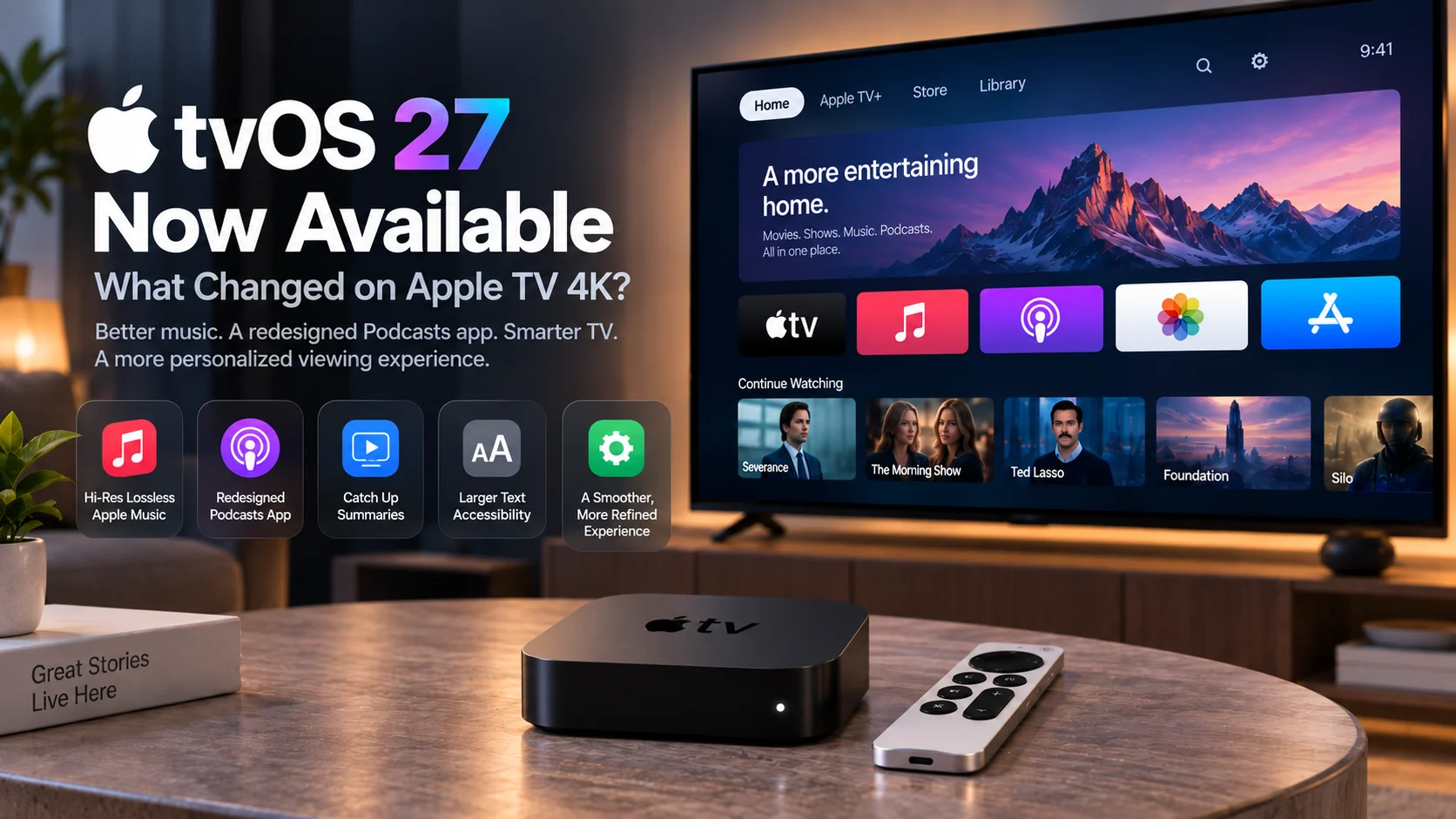
Apple has officially released tvOS 27, bringing a new round of software improvements to supported Apple TV 4K devices.
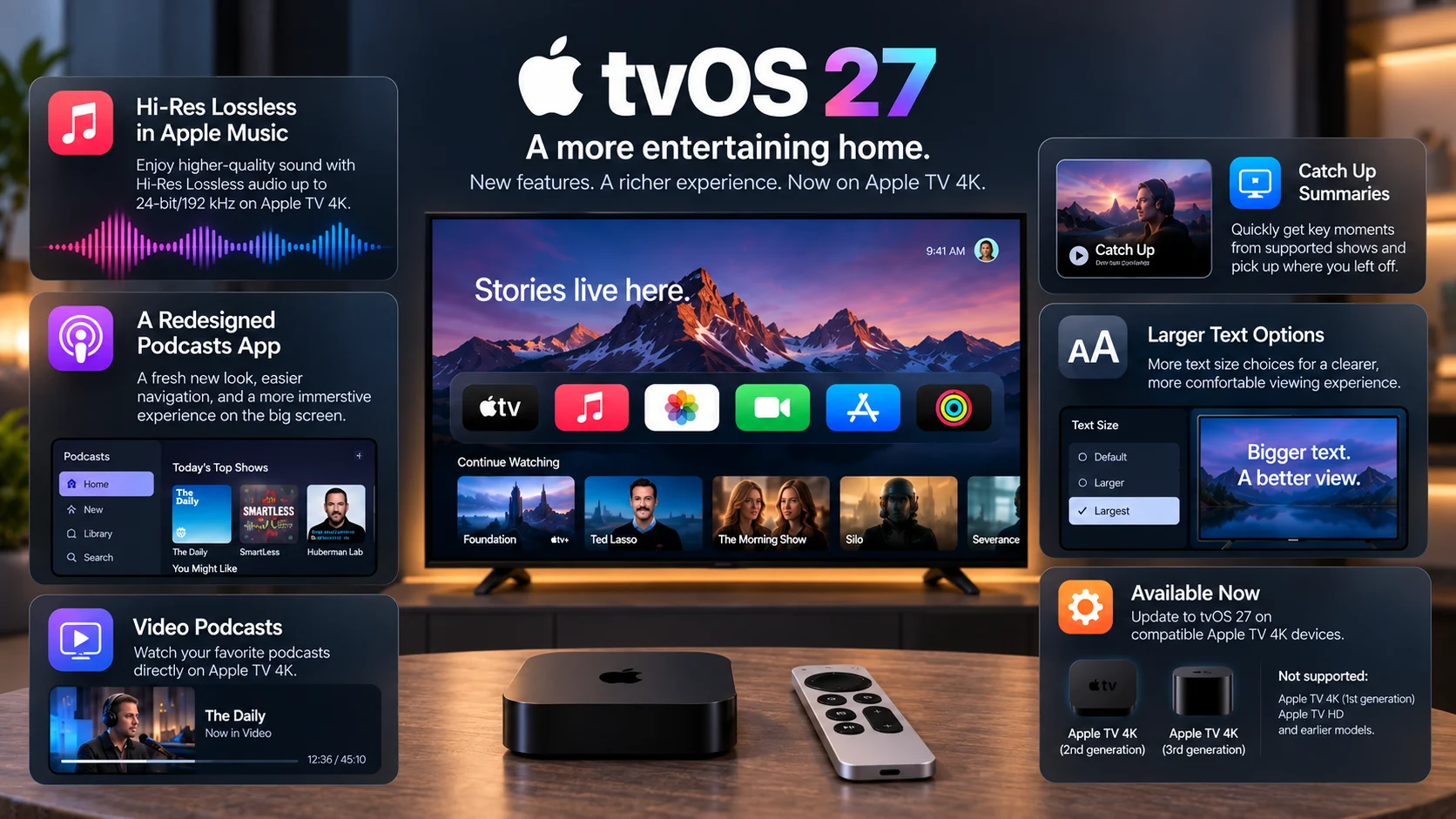
The update became available on September 14, 2026, alongside Apple’s other major operating-system releases. For Apple TV users, the headline additions include Hi-Res Lossless audio in Apple Music, redesigned Music and Podcasts apps, video podcast support, Catch Up summaries in the Apple TV app, and broader text-size accessibility options.
There is also an important compatibility change.
Apple’s current documentation says tvOS 27 supports only Apple TV 4K (2nd generation) and Apple TV 4K (3rd generation). Previous Apple TV models are no longer included in the current software-support list.
That makes tvOS 27 more than a routine software update. It adds meaningful new media features while also drawing a clearer line between current and older Apple TV hardware. Here is everything Apple TV 4K users need to know.
What Is New in tvOS 27?
tvOS 27 focuses heavily on media consumption rather than dramatically reinventing the Apple TV Home Screen.
Apple highlights improvements across music, podcasts, television discovery, and accessibility. The Apple TV 4K User Guide specifically describes redesigned Music and Podcasts applications and a new ability to catch up on key moments from supported television shows.
Apple Music receives one of the most technically significant additions with support for Hi-Res Lossless audio, while the Podcasts app has undergone a much larger interface redesign and now handles video podcasts more naturally on a television.
Apple has also broadened text-size controls, which should improve readability for viewers sitting farther away from the TV.
tvOS 27 Features at a Glance
| tvOS 27 Feature | What Changed | Why It Matters |
|---|---|---|
| Hi-Res Lossless Apple Music | Supports ALAC audio up to 24-bit/192 kHz | Higher-quality music playback with compatible equipment |
| Redesigned Music app | Refreshed experience plus new audio and transition options | Makes Apple TV more capable as a home music player |
| Redesigned Podcasts app | New tvOS-style navigation and show pages | Easier podcast browsing from the couch |
| Video podcasts | Podcasts can now be watched directly on Apple TV | Better fit for the growing video-podcast market |
| Catch Up summaries | Supported shows can offer recap videos | Helps viewers resume shows without rewatching episodes |
| Larger text options | Broader text-size accessibility controls | Improves readability on TV screens |
| Device support | Apple TV 4K 2nd and 3rd gen only | Older Apple TV models do not get tvOS 27 |
| Release date | September 14, 2026 | Available now on compatible hardware |
Hi-Res Lossless Comes to Apple Music on Apple TV
One of the biggest upgrades in tvOS 27 is Hi-Res Lossless audio support for Apple Music.
Before tvOS 27, Apple TV 4K already supported standard lossless audio. The new software expands the available quality options to include Hi-Res Lossless using ALAC at up to 24-bit/192 kHz. Standard Lossless remains available at up to 24-bit/48 kHz.
This turns Apple TV 4K into a more capable music source for users with higher-end audio equipment.
Apple says users need compatible external audio hardware, and its support documentation recommends connecting Apple TV 4K to an AV receiver through HDMI for lossless playback setups.
For casual listening through built-in television speakers, the practical difference may be limited. But for home-theater owners using a quality receiver and speaker system, the upgrade could be significant.
It gives Apple TV another role beyond video streaming: a high-resolution music source connected directly to the living-room entertainment system.
Apple Music Also Gets AutoMix on tvOS
Audio quality is not the only Apple Music change.
Apple has expanded AutoMix to tvOS. The feature analyzes characteristics such as tempo and musical key to create smoother transitions between compatible songs, giving playlists a more continuous DJ-style feel.
Users can also choose traditional crossfade if they prefer a simpler transition between tracks.
There is one limitation worth knowing: Apple says AutoMix and Crossfade are unavailable when Hi-Res Lossless is enabled. Continuous Audio Connection is also disabled while listening in Hi-Res Lossless mode.
That creates a choice between maximum audio fidelity and some of Apple Music’s more dynamic playback features.
The Apple Podcasts App Has Been Completely Redesigned
The Podcasts app receives one of the most visible tvOS 27 upgrades.
Apple says the tvOS version has been completely redesigned, with navigation that better matches the rest of the Apple TV interface.
A new sidebar provides direct access to familiar sections such as Home, New, Library, and Search. Users can also reach subscribed channels and favorite topics more easily.
Podcast pages have been redesigned as well.
Instead of presenting podcasts like a simplified audio list, show pages now emphasize artwork and make it easier to resume listening or move between episodes. Episode lists can display individual artwork to help viewers visually scan through a series.
That matters because podcasts are no longer purely an audio format.
Video Podcasts Now Fit Apple TV Much Better
tvOS 27 adds stronger support for video podcasts inside the Apple Podcasts app.
Apple’s updated support documentation says Apple TV 4K users can now both listen to and watch podcasts directly within the application.
This feels particularly appropriate for a television device.
Video podcasts have become increasingly prominent, but consuming them through an audio-first interface on TV was never ideal. tvOS 27 gives the format a more natural living-room experience.
Apple Podcasts also supports premium subscriptions from participating creators and publishers, bringing paid podcast content into the redesigned television app.
For viewers who regularly watch interview shows, technology discussions, news programs, or other long-form video podcasts, the update makes Apple TV a more practical destination.
Apple TV App Adds Catch-Up Summaries
Another useful tvOS 27 feature is Catch Up inside the Apple TV app.
Supported television shows can now provide a recap summarizing important moments from episodes the viewer has already watched.
This can be particularly useful when returning to a series after several weeks or months.
Instead of replaying the previous episode—or searching online for a recap—the viewer can select Catch Up and get a quick reminder of relevant events before continuing.
Apple says Catch Up may appear in several places, including a dedicated Catch Up on Your Shows section, a show’s detail page, or from supported titles in Continue Watching.
The feature is not available for every television program, so users should not expect a recap button on all content.
Still, it shows Apple paying more attention to what happens between individual viewing sessions rather than focusing only on playback itself.
tvOS 27 Expands Text-Size Accessibility
Television interfaces have a unique accessibility challenge: users often sit several feet away from the screen.
tvOS 27 introduces broader text-size accessibility options, according to Apple’s release announcement.
The updated music settings also include a larger text option for situations where lyrics and pronunciation information appear together.
These changes may not receive as much attention as Hi-Res Lossless or redesigned apps, but they can have a bigger practical impact for users who find standard television-interface text difficult to read.
Accessibility improvements are particularly valuable on large living-room screens, where a layout that appears perfectly readable from close range may be much harder to use from a couch.
Which Apple TV Models Support tvOS 27?
This is one of the most important changes in the release.
Apple’s official tvOS 27 documentation lists support for:
Apple TV 4K (2nd generation) and Apple TV 4K (3rd generation).
Apple also states that previous Apple TV models are no longer software-supported under the current tvOS 27 documentation.
That means Apple TV 4K (1st generation) and the older Apple TV HD are not part of the tvOS 27 support lineup.
Apple’s security-release page independently lists tvOS 27 compatibility as Apple TV 4K 2nd generation and later.
For owners of older hardware, this may become an important consideration when deciding whether to upgrade.
The device may still function for existing applications, but it will not receive the new tvOS 27 feature set.
Does tvOS 27 Change Video Quality?
tvOS 27’s most prominent quality upgrade is actually focused on audio, not video.
Apple has not presented this release as a major new 4K, HDR, or video-codec upgrade for Apple TV 4K.
Instead, the update concentrates on the surrounding media experience: higher-quality Apple Music playback, improved podcasts, better content navigation, recaps, and accessibility.
For many users, that may be more meaningful than another specification change.
Apple TV 4K already supports a mature set of premium video features, so Apple appears to be using tvOS 27 to improve how people interact with content rather than redefining the core video pipeline.
How to Install tvOS 27
Compatible Apple TV 4K devices can be updated directly through Settings.
Apple’s official process is
Settings → System → Software Updates → Update Software → Download and Install.
Apple TV must remain connected to the network and plugged into power throughout the process. The device restarts while preparing and installing the update.
Users who do not want to manually check every release can also enable Automatically Update from the same Software Updates menu.
Before updating, users should verify which Apple TV model they own because tvOS 27 will not appear on unsupported generations.
Should Apple TV 4K Users Update?
For owners of a supported second- or third-generation Apple TV 4K, tvOS 27 offers several useful additions without requiring new hardware.
Music enthusiasts have the strongest reason to update because Hi-Res Lossless significantly expands Apple TV’s audio capabilities.
Podcast viewers also gain a much more television-friendly interface, while Catch Up summaries and accessibility improvements benefit a broader group of users.
As with any new operating system release, some people may prefer to wait briefly if they rely on specialized applications and want developers to complete compatibility testing.
However, tvOS 27 is now Apple’s current supported release for compatible Apple TV 4K hardware, rather than a prerelease beta.
What tvOS 27 Means for Streaming App Developers
For developers, the compatibility cutoff may be as important as the user-facing changes.
Streaming applications now have an Apple TV ecosystem where current software support starts with Apple TV 4K 2nd generation.
That can gradually reduce some of the hardware fragmentation developers need to account for, although existing users on older devices may continue running previous app versions and operating systems.
The growing importance of video podcasts also demonstrates how media formats continue to converge on television platforms.
A streaming application is no longer competing only with conventional movies and TV shows. Music, podcasts, live video, sports, user libraries, and other media experiences increasingly share the same living-room screen.
Final Thoughts
tvOS 27 is not a complete reinvention of Apple TV 4K, but it delivers several meaningful improvements to the way the device handles entertainment.
Hi-Res Lossless makes Apple TV more capable for high-quality music playback. The redesigned Podcasts app gives video podcasts a much better living-room experience. Catch Up can make returning to an unfinished television series easier, while expanded text controls improve accessibility.
The biggest limitation is hardware support.
By restricting tvOS 27 to Apple TV 4K 2nd generation and newer, Apple has ended current software support for earlier models and created a clearer division between the current Apple TV platform and its older hardware.
For supported Apple TV 4K users, though, the update is available now and adds useful improvements without requiring a new streaming box
FAQs About tvOS 27
1) Is tvOS 27 available now?
Yes. Apple released tvOS 27 on September 14, 2026, for supported Apple TV 4K hardware.
2) Which Apple TV models support tvOS 27?
tvOS 27 supports Apple TV 4K 2nd generation and Apple TV 4K 3rd generation. Apple says previous models are no longer software-supported.
3) Does tvOS 27 support Hi-Res Lossless Apple Music?
Yes. Apple Music on tvOS 27 supports Hi-Res Lossless audio using ALAC at up to 24-bit/192 kHz, subject to song availability and compatible audio equipment.
4) What changed in Apple Podcasts?
The tvOS Podcasts app has been redesigned with sidebar navigation, improved show and episode pages, video podcast playback, premium subscriptions, and easier access to library and discovery features.
5) What is Catch Up on Apple TV?
Catch Up provides recap videos containing important moments from supported television shows you have already been watching, helping you remember what happened before continuing.
6) Does Apple TV 4K 1st generation get tvOS 27?
No. Apple’s current documentation lists only Apple TV 4K 2nd and 3rd generation as supported by tvOS 27.
7) How do I update Apple TV to tvOS 27?
Open Settings → System → Software Updates → Update Software, then choose Download and Install if tvOS 27 is available for your device.
Stay Updated with the Player SDK Guide Hub
Streaming devices and media platforms continue to evolve through software updates just as much as through new hardware. That’s why we created the Player SDK Guide Hub.
The Player SDK Guide Hub covers the latest Apple TV, Fire TV, Google TV, Roku, Android TV, Kodi, Plex, VLC, and other streaming-device and media-player updates, including new operating systems, hardware releases, playback technologies, device compatibility, platform features, and developer-focused changes.
Whether Apple releases another tvOS update, Roku introduces new developer APIs, Fire TV changes its platform, or a media player gains new playback capabilities, our Guide Hub helps explain what changed, which devices are affected, why it matters, and what developers and streaming teams should watch next.
Explore the Player SDK Guide Hub for the latest Apple TV news, streaming-device updates, technical guides, media-player developments, and platform insights.
