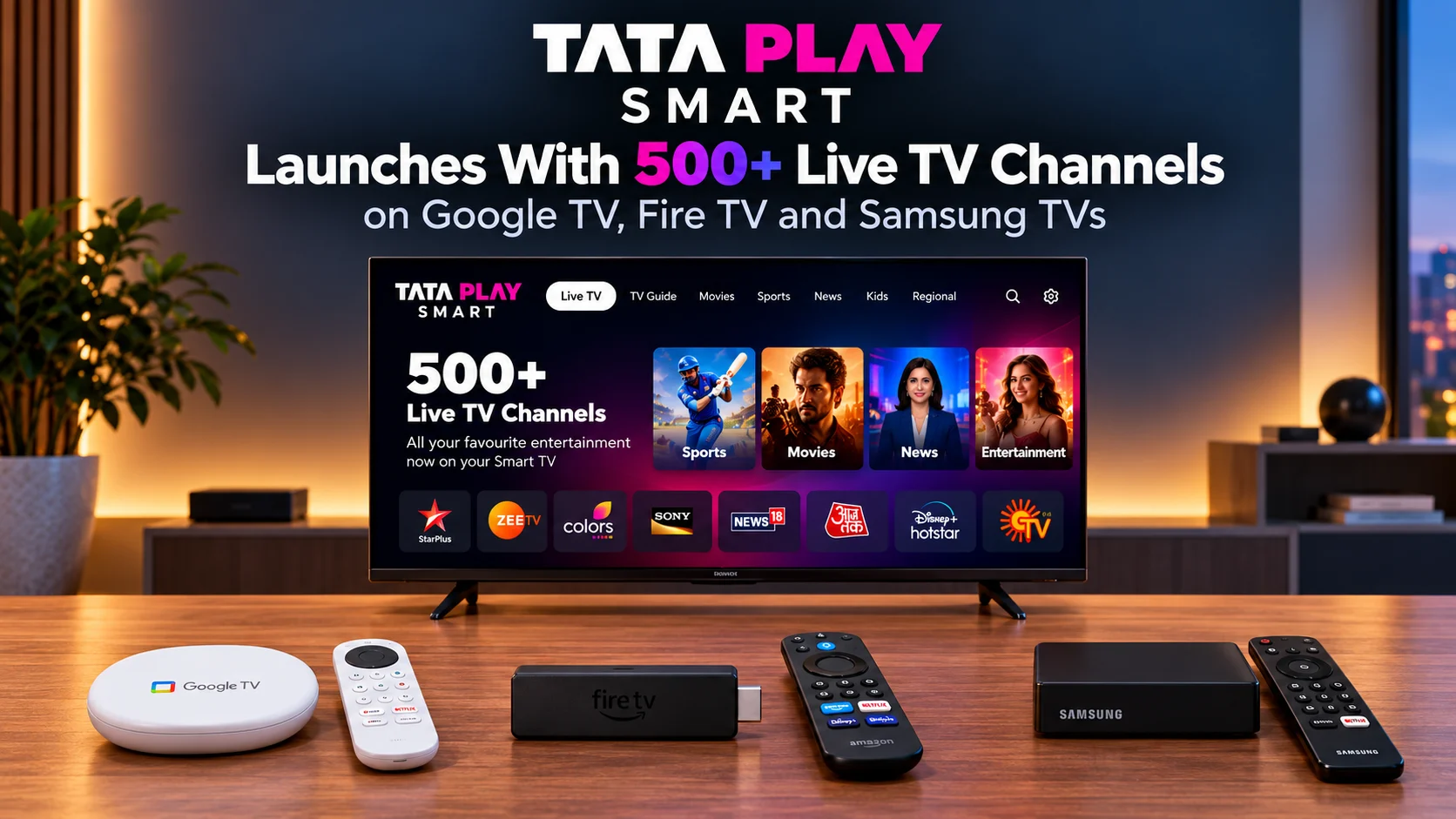
Tata Play Smart Launches With 500+ Live TV Channels on Google TV, Fire TV and Samsung TVs
Tata Play is taking a familiar television experience and removing one of its most familiar pieces of hardware. Tata Play Smart is a new live television service designed for connected TVs that gives users access to more than 500 live channels without requiring a satellite dish, external set-top box, or traditional wiring setup.
Instead, the channels are delivered through an internet connection directly to compatible smart TVs and streaming devices.
Tata Play says the application is available on Samsung TVs, Android TV, Google TV, Amazon Fire TV, and VIDAA, with access also extending to phones and tablets. Plans start at ₹199 per month.
What makes the service interesting is that Tata Play is not trying to make live television feel like another on-demand app.
The company is deliberately recreating the familiar experience of conventional television with channel numbers, a program guide, and remote-friendly controls. For households that already have reliable home broadband, that could make live television significantly easier to set up.
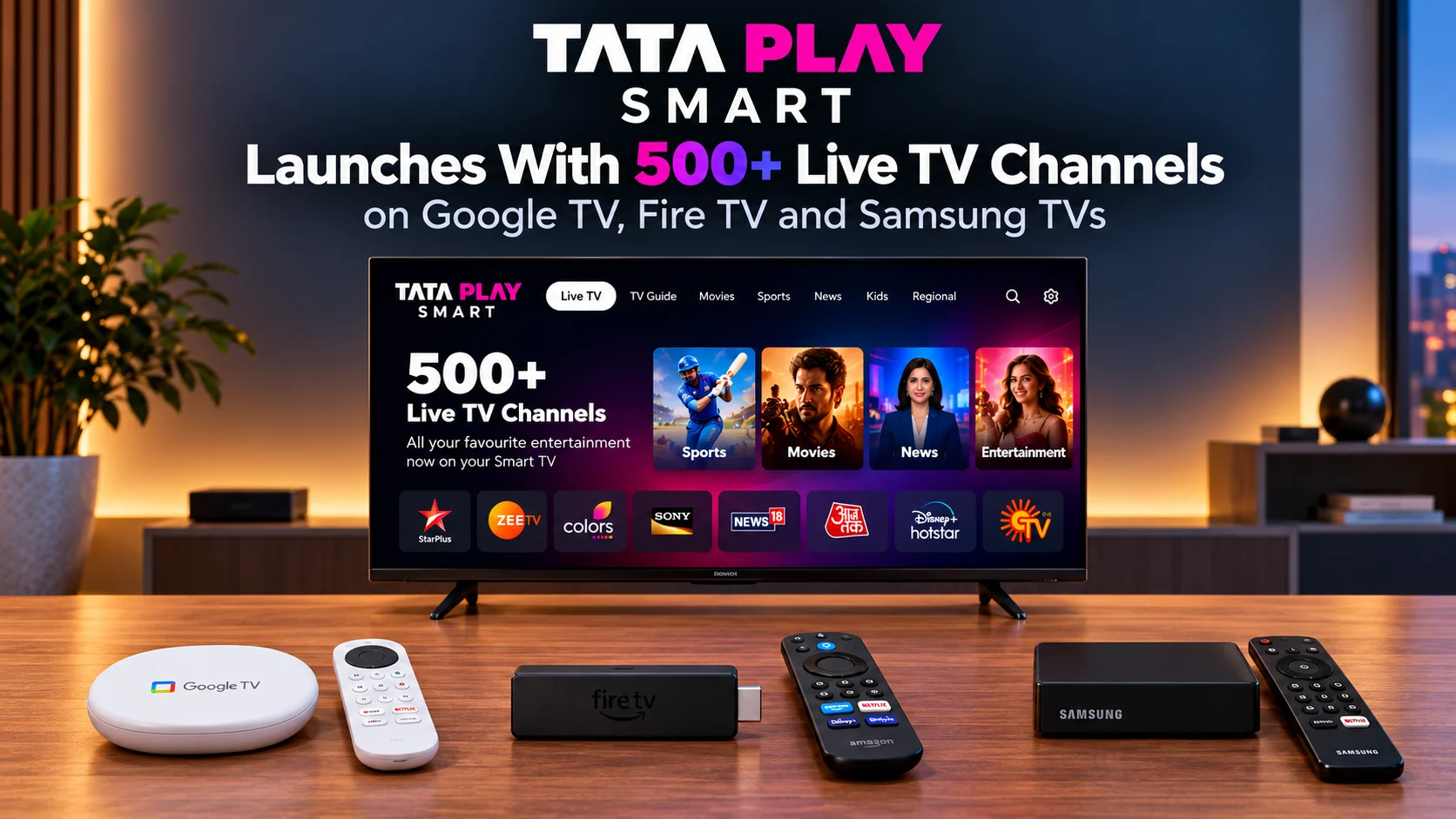
What Is Tata Play Smart?
Tata Play Smart is an internet-delivered live television application that offers more than 500 channels on compatible smart TVs and other connected devices.
Users do not need a Tata Play satellite dish or external set-top box.
Instead, they download the Tata Play Smart application on a supported television, connect the device to the internet, choose a subscription plan, and start watching.
Tata Play specifically designed the interface to feel familiar to traditional television viewers.
Channel numbers remain part of the experience, users can navigate through a TV guide, and the remote can be used to move between channels conventionally.
That makes Tata Play Smart less about reinventing television and more about moving the familiar live-TV experience onto modern connected screens.
Tata Play Smart at a Glance
| Feature | Tata Play |
|---|---|
| Live Channels | 500+ channels |
| Starting Price | ₹199/month |
| Satellite Dish Required | No |
| External Set-Top Box Required | No |
| Delivery | Internet connection |
| Google TV | Supported |
| Android TV | Supported |
| Fire TV | Supported |
| Samsung TV | Supported |
| VIDAA | Supported |
| Mobile Access | Android and iOS |
| TV Guide | Yes |
| Channel Numbers | Yes |
| Remote Navigation | Yes |
| Content Types | Sports, news, movies, entertainment, regional programming and more |
How Does Tata Play Smart Work?
The core concept is straightforward.
Instead of a satellite signal entering a dedicated Tata Play box, live channels reach the television through broadband.
Users first download the Tata Play Smart app from the compatible television’s app store.
After signing up and selecting a plan, the application becomes the television interface for live channels.
Tata Play says the service can be used by people regardless of whether they already use Tata Play DTH, another television provider, or no paid television service at all.
That point is important.
Tata Play Smart is not simply a companion application for existing satellite customers.
It can function as a standalone television service.
Do You Need an Existing Tata Play Connection?
No.
A household does not need an existing Tata Play satellite connection to subscribe.
That separates the new service from older companion apps that mainly extended an existing television subscription to another screen.
Tata Play Smart is designed so a user with a compatible smart TV and internet connection can start from scratch.
Industry reporting also confirms that the service operates independently of an existing Tata Play satellite subscription.
For users moving into a new home or adding television to a second room, this can remove several setup steps.
There is no dish installation.
There is no separate receiver box.
There is no additional HDMI device required if the television itself supports the application.
What Channels Are Available?
Tata Play advertises more than 500 live television channels across different genres and languages.
Its official Google Play listing names examples including entertainment, sports, news, movies, and regional channels from major Indian broadcasters.
The service includes categories such as:
sports, general entertainment, movies, news, children's programming, music, regional entertainment and lifestyle content.
The exact collection available to an individual household can depend on the plan and languages selected.
That distinction matters because 500+ refers to the overall channel offering, not necessarily the number every subscriber receives inside one ₹199 plan.
Tata Play’s CEO has similarly explained that customers are not expected to subscribe to the entire available channel universe.
How Much Does Tata Play Smart Cost?
Plans begin at ₹199 per month.
Tata Play says users choose the languages in which they want to watch programming, allowing the household package to be shaped around viewing preferences.
Independent reporting on the launch says the first language package costs ₹199 per month, with additional languages available for an extra charge.
That pricing strategy makes sense for the Indian television market, where households often watch content across one or several regional languages.
Rather than selling only one enormous package, Tata Play is organizing the subscription around language preferences.
Which TVs Support Tata Play Smart?
Tata Play has confirmed support for several major television platforms:
Samsung Smart TV, Android TV, Google TV, Fire TV, and VIDAA.
This gives the service significantly broader reach than an application restricted to one operating system.
Google TV and Android TV cover televisions and streaming hardware from numerous manufacturers.
Amazon Fire TV support extends the service to Fire TV streaming devices and compatible televisions.
Samsung support is particularly notable because Samsung uses its own Tizen operating system rather than Android TV.
VIDAA expands compatibility into another major smart television ecosystem.
Users comparing hardware before choosing a platform can use PlayerSDK’s Streaming Device Comparison to compare Fire TV, Google TV, and other streaming devices by platform, codec support, HDR capabilities, and connectivity.
Does It Work on Fire TV Stick?
Tata Play officially lists Fire TV as a supported platform.
That makes the service relevant to households using Amazon’s television ecosystem rather than relying on a built-in TV operating system.
Exact application compatibility can still depend on the specific Fire TV model and software version.
For users choosing Amazon hardware, PlayerSDK’s Fire TV Stick 4K Max 2nd Gen guide provides a closer look at one of the platform’s major streaming devices.
The benefit of using a streaming stick is that a user may not need to replace an older television simply to access newer applications.
What Is the Experience Like on Google TV?
Tata Play Smart fits naturally into Google TV because the service itself is designed for big-screen navigation.
Users can install the app and move through live channels using the television remote.
The official app description says viewers can browse through a television guide, switch channels quickly, and even use channel numbers in a familiar television-style workflow.
That last feature is more significant than it sounds.
Many streaming applications are built entirely around rows of thumbnails.
Traditional television users often think in terms of channel numbers.
Tata Play is intentionally preserving that habit rather than forcing viewers to learn an entirely different interface.
How Is Samsung TV Support Different?
Samsung televisions typically run Tizen OS, meaning they cannot simply use the Android television application.
Tata Play therefore provides a dedicated smart-TV application for supported Samsung models.
Reports on the Samsung rollout confirm access to more than 500 live channels over broadband with channel numbers and an electronic programme guide.
This is strategically important because Samsung has a very large television footprint in India.
Supporting Samsung directly increases the number of households that can use Tata Play Smart without buying additional hardware.
Does Tata Play Smart Have a TV Guide?
Yes.
A familiar programme guide is one of the key parts of the service.
The official app listing says users can browse available channels using an easy-to-use TV guide.
This gives viewers a schedule-based experience similar to traditional television.
Instead of searching for individual shows each time, a user can see what is currently playing and what is coming next.
For live sports, news, and regularly scheduled television programmes, this style of navigation remains extremely useful.
Can You Switch Channels With the Remote?
Yes.
Tata Play specifically highlights remote-friendly channel switching.
The company wants the smart-TV experience to resemble regular television rather than a mobile app expanded onto a larger display.
Users can move between channels rapidly, browse the guide, and use channel numbers.
That may make the service easier for households where different generations use the same television.
People familiar with conventional television controls do not need to completely change their viewing habits.
Can You Watch Live Sports?
Yes.
Tata Play Smart includes sports channels as part of its broader live television catalog.
The official application description specifically highlights live cricket, sports programming, news, movies, and television shows.
Exact sports availability will naturally depend on channel rights and the subscriber’s selected package.
That means Tata Play Smart should be viewed as a live-channel distribution service rather than a guarantee that every sporting event will appear in every subscription.
Does Tata Play Smart Offer Catch-Up TV?
Some reporting on the launch says catch-up viewing is available for selected channels or programmes.
Samsung-focused coverage, for example, notes support for catching up on some previously aired programming.
Tata Play’s main launch announcement emphasizes live viewing rather than presenting universal catch-up as a core feature.
So users should not assume every channel supports replay.
Availability can depend on broadcaster rights and individual programmes.
Can You Watch on Mobile Too?
Yes.
Tata Play Smart also supports mobile viewing.
The service is available through Android and iOS devices, allowing subscribers to continue watching compatible live channels away from the main television.
The iOS listing describes access to more than 500 channels across multiple languages and the ability to manage subscriptions and channel packs through the application.
This makes Tata Play Smart a multi-screen service rather than a television-only product.
How Fast Does Your Internet Need to Be?
Tata Play has not attached one universal broadband-speed figure to the launch announcement.
But because all channels are delivered over the internet, connection quality becomes an important part of the viewing experience.
Traditional satellite television can continue working even if home broadband goes offline.
Tata Play Smart cannot.
If the internet connection becomes unstable, the live stream may buffer, drop quality, or stop.
This is the key trade-off of replacing dedicated broadcast hardware with an app-based solution.
Households with stable broadband will benefit most.
Does Tata Play Smart Replace DTH?
Tata Play does not describe Smart as a replacement for its traditional satellite business.
The company says the services are intended to serve different household needs.
Its CEO has emphasized that live sports, news, and television serials remain important even as connected TVs and broadband change the technology used to reach viewers.
That makes Tata Play Smart an expansion of the company’s distribution strategy rather than an announcement that satellite television is ending.
In areas with reliable broadband, app-based delivery can be extremely convenient.
In homes where internet connectivity is inconsistent, traditional broadcast delivery may still have advantages.
Why Is Tata Play Smart Important for Streaming Devices?
Streaming devices have traditionally focused heavily on on-demand apps.
Netflix, Prime Video, YouTube, and similar services dominate many home screens.
Tata Play Smart demonstrates a different direction.
It brings the traditional channel-based live television model directly into the streaming-device ecosystem.
That means a Fire TV or Google TV device can increasingly serve both worlds:
on-demand applications and traditional-style live channels.
A household no longer necessarily needs one input for a satellite box and another for streaming apps.
Everything can potentially happen through one connected-TV interface.
Is Tata Play Smart a Video Player?
No.
Tata Play Smart is a complete live television service with its own content access, channel guide, and subscription system.
It is different from general-purpose media players such as VLC, Kodi, or Plex.
Those applications focus on playing local files, network libraries, or other supported media sources.
Users who need local playback, subtitle controls, codec flexibility, or network media features can use PlayerSDK’s Media Player Comparison to compare software based on playback capabilities.
Tata Play Smart instead handles the complete live-channel experience itself.
Who Should Consider Tata Play Smart?
The strongest use case is a household that already has:
a compatible smart TV or streaming device, stable home broadband, and a preference for live sports, news, daily television shows or regional programming.
It may also appeal to people who dislike installing a separate set-top box beside every television.
A user moving into a new home can potentially download an app instead of scheduling a physical television installation.
It can also be useful for rooms where adding a satellite cable or second receiver would be inconvenient.
What Are the Main Limitations?
The first limitation is dependence on broadband.
No internet means no live channels.
The second is device compatibility.
Although Tata Play supports several major platforms, users should still confirm that the app appears in the store on their specific television or streaming device.
The third is package variation.
The overall service contains more than 500 available channels, but an individual package may contain fewer depending on languages and subscription choices.
Finally, channel availability and replay rights can change as broadcaster agreements evolve.
Those are normal limitations for a live television service, but users should understand them before moving completely away from a hardware-based setup.
Final Verdict
Tata Play Smart is one of the clearest signs that traditional live television and modern streaming hardware are merging into the same experience.
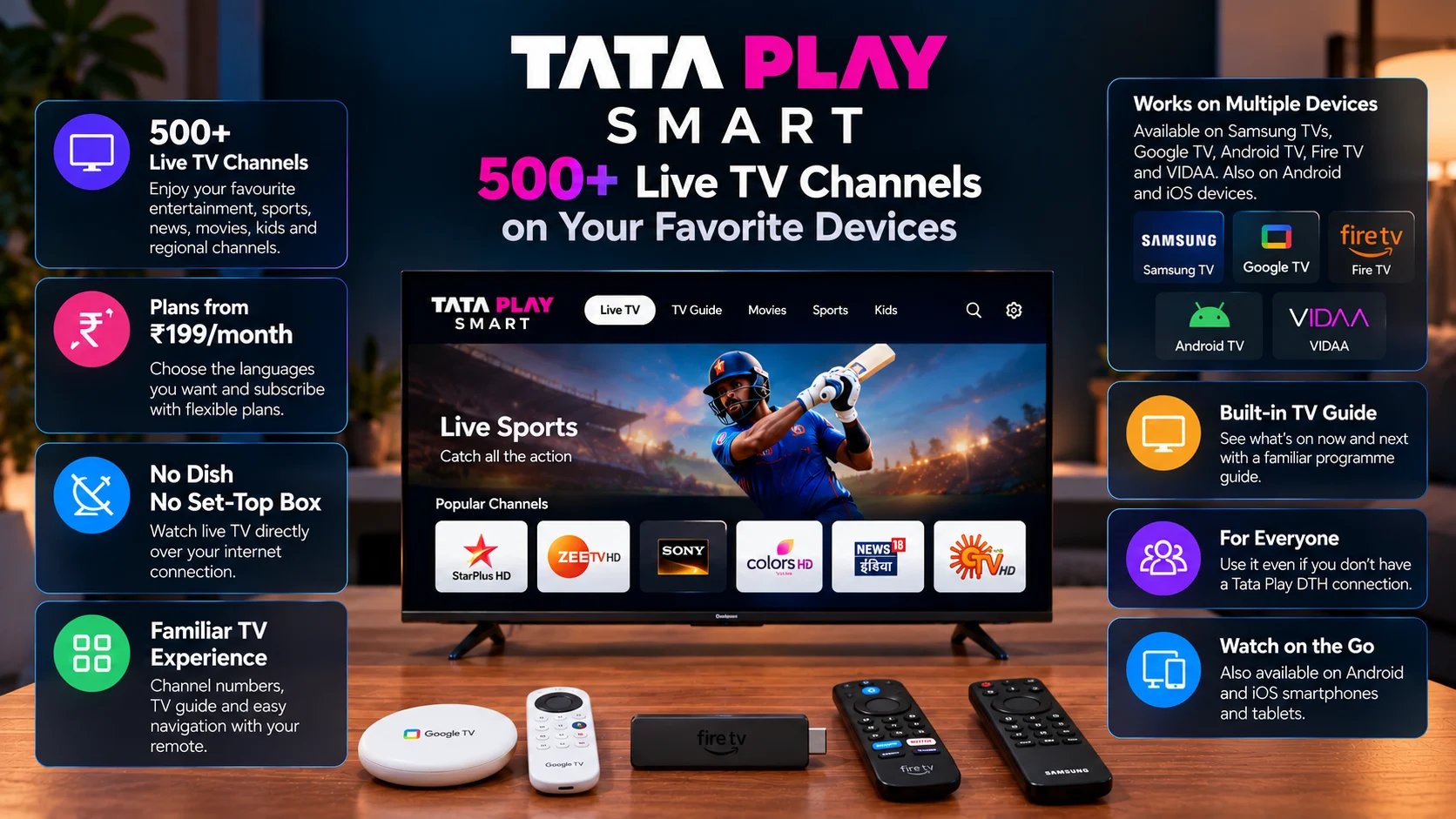
The service brings more than 500 live channels to Samsung TVs, Google TV, Android TV, Fire TV and VIDAA devices without requiring a separate dish or set-top box. Plans start at ₹199 per month.
Its biggest strength is familiarity.
Tata Play has not abandoned channel numbers, programme guides or remote-based navigation.
Instead, it has moved those familiar television habits onto connected screens.
For households with strong broadband, that could make live television easier to install, easier to move between rooms and easier to combine with existing streaming apps.
It will not eliminate every reason to use traditional television hardware.
Internet reliability, channel rights and device compatibility still matter.
But the direction is clear.
A Google TV, Fire TV or Samsung smart television no longer has to be only a launcher for on-demand services.
With Tata Play Smart, it can increasingly become the complete live television system as well.
Frequently Asked Questions
1) What is Tata Play Smart?
Tata Play Smart is an internet-delivered live television service that offers more than 500 channels through compatible smart TVs and mobile devices without requiring a satellite dish or external set-top box.
2) How much does Tata Play Smart cost?
Plans start at ₹199 per month, with subscriptions structured around language preferences.
3) Does Tata Play Smart need a satellite dish?
No. Channels are delivered through an internet connection, so no Tata Play dish is required.
4) Does Tata Play Smart need a set-top box?
No. On supported smart TVs and streaming devices, the application itself provides access to the service.
5) Does Tata Play Smart work on Google TV?
Yes. Tata Play officially lists Google TV among supported platforms.
6) Is Tata Play Smart available on Fire TV?
Yes. Fire TV is included in Tata Play’s supported platform list.
7) Does Tata Play Smart work on Samsung TVs?
Yes. A dedicated application is available for supported Samsung smart TVs.
8) How many channels does Tata Play Smart offer?
Tata Play advertises an overall catalog of 500+ live television channels. The exact channels available to an individual subscriber depend on the selected plan and language preferences.
9) Can I use Tata Play Smart without an existing Tata Play account?
The new Smart service can be subscribed to independently; users do not need an existing satellite television connection.
10) Can I watch Tata Play Smart on my phone?
Yes. Tata Play supports Android and iOS mobile devices alongside compatible televisions.
11) Does Tata Play Smart include live sports?
Yes. Sports channels and live sports programming are part of the wider channel offering, subject to the subscriber's selected package and broadcast rights.
Build the Right Smart TV Setup for Live and On-Demand Viewing
Tata Play Smart can remove the need for a separate television receiver, but your experience still depends on the device running the app.
Use PlayerSDK’s Streaming Device Comparison to compare Google TV, Fire TV, and other streaming hardware based on performance, storage, HDR support, connectivity, and platform features.
If your setup also includes local movies, network storage, or personal media libraries, explore PlayerSDK’s Media Player Comparison to compare popular players by codec support, playback performance, and device compatibility.
Fire TV users can also review the Fire TV Stick 4K Max 2nd Gen guide for hardware and playback details.
Choose the right platform first, then bring live channels, streaming apps, and personal media together in one living-room setup.
