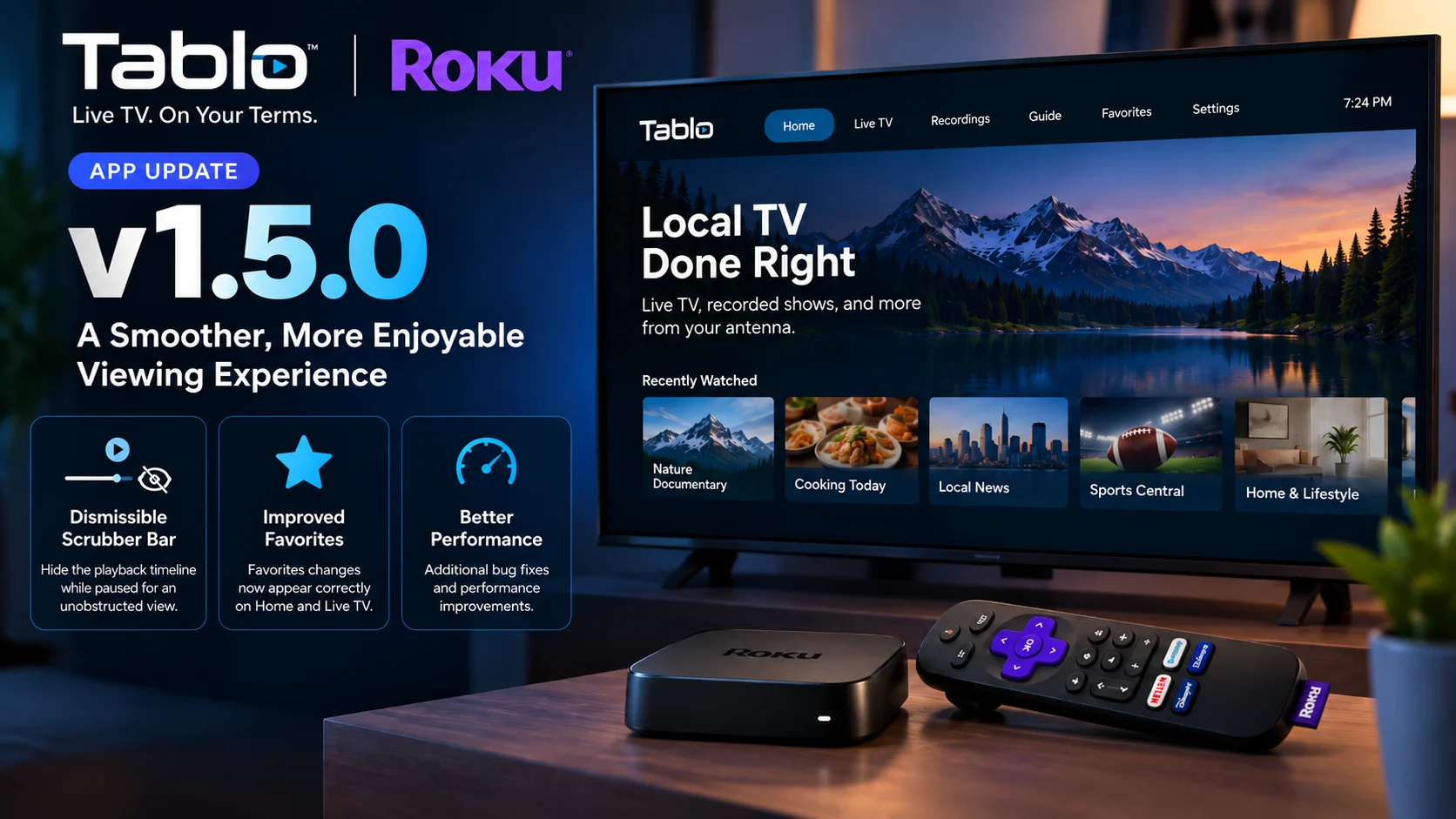
The Tablo Roku App 1.5.0 update is now available for users of Tablo’s 4th Generation platform, bringing a small but useful collection of improvements focused on everyday viewing.
Released on September 15, 2026, version 1.5.0 adds the ability to dismiss the playback scrubber while video is paused, fixes an issue where changes to a Favorites list were not always reflected correctly on the Home and Live TV screens, and includes additional bug fixes and performance improvements.
This is not a major redesign of the Tablo Roku experience. Instead, it addresses a couple of specific usability problems that could become frustrating precisely because users encounter them during common activities such as pausing TV or managing favorite channels.
The update is also particularly relevant because Tablo is now concentrating ongoing development on its newer 4th Generation apps, while support for legacy Tablo applications ended on September 1, 2026.
For Roku owners using a current Tablo setup, version 1.5.0 is therefore another incremental refinement to the actively maintained app.
What Changed in the Tablo Roku App 1.5.0?
Tablo’s official release announcement describes three areas of change.
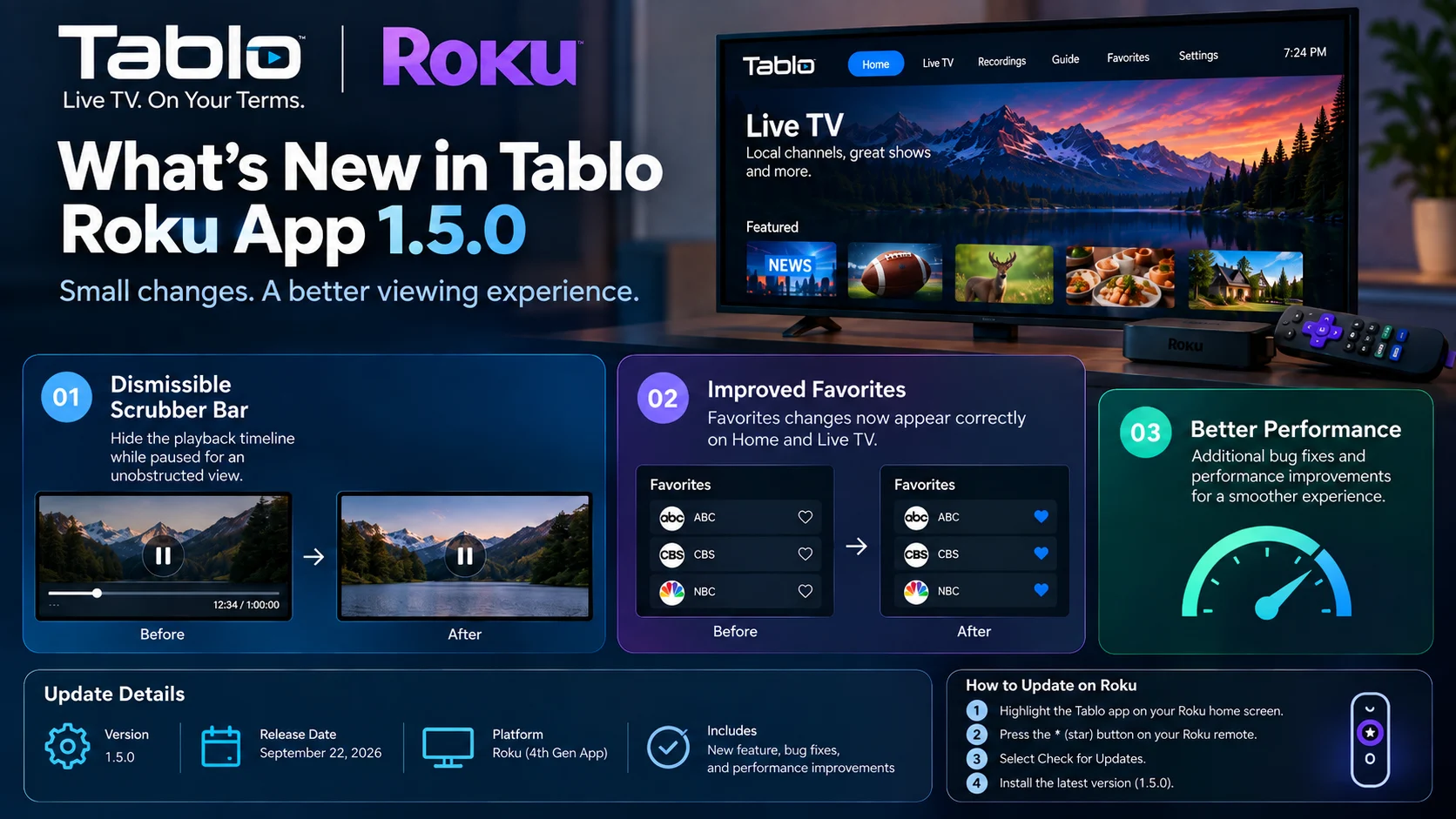
The most visible is a new option to dismiss the scrubber bar when playback is paused. Previously, pausing content could leave the timeline and playback interface sitting over part of the picture. With version 1.5.0, viewers can remove that overlay when needed.
The second change fixes Favorites synchronization inside the Roku app. When users edited their favorite channels, those changes could fail to appear properly on the home screen or live TV screen. Tablo says version 1.5.0 corrects that behavior.
The company also lists unspecified bug fixes and performance improvements.
That makes 1.5.0 primarily a usability-and-reliability update rather than a feature-heavy release.
Tablo Roku App 1.5.0 at a Glance
| Area | What Chagned in Version 1.5.0 | Why It Matters |
|---|---|---|
| Playback interface | Scrubber bar can be dismissed while paused | Lets viewers see the paused picture without the timeline covering it |
| Favorites | Favorite list edits now update correctly on Home | Keeps personalized channel selections consistent |
| Live TV | Favorites changes correctly appear on Live TV | Reduces mismatches between saved channels and the guide |
| Reliability | Additional bug fixes | Addresses smaller app problems |
| Performance | General performance improvements | Aims to make everyday navigation more consistent |
| Availability | Update is rolling out to the 4th Gen Roku app | Current Tablo Roku users can install it directly |
Tablo has not published detailed technical notes for the unspecified bug and performance fixes, so it would be inaccurate to attribute broader playback or navigation changes to version 1.5.0 beyond what the company has confirmed.
The New Dismissible Scrubber Fixes a Real Roku Usability Problem
The most interesting change in Tablo Roku App 1.5.0 is probably the ability to hide the playback timeline while a program is paused. A scrubber is the progress interface that shows where you are in a program. It is useful when fast-forwarding, rewinding, or jumping to another position. But it can also get in the way.
A Tablo community user specifically described the problem before the update: when pausing or rewinding and pausing to inspect something on screen, the progress line remained visible over the image. Tablo later confirmed that the ability to dismiss it had been added in update 1.5.0. That context helps explain why a relatively small interface adjustment matters.
People frequently pause television to read text, inspect a score, look at a graphic, or simply hold a frame. If the playback interface covers part of the content, the pause function is less useful.
Version 1.5.0 does not reinvent Tablo's player controls, but it makes pausing more flexible. It is a good example of a small TV-interface improvement that can have a disproportionate impact on everyday usability.
Favorites Should Now Stay Consistent Across the App
The second confirmed fix affects Favorites. Favorites allow users to prioritize channels they watch most frequently instead of repeatedly searching through the entire available lineup.
Before version 1.5.0, changes made to a Favorites list did not always propagate correctly to other areas of the Roku application.
Tablo says the update ensures that edits are now properly reflected on both the Home and Live TV screens. That is important because personalized navigation only works if the application maintains a consistent state.
If a user removes a channel from Favorites but still sees it presented as a favorite elsewhere or adds one and cannot find it in the expected location, the app begins to feel unreliable even though the underlying TV playback may be working correctly. Version 1.5.0 should make the Roku experience more predictable by keeping those screens aligned with the user's current Favorites list.
Why the Live TV Screen Fix Matters
The live TV screen is one of the core parts of the Tablo experience. Tablo combines access to antenna-based broadcast television with supported free streaming channels, and the Live TV interface is where viewers browse currently available programming. That makes channel organization particularly important.
A large lineup can become difficult to navigate without filtering and personalization. Favorites provide a faster path to frequently watched stations. When those favorites fail to stay synchronized, users may need to browse more of the guide than necessary.
The 1.5.0 fix therefore does not add a new television feature, but it improves an existing feature that directly affects how users navigate live programming. For households that regularly add or remove favorite channels, the difference should be immediately noticeable.
This update is specifically for the 4th generation Tablo Roku app
There is an important distinction to make around version 1.5.0. This release is for the 4th Generation Tablo app on Roku.
Tablo maintains separate application generations, and its support documentation explains that the newer app can be identified by its dark blue icon with white and light-blue accents. The older legacy app used different branding and is no longer being actively maintained.
This matters more than usual in September 2026 because Tablo ended support for its legacy applications on September 1.
Legacy apps may remain accessible in some situations, particularly on Roku because of Roku's app-store policies, but Tablo says they will no longer receive maintenance or updates.
So if someone sees Tablo Roku App 1.5.0 release notes but is still using an older legacy Tablo application, they should not assume their app will receive the same update. Version 1.5.0 belongs to the newer application family.
Which Roku Devices Support the Current Tablo App?
Tablo says most current Roku streaming sticks, boxes, and Roku smart TVs can run the 4th Generation application.
There are exceptions.
According to Tablo's current compatibility information, some HD-only Roku sticks can experience intermittent display issues and are generally not supported. Tablo also excludes certain lower-end or non-4K models, with examples including the Roku Streaming Stick 3800 and Roku Express+ 3910.
That distinction is useful when troubleshooting. If version 1.5.0 behaves differently on a very old Roku device, the issue may not necessarily be caused by the update itself. Older hardware can have memory and processing limitations that affect modern TV applications.
Tablo recommends checking device compatibility and notes that newer streaming hardware generally delivers the best experience.
How to Update the Tablo App on Roku
Tablo says version 1.5.0 should appear automatically as the update reaches devices.
Users who want to check immediately can highlight the Tablo application on the Roku Home screen, press the star (*) button on the Roku remote, and select Check for Updates. Roku will then check whether a newer version of the application is available.
This is useful when a release has been announced but the Roku has not yet picked up the newest build through its normal automatic update cycle.
After updating, users should be able to verify the improvements by testing paused playback and checking whether changes to their favorites appear consistently across Home and Live TV.
The Scrubber Change Also Shows the Value of User Feedback
There is an interesting development story behind the paused-screen improvement.
A user specifically requested the ability to hide the timeline/status bar on Roku because the overlay blocked areas of the picture while playback was paused.
When Tablo released version 1.5.0, a company representative responded to that request, confirming that the feature had been added. That is useful context for streaming app developers as well.
TV interfaces are often navigated with a small number of remote buttons, so minor interaction decisions can have significant usability consequences.
Unlike mobile apps, where users can tap almost any screen element directly, Roku experiences depend heavily on predictable directional navigation and remote-button behavior.
Feedback about pause overlays, focus states, back-button behavior, and timeline visibility can therefore reveal problems that are easy to overlook during basic feature testing.
Version 1.5.0 follows Tablo Roku App 1.4.0.
Tablo's announcement history shows that the previous major Roku update, version 1.4.0, was released in August 2026, followed by 1.5.0 in September. That relatively short interval demonstrates that the 4th Generation Roku app remains under active development.
Tablo is simultaneously updating applications across several television platforms. Recent announcements also include 4th Generation updates for Apple TV, Android mobile, Samsung Tizen, and LG webOS.
The significance is not that all platforms receive identical changes at exactly the same time—they do not.
Rather, Tablo is maintaining separate implementations and continuing to refine platform-specific behavior. Roku version 1.5.0 is one example of that strategy.
What the Update Does Not Change
It is equally important to be clear about what is not in this release.
Tablo has not announced a completely redesigned Roku interface, a major new recording system, or a new video format as part of version 1.5.0.
The company has confirmed only the scrubber improvement, the Favorites fix, and the general bug/performance work. There is also no indication in the release note that this update changes Tablo hardware capabilities.
Those distinctions matter when describing a point release. The value of 1.5.0 lies in making existing interactions work better, not in introducing an entirely different Roku experience.
Why Small Roku App Updates Matter
Updates like this can easily be overlooked because they do not contain a long list of new features. But living-room software is heavily dependent on small details.
A timeline that refuses to disappear, a favorites list that does not stay synchronized, or a focus state that lands in the wrong location can create more frustration than a missing advanced feature.
Television applications also tend to be used repeatedly over long periods. A small annoyance experienced once may seem insignificant; experienced every evening, it becomes much more noticeable. That is why maintenance releases such as Tablo Roku App 1.5.0 remain relevant. They improve the routines viewers perform most often.
Final Thoughts
The Tablo Roku App 1.5.0 is a small update with practical improvements.
The ability to dismiss the scrubber while paused directly addresses a Roku viewing annoyance, while the Favorites fix should make channel personalization more consistent between the Home and Live TV screens.
Neither change fundamentally transforms Tablo.
But both improve interactions users perform regularly, which is exactly what a good maintenance update should do.
The release is also another sign that Tablo's development attention is now firmly focused on its 4th Generation application ecosystem following the September 2026 end of support for legacy apps.
For current Tablo users watching through Roku, version 1.5.0 is worth installing—especially for anyone who frequently pauses content or relies heavily on favorite channels.
FAQs About Tablo Roku App 1.5.0
1) When was the Tablo Roku App 1.5.0 released?
Tablo announced version 1.5.0 on September 15, 2026, for its 4th Generation Roku application.
2) What is new in the Tablo Roku App 1.5.0?
The update adds the ability to dismiss the playback scrubber while paused, fixes Favorites changes not appearing correctly on the Home and Live TV screens, and includes additional bug fixes and performance improvements.
3) Can I hide the Tablo progress bar while playback is paused?
Yes. That capability was added with Roku app version 1.5.0. Tablo specifically confirmed the change in response to user feedback about the paused-screen timeline.
4) Does version 1.5.0 fix Tablo Favorites?
It fixes a problem where edits to the Favorites list were not always reflected on Home and Live TV. The update should make those screens better match the user's saved favorites.
5) How can I manually check for the Tablo Roku update?
Highlight the Tablo app on Roku's home screen, press the star (*) button on the Roku remote, and select Check for Updates.
6) Is Tablo Roku App 1.5.0 for legacy Tablo devices?
The 1.5.0 announcement specifically applies to the 4th Generation Tablo Roku app. Tablo ended support for its legacy apps on September 1, 2026, and those apps are no longer being maintained.
7) Are all Roku devices supported by 4th Generation Tablo?
No. Most current Roku streaming devices are supported, but Tablo identifies some older and lower-end models as unsupported or potentially problematic.
Stay Updated with the Player SDK Guide Hub
Streaming-device apps can change quickly, and even relatively small releases may affect playback controls, navigation, device compatibility, or everyday viewing.
The Player SDK Guide Hub tracks the latest updates across Roku, Fire TV, Google TV, Android TV, Apple TV, Tablo, Plex, Kodi, VLC, Android Media3, and other media-player and streaming-device platforms.
We break down release notes, OS updates, playback changes, developer APIs, and platform improvements to explain what changed, which devices are affected, why the update matters, and what developers and streaming teams should watch next.
Explore the Player SDK Guide Hub for the latest streaming-device release notes, player updates, developer news, and practical media-platform insights.
