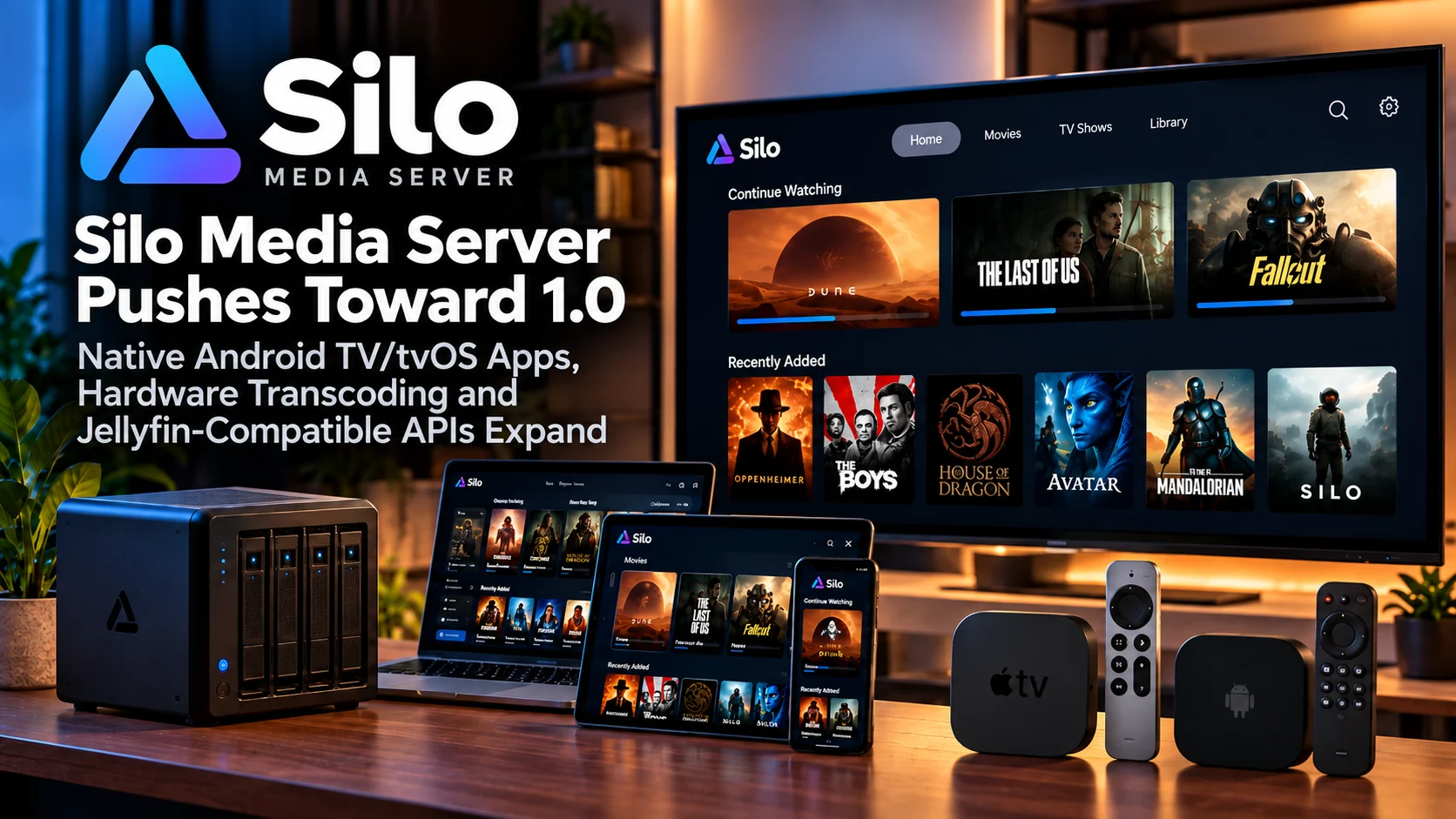
Silo Media Server is moving steadily toward its 1.0 milestone, and the project is becoming increasingly interesting for users looking for another modern option for managing and playing personal media libraries.
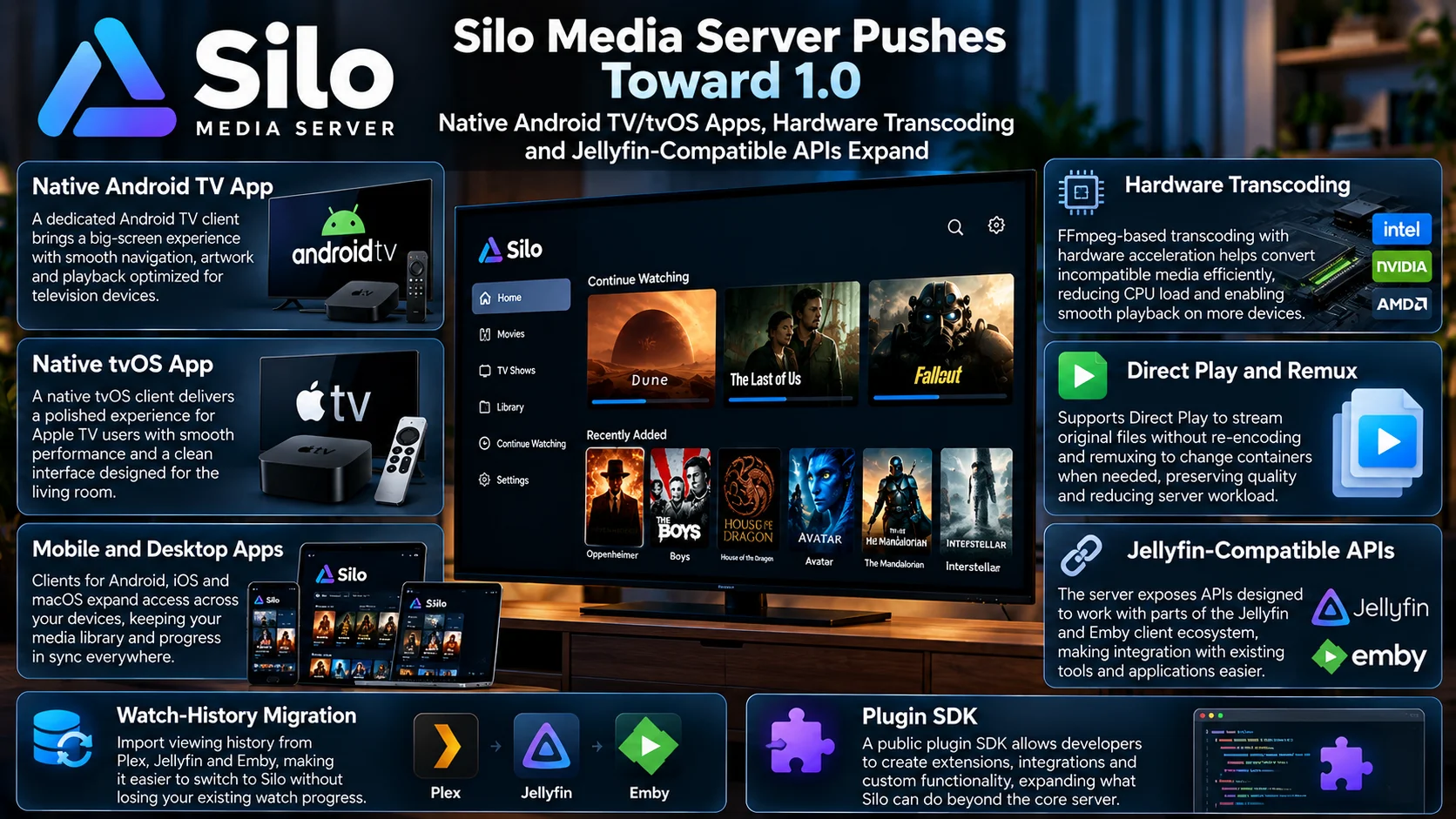
The platform is still in pre-release development, but its scope is already broader than a simple browser-based media server. Silo is building native applications for Android TV, Android, tvOS, iOS, and macOS, while the server itself supports direct playback, remuxing, and FFmpeg-based transcoding.
Hardware-accelerated transcoding is particularly important because it allows compatible systems to move demanding video conversion away from the CPU and onto dedicated video-processing hardware.
Silo is also taking an interoperability-focused approach. Its server exposes APIs designed to work with parts of the existing Jellyfin and Emby client ecosystem, while migration tools can help users bring viewing history from established platforms such as Plex, Jellyfin and Emby.
The project additionally includes a public plugin SDK, opening the door to extensions and integrations beyond what is built directly into the core server.
Taken together, these developments suggest Silo is trying to become more than another experimental media-server project. It is building the components required for a complete ecosystem: server software, native television applications, mobile clients, transcoding, migration tools, and developer extensibility.
Silo Media Server at a Glance
| Area | What SIlo Is Building | Why It Matters |
|---|---|---|
| TV Apps | Native Android TV and tvOS clients | Delivers a television-first interface instead of relying only on a web browser |
| Mobile/Desktop | Android, iOS, and macOS clients | Expands access across personal devices |
| Direct Playback | Direct Play and remux support | Avoids unnecessary transcoding when clients support the source media |
| Transcoding | FFmpeg-based processing with hardware acceleration | Helps convert incompatible media more efficiently |
| API Compatibility | Jellyfin/Emby-style API compatibility | Can reduce friction for tools and clients built around familiar media-server APIs |
| Migration | Watch-history imports from Plex, Jellyfin and Emby | Makes switching servers less disruptive |
| Extensibility | Public plugin SDK | Gives developers a path to add integrations and new functionality |
Silo Is Building Toward a Full Media-Server Ecosystem
A successful personal media platform needs more than a server daemon.
Users expect the server to organize movies and series, track watch progress, deliver metadata, and stream content efficiently. But they also expect polished applications on the devices where they actually watch that content.
That is why Silo’s native-client strategy is important.
Instead of treating television devices as secondary targets, Silo is developing dedicated clients for Android TV and tvOS alongside its phone and desktop applications.
This creates the potential for a more consistent experience across the household.
A movie could be started from a television, continued from another supported device, and tracked through the same server-side viewing state.
For a project heading toward 1.0, building these clients early gives Silo a stronger foundation than launching a server first and trying to solve television support later.
Native Android TV Support Is a Major Piece of the Strategy
Android TV remains one of the most important platforms for self-hosted media users.
The ecosystem includes televisions, dedicated boxes, and a large number of streaming devices at different performance levels.
A native Android TV application can therefore expose Silo to a wide hardware range.
A good TV client also needs to behave very differently from a phone interface.
Focus movement has to work with directional controls. Artwork needs to remain readable from several feet away. Playback actions should require as few remote presses as possible.
Library rows, episode navigation, and Continue Watching all need to be optimized for a ten-foot interface.
Silo’s decision to develop a television-specific application rather than simply stretching a mobile UI onto a bigger screen is therefore significant.
tvOS Gives Silo Access to Apple TV Users
The native tvOS client gives Silo another valuable living-room target.
Apple TV users often expect a polished interface, smooth animations, and reliable high-bitrate playback.
That makes tvOS a demanding environment, but also an important one for home-media enthusiasts.
A dedicated client allows Silo to take advantage of native navigation, remote behavior, and platform-level playback capabilities instead of forcing users through generic browser interfaces.
Support for both Android TV and tvOS means Silo is aiming at two of the biggest premium living-room ecosystems from relatively early in its development.
That is a strong signal that television playback is central to the project rather than an afterthought.
Direct Play Helps Preserve Quality and Reduce Server Load
Silo supports Direct Play, which is one of the most important concepts in a personal media server.
When the playback device understands the source file’s container, video codec, audio codec, and subtitle configuration, the server does not need to convert the video.
The original media can be delivered directly to the client.
That has several advantages.
Video quality remains unchanged because the file is not being re-encoded.
Server CPU usage stays low.
Playback can begin more quickly.
Power consumption can also be lower on home servers that would otherwise need to perform real-time video conversion.
For users who carefully maintain compatible libraries, Direct Play is generally the preferred playback path.
Remuxing Provides a Middle Ground
Sometimes the video and audio streams are compatible with the playback device, but the file container is not.
In those cases, full video transcoding may be unnecessary.
Remuxing allows the server to place the existing streams inside a different container without re-encoding the actual video.
This is much less demanding than full transcoding.
It also preserves the original video quality.
For example, the server may only need to change how the streams are packaged before sending them to the television.
Supporting both Direct Play and remuxing gives Silo multiple ways to avoid expensive video conversion when the client is already capable of decoding most of the source media.
Hardware Transcoding Is Essential for Incompatible Devices
Not every file can be played directly.
A television may not support the video codec.
A remote connection may not have enough bandwidth for the original bitrate.
A subtitle format may require processing.
The client may also have limits on resolution, HDR, or audio formats.
When that happens, Silo can use FFmpeg-based transcoding to create a compatible version in real time.
The important part is hardware acceleration.
Video transcoding is one of the most demanding tasks a media server can perform.
Software conversion can consume a large amount of CPU power, especially with 4K video.
Hardware encoders and decoders built into compatible GPUs or processors can perform much of this work more efficiently.
That makes it possible for modest home servers to handle workloads that might overwhelm the CPU alone.
Hardware Acceleration Can Change Server Requirements
Without hardware transcoding, users often need powerful processors simply to support occasional incompatible playback.
That increases server cost, energy use, and cooling requirements.
Hardware acceleration changes the calculation.
A system with a modest CPU but capable integrated graphics may be able to handle real-time conversion far more effectively than CPU specifications alone would suggest.
For Silo users building compact home servers, this could be particularly useful.
Mini PCs and low-power systems have become increasingly popular because they consume little electricity while still offering modern hardware video engines.
If Silo continues refining hardware transcoding support, those devices could become attractive server platforms.
Jellyfin-Compatible APIs Could Make Adoption Easier
One of Silo’s more interesting technical choices is compatibility with API patterns familiar from Jellyfin and Emby.
A new media server normally faces a large ecosystem problem.
Even if the server itself works well, users may already depend on remote controls, dashboards, home-automation systems, monitoring tools, or third-party clients designed around another platform.
Starting entirely from scratch creates a much higher adoption barrier.
API compatibility can reduce some of that friction.
If tools can communicate with Silo using interfaces similar to what they already expect, developers may need fewer changes to support the new server.
It also gives Silo the possibility of benefiting from parts of the broader open media-server ecosystem while still developing its own native applications.
Compatibility Does Not Mean Silo Is Simply Jellyfin
It is important to distinguish API compatibility from being the same product.
Silo has its own server architecture, native-client strategy, and development direction.
Compatibility is better understood as a bridge.
The goal is to make it easier for existing software to communicate with Silo without requiring every integration to be rebuilt immediately.
That approach can be particularly valuable during the project’s early stages.
A new platform rarely has enough developers to replicate every third-party integration available around an older ecosystem.
Supporting familiar interfaces gives the project time to grow without isolating early adopters.
Watch-History Imports Reduce the Cost of Switching
Migration is another area where Silo is addressing a real problem.
Media-server users accumulate years of viewing information.
Episode states, watched movies, and progress indicators may look like minor metadata, but they become extremely valuable over time.
Moving to a new platform and losing that information can make a carefully maintained library feel unfinished.
Silo’s ability to import watch history from Plex, Jellyfin, and Emby is therefore an important feature.
Users evaluating Silo do not necessarily need to accept a completely blank viewing history.
That lowers the psychological and practical barrier to testing the platform.
A new server becomes much easier to evaluate when it can begin with a reasonably accurate picture of what the household has already watched.
Migration Tools Matter More as Libraries Grow
A small collection containing ten movies is easy to recreate manually.
A library containing hundreds of movies and years of television history is different.
Marking every watched episode by hand is unrealistic.
Continue Watching can also become inaccurate after migration if progress data is missing.
Import tools turn server migration from a major reset into a more manageable transition.
This is especially important for Silo while it remains pre-release.
Early adopters are likely to be experienced users who already run another platform.
Giving those users an easier migration path makes it much more practical for them to test Silo seriously.
Plugin SDK Opens the Door to a Larger Ecosystem
Silo is also developing a public plugin SDK.
Plugins can become one of the most powerful parts of a self-hosted platform because the core development team cannot anticipate every user requirement.
One household may need a specialized metadata provider.
Another may want automation.
Developers may want to integrate monitoring tools, external databases, or content-management systems.
A documented plugin system gives the community a way to build those capabilities without modifying the server itself.
That separation is important.
Core software can remain focused while optional functionality evolves independently.
If Silo attracts an active developer community, the plugin SDK could become one of the platform’s most important long-term assets.
Native Clients Could Become Silo’s Biggest Differentiator
Server features are important, but client quality often determines whether a household actually enjoys using a media platform.
A technically excellent server can still feel frustrating if the TV application is slow or difficult to navigate.
Silo’s native-client work therefore deserves as much attention as its transcoding system.
Android TV and tvOS apps allow the project to control the entire user experience from server to screen.
It can optimize navigation, artwork, playback controls, and server communication specifically for each platform.
That may also make it easier to introduce features that would be difficult to implement consistently through generic third-party clients.
Silo Is Still Pre-Release Software
Despite its expanding feature set, Silo is still progressing toward version 1.0.
That distinction matters.
Users should expect faster development, architectural changes, and potentially more bugs than they would from a mature server platform.
Features can evolve before the stable milestone.
Client behavior may change.
Migration and plugin interfaces may continue improving.
For enthusiasts, this is part of the appeal.
They can follow the platform while the architecture is still taking shape.
For households that need maximum stability with no experimentation, waiting for the stable 1.0 milestone may be more appropriate.
What Silo Needs to Prove Before 1.0
The path to a strong media-server release is about reliability as much as features.
Silo already has an ambitious feature list, but the most important long-term questions involve consistency.
Direct playback needs to work reliably across different codecs and clients.
Hardware transcoding needs to behave predictably on supported GPUs.
Watch progress must synchronize accurately.
TV applications need to handle large libraries smoothly.
Server upgrades need to preserve configuration and databases.
API compatibility needs to remain stable enough for third-party developers.
If Silo can deliver those fundamentals alongside its expanding features, the 1.0 release could become much more significant than a simple version-number milestone.
Final Thoughts
Silo Media Server is becoming one of the more interesting developing projects in the self-hosted media space because it is building several critical pieces at the same time.
Native Android TV and tvOS clients give the project direct access to major living-room platforms.
Direct Play and remuxing help preserve original quality whenever possible, while FFmpeg hardware transcoding provides a path for devices that need media converted.
Jellyfin-compatible APIs could help bridge the gap between a new platform and an established software ecosystem.
Migration tools for Plex, Jellyfin, and Emby viewing history address one of the biggest practical barriers users face when switching servers.
The public plugin SDK also gives developers room to expand the platform beyond its built-in feature set.
Silo still has work ahead before 1.0, particularly around long-term stability, client polish, and compatibility across diverse media libraries.
But its direction is clear.
Rather than creating just another server backend, Silo is building a complete server, player, and developer ecosystem for personal media.
If development continues at this pace, the 1.0 milestone could make Silo a platform worth serious attention from users who want more choice in the self-hosted media-server space.
FAQs About Silo Media Server
1) What is Silo Media Server?
Silo is a self-hosted personal media-server platform under active development, with server software and native clients for television, mobile, and desktop devices.
2) Is Silo Media Server 1.0 available?
Silo is currently progressing toward its 1.0 milestone, so users should still treat the platform as pre-release software.
3) Does Silo have an Android TV app?
Yes. Native Android TV development is part of Silo’s client ecosystem.
4) Does Silo support Apple TV?
Silo is developing a native tvOS client for Apple TV alongside iOS and macOS applications.
5) Does Silo support hardware transcoding?
Yes. Its FFmpeg-based transcoding system includes hardware-acceleration support for compatible systems.
6) What is Direct Play?
Direct Play sends the original media to a compatible client without re-encoding it, preserving quality while reducing server workload.
7) Does Silo work with Jellyfin-compatible software?
Silo includes API compatibility intended to make integration with software built around familiar Jellyfin and Emby interfaces easier.
8) Can viewing history be imported?
Silo supports migration of watch-history information from established platforms including Plex, Jellyfin, and Emby.
9) Does Silo support plugins?
Yes. A public plugin SDK is part of the project’s developer-focused strategy.
10) Should I replace my existing media server with Silo now?
Users comfortable testing pre-release software may find Silo interesting today, while households prioritizing maximum stability may prefer to evaluate it more seriously as it reaches the 1.0 milestone.
Stay Updated with the Player SDK Guide Hub
Personal media platforms are evolving quickly as native television apps, GPU transcoding, open APIs, migration tools, and extensible plugin systems become increasingly important.
The Player SDK Guide Hub tracks developments across Silo, Jellyfin, Emby, Plex, Kodi, Infuse, Android TV, Apple TV, Google TV, Fire TV, and other media-player ecosystems.
We cover media-server releases, client development, transcoding improvements, playback changes, and developer tools to explain what changed, why it matters, and what users and developers should test next.
Follow the Player SDK Guide Hub for the latest media-server, video-player, and streaming-device updates.
