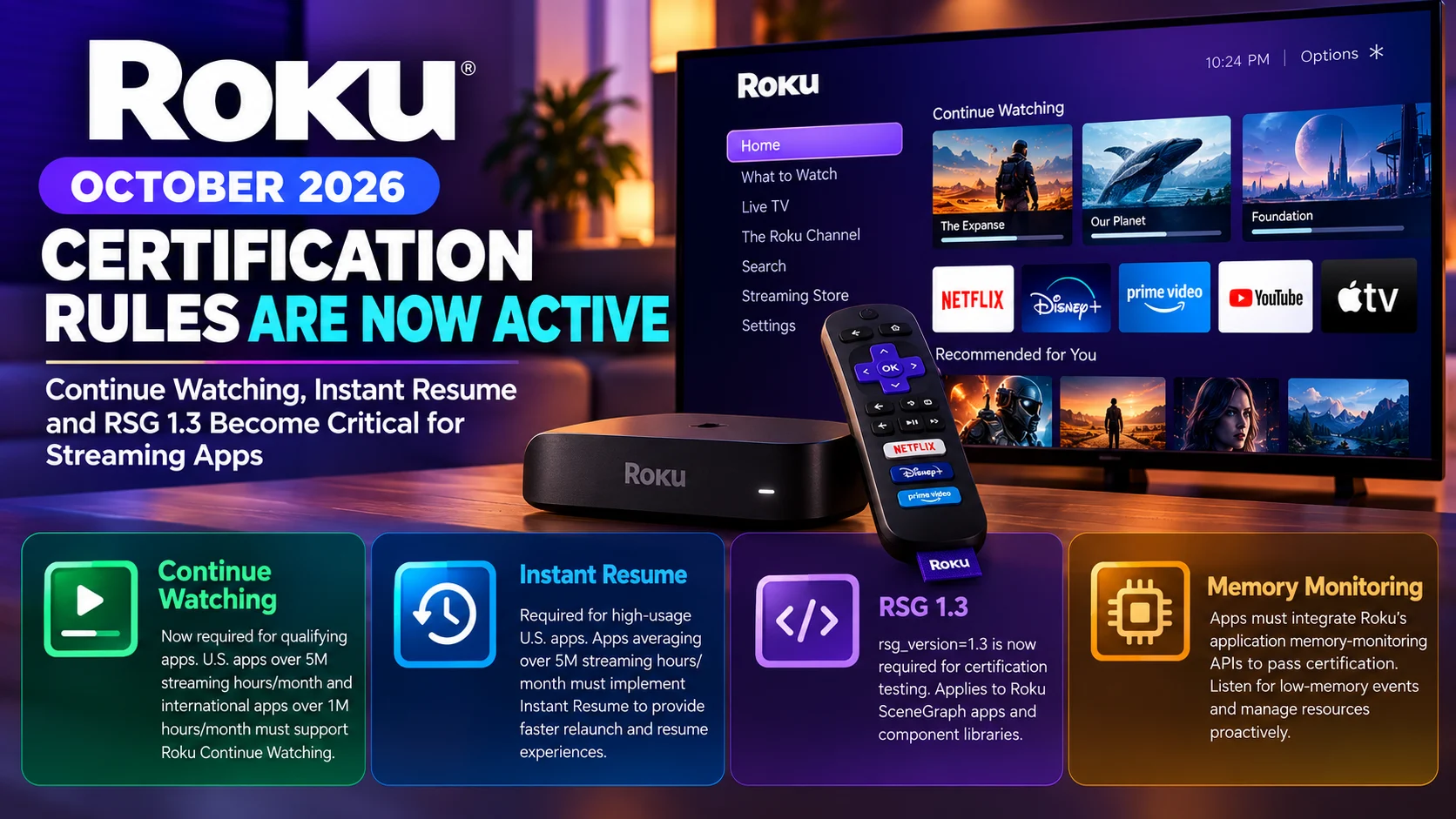
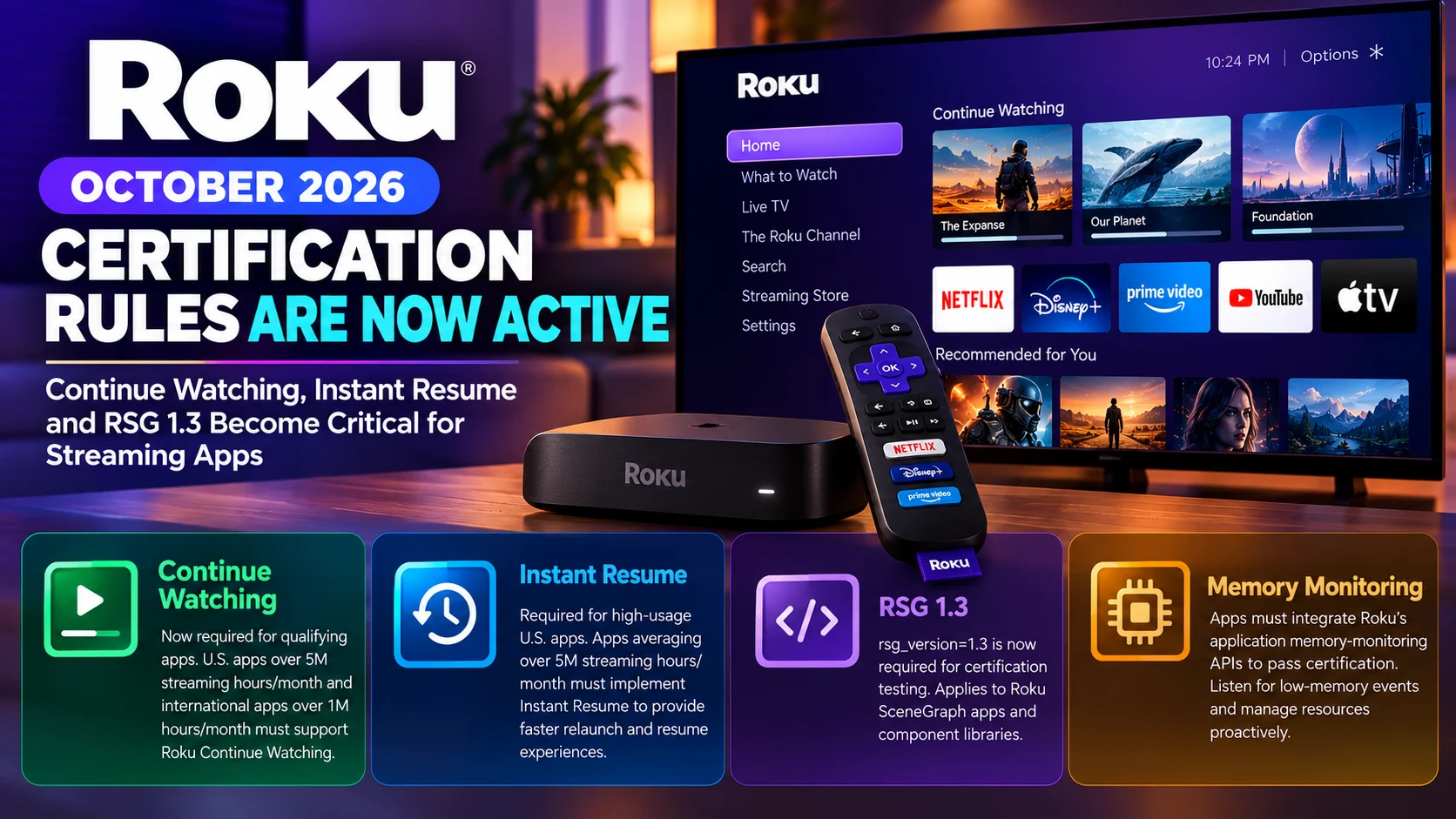
Roku’s latest certification requirements are now active, making October an important milestone for developers maintaining streaming applications across the Roku ecosystem.
Three changes deserve immediate attention: broader Continue Watching requirements, mandatory Instant Resume for qualifying U.S. apps, and the transition to Roku SceneGraph version 1.3 for certification testing.
There is also another October requirement developers should not overlook: Roku now requires apps to integrate its application memory-monitoring APIs to pass certification testing.
Together, these changes show Roku moving certification beyond basic playback and navigation. The platform increasingly expects applications to integrate directly with Roku’s discovery, resume, performance, and resource-management systems.
For large streaming services, some of these requirements are tied to usage thresholds. Other requirements, particularly RSG 1.3 and memory monitoring, have much broader implications for applications going through certification.
Developers planning a new Roku submission or updating an existing production app should therefore review their manifests, playback lifecycle, backend bookmark handling, and memory-management strategy before entering certification.
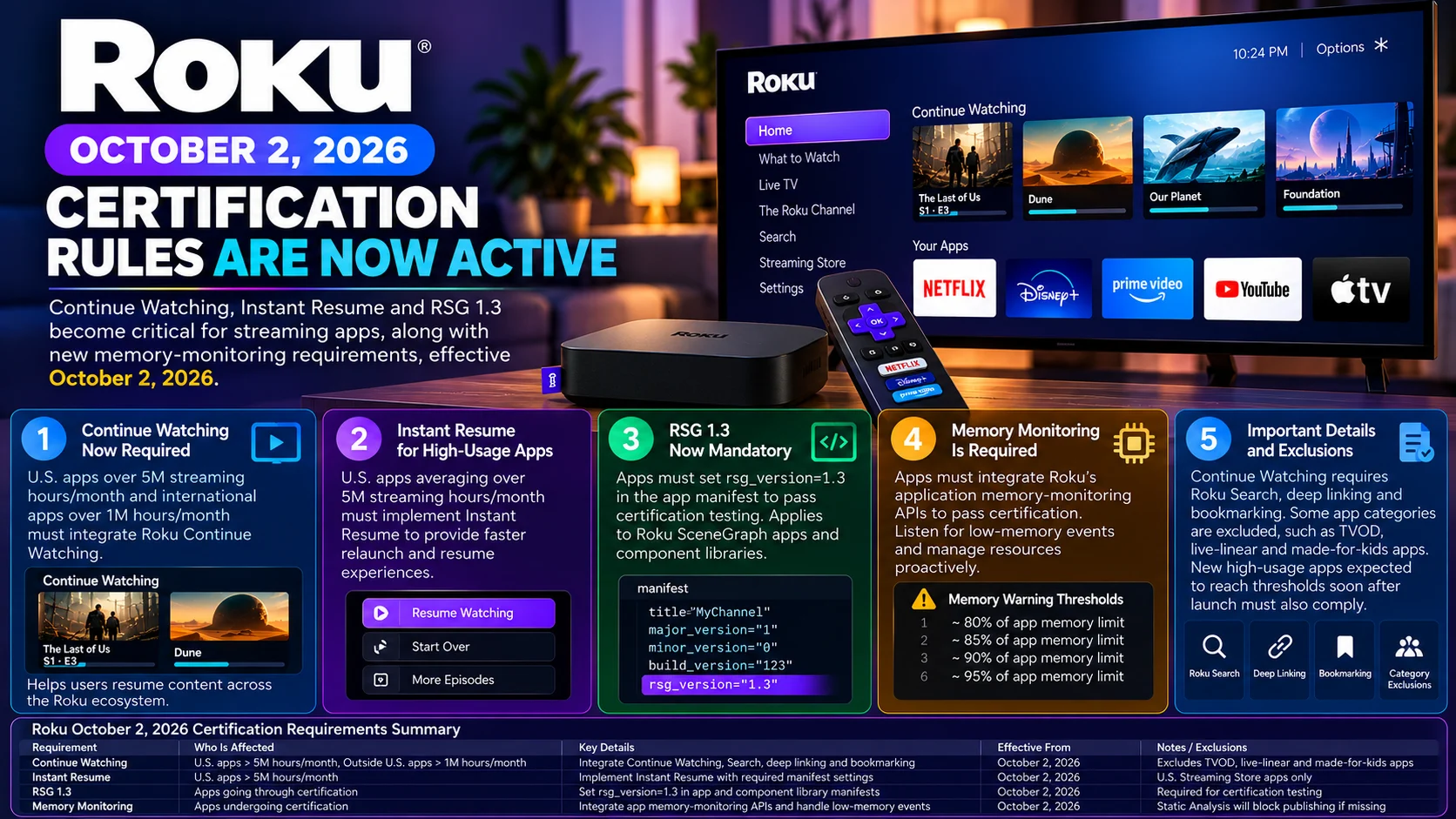
Roku October 2026 Certification Changes at a Glance
| Requirement | Who Is Affected | What Developers Need to Do |
|---|---|---|
| Continue Watching | U.S. apps averaging over 5M streaming hours/month; outside-U.S. apps averaging over 1M hours/month | Integrate Roku Continue Watching and required discovery/resume systems |
| Instant Resume | U.S. Roku Streaming Store apps averaging over 5M streaming hours/month | Preserve app state and support faster relaunch/resume |
| RSG 1.3 | Apps going through certification | Set rsg_version=1.3 in the app manifest and applicable component libraries |
| Memory monitoring | Apps undergoing certification | Integrate Roku app memory-monitoring APIs and respond to low-memory events |
| New high-usage apps | Apps projected to reach applicable thresholds soon after launch | Meet threshold-based requirements before certification where applicable |
Roku’s certification documentation states that Continue Watching and Instant Resume requirements became effective on October 1, while its manifest documentation requires rsg_version=1.3 continued certification testing. Roku also says its memory-monitoring interface must now be integrated for apps to pass certification.
Continue Watching Is Now More Important Outside the United States
Continue Watching is one of Roku’s most visible discovery integrations.
Instead of forcing users to reopen an application, find the title they were watching and navigate back to the correct episode or movie position, Roku can surface in-progress content through its own interface.
Roku’s Continue Watching row appears within the What to Watch experience and can also appear through the Roku mobile app.
For qualifying U.S. applications, Continue Watching was already an important certification requirement.
The significant October change expands the requirement internationally.
Apps outside the U.S. Roku Streaming Store that average more than 1 million streaming hours per month over the previous three months must now participate in Roku Continue Watching.
In the U.S., the threshold is higher: apps averaging more than 5 million streaming hours per month over the previous three months must support it.
Roku also applies the rule to new applications expected to reach the relevant threshold shortly after launch.
There are exclusions. Roku currently excludes TVOD, live-linear, and made-for-kids apps from this certification requirement.
Continue Watching Is More Than a Home-Screen Row
Developers should not treat Continue Watching as a simple UI integration.
It depends on several other parts of a Roku application working correctly.
Roku lists Roku Search, deep linking, and bookmarking among the prerequisites for participating in Continue Watching.
That makes sense from a user-flow perspective.
When someone selects an item from Roku’s Continue Watching interface, the operating system needs enough information to identify the correct content, open the appropriate application, and get the user back into the expected playback experience.
The application therefore needs reliable content identifiers and accurate playback-position data.
For an episode stopped at 28 minutes, for example, the experience should not simply launch the app’s home page. It should direct the viewer toward the relevant episode and restore playback appropriately.
This also puts more pressure on streaming services to keep server-side watch-state information accurate across devices.
Bookmarking Becomes Critical
Continue Watching depends heavily on trustworthy bookmarking.
Roku requires VOD content longer than 15 minutes to implement bookmarking for certification, and its documentation says bookmarks should be retained for at least 30 days.
A streaming service with weak bookmark synchronization may technically have a Continue Watching integration while still producing a poor experience.
Imagine a viewer watches half a movie on one Roku television and later selects it from Continue Watching on another device linked to the same account.
If the service has not synchronized the playback position correctly, the movie may start at the wrong location.
That turns what should be a convenience feature into a source of frustration.
Developers should therefore test not only whether content appears in Continue Watching, but also whether the resume position remains accurate after device changes, profile changes, app restarts, and completed playback.
Instant Resume Is Now Required for High-Usage U.S. Apps
The second major October certification change concerns Instant Resume.
Apps in the U.S. Roku Streaming Store averaging more than 5 million streaming hours per month during the previous three months must now implement Roku’s Instant Resume feature.
Instant Resume is designed to reduce the friction users experience when returning to an app.
Normally, reopening a Roku application may involve launching the application from scratch, rebuilding UI state, refreshing data, and navigating back to the content the user was watching.
Instant Resume can preserve application state in device memory and restore it when the app is relaunched.
For live video, Roku describes a scenario where playback can resume rapidly after the user returns.
For VOD, the application can restore the relevant viewing context without requiring the customer to navigate through the entire app again.
How Roku Instant Resume Works
Instant Resume relies on application suspension.
Instead of always terminating an application completely when the user leaves it, Roku can retain the process state in memory.
When the user returns, that state can potentially be resumed.
Developers need to explicitly support the lifecycle.
Roku requires the manifest attributes as part of the implementation, along with the required suspend and resume handling.
However, developers cannot assume that every suspended app will remain available forever.
Roku may remove suspended applications from memory when another active application needs additional resources.
When that happens, the app must still be capable of performing a normal cold launch.
A robust Roku streaming app therefore needs to handle both paths correctly: fast restoration when the suspended state remains available and reliable full initialization when it does not.
Instant Resume Changes How Developers Should Think About App State
Instant Resume can expose lifecycle bugs that are difficult to notice in applications built around a traditional start-and-exit model.
A resumed app may still contain player state, cached metadata, screen history, authentication information, and active objects from its previous session.
Developers need to determine which parts of that state remain valid.
A temporary playback URL, for example, may have expired while the app was suspended.
An authentication token could have changed.
A live stream might no longer be available.
The application therefore cannot simply assume that every object preserved in RAM remains usable when execution resumes.
Good instant resume behavior requires a balance between preserving useful state and revalidating information that may become stale.
RSG 1.3 Is Now a Certification Requirement
The third major change affects Roku SceneGraph applications directly.
Roku’s manifest documentation says applications must set:
rsg_version=1.3
to continue passing certification testing from October 1, 2026.
This is important because Roku SceneGraph is the UI framework behind most modern Roku applications.
The rsg_version manifest property controls the SceneGraph observer callback model used by the application.
Roku says version 1.3 includes APIs for transferring node data that can improve application performance.
Teams that have maintained the same Roku codebase for years should not assume their existing manifest settings are still sufficient.
The manifest should be audited before the next certification submission.
Component Libraries Need Attention Too
Applications using Roku Component Library functionality have another detail to check.
Roku documentation says the rsg_version flag also needs to be declared in the component library manifest when a component library is being used.
That means changing only the primary application manifest may not be enough for projects built around reusable component libraries.
Large streaming companies are particularly likely to use shared UI libraries for player controls, authentication screens, content rows, analytics, or common visual elements.
Those shared packages should be included in the RSG 1.3 migration and QA process.
Otherwise, a development team could update the application itself while leaving an older library configuration behind.
Memory Monitoring Is Another October Requirement
RSG 1.3 is not the only technical certification change.
Roku says that starting October 1, applications must integrate its application memory-monitoring interface and events to pass certification testing.
The platform provides the roAppMemoryMonitor and the ifAppMemoryMonitor interfaces so applications can receive warnings as memory usage approaches the per-app limit.
Current documented warning thresholds include approximately 80%, 85%, 90%, and 95% of the application memory limit.
Roku states that static analysis will report an error and block publishing if the required memory-monitoring APIs are missing.
This is a substantial development requirement because streaming applications can use significant memory.
Large poster grids, decoded images, cached metadata, video-player resources, and background objects can accumulate quickly, especially on lower-memory Roku hardware.
Developers Need a Real Low-Memory Strategy
Simply subscribing to memory notifications should not be the end of the implementation.
The useful question is what the app does when memory pressure rises.
A streaming application might reduce caches, discard off-screen artwork, release unnecessary SceneGraph nodes or clear data that can be loaded again later.
The correct response depends on the architecture.
The goal should be graceful degradation rather than waiting for the application to become unstable or terminate.
This fits with Roku’s wider certification philosophy.
Roku requires applications to remain responsive across currently supported device models rather than being optimized only for the latest or fastest hardware.
Its certification guidance specifically encourages developers to test across devices with different processing power and memory capabilities.
Existing Apps Are Affected When They Submit Updates
Developers should remember that certification does not apply only to brand-new Roku applications.
When an existing app changes its implementation code, Roku says that app needs to be re-certified and republished.
That means a long-established streaming service may encounter these October requirements the next time it submits a meaningful code update.
A company cannot necessarily rely on the fact that its current production version was certified under older requirements.
The next submission may expose missing RSG settings, memory-monitor integration or threshold-based discovery requirements.
For that reason, development teams should perform certification-readiness work before an urgent production release becomes necessary.
What Roku Developers Should Check Before Their Next Submission
The most effective approach is to treat the new requirements as one connected certification project rather than several unrelated fixes.
Start with the manifest and confirm RSG 1.3 configuration.
Then review any component libraries using SceneGraph.
Verify memory-monitor integration and simulate high-memory scenarios to make sure the application releases resources appropriately.
For high-usage services, verify whether streaming-hour thresholds place the application under Continue Watching or Instant Resume requirements.
Finally, run realistic playback tests involving cold launch, resume, cross-device bookmarks, deep links and app suspension.
This is particularly important for major streaming services because new applications projected to reach Roku’s specified thresholds can also fall under threshold-based requirements shortly after launch.
Final Thoughts
Roku’s October certification changes represent a broader shift in how the platform defines a high-quality streaming application.
Certification is no longer focused only on whether an app launches and plays video.
Roku increasingly expects applications to participate in system-level experiences.
Continue Watching connects individual streaming services with Roku’s cross-app discovery interface.
Instant Resume reduces the time users spend navigating back to content after leaving an application.
RSG 1.3 moves SceneGraph development onto Roku’s latest required callback model.
And mandatory memory monitoring pushes developers toward more proactive resource management.
For large streaming applications, these areas are closely connected.
An app that resumes instantly but restores stale playback state creates a poor experience. Continue Watching is only valuable when bookmarks and deep links are accurate. SceneGraph improvements matter little if excessive memory consumption causes instability.
Roku developers should therefore treat the October requirements as a reason to review the entire application lifecycle—from home-screen discovery and launch through playback, suspension, resume and memory cleanup.
The earlier that work is completed, the less likely a certification issue will block an important production release.
FAQs About Roku’s October 2026 Certification Rules
1) Is RSG 1.3 mandatory for Roku certification now?
Yes. Roku’s manifest documentation says rsg_version=1.3 must be set to continue passing certification testing from October 1, 2026.
2) Which apps must implement Continue Watching?
In the U.S., the requirement applies to qualifying apps averaging more than 5 million streaming hours per month over the previous three months. Outside the U.S., the threshold is more than 1 million hours per month. Certain categories, including TVOD, live-linear and made-for-kids apps, are excluded.
3) Which apps need Instant Resume?
Roku requires Instant Resume for U.S. Streaming Store apps averaging more than 5 million streaming hours per month over the previous three months.
4) Does Continue Watching require deep linking?
Yes. Roku identifies Search, deep linking and bookmarking as prerequisites for Continue Watching participation.
5) What does Instant Resume do?
It allows Roku to preserve an application's state in device memory so the app can return users to their previous experience much faster when relaunched.
6) Do Component Libraries need RSG 1.3 too?
If a Roku application uses a ComponentLibrary node, Roku says the applicable component library manifest also needs the rsg_version flag.
7) Is memory monitoring now required?
Yes. Roku says apps must integrate its application memory-monitoring interface and events to pass certification testing, with Static Analysis able to block publishing when the APIs are missing.
8) Do existing Roku apps need to care about the new requirements?
Yes. Existing applications that submit implementation-code updates have to go through certification again, so the latest criteria can become relevant during their next release.
Stay Updated with the Player SDK Guide Hub
Streaming-platform certification rules can change application architecture, playback behavior, release schedules and QA requirements.
The Player SDK Guide Hub tracks updates across Roku, Fire TV, Vega OS, Android TV, Google TV, Apple TV, Android Media3, ExoPlayer, Plex, Jellyfin, Infuse, Kodi, VLC and other video-player ecosystems.
We cover certification changes, SDK releases, operating-system updates, playback regressions and developer tooling to explain what changed, which apps are affected, why it matters and what streaming teams should test next.
Explore the Player SDK Guide Hub for the latest Roku development, video-player and streaming-platform updates.
