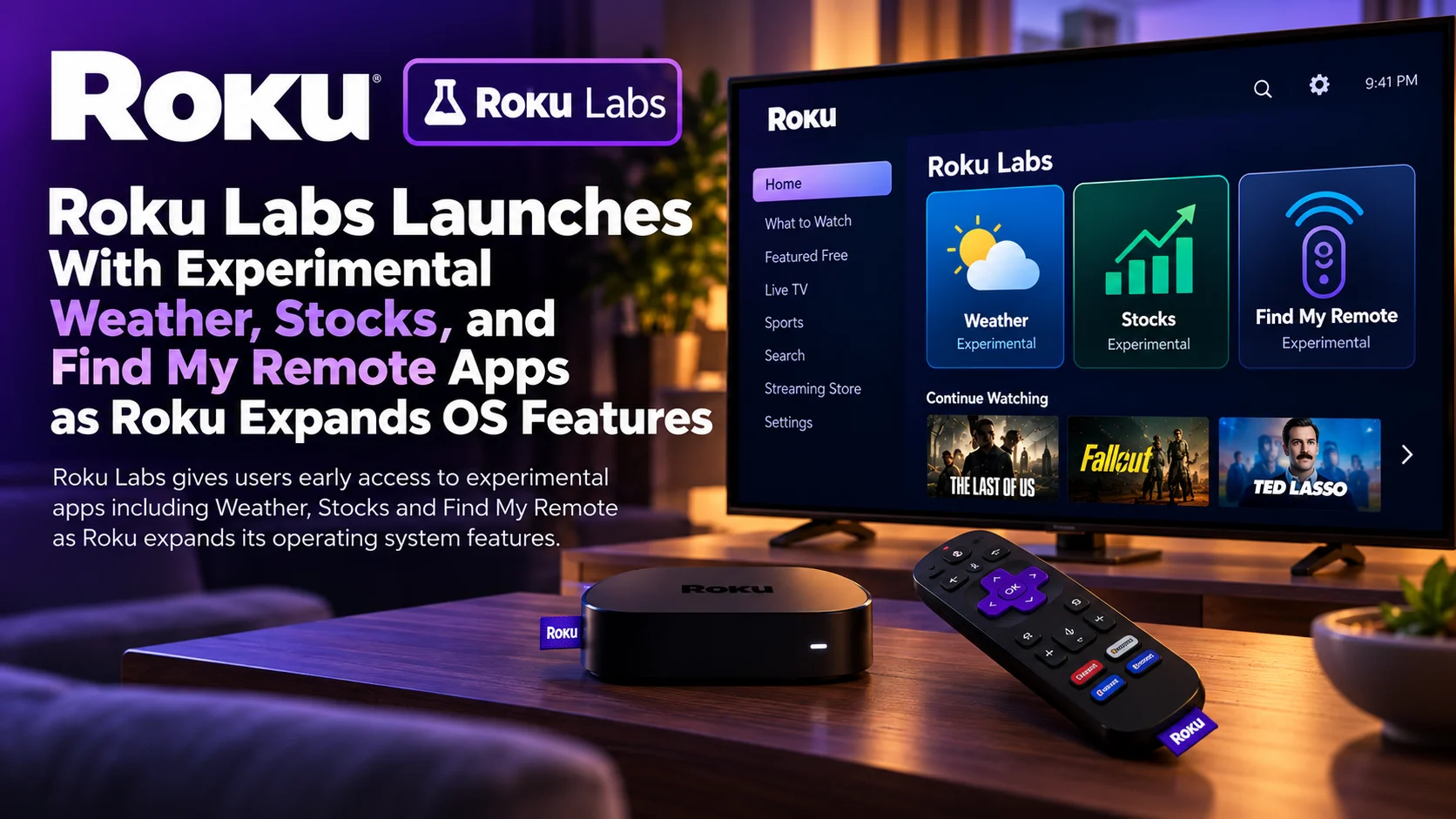
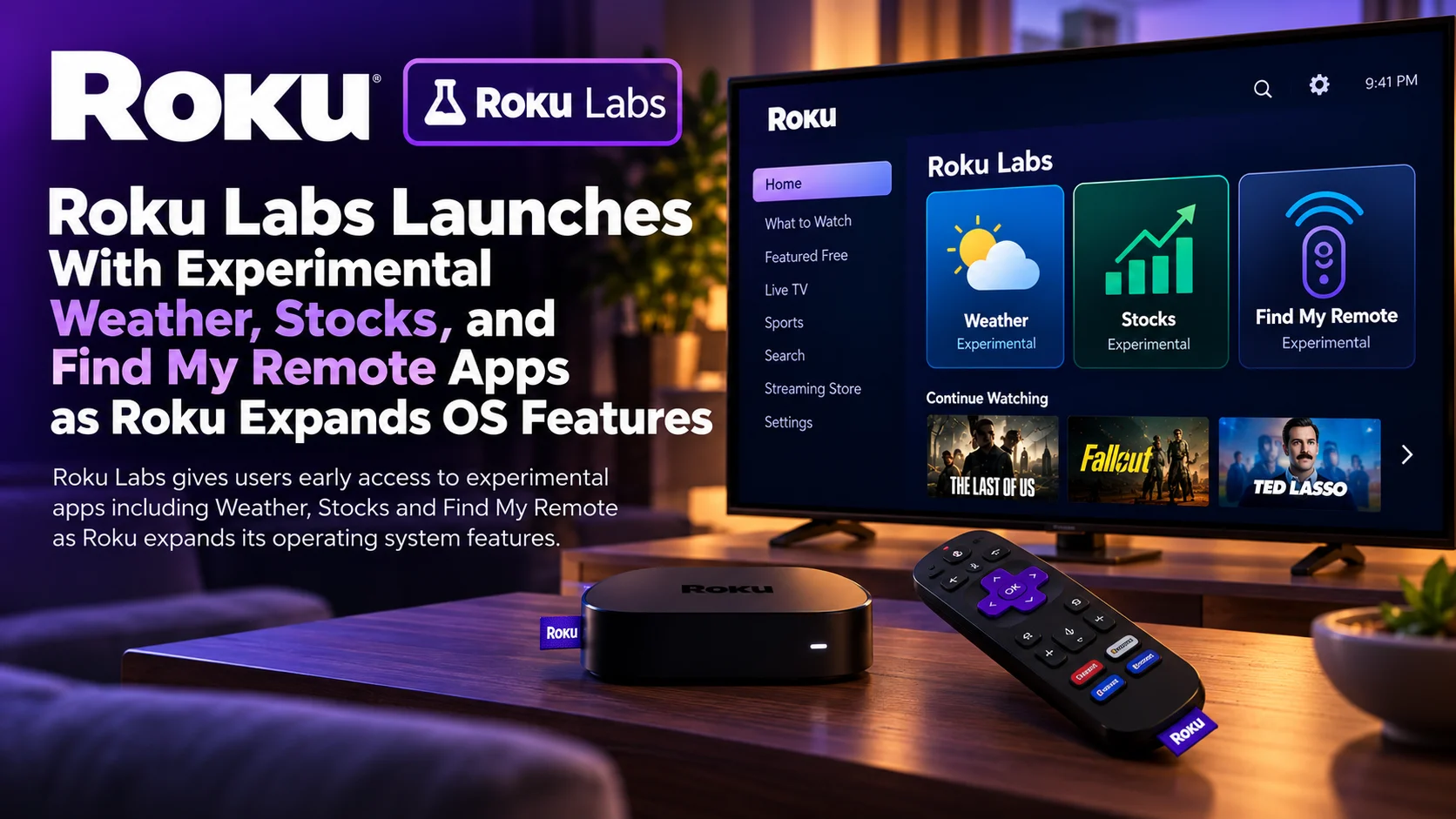
Roku is opening a new testing ground inside its television ecosystem with the launch of Roku Labs. This dedicated experience lets users try experimental applications and concepts being developed by Roku engineers.
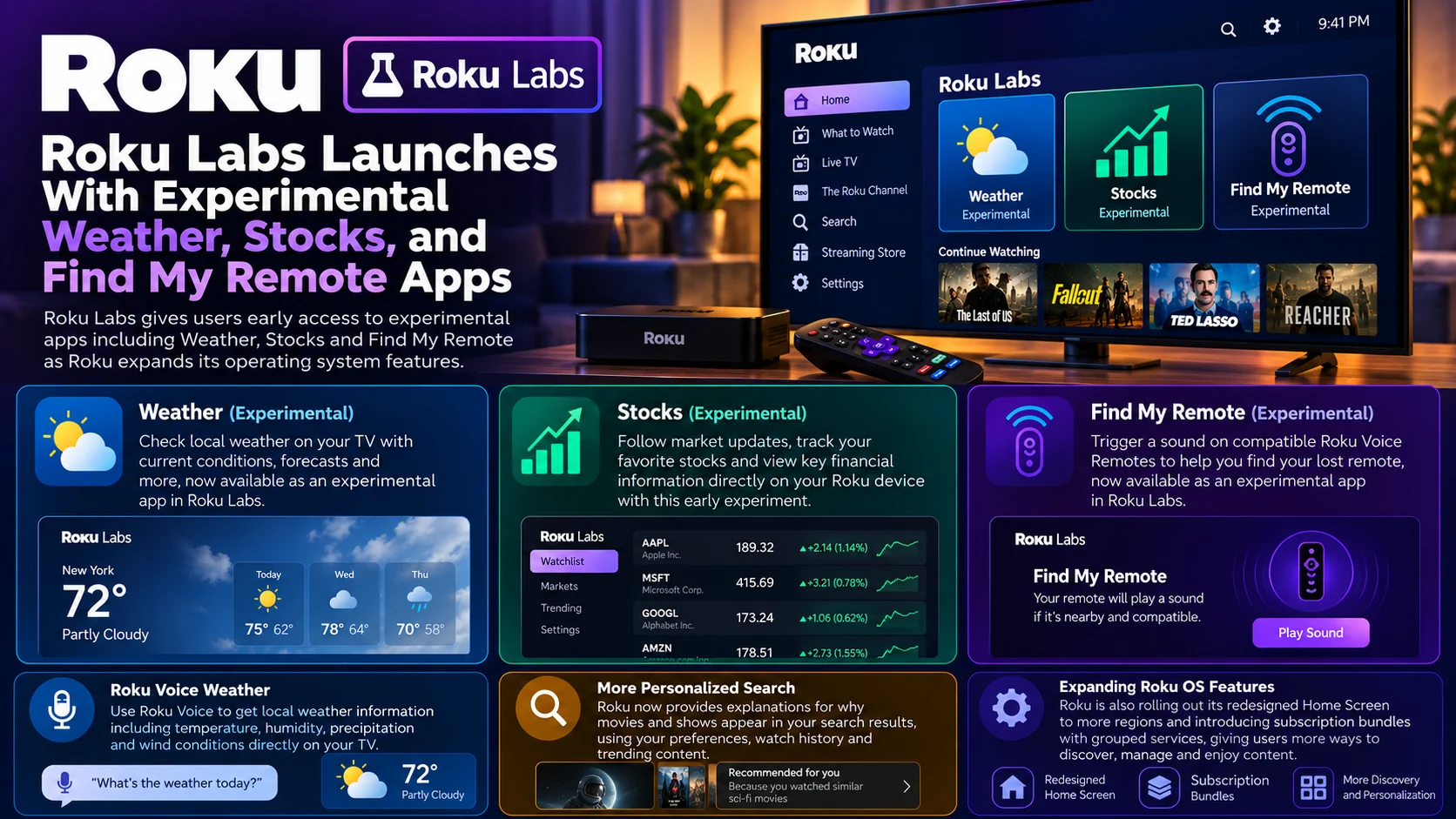
The initial lineup includes Weather, Stocks, and Find My Remote, giving Roku owners a glimpse at features that may eventually evolve into larger parts of Roku OS—or may remain experiments that never receive broad platform integration.
That distinction is central to Roku Labs.
Unlike a normal Roku application release, these experiences are explicitly positioned as in-development experiments. Roku says users can add the Roku Labs application from the Streaming Store and explore projects the company is currently testing.
For Roku, this creates an interesting bridge between traditional app distribution and operating-system development.
Rather than waiting to fully integrate a feature into Roku OS, the company can expose an early version as a small app, observe how viewers interact with it, and refine the concept before deciding whether it belongs elsewhere on the platform.
At the same time, Roku is expanding several other OS-level capabilities, including smarter search, weather information through Roku Voice, subscription bundles, and broader availability of its redesigned Home Screen.
Together, these changes suggest Roku increasingly wants its devices to function as more than simple streaming-app launchers.
Roku Labs at a Glance
| Area | What Roky Is Introducing | Why It Matters |
|---|---|---|
| Roku Labs | Dedicated hub for experimental Roku-built apps | Gives users access to in-development ideas |
| Weather | Experimental weather application | Expands Roku beyond entertainment discovery |
| Stocks | Market-information experiment | Tests utility-style content on the TV |
| Find My Remote | Remote-finder app for eligible devices | Makes an existing hardware capability easier to access |
| Distribution | Available through the Roku Streaming Store | Keeps experiments separate from core OS features |
| Future status | Experiments may or may not become permanent features | Roku can test concepts without promising long-term support |
| Roku Voice | Can provide local weather information | Shows utility features also moving into the OS itself |
| Home Screen | New interface expanding to additional markets | Roku is standardizing its newer personalized UI |
| Premium Subscriptions | Subscription bundles with grouped services | Expands Roku’s role in managing streaming subscriptions |
What Is Roku Labs?
Roku Labs is essentially an experimental app environment created by Roku itself.
Users can find the Roku Labs application in the Streaming Store and add it to their Home Screen just like another Roku app.
Inside, they can access early projects created by Roku’s own engineers and product teams.
That makes Roku Labs different from the normal Streaming Store.
The store is primarily a distribution platform for completed streaming services, utilities, games, and other applications.
Roku Labs is specifically about features that are still being evaluated.
Roku makes it clear that an experiment appearing in Labs does not guarantee that it will become a permanent part of the platform.
That gives the company room to try ideas without treating every experiment as a formal Roku OS commitment.
From a platform-development perspective, this is valuable.
Television software is difficult to experiment with because OS-level changes affect millions of devices and many hardware generations.
Packaging an idea as a separate lab experience creates a much smaller surface for testing.
Weather Is One of the First Experiments
Weather is one of the three launch experiences.
A weather application may seem unrelated to streaming, but it fits Roku’s broader effort to turn the television home screen into a more general information surface.
Televisions are already always-on household displays in many homes.
Users frequently check news, sports, local conditions, and other quick information without necessarily intending to watch a full program.
A dedicated weather experience gives Roku another reason for users to interact with the television outside traditional streaming sessions.
Roku is also expanding weather information beyond Labs.
Roku Voice can now answer weather requests directly.
Users can ask what the weather is like and receive local information, including temperature, humidity, precipitation, and wind conditions on screen.
That means Roku is exploring weather through two interfaces at once: a dedicated experimental application and a more deeply integrated voice experience.
The combination could help Roku understand whether viewers prefer a full weather destination, quick voice answers, or both.
Stocks Push Roku Further Into Utility Apps
Stocks is the second launch experiment.
Like Weather, it broadens the Roku experience beyond entertainment.
A television can provide an effective at-a-glance dashboard because of its screen size.
Market data, watchlists, charts, and financial headlines are all information types that can benefit from a large display when presented clearly.
Roku has not positioned the Stocks experiment as a professional trading platform.
Its significance is instead about testing whether users want lightweight financial information directly on Roku.
That is important because Roku’s traditional strength has been video.
Introducing utilities creates another possible category of first-party experiences that could sit alongside entertainment discovery.
If users engage with these experiments, Roku could potentially expand its operating system toward more general household information use cases.
Find My Remote Turns a Common Problem Into an App
The third launch experiment is perhaps the most immediately practical: Find My Remote.
Roku already supports lost-remote-finder functionality on compatible hardware.
When activated, a supported Roku voice remote with a built-in speaker plays a sound, helping users locate it behind a couch cushion, under furniture, or elsewhere in the room.
The capability is available through several existing methods depending on the hardware.
Some Roku devices have a physical remote-finder button.
Compatible televisions can expose the command through their controls.
Certain Roku Voice Remote Pro models can respond to a hands-free request.
The Roku mobile app can also help trigger the function.
Roku Labs adds another potential entry point.
Instead of remembering which hardware button or settings page controls the feature, eligible users can access a dedicated Find My Remote experience.
Not Every Roku Remote Can Make a Sound
The word “eligible” is important.
Find My Remote requires a remote with the hardware necessary to produce the locator sound.
Compatible models contain a built-in speaker.
If a remote does not include that speaker, an application cannot magically make the device ring.
The finder can also fail if the remote’s batteries are dead, its rechargeable battery is too low or the remote is outside the required network range.
That makes Find My Remote partly a software feature and partly a hardware capability.
Roku Labs therefore provides the interface, while actual compatibility still depends on the user’s remote and Roku device.
This is a useful example of how Roku OS increasingly connects applications with system-level hardware functions.
Roku Labs Could Be Valuable for Platform Experimentation
The most interesting part of Roku Labs may not be any individual launch app.
It is the distribution model itself.
Roku can now expose an experimental concept without immediately putting it into the main Home Screen or committing to long-term OS support.
If an idea proves useful, it could potentially evolve.
If users ignore it or the implementation does not work well across Roku hardware, the experiment can remain isolated.
That kind of iterative testing is common on mobile and web platforms but more difficult on televisions.
TV operating systems need to support remote navigation, very large screens, older processors, and a wide range of viewing distances.
An experiment that feels smooth on a modern Roku Ultra may behave differently on a lower-powered Roku TV.
Labs offers Roku a place to learn from those differences.
Roku Is Expanding Beyond App Launching
Roku’s wider OS changes reinforce the same direction.
The modern Roku interface increasingly attempts to help users discover content before they decide which app to open.
Its redesigned home screen uses personalized recommendations and gives users quick access to frequently used services, shortcuts, and entertainment destinations.
Search is becoming more personalized as well.
Roku can now provide explanations for why particular movies, shows, or entertainment options appear in search results, using signals such as viewing preferences, watch history, and trending content.
This turns search from a simple title-matching tool into a recommendation experience.
Roku Labs extends that philosophy beyond entertainment by testing utility applications alongside the core streaming interface.
The New Roku Home Screen Is Expanding
Roku’s redesigned home screen is also expanding internationally.
The interface reorganizes navigation around a left-side menu and increases the importance of personalized content recommendations.
Frequently used applications, destinations, and shortcuts can appear closer to the top, while users still retain access to their traditional app grid.
The new design reflects a major shift in Roku’s philosophy.
Older streaming-device interfaces were primarily app launchers.
Users selected Netflix, YouTube, or another service and then discovered content inside that application.
Modern Roku OS increasingly tries to participate in discovery before the viewer opens an app.
That includes recommendations, Continue Watching, Save List, Live TV, Sports, and personalized rows.
Roku Labs fits naturally into this more dynamic home screen environment.
Smarter Search Makes Roku More Personalized
Roku’s newer search experience can include tailored explanations for why a particular item was recommended.
This is a subtle but important interface change.
Recommendation engines often feel like black boxes.
A user sees a movie but has no idea why the platform believes it is relevant.
Explanations can make the recommendation feel more intentional.
For example, the system might surface something because it resembles content the viewer previously watched or because it is currently popular.
The goal is not merely to display more results.
It is to increase confidence that the suggested result is worth selecting.
For streaming applications, this also raises the value of accurate metadata and platform integrations because Roku is increasingly becoming an active discovery layer across services.
Premium Subscription Bundles Expand Roku’s Commercial Role
Roku is also expanding how users manage paid services.
Premium Subscription bundles combine participating services into discounted packages.
That pushes Roku further into the role of subscription aggregator.
Instead of using Roku only as hardware for launching separately managed streaming accounts, viewers can increasingly discover, subscribe to and manage entertainment through Roku itself.
This matters strategically.
Streaming fragmentation has created a complicated environment where users may maintain subscriptions across many services.
A platform that can simplify discovery, billing and subscription management gains a stronger position between the viewer and individual streaming applications.
Roku Labs is not directly connected to subscription bundles, but both developments demonstrate the same broader trend: Roku OS is becoming more active and service-oriented.
What Roku Labs Means for Developers
Roku Labs is primarily a first-party Roku initiative, but third-party developers should still pay attention.
The experiments provide clues about the kinds of interactions Roku considers useful on the television.
Utility apps, system hardware integration and information dashboards may become more important as Roku OS evolves.
Developers can also observe Roku’s own interface patterns.
How does Roku design weather information for a remote?
How does it minimize navigation steps?
How does an experimental utility fit alongside streaming services on the Home Screen?
These design decisions can influence user expectations across the wider Roku ecosystem.
At the same time, developers should avoid assuming every Labs feature will become a permanent API or system capability.
Roku explicitly positions the apps as experimental.
Should Roku Users Install Roku Labs?
For users interested in new Roku features, the answer is straightforward.
Roku Labs is designed specifically for people who want to explore functionality before it becomes part of the mainstream platform.
Weather and Stocks provide quick informational experiences, while Find My Remote has a more practical purpose for compatible devices.
However, Labs should not be approached like a set of guaranteed permanent applications.
Features may change.
Experiments may disappear.
Interfaces may be revised substantially.
That uncertainty is part of the point.
Users who prefer a predictable television interface can simply ignore Roku Labs and continue using standard Roku features.
Final Thoughts
Roku Labs represents a new way for Roku to test what its television platform could become.
The first experiments are intentionally simple.
Weather turns the TV into a quick household information display.
Stocks explores another utility category.
Find My Remote provides a more visible path to an existing hardware function.
The larger story is the platform strategy behind them.
Roku can now put experimental applications in front of real users without immediately integrating those ideas into the core operating system.
That creates room for faster experimentation while keeping unfinished concepts separate from the mainstream Roku experience.
At the same time, Roku is making the rest of its OS more capable.
Weather information is reaching Roku Voice. Search is becoming more personalized. The redesigned Home Screen is expanding. Subscription management is becoming more integrated.
Roku began as a straightforward streaming-player platform.
Its current direction is broader: a television operating system that manages discovery, subscriptions, utilities, personalized recommendations and increasingly more of the overall living-room experience.
Roku Labs may become one of the places where users see that future first.
FAQs About Roku Labs
Roku Labs is a Roku-built application that provides early access to experimental, in-development apps and concepts.
2) Which apps are available in Roku Labs?
The initial experimental lineup includes Weather, Stocks and Find My Remote.
3) How do I get Roku Labs?
Roku Labs can be found through Roku’s Streaming Store and added to the Roku Home Screen like another application.
4) Are Roku Labs apps permanent?
Not necessarily. Roku says experimental apps may or may not become future Roku features or capabilities.
5) Does Find My Remote work with every Roku remote?
No. The remote needs compatible hardware, including a built-in speaker, to produce the finder sound.
6) What happens when Find My Remote is activated?
A compatible remote plays a sound so the user can locate it. The sound can be stopped by pressing a button after the remote is found.
7) Can Roku show weather without opening Roku Labs?
Yes. Roku Voice can provide local weather information such as temperature, humidity, precipitation and wind.
8) Is Roku Labs replacing the Streaming Store?
No. Roku Labs is itself distributed through the Streaming Store and serves as a home for Roku’s experimental projects.
Stay Updated with the Player SDK Guide Hub
Streaming-device platforms increasingly evolve through operating-system services, discovery tools, experimental applications and deeper hardware integrations—not just traditional streaming apps.
The Player SDK Guide Hub tracks developments across Roku, Fire TV, Vega OS, Android TV, Google TV, Apple TV, Samsung Tizen, LG webOS, Plex, Jellyfin, Media3 and other streaming ecosystems.
We cover operating-system features, developer changes, player releases, device updates and playback developments to explain what changed, why it matters and what streaming teams should watch next.
Explore the Player SDK Guide Hub for the latest Roku OS, streaming-device and player-platform updates.
