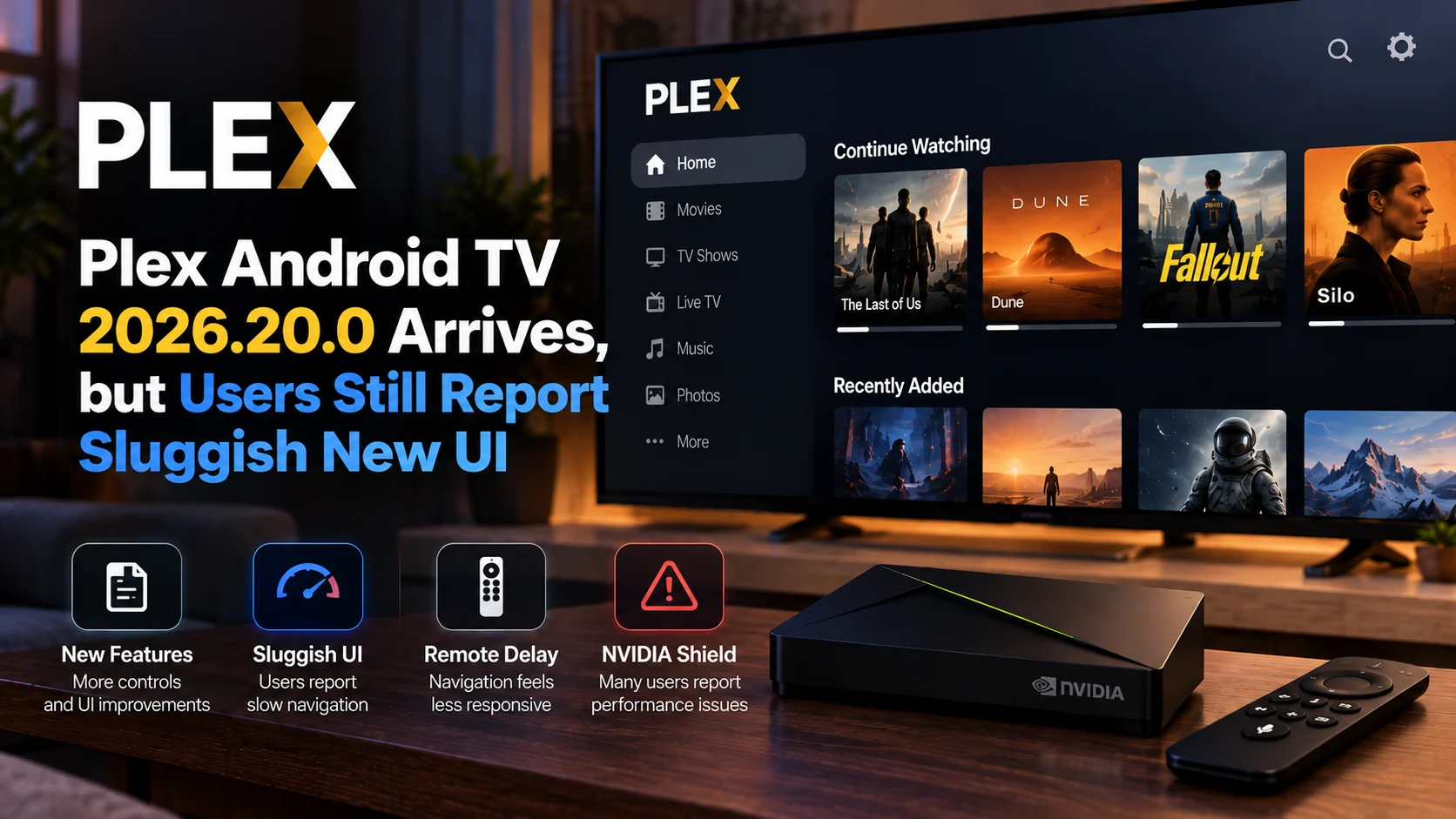
PlxNative is taking a very different approach to Plex playback on LG smart TVs. Instead of building another television interface on top of Chromium or a WebView, the open-source project renders its user interface directly through the TV’s GPU. It sends video to LG’s own hardware-decoding pipeline.
The goal is simple: make Plex feel faster and more responsive on webOS hardware, including older televisions where browser-based application interfaces can begin to feel sluggish.
The developer reports a 60fps user interface on a 2019 LG television, with PlxNative written primarily in Rust and using native graphics technologies rather than a conventional browser-based TV application. Video playback is then delegated to the codecs and hardware decoder available on the television itself.
For Plex users, that combination is particularly interesting because PlxNative is not attempting to replace Plex Media Server. It functions as an alternative front end for personal Plex libraries, while Plex continues to provide authentication, metadata, library management, progress synchronization, and transcoding when required.
The project is still young and unofficial, and compatibility varies between LG models. But its architecture makes it one of the more interesting recent experiments in smart-TV media playback.
PlxNative at a Glance
| Area | PlxNative Approach | Why It Matters |
|---|---|---|
| Interface | Native GPU-rendered UI | Avoids browser/WebView overhead |
| Performance | Targets 60fps navigation | Smoother shelves, menus and remote input |
| Video decoding | Uses LG TV hardware decoder | Takes advantage of built-in media silicon |
| 4K playback | Supports compatible 4K HEVC files | Useful for high-quality local Plex libraries |
| Dolby Vision | Profiles 5 and 8 supported on compatible TVs | Expands HDR playback options |
| Audio | E-AC-3 Atmos supported where hardware allows | Better home-theater compatibility |
| Plex fallback | Server transcoding when Direct Play is unavailable | Extends compatibility beyond native TV codecs |
| Subtitles | Audio and subtitle track selection, including image subtitles | Better support for complex media libraries |
| Installation | Developer Mode or webOS Homebrew | No root required |
| Platform | webOS 4.0+ targeted | Covers multiple generations of LG TVs |
Covers multiple generations of LG TVs
Why PlxNative Exists
The motivation behind the project came from the developer’s experience using Plex on an older LG television.
Browsing shelves, opening posters, and moving through the library did not feel as responsive as expected from hardware that could still decode demanding video formats.
The developer concluded that optimizing the existing browser-style approach would only go so far.
PlxNative therefore removes the browser from the UI path.
Its interface is drawn directly on the GPU using a native stack centered around Rust and OpenGL rather than HTML, JavaScript, and Chromium rendering.
That changes the performance equation.
Instead of asking a smart-TV browser engine to process layouts, scripts, animations, and input events, PlxNative handles the television interface much more like a native graphics application.
The project’s developer reports 60fps operation on the LG television used for development and has built regression tests intended to measure frame-rate behavior on the real TV rather than relying only on desktop simulation.
60 fps Matters More on a TV Than It May Sound
A faster interface does not improve the quality of the video stream itself, but it can dramatically change how premium a television application feels.
Smart-TV navigation is highly sensitive to latency.
The user presses a directional button, waits for focus to move, scrolls through another shelf, and opens a title.
When each action has even a small delay, the interface begins to feel heavy.
At a stable high frame rate, poster movement, focus animations, and scrolling can feel much closer to modern streaming hardware.
That is particularly relevant to older smart TVs.
A television panel may still deliver excellent 4K picture quality years after purchase, but its application environment can become the part of the product that feels outdated first.
A native client can potentially extend the useful life of that hardware without requiring the owner to connect another streaming box.
PlxNative Uses the Television’s Own Decoder
The UI is only half of PlxNative’s architecture.
Video is passed to the television’s own media-decoding hardware.
That allows the project to take advantage of formats that the specific LG model can already handle efficiently.
PlxNative currently lists Direct Play support for H.264 and HEVC, including high-resolution content and 10-bit video.
For compatible televisions, the project also supports Dolby Vision Profiles 5 and 8 and E-AC-3 Atmos.
The important phrase is “compatible televisions.”
PlxNative checks the playback capabilities made available by the television rather than assuming every LG model supports exactly the same formats.
If a file cannot be played directly, Plex Media Server can provide a transcoded version instead.
4K HEVC Is a Major Use Case
High-bitrate HEVC is one of the areas where local Plex users often care most about efficient Direct Play.
A large 4K file can place significant demands on both network bandwidth and a Plex server if transcoding becomes necessary.
If the LG television already contains hardware capable of decoding the original HEVC stream, the ideal solution is usually to send that media directly to the television.
That avoids unnecessary server processing and can preserve the original video quality.
PlxNative is designed around this concept.
The Plex server provides the library and media session, while the TV handles formats it already understands.
This makes the client particularly attractive for users with NAS-hosted movie libraries where the server may be optimized for storage rather than heavy real-time 4K transcoding.
Dolby Vision Support Adds More Home-Theater Value
Dolby Vision is another notable part of the project.
PlxNative lists Direct Play support for Dolby Vision Profiles 5 and 8 when the underlying television can decode them.
Dolby Vision support is never just an application checkbox.
Compatibility depends on the television generation, the profile used by the file, the container, the video codec, and the path through which the television receives the media.
PlxNative’s hardware-focused strategy means it tries to work with what the TV itself can decode rather than implementing a software video decoder for every format.
That keeps the application lightweight while making device compatibility an important part of the equation.
Users with large Dolby Vision libraries should therefore test representative files rather than assuming every DV title will behave identically
Plex Transcoding Remains the Safety Net
Direct Play is the preferred path, but PlxNative does not require every file to match the television perfectly.
When the TV cannot handle the media format directly, Plex Media Server can transcode the content into something compatible.
That fallback is important.
Personal libraries are rarely uniform.
One movie might use HEVC with E-AC-3 audio, another could use an unsupported audio format, and a third might have subtitles that force a more complicated playback decision.
Server transcoding gives PlxNative a broader compatibility path without requiring the application itself to contain software decoders for every possible combination.
Users should remember that transcoding performance then depends heavily on the Plex server.
A powerful server may handle conversion easily, while a lightweight NAS could struggle with 4K video.
No Chromium, JavaScript, or WebView
The project’s most distinctive technical choice is what it deliberately leaves out.
PlxNative does not use Chromium, JavaScript, or a WebView for its primary interface.
That differentiates it from many smart-TV applications, where web technologies provide a practical way to develop interfaces across different hardware generations.
Browser-based development has clear advantages.
It can speed up development, provide mature UI frameworks, and simplify portability.
But the trade-off is runtime overhead.
On modern flagship TVs, that overhead may be difficult to notice.
On older processors with limited memory, it can contribute to slower navigation and dropped UI frames.
PlxNative chooses the opposite trade-off: more platform-specific engineering in exchange for a lightweight native interface.
The Plex Experience Is More Than Playback
The application already includes much of the functionality expected from a serious Plex client.
Users can sign in through an on-screen QR workflow and choose a Plex Home profile.
Libraries from personal and shared Plex Media Servers can be browsed, while search works across available servers.
During playback, PlxNative includes resume, seeking and scrubbing, chapter navigation, audio-track selection, and subtitle-track controls.
It also supports image-based subtitles.
Features such as Skip Intro, Skip Credits, and Up Next with automatic episode advancement make the experience closer to a complete living-room streaming client rather than a basic file player.
Playback progress is reported back to Plex Media Server, helping viewing state stay synchronized with other Plex clients.
Local Plex Playback Can Continue Without Internet
PlxNative also has an interesting local-network behavior.
Internet access is needed for the initial Plex authentication process, but after sign-in the client can communicate directly with a Plex server on the local network.
That means a temporary internet outage does not necessarily prevent a user from accessing media stored at home.
For users who maintain Plex specifically to control their own local collection, this is an attractive capability.
The television, Plex server, and home network still need to function, but the internet connection does not have to remain the permanent middleman for ordinary local playback.
Compatibility Is Still a Work in Progress
This is where expectations need to remain realistic.
PlxNative is an independent project being actively developed, not a mature commercial client tested against every LG television model.
The developer confirms regular use and video playback on a webOS 4.5 LG television.
Community testing has also produced successful playback reports on newer LG hardware, but the project itself is transparent that testing coverage remains limited.
The application is designed to start on webOS 4.0 and newer, while older versions are not supported.
However, “starts successfully” and “every playback format works perfectly” are very different standards.
LG televisions across different generations use different chips, codec implementations, and firmware versions.
Users should expect compatibility to vary.
Installation Does Not Require Root
PlxNative is not currently dependent on rooting an LG television.
Users can install it through LG’s Developer Mode using a Mac, Windows PC or Linux computer on the same network.
Another option is the webOS Homebrew Channel for users who already have that environment configured.
Developer Mode comes with an important maintenance requirement.
The session needs to be renewed periodically. If Developer Mode expires and LG disables it, applications installed through that route may be removed.
Homebrew users with an appropriate setup can install PlxNative directly from the available catalogue.
Nightly Builds Make Development Easy to Follow
PlxNative also publishes nightly builds from active development.
These builds install separately from the normal release, meaning users can experiment with upcoming changes without replacing their primary installation.
That is useful for enthusiasts who want to report bugs on a particular LG model.
It is equally important to understand what “nightly” means.
Those builds pass automated checks but are not necessarily watched and tested on a physical television before publication.
They should therefore be treated as development snapshots rather than stable releases.
What PlxNative Does Not Try to Replace
PlxNative has a deliberately narrower scope than the complete Plex ecosystem.
The project focuses on movies and television shows.
Music, photos, Live TV and DVR functionality are currently outside its intended feature set.
It also does not attempt to replace the Plex server-management experience.
Servers are associated through a Plex account rather than manually configured entirely from the TV.
That narrower scope is arguably one reason the project can focus so strongly on fast browsing and video playback.
Rather than duplicating every feature Plex has accumulated over the years, it concentrates on the use case its developer wanted most: navigating a personal movie and TV library quickly on an LG television.
What PlxNative Means for LG TV Owners
PlxNative is particularly interesting for users who are still happy with their LG television panel but increasingly dissatisfied with the speed of the software running on it.
The traditional answer is to attach an external Apple TV, Nvidia Shield, Fire TV or Google TV device.
Those remain excellent solutions and offer much broader application ecosystems.
PlxNative presents another possibility.
If Plex is the primary reason for using an external box, a native application that takes better advantage of the TV’s existing GPU and decoder may allow some users to keep their setup simpler.
It will not eliminate the need for external streamers for everyone.
But it demonstrates that an older smart TV may still have capable media hardware even when its browser-based app environment feels slow.
Final Thoughts
PlxNative is an interesting demonstration of what can happen when a smart-TV application stops treating the television primarily as a browser platform.
By drawing its interface directly on the GPU and handing video to LG’s hardware decoder, the project aims to make Plex navigation feel significantly more responsive while retaining the benefits of the existing Plex Media Server ecosystem.
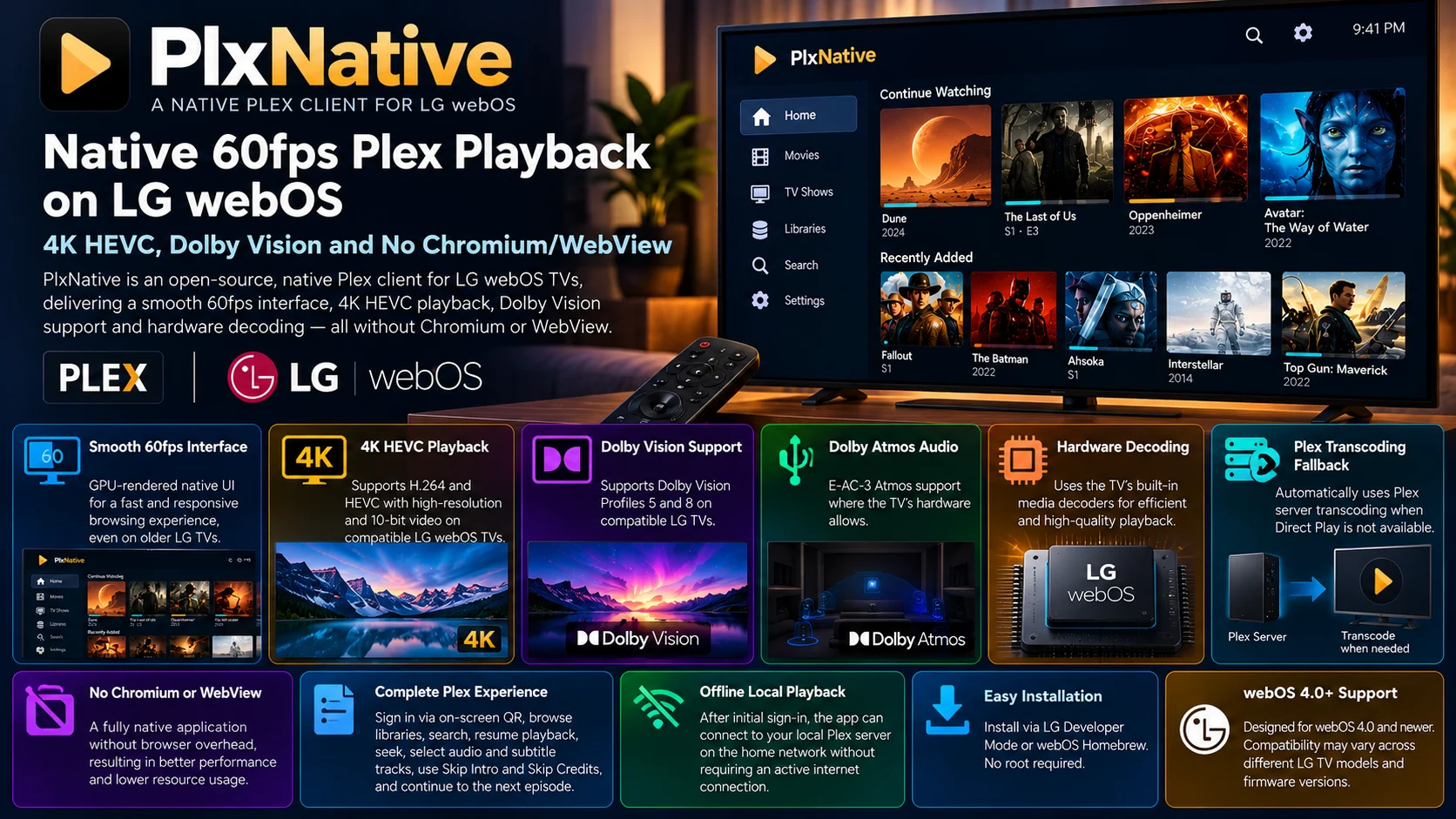
Its strongest appeal is obvious: native 60fps-oriented navigation, 4K HEVC Direct Play, Dolby Vision support, Atmos-capable audio paths, subtitles, Plex transcoding fallback and no Chromium/WebView UI layer.
There are also important limitations.
Compatibility testing is still relatively narrow, the project is unofficial, some Plex categories such as music and Live TV are outside its current scope, and installation requires more effort than downloading a normal LG Content Store application.
But for Plex enthusiasts willing to experiment, those limitations may be acceptable.
PlxNative shows that the bottleneck on an older smart TV is not always the panel or the video-decoding hardware. Sometimes, the application layer is the part that needs to change.
FAQs About PlxNative
1) What is PlxNative?
PlxNative is an independent, open-source Plex client designed specifically for LG webOS televisions.
2) Is PlxNative an official Plex app?
No. It is an unofficial project and is not affiliated with or endorsed by Plex or LG.
3) Does PlxNative really run at 60fps?
The developer reports a 60fps interface on the 2019 LG TV used for development. Performance should not automatically be assumed to be identical across every webOS model.
4) Does PlxNative use Chromium?
No. Its interface is rendered directly through a native GPU-based stack rather than Chromium, JavaScript or a WebView.
5) Can PlxNative play 4K HEVC?
Yes, when the LG television itself supports the required codec and format combination.
6) Does PlxNative support Dolby Vision?
It lists support for Dolby Vision Profiles 5 and 8 on compatible LG televisions.
7) What happens if my TV cannot Direct Play a file?
Plex Media Server can transcode unsupported media into a compatible format when the server and playback configuration allow it.
8) Does PlxNative support subtitles?
Yes. It supports subtitle selection, including image-based subtitle tracks.
9) Do I need to root my LG TV?
No. PlxNative can be installed through LG Developer Mode without rooting the television.
10) Which versions of webOS are supported?
The project targets webOS 4.0 and newer, although actual video compatibility varies between television models and firmware versions.
Stay Updated with the Player SDK Guide Hub
Smart-TV playback increasingly depends on much more than codecs alone. Native rendering, GPU performance, hardware decoding, transcoding decisions, subtitles and operating-system architecture can all determine how responsive and reliable a media application feels.
The Player SDK Guide Hub tracks developments across LG webOS, Plex, Samsung Tizen, Android TV, Google TV, Fire TV, Roku, Apple TV, Jellyfin, Infuse, Kodi, VLC and other media-player ecosystems.
We cover new players, smart-TV applications, SDK changes, playback fixes and platform developments to explain what changed, why it matters and what streaming teams and media enthusiasts should test next.
Explore the Player SDK Guide Hub for the latest smart-TV, Plex and video-player developments.
