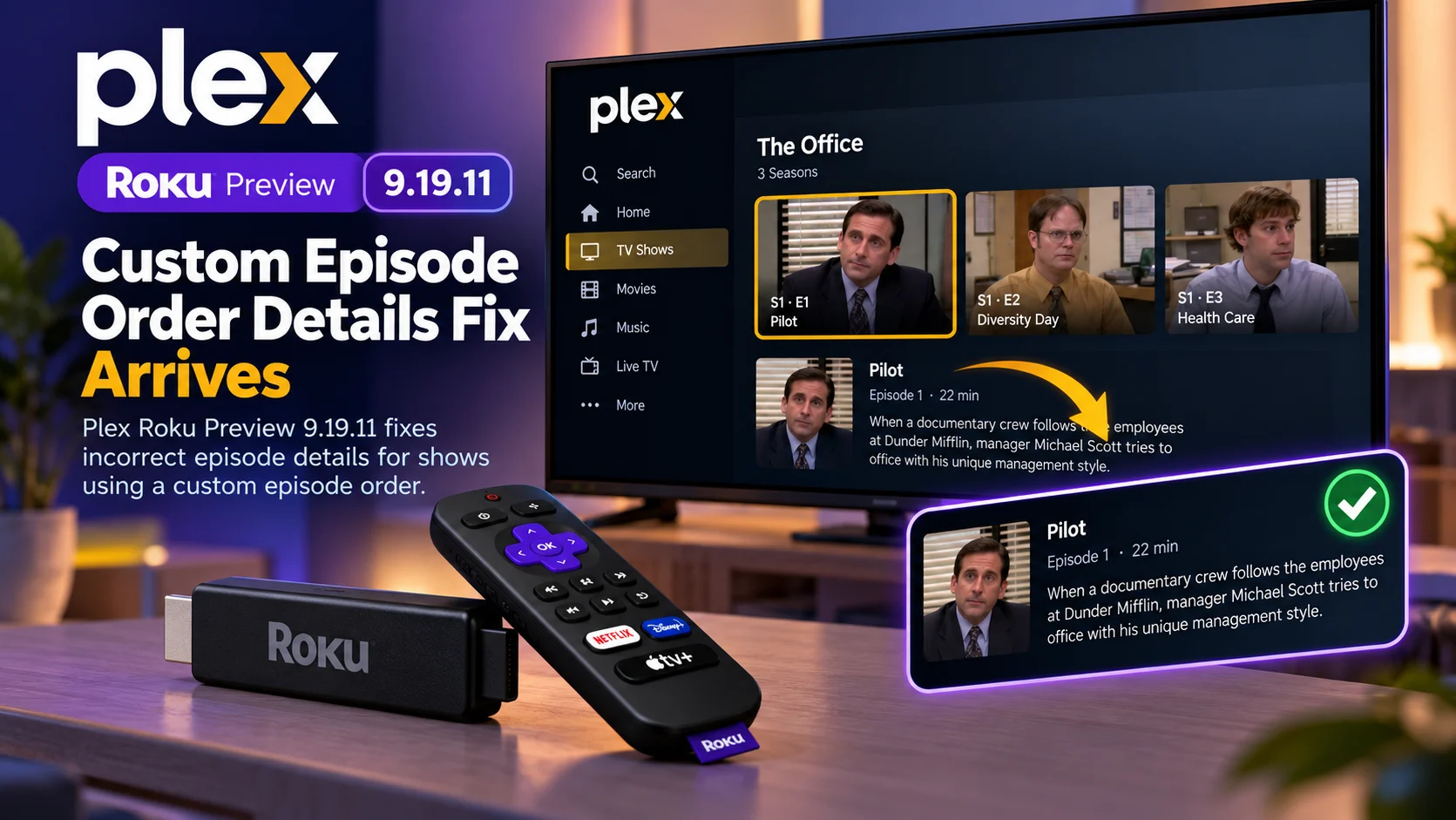
Plex has released Roku Preview version 9.19.11, a small but targeted update that fixes incorrect episode details for television shows configured with a custom episode order.
The update was released to Plex’s Roku Preview channel on September 25, 2026. Its changelog contains a single documented fix: “Fix episode details for shows with a custom episode order.”
That may sound like a narrow change, but custom episode ordering is important for Plex users who maintain shows where broadcast order, DVD order, absolute numbering, regional ordering, or another alternate sequence differs from the default metadata arrangement.
If a Roku client displays the wrong episode title, description, artwork, or other episode information while the user moves through a show configured with an alternate order, the library can quickly become confusing even though the media files themselves are correctly organized.
Plex Roku Preview 9.19.11 appears designed to correct that client-side presentation problem.
What Changed in Plex Roku Preview 9.19.11?
Plex’s latest Roku Preview build is focused almost entirely on episode metadata presentation. The release does not introduce a redesigned interface, a new playback engine, major live TV capability, or a broad performance overhaul.
Instead, Plex says version 9.19.11 fixes episode details for shows using a custom episode order.
Plex already allows server owners to choose alternate episode ordering for supported TV series. Depending on the show and available metadata, Plex can use arrangements such as the Movie Database aired order, the TVDB aired order, the DVD order, the absolute order, or other alternate orders available for a particular series.
The problem addressed in 9.19.11 concerns what the Roku app shows after that custom ordering has already been configured.
In other words, the fix is not primarily about creating custom orders. It is about making sure the Roku player’s episode-detail screen stays aligned with the order Plex Media Server has chosen.
Plex Roku Preview 9.19.11 at a Glance
| Area | What Changed | Why It Matters |
|---|---|---|
| Version | Plex Roku Preview 9.19.11 | Latest Roku Preview build as of Sept. 25 |
| Main fix | Correct episode details for shows with custom episode orders | Prevents metadata from appearing out of sync with selected episodes |
| Affected content | TV shows using alternate/custom episode ordering | Most relevant to libraries using TVDB/DVD/Absolute or other alternate orders |
| Playback | No new playback fix listed in 9.19.11 | Release is focused on episode presentation |
| Stable Roku app | Separate from the Preview channel | Users must install Plex Preview to test it |
| Previous preview | 9.19.10 contained a much larger set of UI, playback and navigation fixes | 9.19.11 is a focused follow-up |
What Does “Custom Episode Order” Mean in Plex?
Television episode numbering is not always as simple as Season 1, Episode 1 followed by Season 1, Episode 2. Some shows have been released in several different sequences.
A network may air episodes in one order, while a DVD set places them in another. Anime series are sometimes organized using absolute episode numbering instead of traditional seasons. Regional broadcasts may also use a different order from the original release.
Plex supports several episode-ordering systems through the Plex TV Series agent.
By default, Plex typically uses an aired order associated with The Movie Database, but library owners can configure another ordering system when their files are organized differently. Plex specifically documents options such as The Movie Database (Aired), TheTVDB (Aired), TheTVDB (DVD), and TheTVDB (Absolute).
Since Plex Media Server 1.40.4, individual matched shows can also use alternate orders available from TheTVDB rather than relying only on the library-wide default.
That flexibility is useful, but it also means every Plex client needs to correctly interpret the episode sequence supplied by the server. That is where a Roku-side display issue can become visible.
Why Incorrect Episode Details Are More Than a Cosmetic Bug
Imagine a show where Plex has been configured to use DVD order. The episode files are mapped correctly, and Plex Media Server knows which title and summary belong to each file.
But the Roku app moves to the next episode and displays metadata associated with a different position in the default aired order. The user could see one episode title while another episode is actually selected.
Descriptions may appear to belong to the next or previous episode. Artwork or numbering can also create the impression that the library itself is incorrectly matched. That makes this type of bug frustrating because users may initially troubleshoot the wrong component.
They might rename files, refresh metadata, rematch the show, change the episode-order setting, or rescan the library even though the underlying server metadata is already correct. Plex Roku Preview 9.19.11 is intended to fix the client-side details shown for these custom-order shows.
Which Episode Orders Could Benefit?
Plex’s release note simply says “custom episode order.” It does not provide a full list of specific ordering schemes that were affected.
A follow-up discussion under the release announcement asked whether the fix applied broadly or only to certain custom orders. One response said the fix worked with the various alternate orders that the user had configured, but that is community feedback rather than a detailed official compatibility matrix.
The safest interpretation is therefore that 9.19.11 addresses Roku episode-detail behavior when Plex is using a non-default or alternate ordering configuration.
Plex itself supports several alternate ordering methods, including TVDB aired, TVDB DVD, TVDB absolute, and show-specific alternate orders when they are available. Users with unusual libraries are the most likely to notice the improvement.
Why This Fix Matters for Anime Libraries
Anime collections are a common example where alternate episode ordering becomes important. Some anime fans prefer to organize a long-running series as one continuous sequence rather than splitting it according to television seasons.
Plex specifically identifies absolute ordering as an option in supported metadata configurations. When an app mishandles metadata in this situation, one incorrect index can make several episodes appear mismatched.
A Roku fix that keeps the selected episode and displayed metadata synchronized is therefore particularly useful for complex libraries with non-standard numbering.
The same principle applies to classic television programs, international releases, DVD cuts, and shows whose broadcast sequence differed significantly from production or disc order.
Plex Has Been Expanding Support for More Complex TV Libraries
The 9.19.11 fix arrives as Plex continues improving support for unusual TV library structures.
Plex also supports multiple editions of television shows, which can be useful when someone has different versions of the same series, such as a standard edition and another release with different aspect ratios, languages, or episode arrangements.
Plex says separate show editions can maintain independent watch status and ratings, though client support varies by platform. This broader direction makes accurate episode ordering increasingly important.
As Plex supports more complicated library configurations, client applications have to correctly interpret more server metadata than a basic “season and episode” library requires.
A bug that might have affected only a small group of users several years ago can become more noticeable as alternate orders and editions become more common.
Version 9.19.11 Follows a Much Larger 9.19.10 Update
Plex Roku Preview 9.19.11 comes immediately after version 9.19.10, which contained a much broader set of fixes.
Version 9.19.10 addressed retry behavior on error screens, episode-navigation lag, details failing to keep up with the selected episode, music playback behavior on Roku OS 16, collection-grid position, sidebar navigation, music-player controls, and several UI rendering issues.
One of those fixes is especially relevant to 9.19.11.
Plex said 9.19.10 fixed a problem where the details shown did not keep up with the episode the user moved onto, while also reducing lag when navigating between episodes.
Version 9.19.11 appears to refine that area further by addressing the specific case of custom episode orders.
That suggests Plex is continuing to clean up episode-detail behavior as users test the newer Roku experience.
Why Plex Uses a Separate Roku Preview Channel
The Roku Preview app is intentionally separate from the normal Plex Roku application.
Plex uses it to distribute new features and fixes to users willing to test changes before they reach the regular channel.
Plex’s official forum instructions explain that the Preview channel installs as a separate Roku app, identified with a Preview badge. Users can keep both the standard Plex app and Plex Preview installed simultaneously. That separation is useful.
A user can test 9.19.11 with a problematic television series while keeping the stable Plex app available for everyday viewing.
Plex also encourages Preview users to report reproducible issues, include version numbers, explain the steps that caused the problem, and provide logs or screenshots when possible.
This feedback loop is especially valuable for edge cases such as custom episode ordering, because Plex developers may not have every unusual television library configuration available internally.
How to Test Whether 9.19.11 Fixes Your Library
Users already running Plex Preview should verify that the app has updated to version 9.19.11 before testing.
Then open a show that uses a custom or alternate episode order.
Navigate between several episodes and compare the displayed title, episode number, synopsis, artwork, and other detail fields with Plex Web or another client known to show the server metadata correctly.
The key question is whether the Roku app’s displayed information follows the selected episode, particularly when moving between episodes.
If a show previously displayed information from the wrong episode, 9.19.11 should be the version to test against.
Plex’s Preview program exists specifically for this type of validation.
Do Users Need to Rename Their Files?
Not because of this Roku fix.
Correct file naming still matters in Plex, but version 9.19.11 is not described as a server-side matching update.
Plex recommends using standard season and episode naming, such as with episode-order settings configured to match the metadata source used to organize the files.
If Plex Web already shows the correct titles and descriptions but Roku Preview previously displayed the wrong details, changing the files would likely be unnecessary.
The Roku update is intended to correct the player-side display of episode details.
If metadata is wrong across every Plex client, however, that points to a different issue involving matching, naming, metadata selection, or server configuration.
This Is Not the Same as Custom Collection Ordering
The phrase “custom order” can cause confusion because Plex also supports manually rearranging items inside collections.
That is a separate feature.
Plex allows administrators to drag items into a custom order inside regular collections, while smart collections continue following their configured sorting rules.
Plex Roku Preview 9.19.11 specifically mentions episode details for shows with a custom episode order.
It is therefore about television episode sequencing, not arbitrary movie or collection ordering.
Does 9.19.11 Fix Playback Problems?
No playback fix is listed in the 9.19.11 changelog.
The release note contains only the custom episode-order detail correction.
That means users experiencing buffering, transcoding, subtitle, audio, or network problems should not assume this build addresses those issues.
Previous Roku preview versions have contained playback-related fixes, but 9.19.11 itself is much narrower.
This is important when evaluating a release.
A newer version number does not automatically mean every outstanding Roku problem has been corrected.
Is Plex Roku Preview 9.19.11 a stable release?
No.
Version 9.19.11 is currently part of the Plex Roku Preview channel, which Plex uses for testing upcoming changes.
The Preview app is separate from the regular Plex Roku channel and is specifically intended to collect feedback before changes are broadly released.
Users who want maximum stability can remain on the normal Plex Roku application.
Those affected by the custom episode-order bug, however, may find the Preview channel useful for verifying the fix before it eventually reaches a regular release.
Why Small Metadata Fixes Matter on TV Devices
Streaming-device software is often judged by large features such as new navigation, live TV, playback capabilities, or redesigned home screens.
But smaller metadata problems can be just as disruptive for personal media users.
A television library is useful only when users can trust that selecting an episode displays the correct information.
When the title, description, numbering, and selected video disagree, the application feels unreliable even if the actual playback engine is functioning correctly.
That is why Plex Roku Preview 9.19.11 is a meaningful update for the specific users affected.
It restores consistency between the server’s episode-order choice and the information the Roku player presents.
Final Thoughts
Plex Roku Preview 9.19.11 is a small release, but it addresses a very specific problem that can make complex television libraries difficult to use.
For shows configured with alternate episode ordering, Plex now says the Roku Preview client correctly fixes the episode details being displayed.
The update is particularly relevant for users with DVD-order libraries, anime using absolute numbering, regional episode arrangements, or other alternate sequences supported by Plex’s TV Series agent.
It also continues a run of Roku Preview refinements following version 9.19.10, which addressed several episode-navigation and interface issues just one day earlier.
Because this is still a preview release, users should treat it as a testing build rather than a guaranteed stable update.
But if your Roku app has been showing the wrong episode information while using a custom episode order, 9.19.11 is the build worth testing.
FAQs About Plex Roku Preview 9.19.11
1) When was Plex Roku Preview 9.19.11 released?
Plex released Roku Preview 9.19.11 on September 25, 2026.
2) What does Plex Roku Preview 9.19.11 fix?
The documented fix corrects episode details for television shows using a custom episode order.
3) What is a custom episode order in Plex?
It is an alternate episode sequence used instead of the default ordering. Plex can support TMDB aired order, TVDB aired order, DVD order, absolute order, and other show-specific alternate orders.
4) Does the update change episode files?
No. The update is a Roku client fix. Plex has not described 9.19.11 as changing media files, server naming, or library organization.
5) Is version 9.19.11 available in the regular Plex Roku app?
The release is currently for the Plex Roku Preview channel, which is separate from the standard app.
6) Does 9.19.11 include playback or performance fixes?
No additional playback or performance changes are listed in the 9.19.11 release note. The documented change is limited to custom episode-order details.
7) What did Plex Roku Preview 9.19.10 change?
The previous preview build included a larger collection of fixes involving episode navigation, details screens, music playback, collection navigation, error handling, Roku OS 16 playback behavior, and UI performance.
Stay Updated with the Player SDK Guide Hub
Small client updates can have a major impact on how personal-media libraries behave across streaming devices.
The Player SDK Guide Hub tracks the latest developments across Plex, Roku, Fire TV, Google TV, Android TV, Apple TV, Android Media3, ExoPlayer, Kodi, VLC, and other media player and streaming device platforms.
We cover player release notes, OS updates, playback changes, metadata fixes, developer APIs, SDK updates, and platform issues to explain what changed, which users or devices are affected, why it matters, and what developers and streaming teams should test next.
Explore the Player SDK Guide Hub for the latest Plex release notes, Roku updates, media-player news, and streaming-device development insights.
