
A new Apple TV playback test is raising an interesting question for Plex users:
Why can the same file, on the same Apple TV and from the same media server, start much faster in Infuse than in Plex?
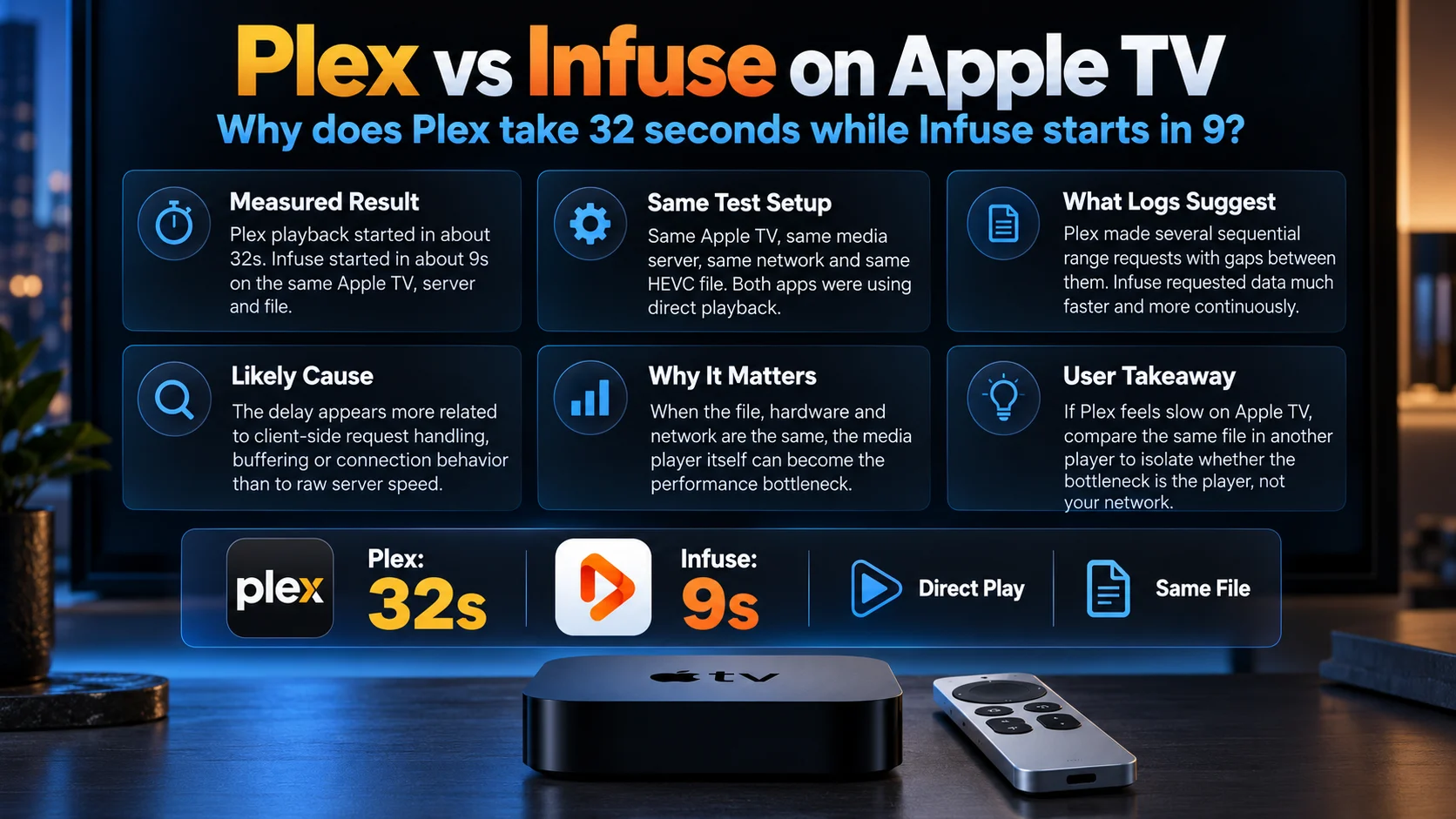
In one detailed test using Plex for Apple TV 2026.20.0, a user measured approximately 32 seconds before playback started in Plex.
The same HEVC file opened in about 9 seconds through Infuse.
The comparison is particularly useful because almost everything else remained unchanged: the Apple TV, server, network connection, and source file were the same. Both applications were also playing the media directly rather than asking the server to perform a full video transcode.
That makes this less like a simple “slow internet” complaint and more like a useful look at how two video players can handle the same server connection very differently.
It does not prove that every Plex Apple TV user will experience a 32-second delay.
But the logs provide some important clues.

Why Was Plex Slower Than Infuse?
The strongest clue from the test is the way each application requested data from the server.
Before playback began, Plex reportedly made six sequential file-range requests, with each request using a new connection and roughly five seconds separating them.
Infuse made four initial requests within about 2.2 seconds using a persistent connection, then continued reading the file.
The Plex Media Server itself responded to individual requests within only a few milliseconds, and its playback decision reportedly completed in about 23 ms. That suggests the server was not spending 32 seconds deciding whether the media could play.
The evidence therefore points more strongly toward client-side request handling, buffering, or connection behavior in the Apple TV Plex player.
That is still an interpretation of one detailed log set, not a confirmed diagnosis from Plex.
Plex vs Infuse: What the Test Found
| Test Area | Plex on Apple TV | Infuse on Same Apple TV |
|---|---|---|
| Playback start | ~32 seconds | ~9 seconds |
| Source file | HEVC Main10 1080p | Same file |
| Playback mode | Direct Play | Direct playback |
| Initial file requests | 6 sequential requests | 4 rapid requests |
| Connection pattern | New connection for requests | Persistent connection |
| Request timing | Around 5.1 seconds apart | 4 requests within ~2.2 seconds |
| Server response | Around 3–4 ms per request | Server responded normally |
| +30 second seek | Long spinner | Almost immediate |
| Hardware | Same Apple TV | Same Apple TV |
| Server | Same server | Same server |
These numbers come from a community test rather than a controlled laboratory benchmark, so they should be treated as evidence of a specific problem rather than a universal Plex-versus-Infuse performance score.
What Is Direct Play, and Why Does It Matter?
Direct Play is important because it removes one of the easiest explanations for slow playback: server-side transcoding.
Plex officially defines Direct Play as the process where a compatible media file is sent directly to the playback device without having its video or audio converted first.
If a file has an unsupported codec, container, resolution, or audio format, Plex may instead direct stream it or transcode some or all of the media.
Transcoding can introduce extra work.
In the reported comparison, however, the test used an HEVC Main10 1080p file with EAC3 5.1 audio and SRT subtitles, and Plex was reported as Direct Playing the media.
That matters.
If Plex were taking 32 seconds because a slow server was converting a difficult 4K movie, the explanation would be relatively straightforward.
But this test suggests the delay was occurring even when the server did not need to convert the video.
Is the Plex Media Server Causing the Delay?
The available evidence argues against that being the main cause in this particular test.
According to the user’s logs, individual Plex file requests were answered in approximately 3–4 milliseconds.
The Plex playback decision endpoint reportedly completed in 23 milliseconds.
Those figures are tiny compared with the total 32-second wait before playback began.
The test server was also powerful: Plex Media Server was running in Docker on a remotely hosted system using a 40-core Xeon configuration.
More importantly, Infuse was accessing the same server and the same file.
If the server were fundamentally too slow to deliver the media, Infuse should reasonably have suffered from the same bottleneck.
It did not.
This does not rule out every possible server or network interaction, but it shifts attention toward what the client was doing between successful requests.
Why Do the File Range Requests Matter?
Modern video players do not necessarily download an entire movie before playback.
They request sections, or ranges, of the media file.
Those requests let a player inspect the file, find useful metadata, fill its initial buffer, and retrieve the portion needed to begin playback.
The unusual part in the reported Plex logs was not simply that multiple range requests occurred.
It was their timing.
The user observed Plex making six sequential requests, with roughly 5.1 seconds between them.
Each reportedly used a new connection.
Infuse instead sent several requests rapidly over one persistent connection before continuing to read data.
A five-second delay repeated several times can quickly turn into a 30-second startup experience.
That makes the request pattern one of the strongest technical clues in the report.
Does This Prove Plex Has a Connection Bug?
No.
The logs show a pattern.
They do not, by themselves, prove why that pattern exists.
Plex may be performing additional client-side checks, buffering decisions, media inspection, or player initialization between requests.
There could also be behavior specific to remote servers, certain HEVC files, tvOS versions, or the current Apple TV application.
Without Plex engineering confirming the reason, calling it a specific connection bug would go too far.
The safest conclusion is that the measured delay appears client-side or client-driven, because the server responded quickly while the longer gaps occurred between requests.
Why Is Infuse Faster in This Test?
Infuse appears to have handled the initial file access more aggressively.
According to the supplied logs, it made four requests within about 2.2 seconds using one persistent connection and then began reading continuously.
That means less waiting between network transactions.
Infuse is also designed heavily around direct playback of local and network media, so its buffering and file-access strategy can differ substantially from Plex.
That does not automatically make Infuse superior in every area.
Plex offers a broader server-and-client ecosystem with rich library management, remote access, discovery, account functionality, and server-controlled media decisions.
The two applications are solving overlapping problems, but their playback engines and connection behavior do not have to work the same way.
PlayerSDK readers can compare broader player capabilities using the media player comparison, which covers playback performance, formats, network support, and other player-level differences.
Seeking Shows the Same Pattern
The startup delay was not the only difference.
The user reported that pressing +30 seconds in Plex triggered another long loading spinner.
Infuse reportedly moved ahead almost immediately without making a fresh file request because enough data was already available through read-ahead buffering.
That detail strengthens the buffering theory.
A player that maintains a larger or more efficiently managed buffer can often seek within nearby media without immediately waiting for the server again.
A player that requests smaller sections or pauses before requesting additional ranges may feel slower even when raw network bandwidth is excellent.
Was the Network Slow?
Not according to the reported test.
The Apple TV connection measured approximately 930 Mbps download and 928 Mbps upload with 1 ms latency, and the Apple TV was connected through wired Ethernet.
The user also tested disabling IPv6 without changing the behavior.
That makes ordinary internet speed an unlikely explanation for this specific 32-second result.
More importantly, Infuse used the exact same connection.
This same-device comparison is one of the strongest parts of the report because it removes many variables.
Are Other Plex Apple TV Users Reporting Similar Problems?
Yes, although not necessarily the exact same 32-second pattern.
Another Apple TV user described a long delay after pressing Play, with around 20 seconds passing before activity became visible. That user also reported that Infuse was fast on the same Apple TV while Plex had previously worked normally.
Other recent Apple TV Plex reports describe stalling, long startup times, and files behaving correctly through Infuse while showing problems in the Plex application.
This does not establish that every report shares one underlying bug.
But it does suggest that the 32-second test is not completely isolated from the broader complaints surrounding recent Plex Apple TV playback behavior.
PlayerSDK has already documented a separate Plex Apple TV HEVC Direct Play regression, where some users reported HEVC being converted despite previously playing directly.
That is a different issue, but together the reports show why playback-path testing has become important when troubleshooting recent Apple TV Plex problems.
Could Subtitles Be Responsible?
Subtitles are worth checking because they can change the Plex playback path.
Plex explains that incompatible subtitle formats may need to be burned into the video, which can force a full transcode.
However, the detailed 32-second test used SRT subtitles and reported Direct Play.
That makes subtitle transcoding an unlikely explanation in this particular case.
Users experiencing similar delays should still test the same file with subtitles disabled.
A different subtitle format can produce very different server behavior.
Should Users Disable Direct Play?
Usually, no.
Plex itself says most users should leave Allow Direct Play enabled because compatible media can then be sent directly without conversion.
Interestingly, an earlier user investigating similar Apple TV delays reported that switching toward the older player or forcing a different playback path made startup faster but caused heavy CPU/GPU transcoding.
That can hide one problem by creating another.
If Direct Play works technically, forcing a transcode just to reduce startup delay is not an ideal long-term solution.
What Should Plex Apple TV Users Test?
Rather than changing everything at once, troubleshoot the playback path systematically.
First confirm whether Plex Dashboard reports Direct Play, Direct Stream or Transcode.
Then test the exact same file in another player such as Infuse on the same Apple TV.
Try with subtitles disabled.
Compare a local server with a remote server if possible.
Also check whether seeking produces the same long spinner as initial playback.
These comparisons help determine whether the bottleneck follows the server, the media file, the network or the playback application.
Users evaluating the Apple TV hardware itself can also review PlayerSDK’s Apple TV 4K guide or compare it against other hardware through the streaming device comparison.
Is Infuse the Better Plex Player on Apple TV?
That does not make the result universal.
Different files, Plex server locations, Apple TV generations, network conditions and player versions can produce different outcomes.
Plex also provides features that may matter more than raw startup speed, particularly for households already centered around Plex Media Server.
The useful lesson is not simply “use Infuse.”
It is that the playback application itself can become the performance bottleneck even when the hardware, network and server are fast enough.
That is why testing the same file through two players can be such a powerful troubleshooting metho
Final Verdict
The Plex Apple TV 32-second playback delay is unusual because the obvious bottlenecks appear to have been removed one by one.
The server responded in milliseconds.
The connection was fast.
The file was Direct Played.
The same Apple TV played the same file through Infuse in roughly nine seconds.
The clearest difference was how each player requested media before playback.
Plex reportedly made six sequential range requests with multi-second gaps and separate connections, while Infuse sent its initial requests rapidly using a persistent connection before reading continuously.
That makes client-side request, connection or buffering behavior the strongest current explanation.
But it remains an evidence-based theory, not a confirmed Plex diagnosis.
What makes the report valuable is the controlled comparison.
When two apps use the same hardware, file, server and network but produce dramatically different startup times, the media player becomes an important part of the performance equation.
For Apple TV users experiencing similar delays, comparing Plex with another player may reveal more than simply running another internet speed test.
Frequently Asked Questions
1) Why does Plex take so long to start on Apple TV?
There can be many causes, including transcoding, network latency, subtitles, server performance or client-side buffering. In this specific report, server response was fast and Direct Play was active, while the biggest delays appeared between the Plex client's file requests.
2) How much faster was Infuse than Plex?
In the reported test, Plex took about 32 seconds to start while Infuse took approximately 9 seconds using the same Apple TV, server and media file.
3) Was Plex transcoding the video?
No. The test reported Direct Play of an HEVC Main10 1080p file.
4) Does Direct Play mean playback should start instantly?
No. Direct Play avoids media conversion, but the client still needs to establish connections, inspect the media, request data, buffer content and initialize playback.
5) Is the server responsible for the 32-second delay?
The test does not suggest that. Individual server requests reportedly completed in around 3–4 ms and the playback decision took approximately 23 ms.
6) Why might Infuse start faster?
The test showed Infuse making several requests rapidly through a persistent connection before reading continuously, while Plex used sequential requests separated by several seconds. That may contribute to the difference.
7) Is this a confirmed Plex bug?
No. It is a detailed user-reported performance issue supported by logs, but Plex has not publicly confirmed that the observed request pattern represents a general Apple TV bug.
8) Does this affect every Apple TV?
There is no evidence that it affects every Apple TV. The detailed test involved an Apple TV 4K first generation running Plex 2026.20.0, while separate users have reported similar but not necessarily identical startup and playback issues.
9) Should I turn off Direct Play?
Usually not. Plex recommends allowing Direct Play for compatible media. Disabling it can force unnecessary transcoding and increase server workload.
10) Can I use Infuse with a Plex library?
Yes. Infuse can connect to Plex libraries, which makes same-device comparison testing possible when troubleshooting Apple TV playback behavior.
Find the Right Player for Your Apple TV Setup
Slow playback is not always a network problem. Sometimes the difference comes down to how the player handles your media, buffering and server connection.
Use PlayerSDK’s Media Player Comparison to compare popular players based on playback performance, codec support, networking features and platform compatibility.
If you are also deciding whether Apple TV is the right hardware for your media setup, explore PlayerSDK’s Streaming Device Comparison to compare Apple TV with other popular streaming boxes and devices.
Compare the player and the hardware together, then choose the combination that gives your library the smoothest playback experience.
