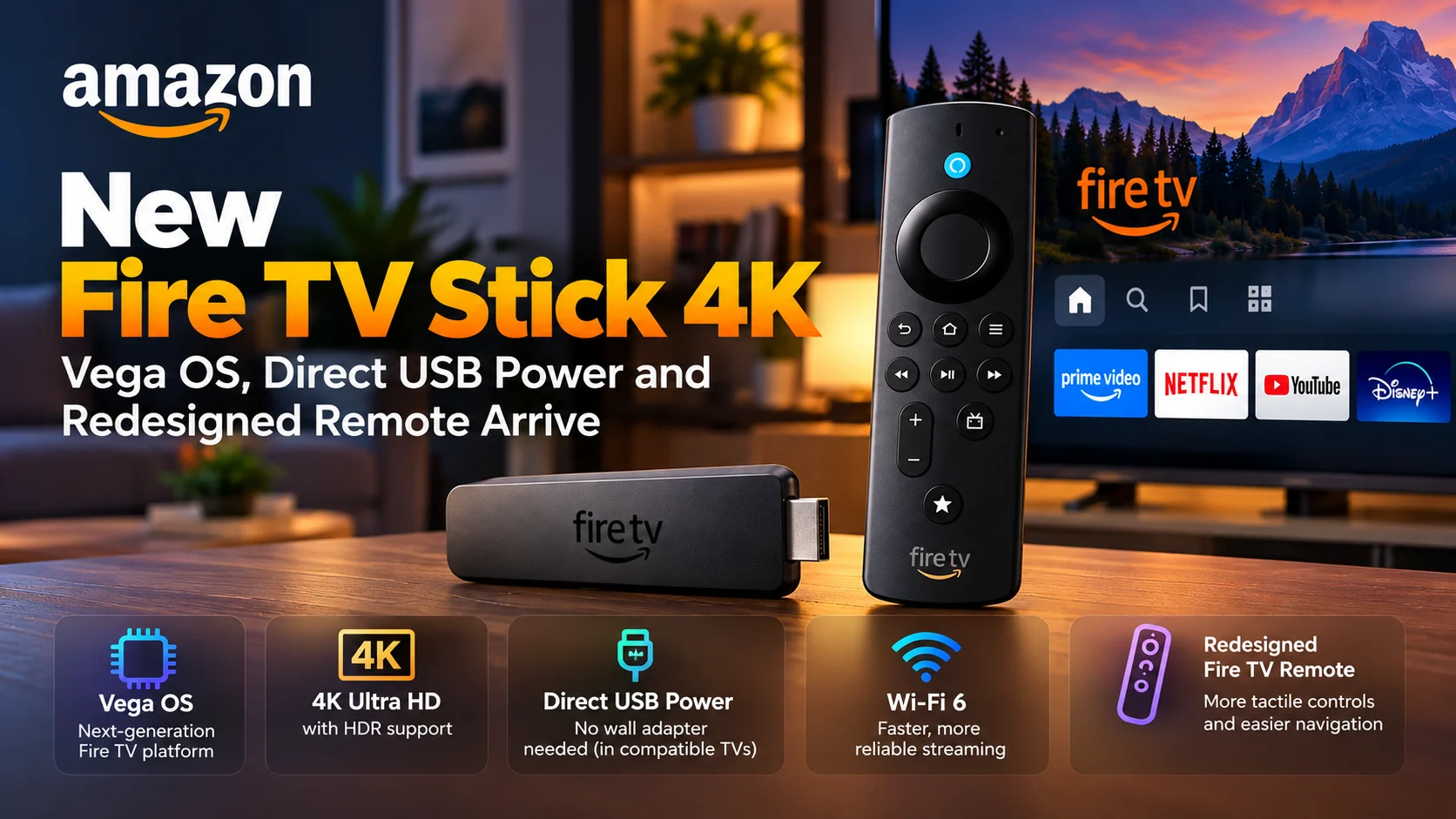
Amazon is expanding its next-generation Fire TV hardware lineup with the new Fire TV Stick 4K, combining a slimmer streaming-stick design with Vega OS, Direct Power through a TV’s USB port, and a completely redesigned Fire TV Remote.
The device represents a bigger change than a routine processor refresh.
Amazon is moving more of the Fire TV Stick family toward Vega OS, its newer operating system for streaming devices, while also changing how customers physically install and interact with the hardware.
Direct USB power is one of the most noticeable upgrades. Instead of requiring a separate wall power adapter in compatible setups, the Fire TV Stick can draw power directly from a television’s USB port using the included cable.
That means fewer cables behind the television and a simpler setup for users who regularly move a streaming stick between rooms or take one while traveling.
At the same time, Amazon has redesigned the included remote around tactile navigation. The company is changing button shapes, physical balance, and the way frequently used controls feel under the thumb rather than relying only on another cosmetic refresh.
For streaming-app developers, however, Vega OS may be the most important part of the announcement.
What Is New With the Fire TV Stick 4K?
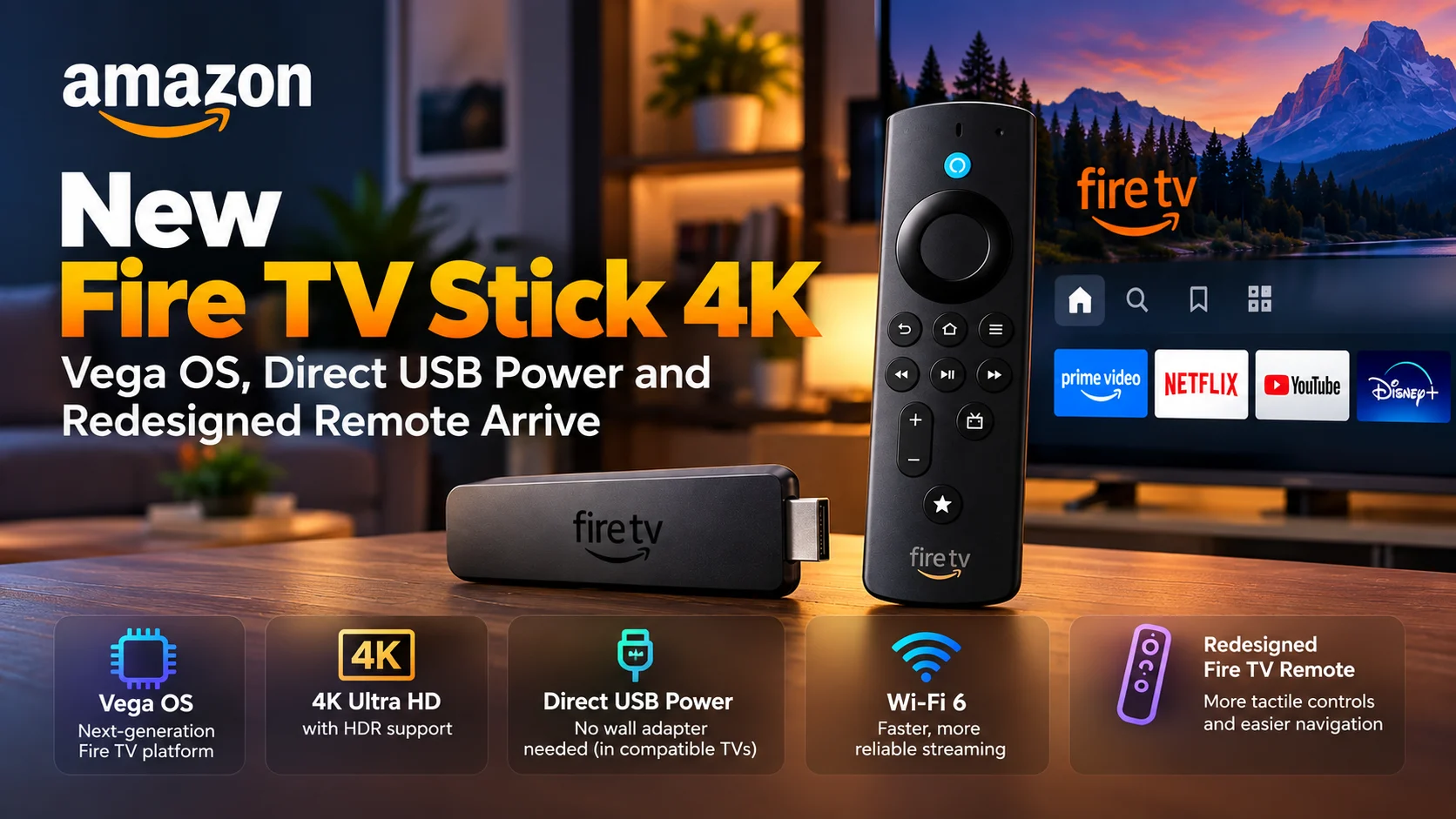
The latest Fire TV Stick 4K combines three major changes.
First, Amazon is bringing the device into the growing Vega OS ecosystem.
Second, the hardware has been designed around a more convenient Direct Power setup.
Third, the new Fire TV Remote changes the physical interaction model with more distinctive tactile controls.
The result is a Fire TV product designed to simplify installation while continuing to provide 4K streaming for televisions that do not already include a modern streaming platform.
New Fire TV Stick 4K at a Glance
| Area | What's New | Why It Matters |
|---|---|---|
| Operating system | Vega OS | Expands Amazon’s newer Fire TV software platform |
| Video | 4K Ultra HD with HDR support | Designed for modern 4K televisions and streaming services |
| Power | Direct Power from compatible TV USB ports | Can reduce the need for a separate wall adapter |
| Connectivity | Wi-Fi 6 | Better suited to busy home wireless networks |
| Remote | Redesigned Fire TV Remote | More tactile controls and easier button identification |
| Design | Slimmer stick-style hardware | Easier to place behind televisions and carry while traveling |
| App ecosystem | Fire TV apps built or adapted for Vega | Developers need to consider Vega-specific compatibility |
| Voice experience | Alexa integration | Voice remains part of content discovery and device interaction |
Vega OS Becomes a Bigger Part of Fire TV
The operating system is the most significant long-term change.
For years, Fire TV development was closely associated with Fire OS and the Android ecosystem.
Vega changes that relationship.
Rather than treating the new Fire TV Stick 4K as just another Android-based Fire TV device, developers should view it as part of Amazon’s newer Vega OS platform.
Vega uses Amazon’s own software architecture and a development environment designed around React Native concepts.
That creates opportunities for teams already working with JavaScript and React Native, but it also means assumptions made for older Fire OS devices should not automatically be carried over.
An Android APK that works on an older Fire TV device should not be assumed to behave identically on Vega hardware without the proper Vega implementation and testing.
For major streaming services, this makes platform coverage increasingly important.
A company may now need to maintain support across both traditional Fire OS hardware and newer Vega OS devices inside the broader Fire TV ecosystem.
Why the Move to Vega Matters for Streaming Apps
Operating-system changes affect much more than the home screen.
A streaming app depends on the platform for media playback, remote-control navigation, focus management, DRM, authentication, subtitles, lifecycle behavior, performance, and memory management.
Even when two versions of an application look identical, the underlying player behavior may differ because the operating system and APIs are different.
For developers, that means the arrival of another Vega-based Fire TV Stick increases the importance of real-device testing.
Video startup time should be tested.
Remote focus should be checked throughout menus and playback controls.
Subtitle rendering needs validation.
Apps should also be tested with different video resolutions, HDR combinations, network conditions, and long viewing sessions.
A player that works correctly in a simulator may still expose device-specific problems when running on production hardware.
Direct USB Power Could Simplify Fire TV Installation
Direct Power is likely to be the feature regular users notice first.
Traditional streaming sticks often connect to a television through HDMI while requiring another cable to reach a USB power adapter plugged into the wall.
The new Fire TV Stick 4K is designed so compatible televisions can provide power through a USB port.
That creates a cleaner installation.
Instead of running both HDMI and a power connection around a wall-mounted television, the streaming stick can remain much more self-contained behind the display.
It should also make the device easier to pack for travel.
A user bringing the stick to a hotel or another room may not need to carry as many accessories when the available television provides sufficient USB power.
Not Every USB Port Is Necessarily the Same
Direct Power does not mean every USB port on every television will always provide identical results.
USB ports can differ in how much power they supply.
Streaming hardware also does not consume exactly the same amount of power every second. Demand can increase during intensive processing, wireless activity, or other workloads.
That means reliable Direct Power depends on the television providing enough power for the streaming stick.
Users experiencing unexpected restarts or instability should therefore consider power delivery as part of troubleshooting rather than assuming the streaming application itself has crashed.
For streaming developers testing on new Fire TV hardware, stable power is especially important.
A device reboot caused by inadequate USB power can easily look like an application or playback regression if the test environment is not checked carefully.
The New Stick Uses a Slimmer Design
Amazon is also emphasizing a slimmer physical design.
This matters more than it might sound.
HDMI ports on televisions are often placed close together, and large streaming devices can interfere with nearby cables or become difficult to fit against a wall.
A slimmer stick is easier to position and better suited to setups where the television is mounted close to the wall.
The design also reinforces the portability angle created by Direct Power.
Instead of thinking of the Fire TV Stick as permanently installed home-theater hardware, Amazon is making it easier to treat the device as something that can move between compatible screens.
4K Remains the Core Viewing Experience
As its name suggests, the new Fire TV Stick is designed around 4K Ultra HD streaming.
HDR support remains part of the experience, making the device relevant for users upgrading an older TV interface while keeping the television itself.
That use case continues to be one of the strongest reasons streaming sticks exist.
A television panel may still provide excellent picture quality several years after purchase even when its built-in applications feel slow, stop receiving updates, or no longer support newer streaming features.
Adding a modern Fire TV Stick allows users to replace the software experience without replacing the entire display.
For developers, 4K playback makes performance testing more important.
Large adaptive streams, HDR video, subtitle tracks, and high-quality audio can place substantially more pressure on a playback pipeline than basic HD content.
Wi-Fi 6 Helps With Busy Streaming Environments
Wireless performance remains another important part of the hardware.
Wi-Fi 6 support is designed to provide stronger performance on compatible networks, particularly in environments where several devices compete for wireless capacity.
A modern household may have multiple televisions, phones, tablets, cameras, game consoles, and smart-home products connected simultaneously.
A streaming device therefore needs more than high peak bandwidth.
Connection stability and predictable latency can matter just as much.
For a 4K streaming player, better network handling creates additional headroom for higher-bitrate streams and faster content startup.
It cannot compensate for a slow internet connection by itself, but it can improve the link between the Fire TV Stick and a compatible home router.
Amazon Redesigns the Fire TV Remote
The included remote receives one of the most visible redesigns.
Instead of simply changing the button labels or adding another shortcut, Amazon has focused on how users physically recognize the remote and its controls.
The shape is designed to make orientation easier to understand by touch.
Frequently used buttons are intended to feel more distinct from neighboring controls.
That matters on a television remote because people often navigate without looking down.
A viewer watching in a dark room should ideally be able to identify home, playback, and navigation controls through shape and positioning.
Improving tactile differentiation can make basic navigation faster while reducing accidental button presses.
Remote Design Matters More Than It Seems
Remote-control UX is also important for app developers.
A television application is not a touchscreen app displayed on a larger screen.
Focus must move predictably between buttons, rows, and menus when users press directional controls.
Every action should have a clear destination.
If a developer creates a visually attractive interface but the focus unexpectedly jumps to another row, disappears, or gets trapped inside a panel, the application can become frustrating to use.
The new Fire TV Remote therefore gives streaming teams another reason to run proper physical-device tests instead of validating navigation only with development tools.
Search, playback controls, settings panels, episode selectors, and subtitle menus should all be usable comfortably through the directional pad.
The Customizable Button Adds More Flexibility
The redesigned remote also brings a customizable star-style control into the broader Fire TV remote experience.
Customizable hardware controls can reduce the number of navigation steps required for frequently used actions.
For users, that can make common functions easier to reach.
For developers, it also reinforces the need to make application state handling reliable.
When users can jump more quickly between system actions and applications, apps need to handle pause, resume, backgrounding and restoration correctly.
The player should not restart unexpectedly simply because the user temporarily left the app or invoked another device function.
Vega’s App Ecosystem Is Becoming More Important
One of the biggest questions surrounding any new operating system is application availability.
A streaming device can have excellent hardware, but users primarily care about whether the services they watch are available.
As Vega expands to additional Fire TV models, the incentive for streaming companies to support it increases.
This creates a feedback loop.
More Vega devices create a larger potential audience.
A larger audience encourages more developers to build or port applications.
Additional app availability then makes Vega hardware more useful to customers.
For Amazon, moving the mainstream Fire TV Stick 4K into this ecosystem is therefore important beyond this individual device.
Developers Should Not Treat Vega Like Fire OS
For engineering teams, one mistake would be treating the new stick as a drop-in replacement for older Fire OS hardware.
The brand may still say Fire TV, but the underlying application environment is different.
Vega applications use the Vega SDK and associated developer tooling.
The platform uses React Native for Vega for application development, along with television-specific capabilities such as remote focus and media integrations.
That means migration planning matters.
Teams should review dependencies, third-party libraries, DRM implementations, analytics, authentication and media-player integrations before assuming their existing Fire OS architecture can simply be repackaged.
For player-focused apps, video compatibility testing should be especially thorough.
What Streaming Teams Should Test
The most useful tests involve real viewing workflows.
Start the application from a cold boot and measure how quickly users reach playable content.
Test 4K video after long periods of navigation.
Move rapidly between rows using the new remote.
Check pause, resume and seeking.
Enable subtitles and change audio tracks.
Switch applications and return during playback.
Network recovery should also be tested by temporarily degrading or disconnecting Wi-Fi.
These scenarios reveal far more about player reliability than simply confirming that the home screen launches.
How the New Stick Fits Into the Fire TV Family
The new Fire TV Stick 4K joins a Fire TV lineup that increasingly spans both Fire OS and Vega OS hardware.
That makes device naming less useful as a guide to application architecture.
Two products carrying the Fire TV brand may require different development considerations underneath.
For consumers, Amazon will continue presenting Fire TV as one entertainment ecosystem.
For developers, however, understanding the operating system behind each device becomes increasingly important.
Apps need to provide a consistent experience even when the underlying platform differs.
That will be one of the major engineering challenges as Vega adoption continues.
Final Thoughts
The new Fire TV Stick 4K is important for more than its 4K streaming capability.
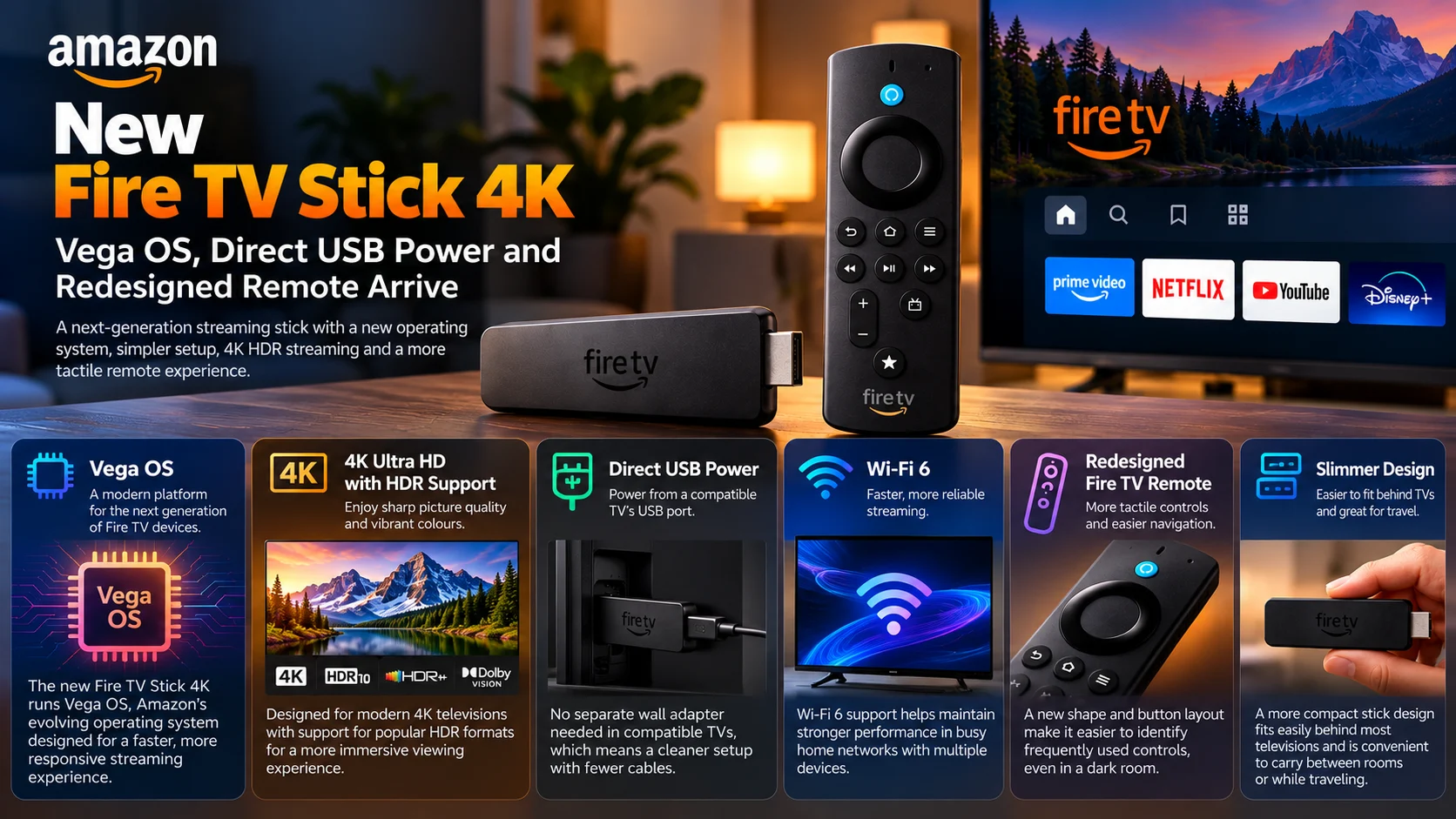
Direct USB power simplifies physical installation. The slimmer design makes the stick easier to place behind a television or carry between locations. Wi-Fi 6 supports modern connected homes, while the redesigned remote focuses on tactile, living-room-friendly navigation.
But the bigger story is Vega OS.
Amazon is expanding its new platform deeper into the mainstream Fire TV lineup rather than limiting Vega to a single experimental device.
That gives app developers a clear reason to take Vega compatibility seriously.
Streaming companies now need to think about Fire TV as an ecosystem containing different underlying operating systems, each of which needs appropriate player testing, remote-navigation validation and performance optimization.
For viewers, the goal is simpler: plug the device in, connect it to the television and start watching.
For developers, making that experience feel effortless requires considerably more work behind the scenes.
As Vega reaches more Fire TV devices, the quality of those app migrations and playback implementations will become increasingly important.
FAQs About the New Fire TV Stick 4Kc
1) Does the new Fire TV Stick 4K use Vega OS?
Yes. The new model is part of Amazon’s growing Vega OS Fire TV lineup rather than simply being another traditional Fire OS streaming stick.
2) What is Direct Power?
Direct Power allows the Fire TV Stick to receive power from a compatible television’s USB port, reducing the need for a separate wall adapter in supported setups.
3) Does every TV USB port provide enough power?
Not necessarily. USB power capabilities vary between televisions, so users should investigate power delivery if the streaming stick becomes unstable or unexpectedly restarts.
4) Does the new Fire TV Stick support 4K?
Yes. The device is designed for 4K Ultra HD playback with HDR support.
5) Does it support Wi-Fi 6?
Yes. Wi-Fi 6 support is included for compatible home networks.
6) What changed with the Fire TV Remote?
Amazon has redesigned the remote with a shape and button layout intended to make navigation and button identification easier by touch.
7) Can existing Fire OS apps automatically run on Vega OS?
Developers should not assume that. Vega uses a different application environment and development workflow, so apps need appropriate Vega support and testing.
8) Why should streaming developers care about this Fire TV Stick?
The launch expands the amount of mainstream Fire TV hardware using Vega OS, increasing the importance of supporting Amazon’s newer platform alongside existing Fire OS devices.
Stay Updated with the Player SDK Guide Hub
Streaming-device launches can change much more than hardware specifications. A new operating system can affect application architecture, media playback, DRM, remote navigation, testing workflows and platform compatibility.
The Player SDK Guide Hub tracks developments across Fire TV, Vega OS, Android TV, Google TV, Roku, Apple TV, Plex, Kodi, VLC, Android Media3, ExoPlayer and other media-player and streaming-device platforms.
We cover new devices, operating-system releases, playback changes, SDK updates and developer tools to explain what changed, why it matters and what streaming teams should test next.
Explore the Player SDK Guide Hub for the latest Fire TV, Vega OS, video-player and streaming-development updates.
