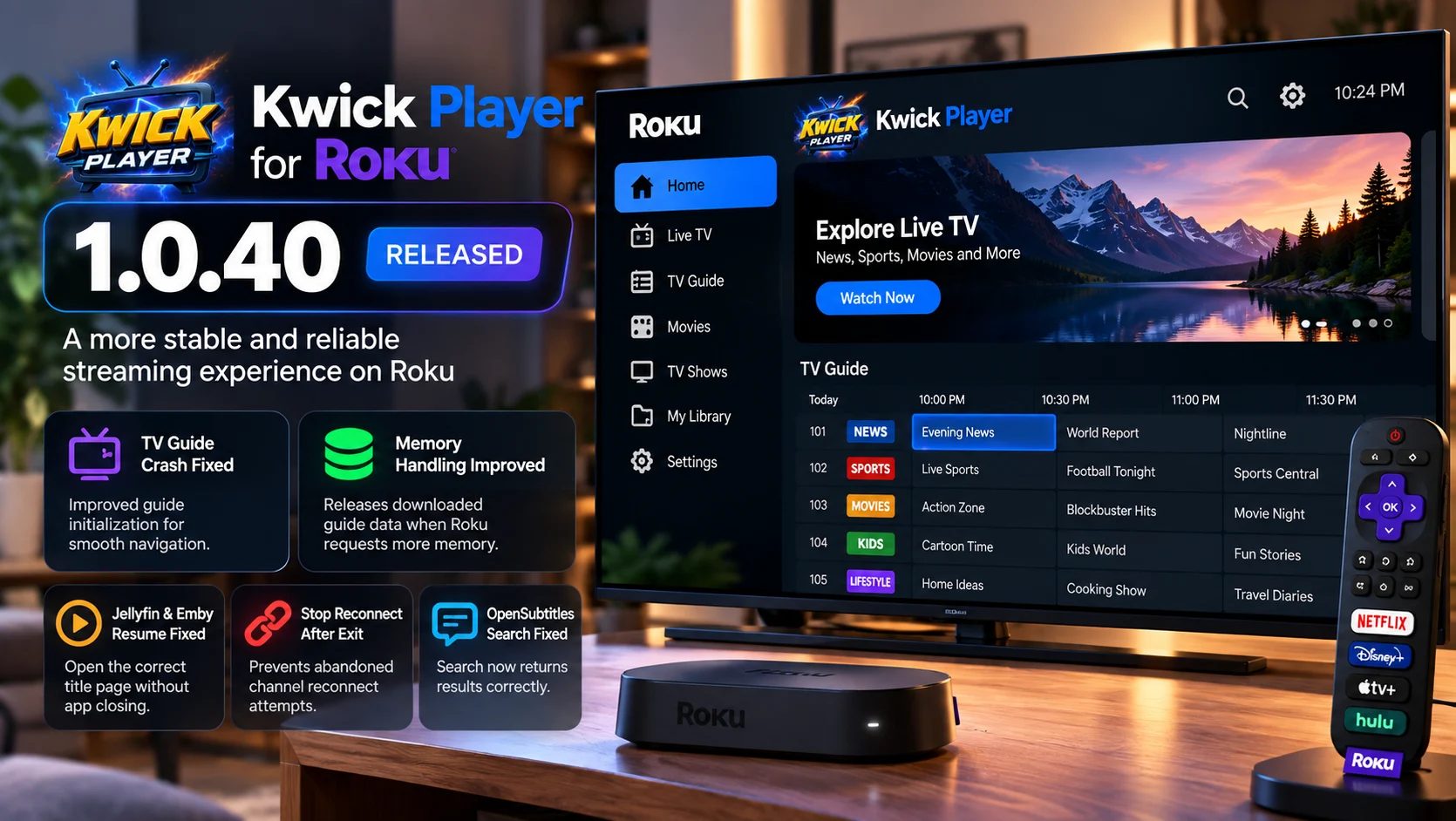
Kwick Player has released version 1.0.40 for Roku, delivering a focused stability update that fixes a recurring TV Guide crash and introduces more meaningful memory handling when Roku warns that an application is running short of available resources.
The update is identified as build 44 and also fixes several secondary issues involving Jellyfin and Emby Resume actions, abandoned channel reconnect attempts, profile switching, OpenSubtitles search, and inconsistent app naming. Kwick Player says the TV Guide crash had appeared across multiple types of Roku hardware, including Roku TVs, Roku Express 4K devices, and Roku Ultra, showing that the failure was not simply limited to low-end hardware.
For Roku users, the release is important because both of its headline fixes target situations where the application could unexpectedly disappear back to the Roku Home Screen.
Version 1.0.40 does not attempt to redesign the player. Instead, it addresses specific lifecycle, memory, and initialization problems that can directly affect whether the app remains running during normal television use.
What Is New in Kwick Player 1.0.40?
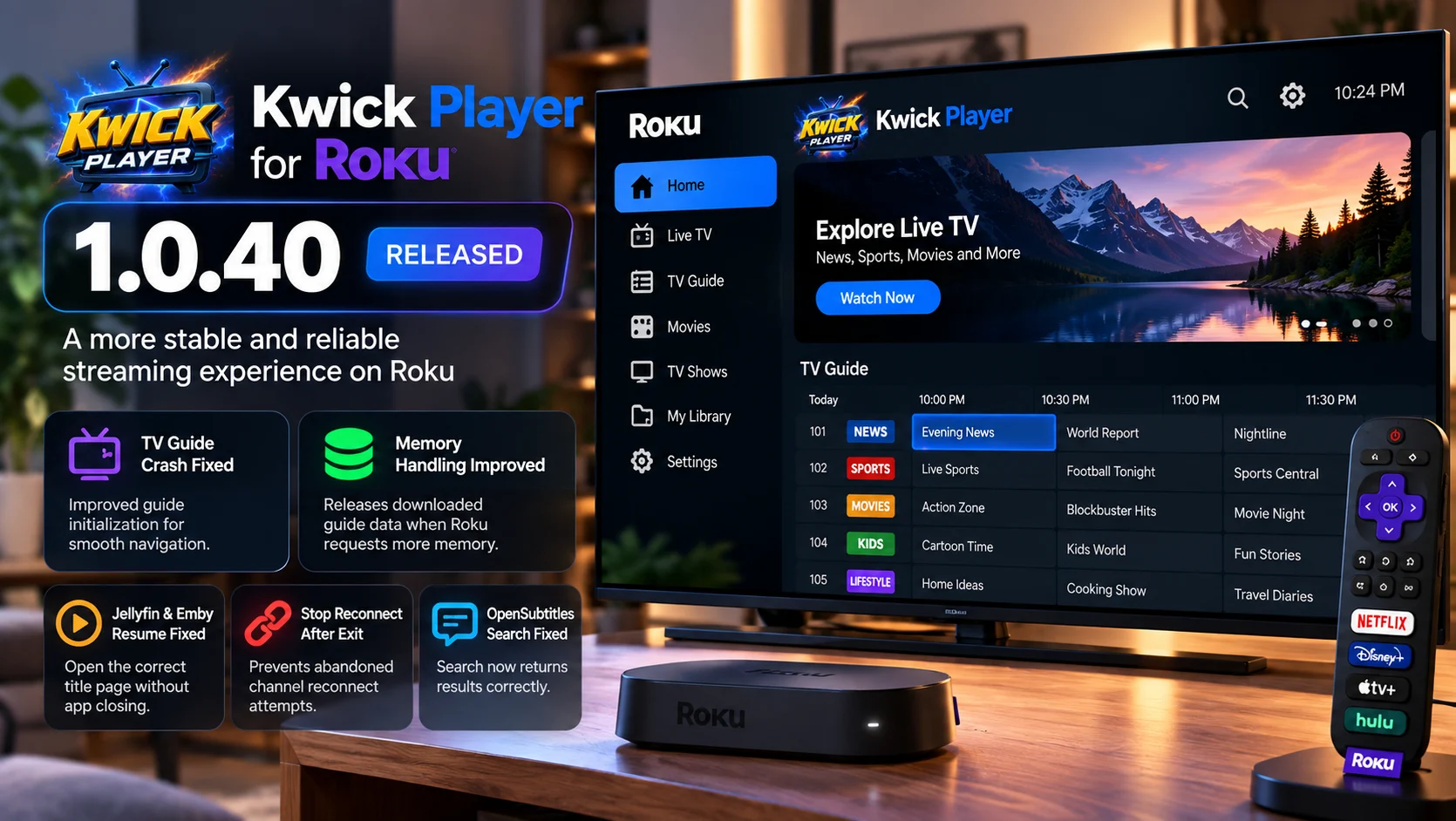
Kwick Player 1.0.40 centers on two major reliability improvements.
The first fixes a TV Guide crash caused by remote input arriving before part of the guide interface had finished being created.
The second changes how the Roku app reacts to low-memory warnings. Previous builds detected and logged those warnings, but the application did not actually release anything in response. Version 1.0.40 can now discard its downloaded TV Guide data when Roku asks the app to free memory.
That guide data can later be downloaded again when the user opens a screen that needs it.
The release also cleans up several playback and navigation problems that could leave connections, screens, or timers running after the user had already moved elsewhere in the app.
Kwick Player 1.0.40 Changes at a Glance
| Area | What Changed | Why It Matters |
|---|---|---|
| TV Guide | Fixed crash during guide initialization | Remote input can no longer target category buttons before they exis |
| Memory | App can release downloaded guide data after a low-memory warning | Gives Roku more room instead of only logging the warning |
| Jellyfin / Emby | Resume from the Home banner now opens the correct title page | Prevents the app from closing when resuming personal-server content |
| Live channel playback | Stops reconnecting after the viewer has left a failed channel | Avoids unnecessary background connections |
| Profiles | Previous screen is shut down properly during profile switching | Stops old timers and screen logic running in the background |
| OpenSubtitles | Search request handling corrected | Subtitle searches can return results again |
| App naming | Branding is standardized as Kwick Player | Removes inconsistent naming across the app |
TV Guide Crash Was an Initialization Problem
The biggest fix in version 1.0.40 addresses a crash that could happen when users opened the TV Guide.
The problem was not simply that the guide used too much memory.
Instead, the crash came from the order in which the TV Guide interface was initialized.
Kwick Player's guide includes a row of category buttons. Those buttons depended on the application's source category information being returned first.
That meant there was a short period after opening the guide when the screen was already listening to the Roku remote, but those category buttons did not yet exist.
If the user pressed a remote button during that gap, Kwick Player could attempt to interact with interface elements that had not been created.
That caused the application to fail.
The delay might normally last only a second or two, but it could remain longer when the source responded slowly.
On an installation with no configured sources, the expected category controls might never appear at all.
Remote Input Is Now Safe While the Guide Loads
Version 1.0.40 changes the way the TV Guide handles that startup period.
The necessary controls now exist from the moment the guide opens.
If the user presses a button while the guide is still loading, Kwick Player can safely ignore the input instead of trying to interact with something that does not exist.
The left button still allows the user to return to the sidebar.
That distinction is important because simply blocking every remote input until loading finishes could create another usability problem. A slow or unavailable source might leave the viewer trapped on a loading screen.
The new behavior attempts to make loading safe while preserving a way out.
This is a good example of a crash that appears simple from the user's perspective but is actually caused by UI lifecycle timing rather than playback itself.
The Crash Was Seen Across Different Roku Devices
Kwick Player's crash data reportedly showed the same TV Guide problem across multiple television and streaming-device models.
That included TCL, AOC, Sanyo, and ONN televisions, along with Roku Express 4K devices and a Roku Ultra.
The Roku Ultra result was especially useful for diagnosis.
If only low-memory televisions were failing, the issue might have looked like another device-resource problem.
But Kwick Player says the same crash appeared on a Roku Ultra while the app was using only a very small portion of available memory.
That helped isolate the TV Guide failure as a specific interface bug rather than a general lack-of-memory problem.
Memory Handling Finally Releases Something
The second major improvement concerns Roku's low-memory warning system.
Roku devices give applications limited memory budgets.
When memory pressure becomes too high, the operating system can terminate an application and return the viewer to the Roku Home Screen.
Kwick Player had already been monitoring Roku's memory-warning signal.
The problem was that earlier versions essentially recorded the warning but did not free any meaningful application data afterward.
Version 1.0.40 changes that.
When Roku requests that the app reduce memory use, Kwick Player can now release its downloaded TV Guide.
The guide is one of the larger pieces of rebuildable data held by the app, making it a logical first candidate to discard.
When the user later returns to a screen that requires guide information, Kwick Player downloads the data again.
Why Releasing Guide Data Makes Sense
A media application constantly has to decide which information must remain in memory and which information can be reconstructed later.
Playback state, active UI state, and some navigation information may need to stay available.
A downloaded program guide is different.
Although the guide can be large, it is not irreplaceable.
If memory becomes constrained, throwing away cached guide information is safer than holding it until Roku terminates the whole application.
The guide can simply be fetched again.
This is effectively a trade-off between memory usage and future loading time.
Users may occasionally wait for the guide to reload after memory has been reclaimed, but that is preferable to having the Roku close the application entirely.
The Memory Fix Is Not a Complete Solution
Kwick Player is careful not to describe this change as a complete cure for every memory-related shutdown.
That distinction is important.
Releasing the downloaded guide creates additional headroom, but the guide may not always be the resource consuming most of the device's memory.
If another screen, catalogue, or playback component is responsible for the majority of memory usage, clearing the guide cannot solve that underlying problem.
The developers describe this as the first significant piece of data the Roku app can actively give back when asked, rather than the final answer to Roku memory management.
For developers, the direction is arguably more important than the individual fix.
The application is moving from merely detecting memory pressure toward actively responding to it.
Kwick Player Has Been Working on Roku Memory for Several Releases
Version 1.0.40 continues a broader series of Roku memory improvements.
Earlier builds reduced oversized TV Guide artwork, introduced limits for particularly large libraries, changed the way Search loads catalogues, and improved cleanup when screens or media sources are removed.
Those changes are relevant because Roku devices can have very different resource limits.
A configuration that works comfortably on one device may create pressure on another, particularly when the application is dealing with very large media catalogs, channel lists, artwork, and guide data.
The new release adds another layer to that work by allowing some cached information to be discarded after Roku itself signals that memory pressure has increased.
Jellyfin and Emby Resume Crash Is Fixed
Version 1.0.40 also repairs an issue involving content from personal Jellyfin and Emby servers.
Kwick Player supports connecting these servers to the Roku client.
The large Home banner can present a resume action for content the viewer has already started.
Before the fix, selecting Resume from that banner could cause the app to close when the title originated from a connected Jellyfin or Emby server.
The updated behavior now opens the title's page correctly.
This is more than a cosmetic correction because Resume is one of the most frequently used entry points in a media application.
Viewers expect to select the current title and continue watching without needing to browse back through a library first.
Failed Channels No Longer Keep Reconnecting After Exit
Another fix addresses abandoned reconnection attempts.
If a channel dropped out, Kwick Player could sometimes continue trying to reconnect even after the viewer had already left that channel.
That creates unnecessary background activity.
More importantly, continued reconnect attempts can hold a connection that should have been released.
Version 1.0.40 closes the identified paths that could allow this behavior.
From a player-lifecycle perspective, the rule should be straightforward: once the user has left a playback session, retries associated with that session should also stop.
Ensuring that happens consistently helps reduce unnecessary resource usage and avoids confusing server-side connection state.
Profile Switching Now Cleans Up the Previous Screen
The new release also fixes a lifecycle problem during profile switching.
Previously, switching profiles could leave the old screen running in the background.
Its timers could continue operating even though the interface was no longer visible.
This is exactly the type of hidden behavior that can gradually increase resource usage in a TV application.
Version 1.0.40 properly shuts down the previous screen during the profile transition.
That should reduce background work and ensure the newly selected profile begins from a cleaner application state.
OpenSubtitles Search Works Again
Subtitle users receive another useful fix.
Kwick Player says OpenSubtitles searches were not returning results because the Roku application was sending the request in the wrong expected format.
Version 1.0.40 corrects the request behavior.
The result should be straightforward: searching OpenSubtitles during supported playback sessions can find subtitles again.
This fix is separate from local or embedded subtitle handling. It specifically concerns searching the external subtitle service from within Kwick Player.
Roku Channel Store Rollout May Lag Behind
There is an important availability detail for Roku users.
Kwick Player 1.0.40 is the latest public release, but Roku Channel Store distribution may take additional time while Roku reviews the submitted build.
That means some users may still see the previous store version even though 1.0.40 has already been published through Kwick Player's release channel.
This is normal for platform-store updates.
The application's release and the store's approval of that release do not necessarily happen at the same moment.
Users checking whether a particular fix is installed should therefore verify the version shown by the application rather than assuming every Roku device has already received 1.0.40.
What Roku Users Should Test
The most important test is the TV Guide.
Users should open the guide and immediately use the remote rather than waiting for every category to load. That specifically exercises the initialization race fixed in this release.
Longer sessions are also valuable for checking memory behavior.
Users with large guides can move between Home, TV Guide and other sections and watch for unexpected exits to the Roku Home Screen.
Jellyfin and Emby users should test Resume from the main banner, while subtitle users can verify OpenSubtitles search.
Profile switching and leaving a channel during a reconnect attempt are also worth checking because both fixes involve background cleanup rather than visible interface redesign.
Final Thoughts
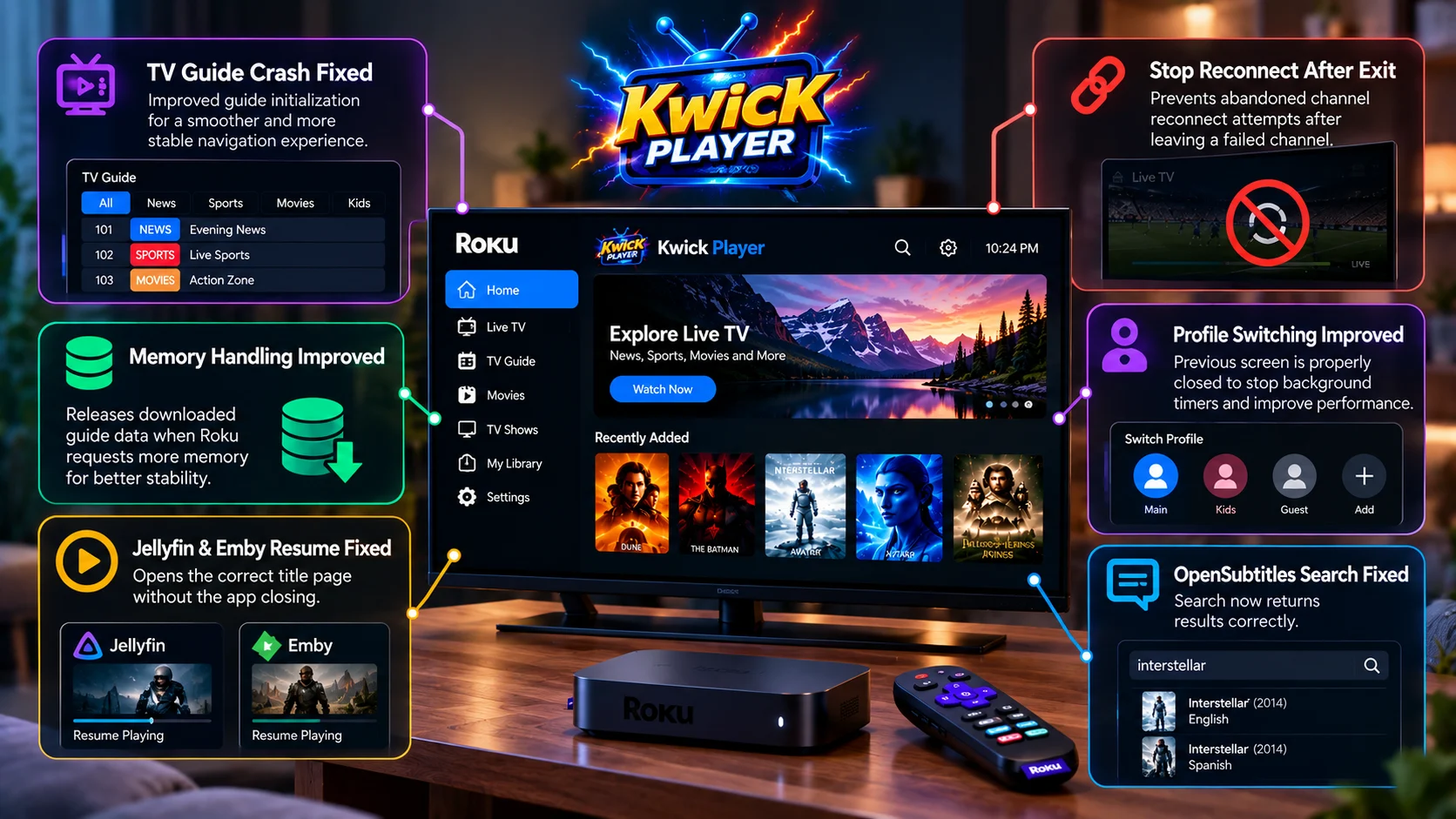
Kwick Player 1.0.40 is primarily a Roku stability release, and its most important fixes address exactly the kinds of problems that make television apps feel unreliable: unexplained crashes, memory pressure and background tasks that outlive the screen that created them.
The TV Guide crash fix is particularly valuable because the root cause is now clearly understood.
Remote input could reach guide logic before the category controls were ready. Version 1.0.40 changes that initialization path so early remote presses no longer bring down the application.
The memory improvement is equally interesting from a development perspective.
Kwick Player previously knew when Roku was warning about memory pressure but could not meaningfully respond. The application can now release its downloaded guide and rebuild it later.
That is not a complete memory-management solution, but it is an important step toward making longer Roku sessions more resilient.
The Jellyfin and Emby Resume fix, abandoned reconnect cleanup, profile lifecycle correction and restored OpenSubtitles search round out an update that is more substantial than the version number might initially suggest.
For Roku users who have experienced the app unexpectedly closing while opening the TV Guide, version 1.0.40 is particularly relevant.
FAQs About Kwick Player 1.0.40
1) What is the biggest fix in Kwick Player 1.0.40?
The main fix addresses the Roku TV Guide crash. Remote input could previously arrive before the guide's category controls had been created, causing the application to fail.
2) Does Kwick Player 1.0.40 improve memory usage?
Yes. When Roku sends a low-memory warning, Kwick Player can now release its downloaded TV Guide data so the device has more available room.
3) Does the memory change fix every Roku shutdown?
No. Releasing guide data can create extra headroom, but it does not solve memory pressure caused by unrelated parts of the application.
4) Is the TV Guide crash limited to low-end Roku TVs?
No. Reports included several Roku TVs and streaming devices, including Roku Ultra hardware, helping show that this specific crash was not simply caused by insufficient device memory.
5) Does 1.0.40 fix Jellyfin and Emby playback?
It fixes a specific problem where selecting Resume from the large Home banner for Jellyfin or Emby content could close the app. The action should now open the title page properly.
6) What changed with channel reconnecting?
A failed channel could continue reconnecting even after the viewer had left it. Version 1.0.40 stops those abandoned retries.
7) What changed with profile switching?
The previous screen is now properly shut down when switching profiles, preventing its timers from continuing to run in the background.
8) Is Kwick Player 1.0.40 already in the Roku Channel Store?
The build has been submitted, but store availability can lag while Roku completes its review process. Users should check the version installed on their device.
Stay Updated with the Player SDK Guide Hub
Streaming-device reliability depends on more than video decoding. Memory limits, remote-control focus, background tasks, guide data, player recovery and platform-specific application lifecycles can all affect whether an app stays stable.
The Player SDK Guide Hub tracks developments across Roku, Fire TV, Google TV, Apple TV, Android TV, Plex, Kodi, VLC, Android Media3, ExoPlayer and other media-player and streaming-device platforms.
We follow release notes, playback fixes, device updates, operating-system changes, hardware developments and developer APIs to explain what changed, which devices and workflows are affected, why it matters, and what developers and streaming teams should test or watch next.
Explore the Player SDK Guide Hub for the latest Roku updates, video-player releases, streaming-device news and developer-focused playback insights.
