The first officially documented Kodi 22 “Piers” Beta arrived on June 28, 2026, moving the project from its Alpha development phase into a stage where the Kodi team is increasingly focused on stability and performance ahead of the eventual final release. One of the headline changes is a move to FFmpeg 8.1.2, alongside major improvements to HDR playback on embedded Linux systems, better subtitle handling, expanded media metadata, Python 3.14.6, Android fixes, improved tvOS remote controls, and a substantial rewrite of Kodi’s Linux rendering pipeline.
There is also a fresh development worth noting. Kodi’s official Windows mirrors began showing Kodi 22 Beta 2 installers dated September 1, 2026, but Kodi’s public news page still lists Beta 1 as its latest documented prerelease and has not yet published an official Beta 2 changelog. For that reason, the feature details in this article are based on Kodi’s officially documented Beta 1 changes rather than guessing what may have changed in Beta 2.
So, what does Kodi 22 “Piers” actually bring to media playback, HDR systems, televisions, developers, and everyday users?
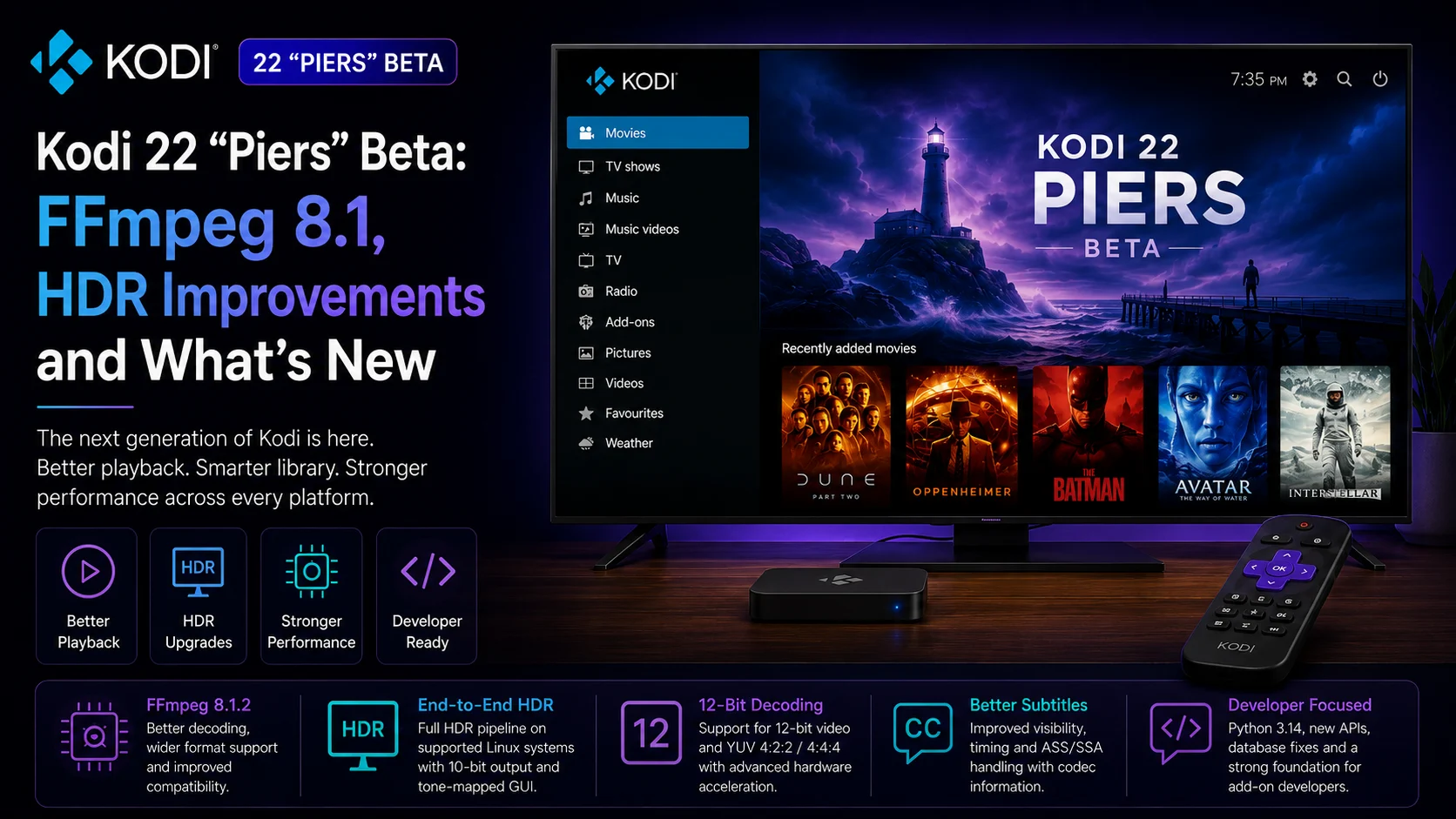
What Is Kodi 22 “Piers”?
Kodi 22 “Piers” is the next major version of the open-source Kodi media player.
Kodi runs across a wide range of platforms, including Windows, Linux, Android, Raspberry Pi, macOS, iOS, tvOS, and webOS. Its television-oriented interface is designed for remote control use and supports local media, network storage, music, video, podcasts, and internet-based media sources.
Development of Kodi 22 began publicly with Alpha 1 in August 2025. At that point, Kodi introduced early changes such as Windows ARM64 support, improvements to SMB networking, audiobook chapters, a redesigned Movie Versions and Extras system, and early HDR improvements for Linux.
Alpha 2 moved the multimedia foundation to FFmpeg 8, while Alpha 3 continued with FFmpeg 8.0.1, Python 3.14.3, better Blu-ray handling, new language-tag support, and additional developer changes.
The Beta stage now brings those developments closer to something that could eventually replace Kodi 21 “Omega.”
Kodi 22 Beta: Key Changes at a Glance
| Area | Kodi 22 "Piers" |
|---|---|
| Media engine | Upgraded to FFmpeg 8.1.2 |
| HDR | Full end-to-end HDR pipeline on supported embedded Linux systems |
| Video depth | Added 12-bit decoding support |
| Video formats | Expanded YUV 4:2:2 and 4:4:4 handling |
| Hardware decoding | HEVC 4:2:2 / 4:4:4 VAAPI support in supported GLES environments |
| Subtitles | Better visibility, timing and ASS/SSA handling |
| Library | More HDR format information and improved media badges |
| Python | Upgraded to Python 3.14.6 |
| Android | Multiple crash and library-cleaning fixes |
| tvOS | Improved Siri Remote playback controls |
| webOS | Playback, screensaver and aspect-ratio fixes |
| Databases | MySQL 9.6+ and MariaDB compatibility improvements |
The changes go well beyond a simple visual refresh. Kodi 22 is receiving significant work in the underlying playback stack.
FFmpeg 8.1.2 Is One of Kodi 22’s Biggest Upgrades
Kodi depends heavily on FFmpeg, the open-source multimedia framework responsible for decoding and processing a huge range of audio and video formats.
Kodi 22’s development builds have progressively moved through newer FFmpeg versions. Alpha 1 initially used FFmpeg 7, Alpha 2 moved to FFmpeg 8, Alpha 3 reached FFmpeg 8.0.1, and Beta 1 now uses FFmpeg 8.1.2.
For users, the version number itself is less important than what an updated media framework enables.
A newer FFmpeg foundation can bring improved codec handling, compatibility with newer media formats, bug fixes, performance work, and improvements to how Kodi interprets video streams and metadata.
Kodi 22 Beta also improves the accuracy of chapter changes and the way chapters read through FFmpeg are handled.
AV1 playback receives a specific fix for configurations using it, and Kodi has also corrected seeking behavior while playing content at 1.6x tempo.
For a media player that needs to handle an enormous variety of file types, FFmpeg is a critical part of the overall playback experience.
Major HDR Improvements Arrive on Linux
One of the most technically significant areas of Kodi 22 Beta is HDR support on embedded Linux systems.
Kodi says it has substantially rewritten rendering for embedded Linux environments using DRM, GBM, and GLES.
The updated pipeline brings GLES closer to feature parity with OpenGL and introduces full end-to-end HDR support, including decoding, colorimetry, a tone-mapped Kodi interface, and 10-bit video output.
This is important because HDR playback is more complicated than simply sending a higher-brightness video signal to a television.
The player must correctly understand the source material’s color information, pass appropriate metadata through the playback pipeline, display the user interface properly alongside HDR content, and output the final image without introducing incorrect black levels or colors.
Kodi 22 addresses several parts of that chain. The Beta also fixes multiple limited-range black-level problems and corrects BT.2020 colorimetry signalling for certain DisplayPort-to-HDMI configurations.
For Linux-based home-theater systems, these changes could make Kodi 22 one of the more meaningful upgrades in recent releases.
12-Bit Decoding and Advanced Chroma Support
Kodi 22’s Linux work extends beyond standard 10-bit HDR playback.
The new embedded Linux rendering pipeline introduces 12-bit decoding support, plus support for YUV 4:2:2 and YUV 4:4:4 content.
Kodi also adds VAAPI hardware decoding for HEVC video using 4:2:2 and 4:4:4 chroma formats in supported GLES configurations.
These are not features every everyday streaming user will encounter.
Most mainstream consumer video is commonly distributed using 4:2:0 chroma subsampling. However, higher-quality and professional video workflows can use 4:2:2 or 4:4:4 to preserve more color information.
For enthusiasts maintaining high-quality local media libraries or specialized playback systems, broader format support gives Kodi more flexibility.
The inclusion of 12-bit decoding is similarly forward-looking, particularly as media formats and display pipelines continue evolving.
Dithering and Higher-Quality Scaling Get Attention
Kodi has also added new visual-processing capabilities to GLES.
Kodi 22 Beta introduces dithering and high-quality scalers, along with an automatic dithering mode for GLES environments.
Dithering can help reduce visible color banding when displaying gradients, particularly when converting between different bit depths.
Higher-quality scaling matters when content resolution does not match the display’s native resolution.
A 1080p video displayed on a 4K television, for example, must be scaled. Better algorithms can produce a cleaner image, although processing requirements can also increase.
These features reinforce a broader theme in Kodi 22: improving image quality and rendering rather than simply adding new menus.
Subtitle Handling Is Improving Too
Subtitles receive several refinements in Kodi 22 Beta.
The Kodi team lists improvements to both subtitle visibility and subtitle timing, along with corrected handling of ASS and SSA subtitle script headers.
Kodi can also display the codec being used for the currently active subtitle track.
This builds on work from earlier Kodi 22 previews, which introduced support for H264 AVCC subtitles and full IANA language tags.
Subtitle handling can become surprisingly complicated across multilingual libraries, Blu-ray content, stylized subtitle formats, and media files containing multiple tracks.
Improved language metadata and codec visibility should make troubleshooting and stream selection easier for advanced users.
Kodi’s Media Library Gets Better HDR Information
Kodi 22 Beta is also becoming more informative about the content stored in a user’s library.
The update adds additional HDR formats to Kodi’s interface and improves media badges and several stream-detail issues.
Inputstream add-ons can now pass additional HDR and color metadata along with 10-bit and 12-bit information.
That means Kodi’s interface and add-ons can better understand the technical properties of the video being played.
For people building carefully organized home-theater libraries, this metadata can make it easier to distinguish between different versions of the same movie or understand whether a particular file contains the video characteristics expected from it.
Kodi also improves Blu-ray info handling, play counts, movie version scanning, and some complex episode-range scenarios
Blu-ray Playback Continues to Improve
Physical-media enthusiasts have not been forgotten.
Kodi 22 development has included several Blu-ray improvements across the Alpha and Beta cycles.
Alpha 3 improved both Blu-ray menus and playback. Beta 1 adds further improvements to .nfo handling and Blu-ray play counts while fixing several stream-detail issues.
Kodi remains unusual among modern media players because it is designed to manage a wide variety of locally stored and network-hosted media rather than focusing only on online services.
Continued Blu-ray development therefore remains relevant to a significant portion of its enthusiast user base.
Android Gets Important Stability Fixes
Kodi 22 Beta includes several fixes specifically for Android.
The update addresses a crash related to voice recognition, general application failures caused by JNI exceptions, a crash involving the Zeroconf browser, and an error when running Clean Library from Kodi’s settings.
Earlier Kodi 22 development also upgraded the Android target to Android 15 while moving the minimum supported Android version to Android 7.0. Kodi additionally introduced support for Android’s 16 KB page size requirement and improved Android home-screen channels.
These changes matter because Android remains one of Kodi’s most diverse deployment environments.
Kodi can run across televisions, boxes, tablets, and other Android-based hardware, meaning reliability improvements can affect a broad range of devices.
tvOS Users Get Better Siri Remote Controls
Apple TV users receive a smaller but useful improvement.
Kodi 22 Beta adds improved Siri Remote playback controls on tvOS.
Remote-control behavior can have a major impact on television applications because users perform nearly every interaction with directional buttons, touch surfaces, or playback controls rather than a mouse or touchscreen.
Better support can therefore make Kodi feel more native on Apple TV hardware.
The change fits Kodi’s broader effort to refine the 10-foot interface experience across different operating systems rather than assuming the same input behavior everywhere.
WebOS Playback Gets More Reliable
Kodi’s expanding support for LG webOS also receives fixes.
Kodi 22 Beta addresses screensavers incorrectly enabling during playback on webOS 4, fixes playback on webOS 26, and corrects forced aspect-ratio playback.
Earlier Kodi 22 work introduced a new unified media pipeline for webOS, making the beta fixes part of a broader platform-development effort.
Kodi’s presence across smart-TV operating systems is particularly interesting because it reduces the need for a separate box in supported environments.
Python Moves to Version 3.14.6
Add-on developers should also pay attention to the Python upgrade.
Kodi 22 Beta moves to Python 3.14.6, following Alpha 3’s earlier transition to Python 3.14.3.
Python is central to Kodi’s add-on ecosystem.
A major runtime upgrade can bring language improvements and security updates, but it also means add-on developers should test their existing code for compatibility.
Kodi also fixed functions related to adding video, audio, and subtitle stream information.
For developers maintaining widely used Kodi extensions, prerelease testing is therefore particularly important before Kodi 22 reaches stable status.
Database Compatibility Gets Important Fixes
Kodi users with centralized media libraries may appreciate another group of beta changes.
Kodi 22 Beta fixes compatibility problems with MySQL 9.6 and later and with MariaDB 10.x remote databases. It also addresses a possible crash when a MySQL server temporarily becomes unavailable.
A new <connecttimeout> setting has been added for MySQL and MariaDB database connections, with a default timeout of five seconds.
These are not flashy consumer features, but they are important for advanced installations where multiple Kodi devices share a centralized library database.
Should You Install Kodi 22 Beta Now?
For most users who simply want the most reliable Kodi installation, the safer answer is not yet.
Kodi’s official download pages still identify Kodi 21.3 “Omega” as the recommended stable release.
Kodi itself warns that beta software can contain regressions and features that do not work correctly. The team recommends taking a backup before installing the prerelease and encourages testers to report problems with complete debug logs.
Kodi 22 Beta makes the most sense for enthusiasts, developers, and users who specifically want to evaluate the new rendering and HDR capabilities.
For a primary household media system where reliability is more important than new features, waiting for the final Kodi 22 release remains the safer choice.
Is Kodi 22 Ready for Everyday Use?
Kodi has reached Beta, which is an important milestone.
The project's focus is now shifting more heavily toward stability and performance rather than introducing major new functionality.
However, Beta does not mean finished.
Kodi specifically lists a known issue where some GBM/GLES systems can show stale or flickering overlay graphics during fullscreen playback.
That is especially relevant because the new embedded Linux rendering pipeline is one of the release’s most significant changes.
Users who rely heavily on those platforms should therefore test carefully before replacing an established Kodi 21 installation.
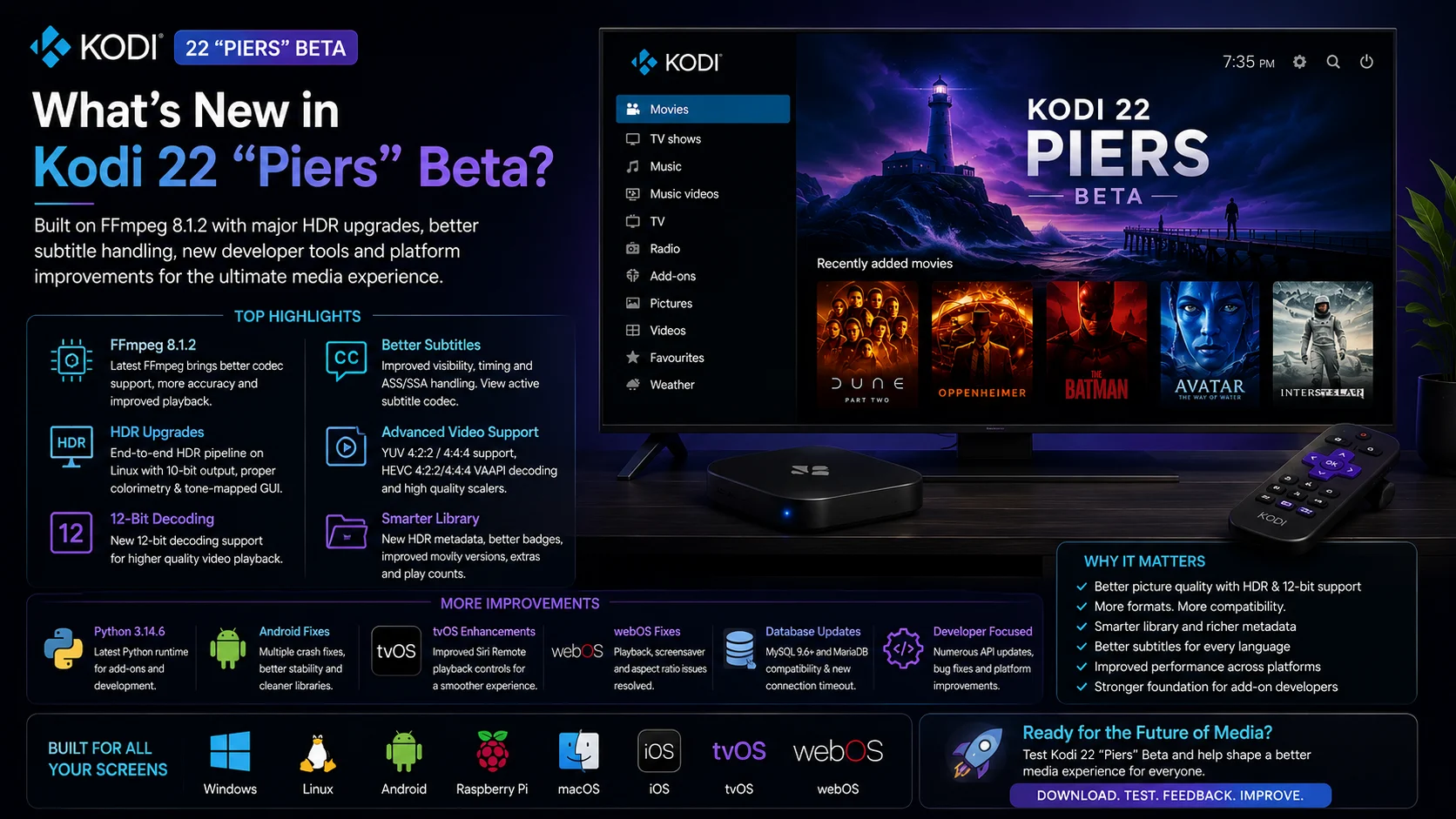
Final Thoughts
Kodi 22 “Piers” is shaping up to be a substantial media-player update rather than a simple interface refresh. The upgrade to FFmpeg 8.1.2 modernizes Kodi’s multimedia foundation, while the rewritten embedded Linux rendering pipeline brings some of the release’s most technically impressive improvements.
End-to-end HDR processing, 10-bit output, 12-bit decoding, advanced chroma support, improved color handling, dithering, high-quality scaling, and broader hardware support could make Kodi 22 particularly appealing to home-theater enthusiasts.
At the same time, Kodi is improving areas that affect everyday use: subtitles, Blu-ray libraries, Android stability, tvOS remotes, webOS playback, database compatibility, media metadata, and add-on development.
The move into Beta signals that the project is getting closer to completion, but it remains prerelease software. Kodi 21.3 “Omega” is still the recommended stable option for users who prioritize reliability.
For developers and enthusiasts, however, Kodi 22 is already offering a clear look at the next generation of the platform.
FAQs About Kodi 22 “Piers” Beta
1) What is Kodi 22 “Piers”?
Kodi 22 “Piers” is the next major generation of the Kodi open-source media player. It is currently in prerelease development, with Kodi’s officially documented Beta 1 released in June 2026.
2) Which FFmpeg version does Kodi 22 Beta use?
Kodi 22 Beta 1 upgraded its media framework to FFmpeg 8.1.2, following earlier Kodi 22 previews that used FFmpeg 7, FFmpeg 8, and FFmpeg 8.0.1.
3) Does Kodi 22 improve HDR?
Yes. Supported embedded Linux systems receive a substantially rewritten rendering pipeline with end-to-end HDR support, including decoding, colorimetry, a tone-mapped GUI, and 10-bit output.
4) Does Kodi 22 support 12-bit video?
Kodi 22 Beta adds 12-bit decoding support within its new embedded Linux rendering pipeline. It also expands support for YUV 4:2:2 and 4:4:4 video.
5) What is the current stable Kodi version?
Kodi’s official Windows and Linux download pages currently list Kodi 21.3 “Omega” as the recommended stable version.
6) Is Kodi 22 Beta safe to install?
It is intended for testing and early access. Kodi warns that prerelease builds may contain bugs or regressions and recommends taking a backup before upgrading.
7) Is Kodi 22 Beta 2 available?
Kodi’s official Windows mirrors showed Beta 2 installers dated September 1, 2026. However, at the time of writing, Kodi’s official news page had not yet published Beta 2 release notes, so confirmed feature details are still based on the documented Beta 1 changelog.
Stay Updated with the Player SDK Guide Hub
Media players and streaming devices evolve continuously. New codec engines, HDR pipelines, operating-system releases, hardware capabilities, playback features, and developer APIs can significantly change how video is delivered across televisions and connected devices. That’s why we created the Player SDK Guide Hub.
The Player SDK Guide Hub covers the latest Kodi, VLC, Plex, Roku, Fire TV, Google TV, Android TV, Apple TV, and streaming-device updates, including media-player releases, new hardware, playback technologies, HDR developments, operating-system changes, device specifications, and developer-focused platform news.
Whether Kodi releases another Piers Beta, FFmpeg introduces new playback capabilities, a streaming device gains new video features, or a major media platform changes its development requirements, our Guide Hub helps explain what changed, which devices are affected, why it matters, and what developers and streaming teams should watch next.
Explore the Player SDK Guide Hub for the latest media-player news, streaming-device updates, technical guides, playback developments, and platform insights.
