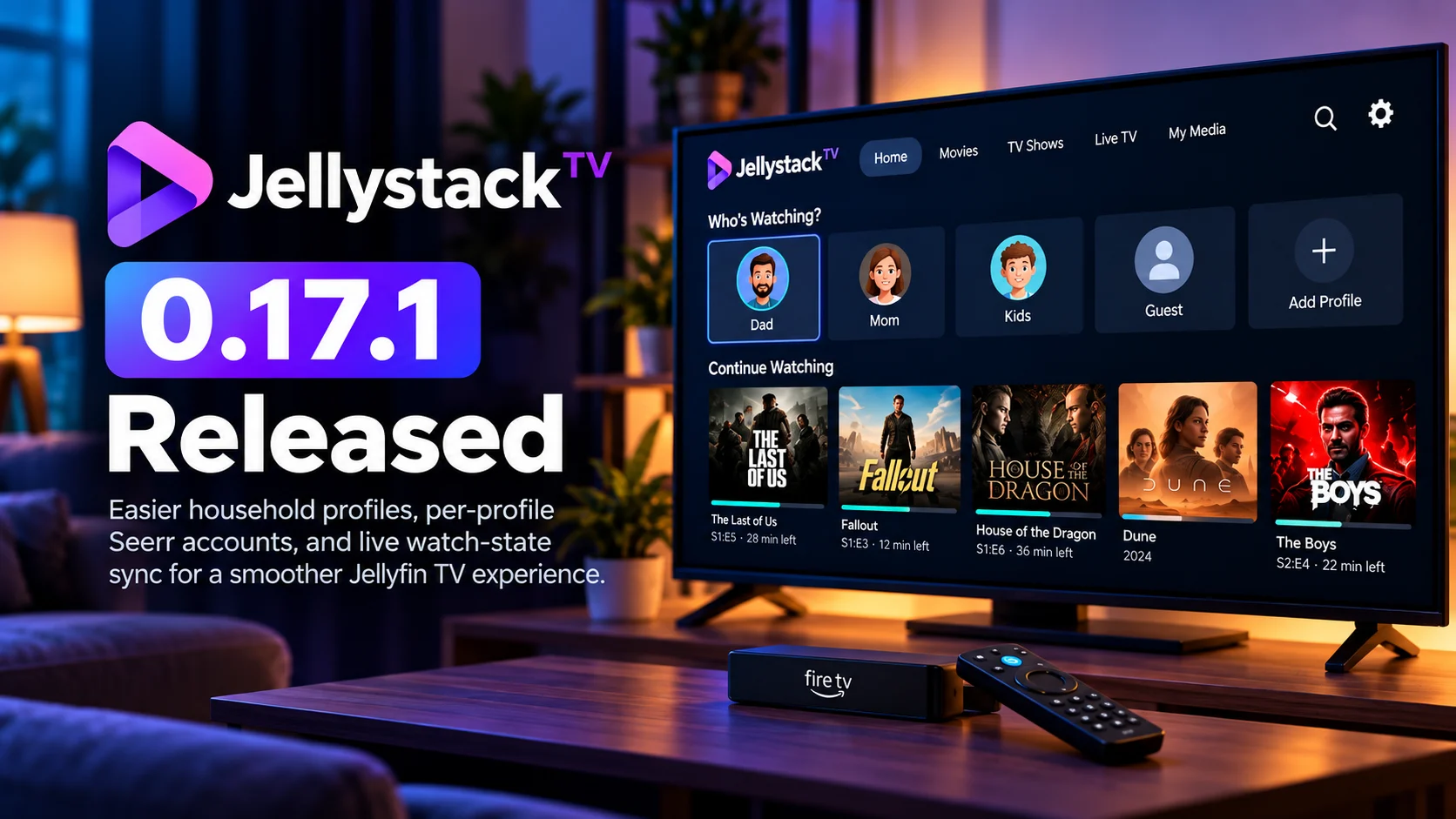
Jellystack TV 0.17.1 is rolling out with a group of quality-of-life improvements aimed at making shared home-media setups easier to manage.
The update focuses heavily on household profiles, Seerr integration, and live synchronization of watched status and playback progress. These changes may sound small individually, but together they address some of the most common friction points in multi-user media-server households.
Instead of treating every television user as if they share the same identity, Jellystack TV is moving toward a more personalized experience where each member of the household can have their own viewing state, request identity, and profile behavior.
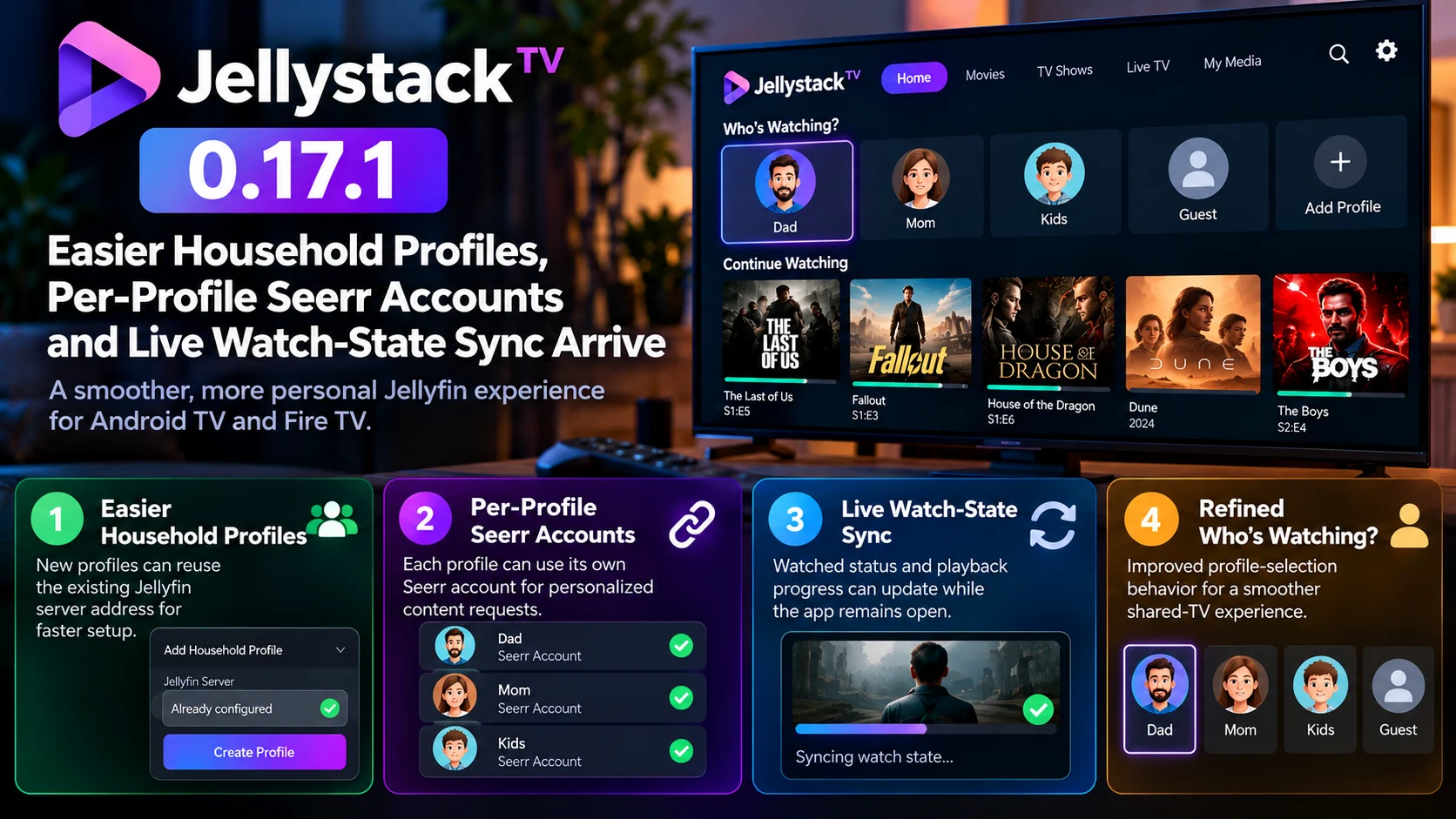
The release also improves how profiles are created. New household profiles can reuse the same Jellyfin server address rather than requiring repetitive server configuration, making setup faster for families or homes with several viewers.
Another important addition is the ability to associate individual profiles with their own Seerr account. That means content requests can remain tied to the correct person rather than being submitted through one shared identity.
Live watch-state synchronization rounds out the release by helping the app notice changes made from other devices while Jellystack TV is still open. For households that watch content across televisions, phones, tablets, or web clients, this is a meaningful improvement.
Jellystack TV 0.17.1 at a Glance
| Area | What Changed | Why It Matters |
|---|---|---|
| Household Profiles | New profiles can reuse the existing Jellyfin server address | Faster setup with less repeated configuration |
| Seerr Integration | Each profile can use its own Seerr account | Requests stay associated with the correct household member |
| Watch-State Sync | Watched status can refresh while the app remains open | Changes from other devices appear more quickly |
| Playback Progress | Resume position can update during an active session | Reduces outdated Continue Watching information |
| Who’s Watching | Profile-selection behavior has been refined | Makes shared-TV startup more natural |
| Multi-User Experience | Profile identity is handled more consistently | Better separation between viewers in one household |
Household Profile Setup Is Now Easier
One of the most practical changes in Jellystack TV 0.17.1 is the improved profile-creation workflow.
In a shared home, several people may use the same Jellyfin server.
Previously, adding multiple household profiles could involve repeating information that was already known to the app. When every profile connects to the same server, repeatedly entering or configuring the same server address adds unnecessary friction.
Version 0.17.1 simplifies that process.
A new household profile can reuse the Jellyfin address already associated with the existing setup. The user therefore spends less time recreating server configuration and more time simply adding the person who will use the profile.
This is especially useful on television devices, where entering long server addresses with a remote control can be inconvenient.
Reducing text entry is a small change that makes the entire setup process feel much more polished.
Why Household Profiles Matter
Profiles are more than different names on a login screen.
Each person in a household may have a different watch history, different series in progress, different recommendations, and different content-request preferences.
Without proper separation, a shared television can quickly become confusing.
One person may finish an episode that another viewer has not watched.
A movie may suddenly appear as completed because someone else watched it on another device.
Continue Watching rows can become cluttered with content belonging to several different people.
Separate profiles solve much of this by making viewing activity specific to the active household member.
Jellystack TV 0.17.1 improves the foundation of that experience by making profiles easier to create and more useful once configured.
Per-Profile Seerr Accounts Add Better Request Management
The addition of per-profile Seerr accounts is another major improvement.
Seerr is commonly used alongside personal media-server environments to help users discover content and submit requests for movies or television series.
In a household with several users, one shared request identity can create confusion.
If every request appears to come from the same account, the server administrator may have difficulty understanding who actually wanted a particular movie or series.
Jellystack TV 0.17.1 allows individual profiles to be associated with their own Seerr accounts.
That makes the request system much more personal.
A parent, child, roommate, or other household member can browse content from their own Jellystack profile and have requests associated with the correct Seerr identity.
This improves accountability while also making request history easier to understand.
Seerr Integration Becomes More Natural on the TV
Content requests are most convenient when they are integrated into the same environment where discovery happens.
Imagine browsing for something to watch on the television.
A title looks interesting, but it is not currently available in the personal library.
If the viewer can submit a request directly through their own profile, the process becomes much simpler than reaching for a phone, opening another interface and signing into a separate account.
Per-profile Seerr support makes that workflow more suitable for shared televisions.
Each viewer can retain their own request identity without forcing the entire household to use one common account.
For server administrators, this also creates a cleaner picture of household demand.
Live Watch-State Sync Solves a Common Multi-Device Problem
The other major feature in Jellystack TV 0.17.1 is live watch-state synchronization.
Personal media users frequently switch devices.
A viewer might begin an episode in the living room, continue it on another television, and later return to the original device.
Another family member might mark something as watched from a phone.
A movie could be completed through a web interface while Jellystack TV remains open on the television.
Without active synchronization, the television application may continue showing outdated information until it is restarted or manually refreshed.
Version 0.17.1 improves this behavior.
Watched status and playback state can now refresh while the app is still running.
That helps keep the television interface aligned with changes happening elsewhere.
Continue Watching Becomes More Accurate
Continue Watching is one of the most frequently used sections of any personal media interface.
It needs to answer a very simple question:
“What was I watching, and where did I stop?”
If that information is wrong, the feature quickly becomes frustrating.
Suppose a viewer watches half an episode on one device and finishes it elsewhere.
If the first TV still shows the episode at 50 percent progress, selecting it could create an unnecessary playback step or even cause the user to restart content they already completed.
Live progress synchronization helps reduce those inconsistencies.
When progress changes elsewhere, Jellystack TV can reflect the updated state without requiring a complete application restart.
For households that use several devices, this can make the interface feel much more connected.
Watched Status Is Just as Important as Resume Position
Watch-state synchronization is not only about playback timestamps.
Whether an item is marked watched or unwatched matters across the entire library.
A watched episode may disappear from an unwatched filter.
A completed series can move out of Continue Watching.
Next-episode recommendations can change.
Libraries can also look very different depending on which content is considered complete.
If one client updates this information but another remains stale, the household sees conflicting versions of the same library.
Jellystack TV 0.17.1 attempts to keep those states better aligned while the application is active.
The result should be a more consistent experience when viewers move between devices.
“Who’s Watching?” Behavior Gets Refined
The update also improves the Who’s Watching? experience.
Profile selection is particularly important on televisions because multiple people often share the same screen and remote.
A personal phone generally has one primary user.
A living-room television does not.
The application therefore needs to know when showing the profile picker makes sense and when it would simply add another unnecessary click.
Refining this behavior can make startup feel more natural.
In a shared household, users should be able to choose the correct profile easily.
In a simpler environment, profile selection should not become an obstacle every time the application launches.
Jellystack TV 0.17.1 continues improving that balance.
Better Profiles Also Improve Privacy Inside the Household
Profiles are not a full security boundary by themselves, but they can still provide useful separation.
Different viewers may not want their Continue Watching rows, recent history, or content requests mixed together.
Children may use one viewing profile while adults use another.
Roommates may share the same server while maintaining completely separate watch histories.
By strengthening profile behavior and connecting request identities more cleanly, Jellystack TV makes shared installations feel more organized.
This becomes increasingly important as the application expands from a simple playback interface into a broader front end for discovery, requests, and library management.
Jellystack TV Fits Naturally Into Android TV and Fire TV Homes
Jellystack TV is particularly relevant on television platforms where navigation simplicity matters.
Using a remote changes what good interface design looks like.
Every extra login field, unnecessary configuration screen, or manual refresh becomes more noticeable than it would on a desktop computer.
That is why the changes in 0.17.1 are valuable even though they are not flashy visual redesigns.
Reusing the existing Jellyfin server address removes remote-control typing.
Refined profile behavior removes unnecessary navigation.
Live synchronization reduces manual refreshing.
Per-profile Seerr accounts eliminate the need to switch to another device just to preserve request identity.
Each improvement removes a small amount of friction.
Together, they make the application easier to use from the couch.
Multi-Device Households Benefit the Most
Jellystack TV 0.17.1 is especially relevant to households that do not watch everything on one television.
Modern personal media setups often include several playback clients.
There may be a living-room TV, bedroom TV, mobile devices and web browsers all accessing the same Jellyfin library.
The server already acts as the central source of media.
The client experience becomes much stronger when profile and watch-state information also feels centralized.
Live synchronization pushes Jellystack TV further in that direction.
Instead of behaving like an isolated screen that only knows what happened during its current session, the app can stay more aware of changes made elsewhere.
That is an important step toward making personal media feel as seamless as mainstream streaming platforms.
This Release Is More About Experience Than Playback Technology
Jellystack TV 0.17.1 is not primarily a codec or video-rendering release.
Its most important changes happen around the viewing experience.
Profile setup becomes easier.
Request accounts become personal.
Watch states become more responsive.
Shared-TV behavior becomes more refined.
These are the kinds of features users may not notice when they work correctly, but they become immediately frustrating when they do not.
For a household application, reliability around identity and state can matter just as much as video playback itself.
Who Should Pay Attention to Jellystack TV 0.17.1?
The update is most relevant to homes with several Jellyfin users.
If only one person uses one television, some profile improvements may have limited impact.
But as soon as several people share the same server, the benefits become much clearer.
Families using Seerr should also pay particular attention because per-profile accounts make requests easier to attribute correctly.
Users who frequently switch between televisions, phones and browsers will likely appreciate live watch-state and progress synchronization the most.
These changes target exactly the problems that become more noticeable as a personal media setup grows.
Final Thoughts
Jellystack TV 0.17.1 is a strong example of how small workflow improvements can make a home-media platform significantly easier to live with.
The ability to create household profiles without repeatedly configuring the same Jellyfin server makes setup faster.
Per-profile Seerr accounts give each viewer a clearer identity when discovering and requesting content.
Live watch-state synchronization helps ensure that playback progress and watched status do not become stale simply because something changed on another device.
Refined Who’s Watching behavior improves the shared-TV experience further.
None of these features attempts to reinvent video playback.
Instead, they address something equally important: making a multi-user media server feel coherent across an entire household.
For users with several profiles, multiple screens and an active Seerr setup, Jellystack TV 0.17.1 should make everyday navigation and content management noticeably smoother.
FAQs About Jellystack TV 0.17.1
1) What is Jellystack TV 0.17.1?
Jellystack TV 0.17.1 is an update focused on household profiles, Seerr account integration, profile-selection behavior and live synchronization of viewing activity.
2) What changed with household profiles?
New profiles can reuse the Jellyfin server address already configured in the household, reducing repetitive setup.
3) Does each profile get its own Seerr account?
The update introduces support for associating individual Jellystack profiles with separate Seerr accounts.
4) Why is per-profile Seerr support useful?
It keeps content requests associated with the correct household member instead of routing everyone through one shared request identity.
5) What is live watch-state sync?
It allows watched status and playback progress changes from other devices to be reflected while Jellystack TV is still running.
6) Does playback progress update from another device?
The new synchronization behavior is designed to keep resume positions and viewing state more current when changes occur elsewhere.
7) Does the update improve Who’s Watching?
Yes. Profile-selection behavior has been refined to make shared-TV usage smoother.
8) Is Jellystack TV 0.17.1 mainly a playback update?
No. The biggest improvements focus on user profiles, synchronization and household media management rather than major codec or rendering changes.
9) Who benefits most from this release?
Homes with multiple Jellyfin users, several playback devices and Seerr integration should see the clearest benefits.
Stay Updated with the Player SDK Guide Hub
Modern media-server clients are evolving beyond basic playback. Profiles, synchronized watch states, request systems, cross-device continuity and television-first navigation are becoming increasingly important parts of the experience.
The Player SDK Guide Hub follows developments across Jellyfin, Jellystack TV, Emby, Plex, Kodi, Android TV, Google TV, Fire TV, Roku, Apple TV and other streaming and media-player platforms.
We cover player releases, media-server updates, playback changes, home-media integrations and developer tools to explain what changed, why it matters and what users should test next.
Follow the Player SDK Guide Hub for the latest media-server, streaming-device and video-player updates.
