
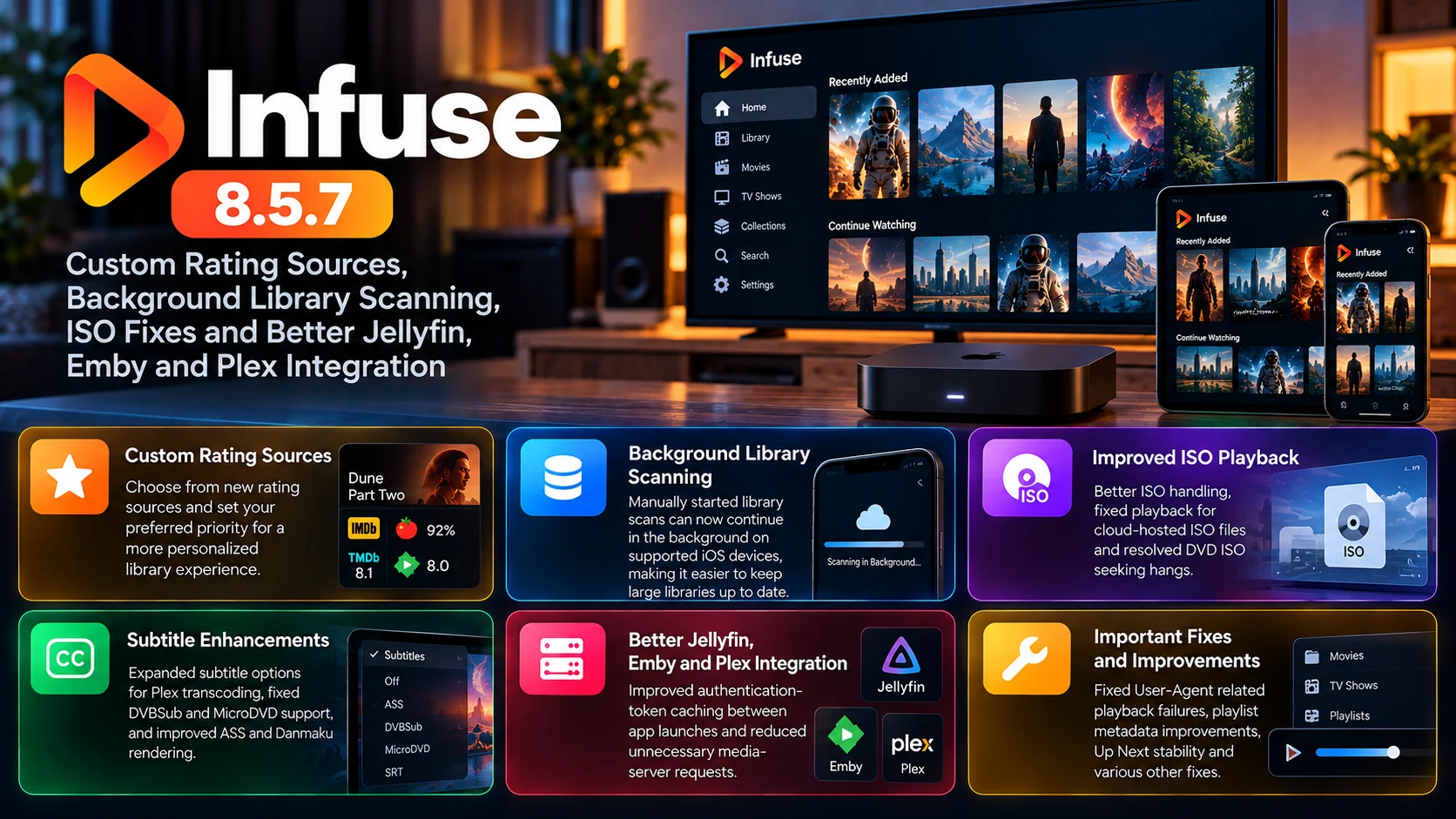
Infuse 8.5.7 is now available with a broad collection of improvements focused on metadata customization, library management, disc-image playback, subtitles, and media-server reliability.
The update introduces two particularly useful new features. Users can now choose from additional rating sources and customize their priority, while compatible iPhone and iPad users can allow a manually started library scan to continue running in the background.
Playback also receives considerable attention. ISO handling has been improved, including fixes for cloud-hosted ISO files and DVD ISO titles that could hang while seeking. macOS users get smoother scrubber behavior, while several subtitle improvements target Plex transcoding and ASS-based subtitle rendering.
For Jellyfin and Emby users, version 8.5.7 improves authentication-token caching between app launches, helping reduce unnecessary authentication activity. Infuse also addresses playback failures caused by missing or mismatched User-Agent headers and reduces unnecessary media-server requests in certain situations.
The result is an update that strengthens both sides of Infuse: the polished library experience users see every day and the technical connections working behind it.

Infuse 8.5.7 at a Glance
| Area | What Chnaged | Why It Matters |
|---|---|---|
| Ratings | New rating sources with customizable priority | Users get greater control over which ratings appear |
| Library Scanning | Manual scans can continue in the background on supported iOS versions | Large libraries require less foreground waiting |
| ISO Playback | Improved ISO handling and cloud-share playback fixes | More reliable disc-image playback |
| DVD ISO Seeking | Fixed hangs affecting some DVD ISO files | Seeking becomes more dependable |
| Plex | Better subtitle options during transcoding | More subtitle formats and controls work correctly |
| Jellyfin/Emby | Authentication tokens cached better between launches | More efficient server reconnection |
| Playback | User-Agent-related failures fixed | Certain remote and hosted streams become more reliable |
| Media Servers | Unnecessary requests reduced | More efficient communication with connected servers |
Custom Rating Sources Give Users More Metadata Control
One of the most visible additions in Infuse 8.5.7 is support for new rating sources with customization options.
Ratings are an important part of media-library browsing. When users open a movie or television-show details page, scores can help them quickly judge whether a title is worth watching.
The challenge is that not everyone values the same rating provider.
Some users prefer one source for movies, another for television, and perhaps another source as a fallback when the preferred service does not have data for a particular title.
Infuse now gives users more direct control over this.
Rating sources can be enabled and reordered through the metadata and artwork settings, allowing each user to determine which sources should receive priority.
Infuse can display up to five ratings, while additional enabled sources can serve as fallback options when higher-ranked sources do not have a rating for a specific item.
That makes the feature more flexible than simply adding another score to the interface.
Rating Priority Makes Library Pages More Personal
Metadata customization is becoming increasingly important in modern media players.
Two people can use the same library yet want very different information displayed.
One user may care primarily about critic scores. Another may prefer audience ratings. Someone else might want several ratings side by side.
Allowing the order to be customized means Infuse can better match these different preferences.
The fallback behavior is equally useful.
A preferred rating source may not cover every obscure movie, regional release, or older television series. Rather than leaving the details page empty, Infuse can look to another enabled source lower in the priority list.
For users with large and diverse libraries, that should result in more consistent metadata coverage.
Background Library Scanning Reduces Waiting
The second major new feature is background library scanning on supported iPhone and iPad versions.
Library indexing can take time, especially when a user has added new folders, changed metadata, or maintains a particularly large collection.
Previously, waiting for a library scan while keeping the app active could interrupt normal device use.
Infuse 8.5.7 improves this by allowing a manually initiated scan to continue while the application is in the background.
A scan can be started from the Home screen refresh control or through the library settings using the Scan for Changes option.
Once started, the operating system can allow Infuse to continue processing in the background.
This should be especially useful for users with large network libraries who do not want to leave the app open throughout the entire refresh process.
Background Processing Still Depends on the Operating System
It is important to understand that background execution is ultimately controlled by the operating system.
There is no guaranteed fixed amount of time for which a background scan will always run.
Factors such as battery level, device load, and system conditions can affect how much processing time Infuse receives.
That means background scanning should be viewed as a major convenience improvement rather than an unlimited background service.
Even with that limitation, it provides a better workflow.
Users can initiate an update, leave Infuse, and continue using their device rather than watching a progress operation in the foreground.
ISO Playback Gets Important Reliability Improvements
nfuse has long appealed to home-media users because of its broad format support, and version 8.5.7 continues refining that strength.
ISO files receive multiple improvements in this release.
Disc images can be useful for preserving DVD or Blu-ray structures in a single file, but they create more complicated playback requirements than a conventional MP4 or MKV file.
The player may need to navigate complex internal structures, handle different streams, and correctly seek through data originally designed for physical media.
Infuse 8.5.7 improves general ISO handling and specifically addresses playback issues affecting ISO files stored on some cloud shares.
For users maintaining disc-image libraries outside local storage, this can remove a significant source of playback frustration.
DVD ISO Seeking Hangs Have Been Fixed
Another specific fix targets DVD ISO files that could hang while seeking.
Seeking sounds simple from the user’s perspective.
Move the playback position forward, and the movie should continue from the selected point.
Inside a disc image, however, the process can involve navigating a more complex structure than a standard video file.
If the player gets stuck when trying to resolve the new location, playback can freeze or become unusable.
Infuse 8.5.7 addresses this behavior for affected DVD ISO files.
The improvement is particularly relevant for users who keep large archived DVD collections in image form and frequently use skip or scrub controls.
macOS Scrubbing Becomes More Predictable
macOS users also receive improved scrubber behavior when seeking.
Accurate seeking is one of those playback functions that users notice immediately when it behaves incorrectly.
A viewer expects the video position to follow the timeline selection with minimal delay and without jumping unpredictably.
By refining scrubber behavior, Infuse aims to make moving through longer movies and episodes feel more responsive and consistent on Mac.
Combined with the ISO fixes, this release places considerable emphasis on navigation within video rather than just initial playback.
Plex Subtitle Transcoding Gets a Major Refinement
Plex integration receives several subtitle-related improvements.
Infuse 8.5.7 expands subtitle options when text-based subtitles are being transcoded from Plex.
This matters because transcoding creates a more complex playback path than direct playback.
Infuse is no longer simply reading the original media streams. Plex may be converting parts of the video, audio, or subtitle presentation before delivering them to the client.
The update improves how subtitle choices are handled in that environment.
It also fixes support for DVBSub and MicroDVD subtitles during Plex transcoding.
For multilingual users, accessibility users, and anyone with subtitle-heavy libraries, these fixes can make Plex-backed playback considerably more dependable.
ASS and Danmaku Subtitle Rendering Also Improve
Infuse 8.5.7 also improves ASS subtitle handling.
ASS subtitles can include advanced positioning, fonts, styling, and animation that go well beyond simple text captions.
This flexibility makes them popular for content where subtitle presentation is part of the viewing experience.
Infuse now provides additional subtitle-setting support in relevant conversion scenarios and improves rendering for converted Danmaku subtitles.
Danmaku subtitles can involve large numbers of timed comments moving across the screen, creating a much heavier rendering workload than ordinary captions.
Optimizing this behavior should help Infuse handle these more demanding subtitle formats more efficiently.
Jellyfin and Emby Authentication Becomes More Efficient
Jellyfin and Emby users receive an important behind-the-scenes improvement involving authentication-token caching between app launches.
When Infuse reconnects to a media server, authentication helps verify that the user has permission to access the library.
If authentication information is not reused efficiently, the client may perform additional login or token operations that are not always necessary.
Version 8.5.7 improves this process for Jellyfin and Emby.
Caching authentication tokens more effectively can make repeated connections more efficient and reduce unnecessary authentication traffic.
Users may never directly see the token itself, but improvements like this can influence how quickly and reliably the application reconnects to a home server.
Media Server Requests Are Being Reduced
Infuse also fixes cases where the application could make extra requests to media servers.
Efficient client-server communication matters more than it might appear.
Every unnecessary request adds work to the server and network.
On a fast local network with a powerful server, a few additional requests may be almost invisible.
On remote connections, low-powered NAS devices or busy servers, reducing unnecessary communication can have a more noticeable benefit.
This optimization fits naturally alongside better authentication caching.
Together, these changes make Infuse’s interactions with connected Jellyfin, Emby, and other media-server environments more efficient.
User-Agent Playback Failures Are Fixed
Another technical but important fix addresses playback failures caused by missing or mismatched User-Agent headers.
Some servers and hosting configurations use HTTP request information to determine whether a particular client is allowed to access a file or how a request should be handled.
The User-Agent header identifies the requesting application or device.
If the expected information is missing or different from what a server requires, the request may fail even though the media file itself is perfectly valid.
Infuse 8.5.7 improves this behavior, potentially resolving playback problems with certain hosted files, server configurations and redirected streams.
This is the kind of fix that can turn a mysterious “file will not play” issue into normal playback without requiring users to modify their media.
Playlist Handling Also Receives Several Fixes
Infuse continues refining playlist-file support introduced in recent updates.
Version 8.5.7 fixes a problem where Add to Watching could fail for items inside M3U8 playlists.
Metadata recognition using #EXTINF information has also been improved for movies and television shows.
The release further corrects movie-name recognition in some playlist files, sorting by Release Date and the detection of duplicate playlists that were added through different paths.
These changes make playlist-based libraries behave more consistently inside Infuse’s broader metadata system.
Rather than treating playlist entries as anonymous streams, Infuse can better understand and organize the underlying content.
Up Next Stability Gets Attention
The update also fixes a crash that could occur while Up Next was being updated.
Up Next is a central part of the everyday viewing workflow because it connects current playback with what the viewer is likely to watch next.
A stability issue in this area can interrupt the app even when the actual video playback engine is functioning normally.
Removing the crash strengthens one of Infuse’s most frequently used library features.
macOS also receives a smaller interface correction involving navigation buttons incorrectly appearing on the App Lock screen.
Infuse 8.5.7 Is Primarily About Refinement
This release does not completely redesign Infuse.
Instead, it strengthens a number of areas that matter to experienced users.
Ratings become more configurable.
Library scanning becomes less intrusive.
ISO archives become more reliable.
Plex subtitle transcoding improves.
Jellyfin and Emby connections become more efficient.
Network playback gets protection from User-Agent-related failures.
Playlist metadata becomes more consistent.
That combination makes 8.5.7 a particularly strong update for users who connect Infuse to large personal libraries or multiple media servers.
Final Thoughts
Infuse 8.5.7 is a meaningful refinement release for users who rely on Infuse as the front end for a large personal-media collection.
Custom rating sources provide more control over metadata presentation, while background library scanning makes library maintenance less disruptive on supported mobile devices.
The ISO improvements are particularly valuable for users with archived DVD and disc-image collections, addressing both cloud playback and seeking reliability.
At the same time, Plex receives better subtitle transcoding behavior, while Jellyfin and Emby benefit from smarter authentication-token caching.
User-Agent fixes, reduced server requests, playlist improvements and Up Next stability further strengthen the underlying playback and library experience.
None of these changes alone completely transforms Infuse.
Together, however, they make the application more flexible, more reliable and better suited to complex home-media environments.
For users connecting Infuse to Plex, Jellyfin, Emby, cloud shares or large local libraries, version 8.5.7 is a substantial quality-of-life update.
FAQs About Infuse 8.5.7
1) What is new in Infuse 8.5.7?
The update adds customizable rating sources, background library scanning on supported iOS devices, improved ISO handling, subtitle enhancements and multiple media-server reliability fixes.
2) Can users customize which rating sources appear?
Yes. Enabled rating sources can be reordered, allowing users to prioritize the services they prefer.
3) How many ratings can Infuse display?
Infuse can display up to five ratings at once, with additional enabled sources available as fallbacks when needed.
4) Does Infuse now scan libraries in the background?
A manually initiated library scan can continue in the background on supported iPhone and iPad systems, subject to operating-system background-processing limits
5) Are ISO files improved?
Yes. Infuse 8.5.7 improves general ISO handling, fixes playback on some cloud shares and resolves seeking hangs affecting certain DVD ISO files.
6) What changed for Plex users?
Plex users receive improved text-subtitle options during transcoding and fixes for DVBSub and MicroDVD subtitle support.
7) What changed for Jellyfin and Emby?
Infuse now caches Jellyfin and Emby authentication tokens more effectively between application launches.
8) Does the release improve ASS subtitles?
Yes. ASS-related settings and converted Danmaku subtitle rendering receive improvements.
9) What is the User-Agent playback fix?
Infuse corrects cases where media playback could fail because the server received missing or mismatched User-Agent information.
10) Does Infuse 8.5.7 improve playlist support?
Yes. The update fixes Watching behavior, metadata recognition, title detection, sorting and duplicate detection for supported playlist files.
Stay Updated with the Player SDK Guide Hub
Modern video players increasingly need to handle much more than decoding a movie file. Metadata sources, library indexing, media-server authentication, subtitle transcoding, cloud storage and advanced disc-image formats all contribute to the final experience.
The Player SDK Guide Hub tracks important developments across Infuse, Plex, Jellyfin, Emby, Apple TV, Android TV, Google TV, Fire TV, Roku, Kodi and other video-player platforms.
We cover player releases, playback fixes, media-server integrations, codec developments and platform changes to explain what changed, why it matters and what users and development teams should test next.
Follow the Player SDK Guide Hub for the latest video-player, media-server and streaming-device updates.
