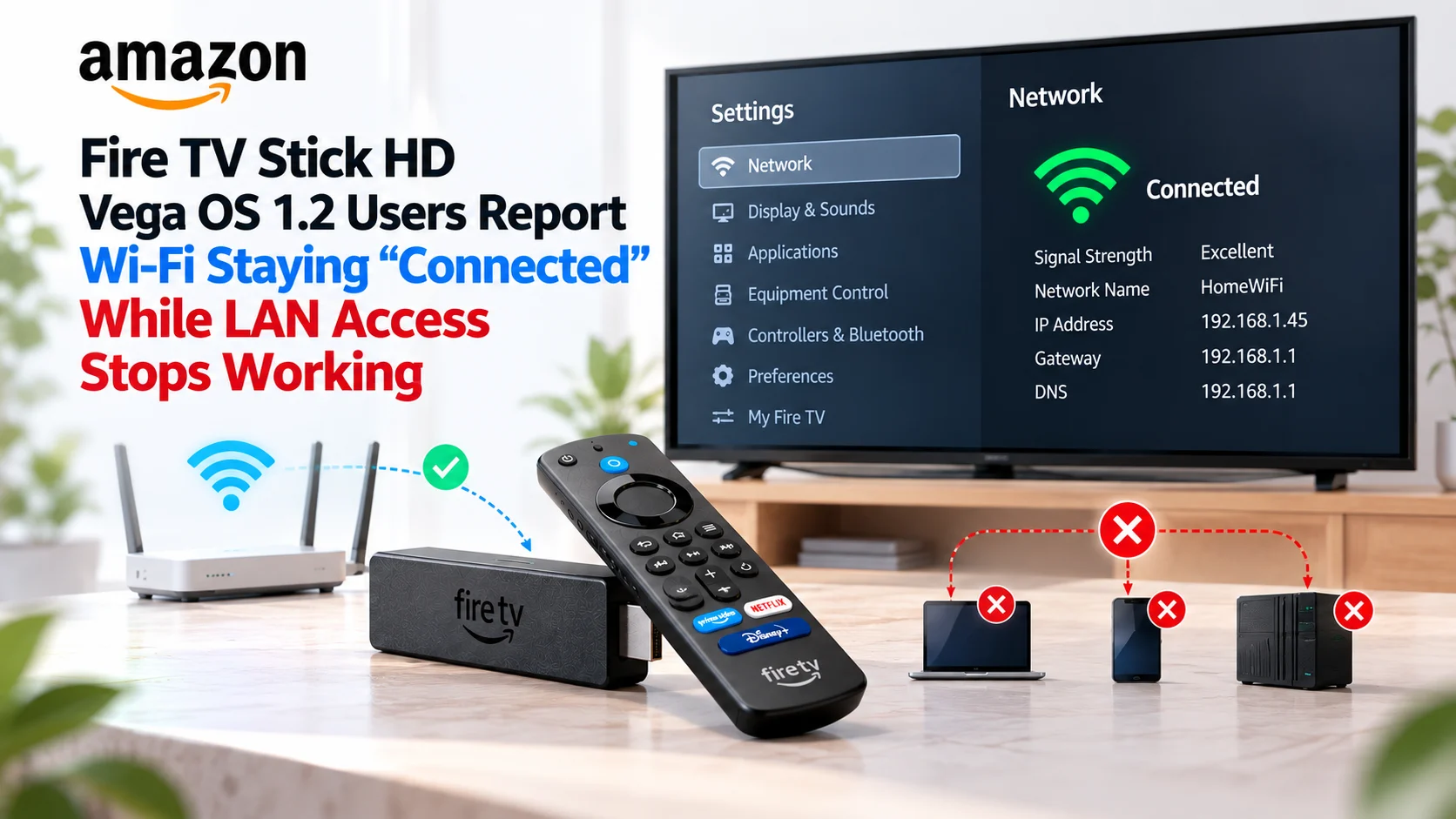
A detailed new developer report is raising questions about local network connectivity on the 2026 Fire TV Stick HD running Vega OS 1.2.
The unusual part of the reported problem is that the Fire TV Stick does not appear disconnected.
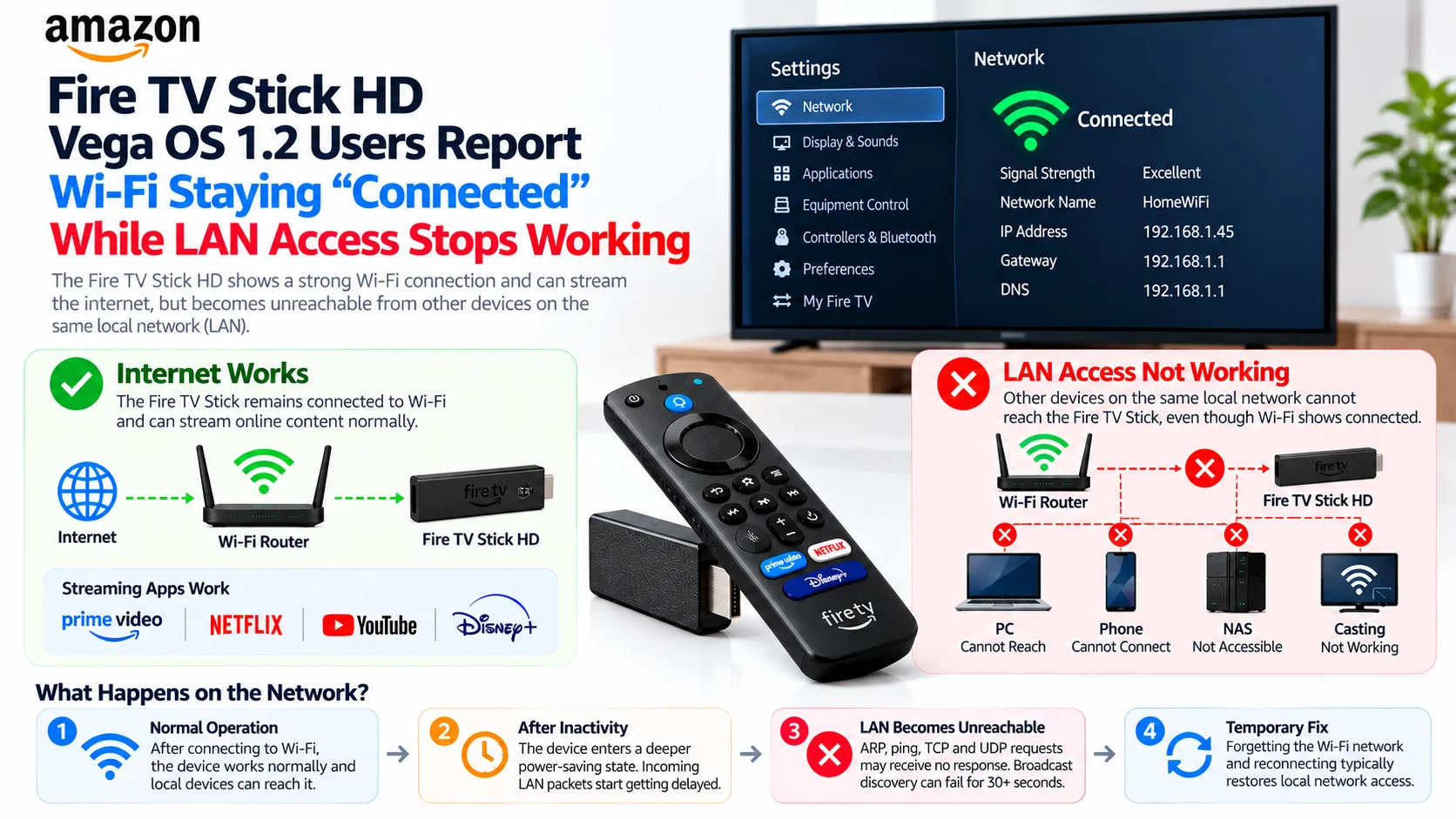
Instead, Settings continues to show the device as connected to Wi-Fi with a strong signal and a valid IPv4 address, and internet-facing activity such as video playback and speed tests can continue working. At the same time, computers and applications elsewhere on the same local network can become unable to reach the Fire TV Stick through ARP, ICMP, TCP, or UDP.
The September 24 report describes delayed network responses beginning after periods of inactivity and, in more severe cases, complete loss of inbound LAN connectivity after sleep or reboot. The reporter says forgetting the Wi-Fi network and reconnecting is currently the only consistently reliable way they have found to restore communication.
This is important for applications that depend on casting, mirroring, remote-control connections, device discovery, or local-media communication.
However, the scope needs to remain clear: this is currently a developer-reported issue, not an Amazon-confirmed widespread Vega OS 1.2 defect.
What Is Being Reported on Fire TV Stick HD?
The report concerns a 2026 Fire TV Stick HD, build model AFTCL001, running Vega OS 1.2 build 2301020004820, also identified as OS 1.2 TV Ship build 48.
Testing shows the Fire TV Stick behaves normally immediately after joining a 2.4 GHz WPA2 network. Local computers can resolve its network address and communicate with it with low latency.
As the device sits idle, however, the reported behavior gradually changes.
Incoming traffic may begin arriving in bursts rather than immediately. The developer recorded ping responses delayed by several seconds, with multiple packets apparently being delivered together once the Fire TV Stick wakes.
Broadcast communication appears even more affected.
During one test, UDP discovery probes sent once every second reportedly received no response for the first 34 seconds before replies began arriving. ARP requests could also remain unanswered for tens of seconds after the sender removed its cached network entry.
After sleep or reboot, the issue reportedly becomes more severe: the Fire TV Stick can remain completely unreachable from the LAN even though its own Wi-Fi settings continue showing a valid connection.
Fire TV Stick HD Vega OS 1.2 Wi-Fi Issue at a Glance
| Area | Reported Behaviour | Why It Matters |
|---|---|---|
| Device | Fire TV Stick HD (2026), AFTCL001 | Current Vega-powered Fire TV hardware |
| Wi-Fi status | Still shows Connected / strong signal | UI may not reveal the LAN problem |
| Internet traffic | Device-initiated activity can continue working | Streaming may appear normal |
| Incoming LAN traffic | ARP, ping, TCP and UDP can become delayed or unreachable | Local apps may fail to connect |
| Broadcast discovery | Replies can be delayed for 30+ seconds | Casting/discovery may time out |
| Sleep / reboot | Reportedly can trigger complete LAN unreachability | Problem becomes more severe |
| Reliable recovery | Forget Wi-Fi network and reconnect | Forces network reassociation |
| Current status | Developer report; no public Amazon confirmation yet | Scope remains uncertain |
The Most Confusing Part: Internet Works While the LAN Does Not
Normally, when people think of a Wi-Fi failure, they expect the device to lose internet access.
That is not what is being described here.
The reporter says Prime Video could continue streaming and the built-in speed test could run normally while the Fire TV Stick was unreachable from another device on the same network.
That distinction is technically important.
Outbound connections begin with the Fire TV Stick itself sending traffic. Once the device initiates communication, the access point and other network equipment know where to send responses.
Local applications often operate differently.
A phone, PC, or another device may need to discover the Fire TV Stick first using broadcast or multicast packets. It might then establish a TCP connection, send UDP messages, or perform another inbound operation.
If the Fire TV Stick is sleeping too aggressively and not receiving those local frames consistently, the application can report that the device has disappeared even though internet services continue working.
That helps explain why a user might see absolutely nothing unusual while watching normal online content.
Ping Responses Reportedly Arrive in Large Bursts
The developer performed extensive network measurements.
With a cached ARP entry, incoming ICMP packets were not always permanently lost. Instead, the access point appeared to buffer them while the Fire TV Stick slept.
One captured sequence showed individual ping responses arriving after approximately 8, 7, 6, and 1 seconds, followed by a response with latency of only around 22 milliseconds.
The developer interprets this as evidence that the Fire TV Stick periodically wakes, receives a group of frames accumulated by the access point, and then returns to a deeper power-saving state.
That interpretation has not been confirmed by Amazon.
But it fits the packet behavior described in the report and would explain why remote-control or discovery systems can behave unpredictably.
An application may wait only a few seconds for a response.
If the Fire TV Stick waits eight seconds before receiving the request, the application has already decided that no device is available.
Broadcast and ARP Traffic Appear More Seriously Affected
The reported broadcast behavior is potentially more problematic than delayed pings.
ARP is fundamental to communication on a typical local IPv4 network.
Before a computer can send an IP packet directly to another local device, it generally needs to learn the destination device's hardware address.
The reporting developer manually deleted the Fire TV Stick's ARP entry from the Mac used for testing.
After doing so, repeated ARP requests reportedly went unanswered, leaving the entry marked as incomplete and causing messages such as “Host is down” or “No route to host.”
Interestingly, connectivity could return later when the Fire TV Stick itself sent traffic toward the Mac.
That outbound communication allowed the Mac to learn the Fire TV Stick's address again.
This behavior is one reason the problem can appear inconsistent.
A device that already has the correct MAC address cached might continue communicating intermittently, while another device attempting a fresh discovery fails completely.
Why Casting and Local Remote Apps Could Be Affected
Many television companion applications depend on rapid local discovery.
A mobile app might broadcast a discovery message, wait two or three seconds for responses, display discovered receivers, and then establish a connection.
If the Fire TV Stick ignores incoming broadcast traffic for more than 30 seconds, that workflow breaks even though the Fire TV Stick technically remains associated with the Wi-Fi access point.
The original report specifically calls out potential problems for casting, mirroring, remote-control applications, and local-media tools.
The developer says an application submitted for review had connectivity problems on two Vega devices while 95 Fire OS devices reportedly passed the same review process.
The report also says Amazon Developer Support had previously indicated that the application itself appeared fine and suggested a possible device-side issue. That statement is relayed by the developer in the forum post rather than being a separate public Amazon engineering conclusion.
Sleep and Reboot Appear to Be Important Triggers
One of the more concerning findings involves device sleep.
During idle testing, incoming network responsiveness reportedly deteriorated gradually before disappearing.
The developer says putting the Fire TV Stick to sleep or rebooting could leave it in a state where incoming LAN access stopped entirely for many minutes, despite Settings continuing to show the Wi-Fi connection as healthy.
That makes the issue different from simple high Wi-Fi latency.
A temporary delay could be managed by increasing discovery timeouts.
A device that becomes unreachable until the Wi-Fi association is reset is considerably harder for an application to work around.
The developer also reports that the problem was reproduced whether their app was in the foreground, background, or not running at all.
If accurate, that points away from a React Native component or application networking bug and toward behavior occurring deeper in the device networking stack.
Is Aggressive Wi-Fi Power Saving Responsible?
The developer proposes Wi-Fi power-saving behavior as a possible explanation.
According to their interpretation, the device appears to spend progressively longer periods asleep after becoming idle. Broadcast or multicast traffic may not be received during those intervals, potentially because of how the Wi-Fi firmware handles DTIM beacons, broadcast traffic, or ARP offload.
Those are technically plausible hypotheses, but they should not yet be treated as the confirmed root cause.
Amazon has not publicly responded to the thread with an engineering diagnosis as of September 24.
The available evidence tells us what the developer measured.
It does not yet establish exactly which Vega OS component, Wi-Fi driver setting, firmware parameter, or power-management mechanism is responsible.
Vega OS 1.2 Is Now Rolling Out to Supported Devices
There is also some confusion around Vega OS version reporting.
Amazon's public Fire TV specification pages still show the 2026 Fire TV Stick HD as using Vega OS 1.1.
However, an Amazon representative said in the Developer Community on September 14 that OS 1.2 had reached 100% rollout for supported Vega OS devices and advised developers still seeing OS 1.1 to manually check for updates.
Other developers have subsequently reported difficulty getting certain Fire TV Stick 4K Select units to move from OS 1.1 to 1.2 despite manually checking and attempting forced updates.
So Amazon's public device-specification page appears to lag behind at least some real devices and developer environments currently running Vega OS 1.2.
The Fire TV Stick HD involved in this Wi-Fi report identifies itself as OS 1.2 build 48 with a build date of September 10, 2026.
Forgetting and Rejoining Wi-Fi Is the Most Reliable Temporary Fix
The reporter tested several ways of trying to restore connectivity.
Opening network details, running speed tests, or starting video playback could sometimes make the device reachable again—but not reliably.
The method that reportedly works consistently is more disruptive: forget the Wi-Fi network in Settings and reconnect by entering the password again.
That forces a complete reassociation with the wireless network.
Immediately after reconnecting, ARP begins resolving again, and latency reportedly returns to normal.
This should be viewed as a temporary troubleshooting step rather than a permanent solution.
If the underlying behavior occurs again following sleep or reboot, users may need to repeat the process.
Could an App Keep the Connection Alive?
The reporting developer experimented with device-initiated keepalive traffic.
A small outbound packet sent periodically appeared to keep the device reachable during some extended tests. A device-side loop pinging the gateway every second also prevented timeouts during one test period.
However, the developer explicitly warns that the results are not conclusive.
The same Wi-Fi association sometimes remained reachable even after the application stopped producing traffic.
And an app-based keepalive obviously cannot help if the app has been terminated or the Fire TV Stick enters sleep.
For that reason, developers should not treat periodic network traffic as a real fix.
At most, it may serve as a limited mitigation for an application that absolutely requires continuous local availability.
What Developers Should Test
Vega application teams relying on local networking should test more than whether their app can successfully establish a connection immediately after device startup.
Long-idle scenarios matter.
Apps should be exercised after the screensaver starts, after sleep/wake cycles, following a reboot, and after the device has remained untouched for longer periods.
Testing should also distinguish between ordinary unicast traffic and protocols that depend on broadcast or multicast discovery, because the reported behavior suggests they may fail differently.
Amazon's current Vega Bug Reports section lists this Fire TV Stick HD connectivity report alongside several other active Vega issues being investigated or discussed by developers.
Has Amazon confirmed the Fire TV Stick HD Wi-Fi bug?
Not publicly, as of this writing.
The September 24 Developer Community thread currently documents one detailed report backed by testing across multiple networks and device states.
That is valuable evidence, but it is not the same as an Amazon engineering advisory.
There is not yet a public Amazon statement confirming that Vega OS 1.2 contains a generalized Wi-Fi power-management defect, nor has Amazon announced a software fix or new OS build specifically addressing the behavior.
Headlines and developer guidance should therefore continue using wording such as “reported,” “possible issue,” or “developer report” rather than presenting it as a confirmed platform-wide problem.
Final Thoughts
The reported Fire TV Stick HD Vega OS 1.2 Wi-Fi issue is unusual because the device does not behave like a normally disconnected streaming stick.
It may continue reaching internet services, display a strong Wi-Fi connection, and retain a valid IP address while becoming partially—or after sleep, potentially completely—unreachable from other devices on the same local network.
The detailed measurements suggest that inbound packets can be delayed for several seconds, broadcast discovery can disappear for more than 30 seconds at a time, and ARP resolution can fail altogether.
For casting, local remote control and receiver-style applications, those behaviors can be enough to make the Fire TV Stick effectively invisible.
For now, forgetting and rejoining the Wi-Fi network is the most reliable reported recovery method, while the proposed explanation involving aggressive power-saving behavior remains unconfirmed.
Developers should therefore treat this as an active issue worth testing—not yet as proof of a platform-wide Vega OS 1.2 networking defect.
FAQs About the Fire TV Stick HD Vega OS 1.2 Wi-Fi Issue
1) What is the reported Fire TV Stick HD Wi-Fi problem?
A developer reports that a 2026 Fire TV Stick HD running Vega OS 1.2 can remain marked as connected to Wi-Fi while becoming delayed or completely unreachable from other devices on the same LAN.
2) Does internet streaming stop when the problem occurs?
Not necessarily. The report says device-initiated internet activity such as Prime Video playback and speed testing can continue even when inbound LAN communication fails.
3) Which Vega OS build was tested?
The reported device was running Vega OS 1.2 build 2301020004820, identified as TV Ship build 48 and built on September 10, 2026.
4) Does forgetting and reconnecting Wi-Fi fix it?
According to the developer's testing, yes. Forgetting the wireless network and re-entering the password consistently restored normal local connectivity
5) Does rebooting fix the problem?
The report suggests the opposite can occur: reboot or sleep may trigger the state where the device becomes unreachable from the LAN while still appearing connected.
6) Could this affect casting or remote-control applications?
Potentially. Apps that depend on LAN discovery, incoming TCP/UDP traffic, mirroring, remote-control connections, or local-media communication could be affected if the reported behavior occurs.
7) Has Amazon officially confirmed the root cause?
No. The developer suspects overly aggressive Wi-Fi power saving or related broadcast/ARP handling, but Amazon has not publicly confirmed that explanation or announced a fix.
Stay Updated with the Player SDK Guide Hub
Networking behavior is just as important to a streaming platform as video decoding or user-interface performance, especially for applications that depend on casting, discovery, and communication between devices.
The Player SDK Guide Hub tracks the latest Fire TV, Vega OS, Roku, Google TV, Android TV, Apple TV, Android Media3, ExoPlayer, Plex, Kodi, VLC, and other media player and streaming device developments.
We follow OS updates, SDK releases, playback changes, networking problems, developer APIs, and emerging platform issues to explain what changed, which devices and workflows may be affected, what has actually been confirmed, and what streaming teams should test next.
Explore the Player SDK Guide Hub for the latest Fire TV developer news, streaming-device updates, player SDK release notes, and technical platform insights.
