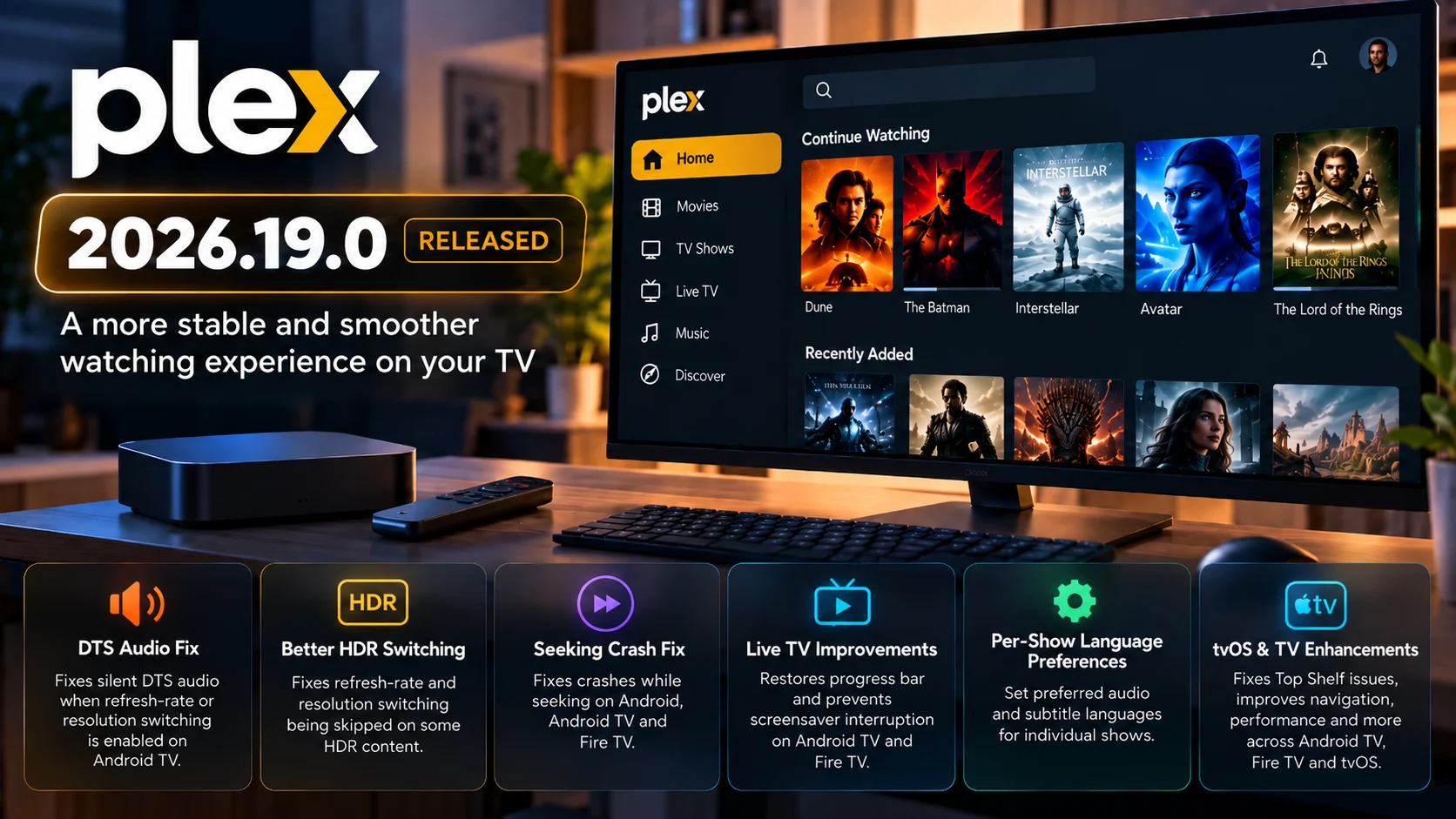
Plex 2026.19.0 is rolling out with a substantial collection of fixes for television and mobile clients, with several changes directly targeting playback behavior on Android TV, Fire TV, and Apple TV.
For home-theater users, the most important fixes involve silent DTS audio on Android TV, refresh-rate and resolution switching with HDR content, crashes while seeking, Live TV playback behavior, and incorrect episode playback after switching titles.
The update also improves television navigation and performance, addresses tvOS Top Shelf problems, makes search keyboards more responsive, and introduces a useful new per-show preference for audio and subtitle languages.
This is not simply a cosmetic Plex update. A large portion of the 2026.19.0 work focuses on problems that can directly affect whether the media starts correctly, outputs the expected audio, switches the display mode properly, or remains stable while the viewer interacts with playback.
Plex notes that app-store releases can roll out gradually, meaning 2026.19.0 may not appear on every supported device at the same time.
What Is New in Plex 2026.19.0?
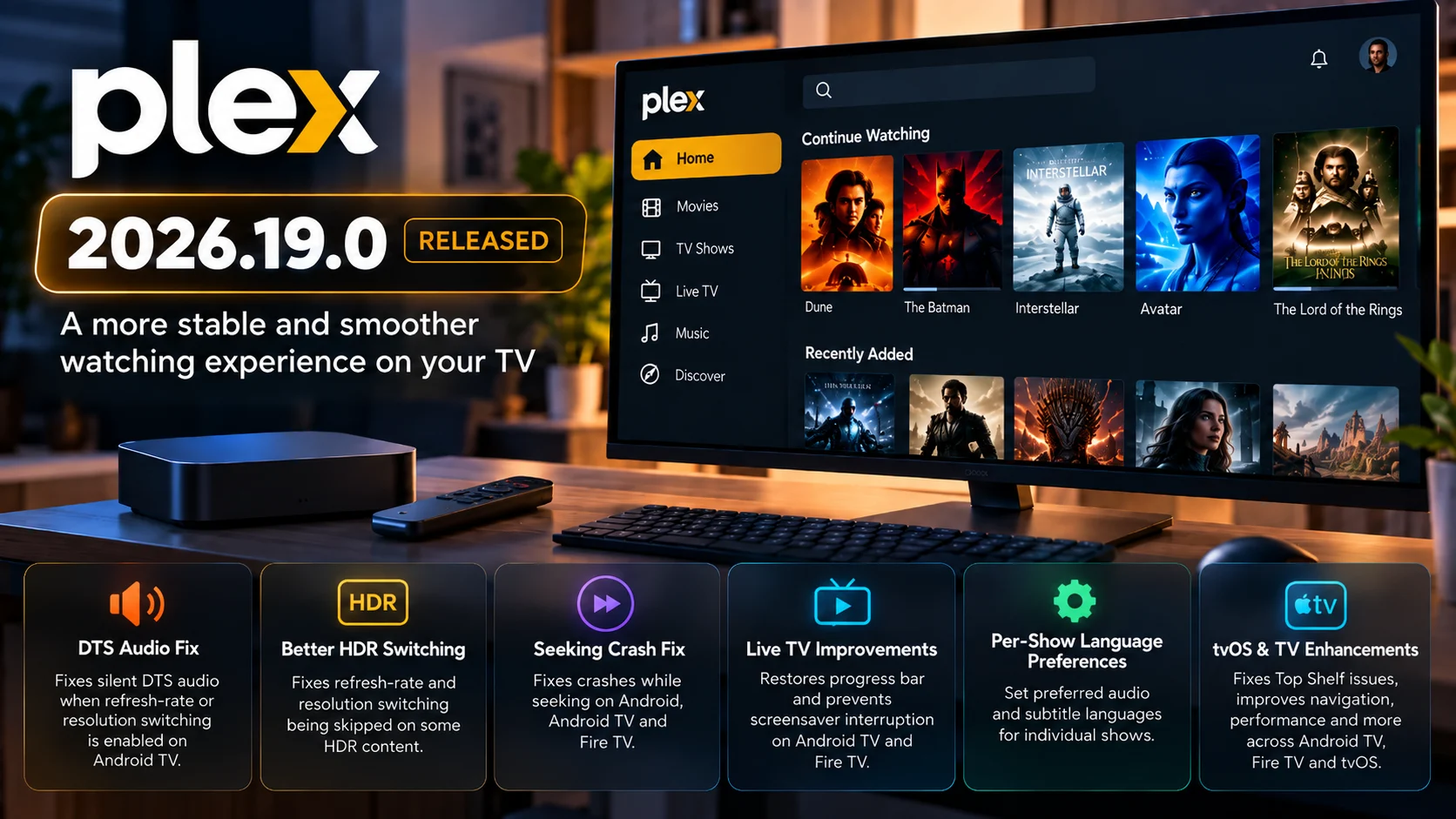
Plex 2026.19.0 combines new preference controls with a long list of playback, navigation, performance, and television-interface fixes.
One of the new features allows users on supported Plex clients to set preferred audio and subtitle languages for an individual show from its action menu.
That is useful for libraries containing content in several languages. Instead of repeatedly changing global language preferences, a user can make a show-specific choice.
For TV playback, however, the fixes are likely to attract more attention.
Android TV gets corrections for DTS audio and HDR display switching. Android TV and Fire TV receive Live TV improvements. Android, Android TV, and Fire TV get a seeking-crash fix. tvOS gets Top Shelf fixes, while several navigation and performance improvements apply across Android TV, Fire TV, and tvOS.
Plex 2026.19.0 Changes at a Glance
| Area | Affected Platform | What Changed |
|---|---|---|
| DTS playback | Android TV | Fixes DTS audio becoming silent when refresh-rate or resolution switching is enabled |
| HDR switching | Android TV | Fixes refresh-rate and resolution switching being skipped on some HDR content |
| Seeking | Android, Android TV, Fire TV | Fixes a crash that could occur while seeking during playback |
| Live TV | Android TV, Fire TV | Restores progress-bar behavior and prevents screensaver interruption |
| Episode playback | Android TV, Fire TV, tvOS | Fixes a previous episode sometimes starting after selecting another on-demand episode |
| TV performance | Android TV, Fire TV, tvOS | Improves grids, navigation, search keyboard, and live TV guide responsiveness |
| Top Shelf | tvOS | Fixes cases where Apple TV Top Shelf could remain empty |
| Language preferences | Android, iOS, Android TV, tvOS | Adds per-show preferred audio and subtitle language settings |
DTS Audio Fix Is Important for Android TV Home-Theater Setups
One of the headline playback changes addresses DTS audio becoming silent on Android TV when refresh rate or resolution switching is enabled.
This is important because the problem connects two features that home-theater users commonly want enabled at the same time.
A viewer may want Plex to preserve DTS audio while also allowing the television or receiver chain to switch into a display mode that matches the media's native frame rate or resolution.
Before this fix, enabling display-mode switching could create a situation where DTS content continued playing but produced no audio.
That could leave users with an awkward choice: disable refresh rate or resolution switching or lose DTS output in affected playback scenarios.
Plex 2026.19.0 specifically targets that interaction.
It is worth noting that this is a DTS playback bug fix, not an announcement that Plex has newly introduced DTS as a format. The important change is that DTS should no longer become silent simply because display switching is active in the affected Android TV playback path.
Devices such as Android TV media players and televisions connected to receivers or soundbars are the setups where this fix deserves particular attention.
HDR Refresh Rate and Resolution Switching Gets Fixed
Android TV also receives a separate fix for cases where refresh-rate and resolution switching could be skipped on some HDR content.
Automatic display switching is designed to help the output mode better match the media being played.
For example, a streaming device's interface may operate at one refresh rate while a movie uses another. A player capable of matching the content can request an appropriate output mode when playback begins.
If that process is skipped, the display remains in its previous mode.
Depending on the television, media, and configuration, that can result in less-than-ideal motion handling or an output mode that does not match what the viewer expects.
HDR makes this pipeline even more important because output mode, refresh rate, resolution, and HDR signaling may all be involved when playback starts.
Plex 2026.19.0 fixes a case where switching was not occurring for some HDR media on Android TV.
For developers and QA teams, the important test is not simply whether an HDR badge appears. Playback should be checked across different frame rates, resolutions, and audio formats to make sure display switching no longer causes another part of the playback chain to fail.
Seeking Crash Fix Covers Android TV and Fire TV
Another significant player fix targets a crash that could occur while seeking during playback.
This applies across Android mobile, Android TV, and Fire TV.
Seeking is one of the most demanding user interactions for a video player because several parts of the playback pipeline may need to change state at the same time.
The application must locate a new point in the stream or file, refresh its buffers, reposition video decoding, synchronize audio, and update the playback timeline.
A player can appear completely stable during continuous viewing yet still crash when the user rapidly jumps forward or backward.
Plex 2026.19.0 addresses one such crash.
This should be especially relevant for long movies, recordings, and high-bitrate local media, where users frequently move around the timeline.
Playback teams testing the release should try more than one simple seek. Repeated forward and backward jumps, paused seeks, and seeks close to the beginning or end of the media can expose different player states.
Live TV Progress Bar and Screensaver Problems Are Addressed
Plex also fixes a Live TV issue affecting Android TV and Fire TV.
In the affected behavior, Live TV channels could appear without a progress bar, while the device screensaver could interrupt playback after only a few minutes.
These two symptoms may look unrelated, but both involve the player correctly communicating the state of an active television session.
A missing progress bar makes it harder for viewers to understand where they are within the currently airing program.
The screensaver problem is more disruptive.
If the device treats an active live TV session as though the user is idle, the screensaver can appear even while video continues being watched.
Plex 2026.19.0 corrects both behaviors.
For users who regularly leave live programming running for longer periods, the stay-awake portion of this fix may be more noticeable than the visual progress-bar change.
Previous Episode Could Play After Selecting a Different Episode
A cross-platform TV fix addresses an unusual on-demand playback problem.
On Android TV, Fire TV, and tvOS, stopping one episode and then starting a different episode could sometimes cause the previous episode to begin playing again.
This is an important playback-state bug.
A modern TV application maintains much more state than the video URL itself. It tracks the selected item, playback session, metadata, queue, current episode, and player lifecycle.
If an old session is not completely replaced when a new item starts, a stale playback state can reappear.
Plex 2026.19.0 fixes this scenario.
The change should improve reliability when viewers move rapidly between episodes rather than waiting for normal post-play or automatic-next-episode behavior.
Per-Show Audio and Subtitle Preferences Arrive
Not every change in 2026.19.0 is a bug fix.
Plex now allows supported clients to set preferred audio and subtitle languages for a specific show through its action menu.
This is particularly useful for multilingual libraries.
A viewer may normally prefer English audio but want another language for a specific series. Similarly, a show may need subtitles while the rest of the library does not.
Previously, broader language preferences could require additional manual changes from episode to episode or affect content outside the show the viewer actually wanted to change.
A per-show setting gives Plex more context.
The feature is available across Android, iOS, Android TV, and tvOS in this release.
For shared households with several types of content, this may become one of the most practically useful additions in 2026.19.0.
Android TV Navigation Gets Several Fixes
Plex 2026.19.0 contains a large number of TV navigation changes that may make the interface feel more stable even when playback itself has not changed.
Android TV gets a fix for focus unexpectedly jumping to the beginning of a row or opening navigation while users scroll quickly.
Another problem could make Home continue scrolling after playback when there were no libraries or Continue Watching items available.
Across Android TV and Fire TV, Plex also improves library-grid performance and tile-focus responsiveness, particularly on lower-performance television hardware.
These fixes matter because television interfaces are controlled primarily through directional navigation.
A touch interface can tolerate some layout instability because users directly tap the target. On a TV, the application must always know which object has focus and where pressing Up, Down, Left, or Right should move next.
Focus bugs can therefore make an otherwise functional app feel much less predictable.
Plex Improves Performance on Lower-Powered TVs
The update includes several performance improvements aimed at TV devices that have less processing power.
Library grids should stutter less while scrolling, focus movement between tiles should feel more responsive, and returning home from a details screen should be faster on lower-end TVs.
Browse-grid scrolling also receives broader performance work.
This matters across the streaming-device market because not every Plex client runs on high-end hardware.
Built-in smart-TV platforms and entry-level streaming devices often have far less CPU, GPU, and memory headroom than premium boxes.
Small interface optimizations can have a noticeable impact on those devices.
They also reduce the chance that UI work competes with other application tasks such as loading artwork, fetching metadata or preparing playback.
Live TV Guide Performance Is Improved
Android TV, Fire TV and tvOS receive performance improvements in the Live TV guide.
Electronic program guide interfaces can be demanding because they display many channels and time-based program cells simultaneously while supporting rapid navigation.
The app may also be loading logos, artwork and additional program information as the user scrolls.
Plex's update does not describe a completely redesigned guide. Instead, it focuses on improving its responsiveness.
For users with large channel lineups, that may help make navigation feel less delayed.
For testing teams, large guides are likely more useful than small channel lists when evaluating whether the performance work makes a meaningful difference.
tvOS Top Shelf Gets Another Fix
Apple TV users receive a fix for situations where the Plex Top Shelf could remain empty.
Top Shelf is the content area tvOS can display when an application is highlighted on the Apple TV Home Screen.
If Plex fails to populate it, the application can appear to have no available recommendations or recent content even though the user's library itself is accessible.
Version 2026.19.0 addresses several cases that could leave the Top Shelf empty.
The release also ensures disabled online media sources no longer appear in the tvOS Top Shelf or Android TV Home row.
That should make external home-screen integration better reflect the sources users have actually chosen to keep enabled.
Search and TV Focus Behavior Improve Across Platforms
The on-screen keyboard becomes more responsive when searching on Android TV, Fire TV and tvOS.
Several additional focus problems are fixed across television platforms.
Details screens now take focus as soon as they open rather than waiting for all data to arrive. JumpBar navigation is improved, including automatic focus selection and preventing focus from escaping beyond the top or bottom.
Scrolling quickly through browse grids should also be less likely to cause focus to disappear unexpectedly.
These fixes may sound minor compared with DTS or HDR playback, but collectively they affect almost every session because users interact with the interface before media ever begins playing.
What Developers and Playback Teams Should Test
For teams deploying Plex in more complex home-theater setups, 2026.19.0 deserves targeted testing rather than simply checking that the application launches.
The most important combinations involve DTS plus refresh-rate switching, HDR content plus automatic display switching, repeated seeking, Live TV sessions and rapid transitions between episodes.
Fire TV testing should pay particular attention to seeking and Live TV behavior.
Android TV testing should include DTS output, HDR switching and navigation performance.
Apple TV testing should focus on Top Shelf behavior, episode transitions, search responsiveness and broader player stability.
Because app-store rollout timing can differ by platform and device, teams should also confirm the actual client version before comparing results across multiple devices.
Final Thoughts
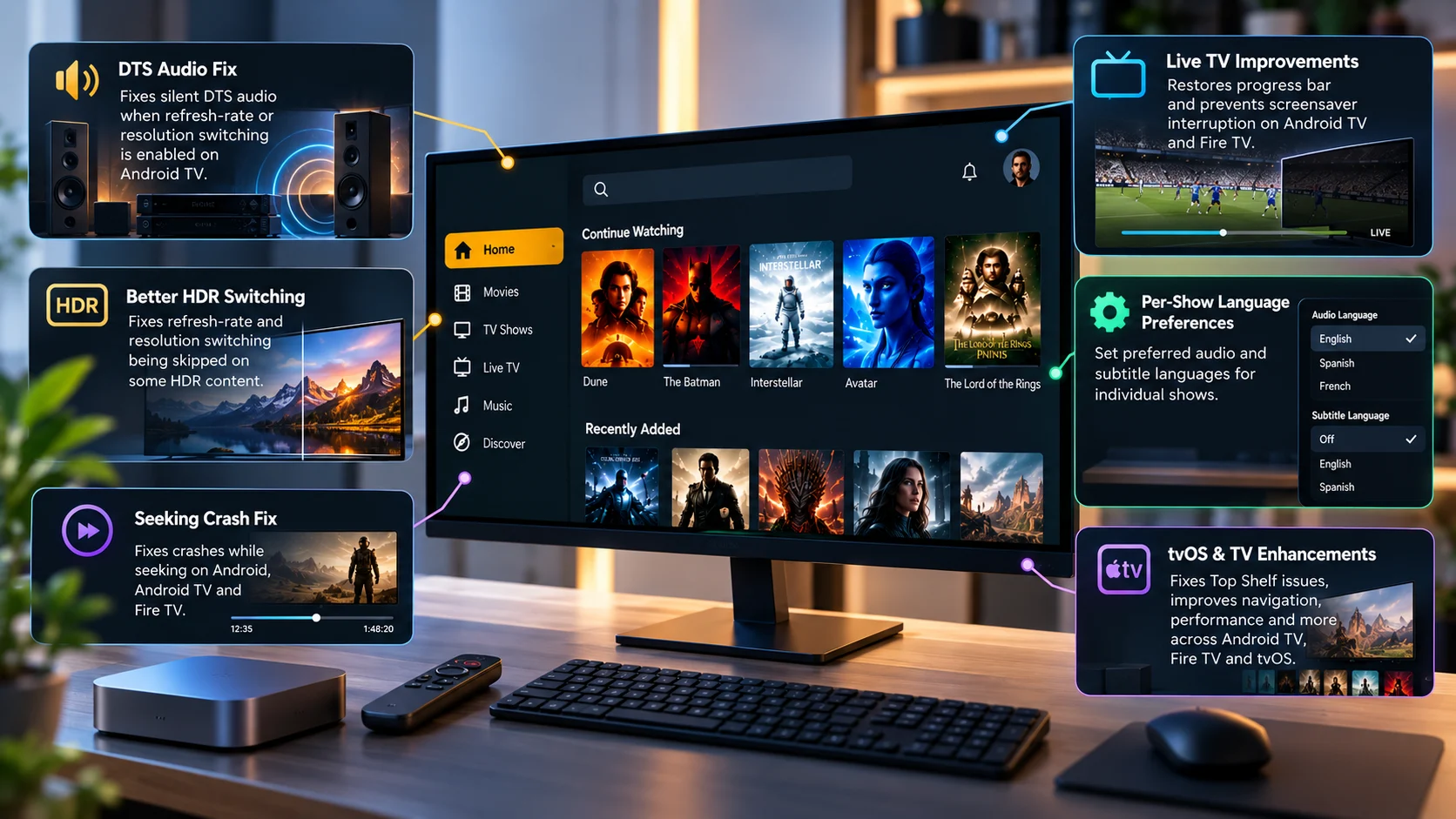
Plex 2026.19.0 is an important playback-focused release for television users, particularly those running Android TV and Fire TV devices.
The DTS correction removes a frustrating interaction between audio playback and automatic display switching. HDR content should more reliably trigger refresh-rate and resolution changes on Android TV, while seeking is less likely to crash the player across Android-based devices.
Live TV also receives meaningful attention through corrected progress behavior, better screensaver handling and guide-performance improvements.
At the interface level, Plex has worked on grid responsiveness, directional focus, searching and navigation across lower-powered television hardware.
Apple TV users gain fixes for Top Shelf and episode transitions, while the new per-show audio and subtitle language preference gives users more precise control over multilingual libraries.
The main takeaway is that 2026.19.0 is not centered on one headline feature. It is a broad reliability update covering several parts of the television experience from the moment users navigate a library to the moment the player switches HDR modes, outputs DTS audio or handles a seek.
For developers and streaming teams, the release is worth testing across actual television hardware, receivers, soundbars and different media combinations rather than relying on a single playback sample.
FAQs About Plex 2026.19.0
1) What is the biggest playback fix in Plex 2026.19.0?
For Android TV home-theater users, the DTS fix is one of the most important. Plex fixes a problem where DTS audio could become silent when refresh-rate or resolution switching was enabled.
2) Does Plex 2026.19.0 improve HDR playback?
Yes. Android TV receives a fix for cases where refresh-rate and resolution switching could be skipped on some HDR content.
3) Does the update fix seeking crashes?
Plex says 2026.19.0 fixes a crash that could happen while seeking on Android, Android TV and Fire TV.
4) Are there Fire TV fixes in this release?
Yes. Fire TV benefits from seeking-crash fixes, Live TV corrections, interface-performance improvements, navigation fixes and the correction for an earlier episode sometimes replaying after another episode is selected.
5) What changed for Live TV?
On Android TV and Fire TV, Plex fixes Live TV sessions that could show no progress bar and could be interrupted by the screensaver. The Live TV guide also gets performance improvements across major TV platforms.
6) What changed on Apple TV?
tvOS receives Top Shelf fixes along with improvements to episode switching, searching, focus handling, guide performance and other television-interface behavior.
7) Can users set different audio languages for individual shows?
Yes. Supported clients can now select preferred audio and subtitle languages for an individual show from its action menu.
8) Why is Plex 2026.19.0 not available on my device yet?
Plex releases can roll out over multiple days because app-store submission, approval and distribution timing varies between platforms and devices.
Stay Updated with the Player SDK Guide Hub
Playback reliability across modern streaming devices depends on much more than codec support. Audio passthrough, HDR signaling, refresh-rate switching, seeking, subtitles, Live TV behavior, device performance and operating-system integration can all change from one client update to the next.
The Player SDK Guide Hub tracks developments across Plex, Fire TV, Google TV, Roku, Apple TV, Android TV, Kodi, VLC, Android Media3, ExoPlayer and other video-player and streaming-device platforms.
We cover release notes, player regressions, OS updates, hardware changes, playback fixes and developer APIs to explain what changed, which devices are affected, why it matters, and what developers and streaming teams should test or watch next.
Explore the Player SDK Guide Hub for the latest video-player releases, streaming-device updates and developer-focused playback insights.
