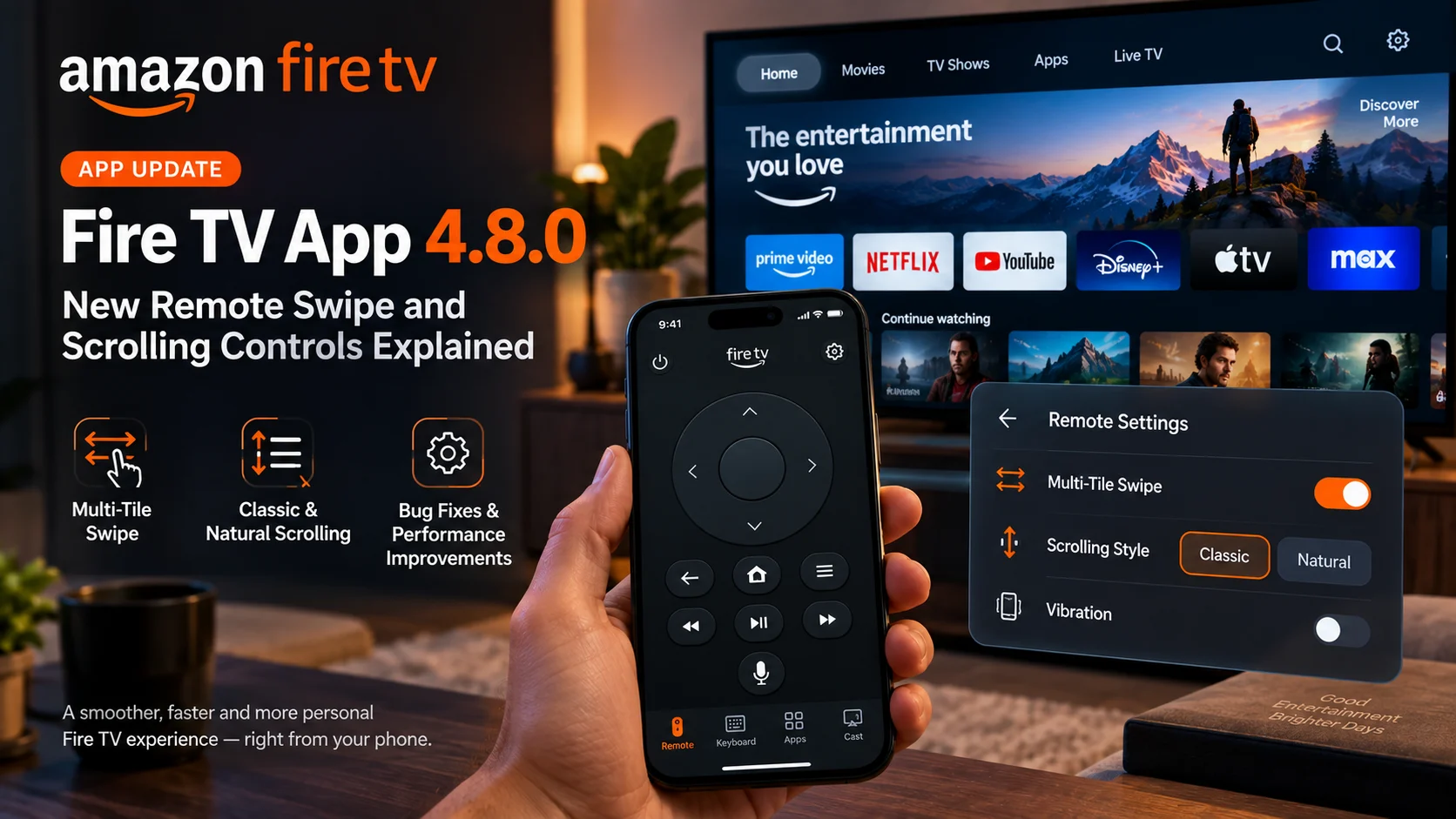
Amazon has released the Fire TV mobile app version 4.8.0, bringing a useful set of changes to the app’s virtual remote.
The official release notes highlight three main improvements: multi-tile swipe, a choice between Classic and Natural scrolling, and additional bug fixes and performance improvements. Version 4.8.0 is appearing across App Store regions around September 20–21, while an Android build of the same version also surfaced on September 21.
Unlike some recent Fire TV updates that focused on content discovery or the television interface itself, this release concentrates on how users navigate Fire TV from a phone.
That makes the Fire TV app 4.8.0 particularly interesting for people who regularly use their smartphone as a replacement remote, especially when navigating long rows of content, browsing apps, or entering text.
The update does not completely redesign the Fire TV mobile remote. Instead, it gives users more control over how swiping behaves
What Is New in Amazon Fire TV App 4.8.0?
Amazon’s official version history describes version 4.8.0 as introducing new remote settings for multi-tile swipe and Classic or Natural scrolling, alongside general bug fixes and performance improvements.
Those changes may sound relatively small, but remote navigation is one of the Fire TV mobile app’s most important functions.
A physical Fire TV remote relies primarily on directional buttons. A phone, however, has a touchscreen capable of supporting more fluid gestures.
Version 4.8.0 gives users more flexibility in how those gestures translate into movement on the TV.
Fire TV App 4.8.0 Changes at a Glance
| Change | What It Does | Why It Mattters |
|---|---|---|
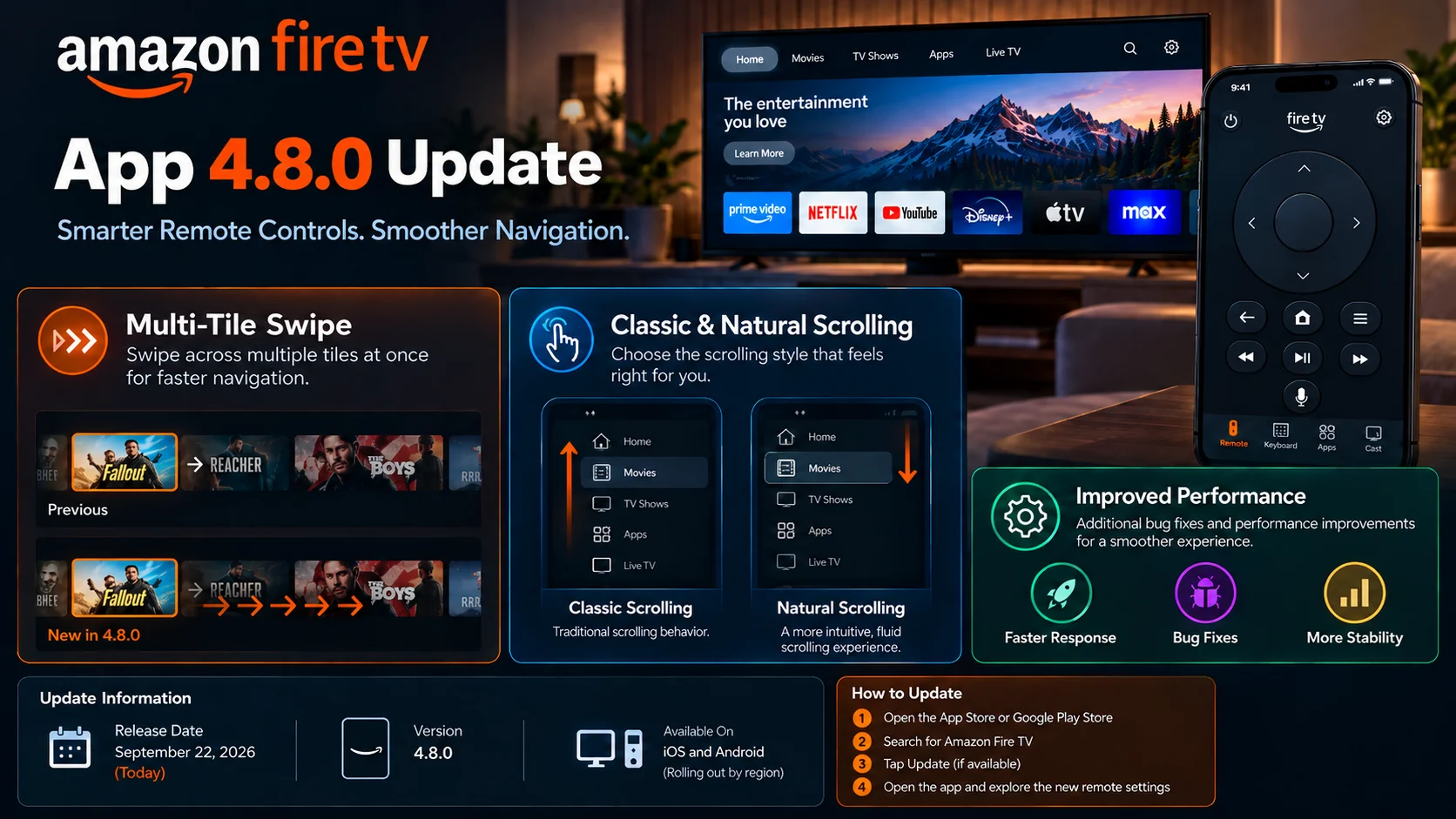
| Multi-tile swipe | Allows swipe gestures to move through more than one interface item | Faster navigation across long content rows |
| Classic scrolling | Provides one scrolling behavior option for the virtual remote | Useful for users accustomed to traditional Fire TV app navigation |
| Natural scrolling | Offers an alternative scrolling direction/feel | Lets users choose the interaction style that feels more intuitive |
| Remote customization | Adds more control over virtual remote behavior | Makes smartphone navigation more personal |
| Bug fixes | Addresses unspecified app issues | Improves reliability |
| Performance improvements | General optimization work | Aims for smoother app operation |
Amazon has not published detailed technical documentation describing every gesture rule behind these settings, so users should expect the exact feel of the controls to be best understood by trying the options directly inside the updated app.
Multi-Tile Swipe Could Make Fire TV Navigation Faster
The most notable addition is multi-tile swipe. Fire TV interfaces are built around rows and grids of selectable tiles. Movies, television shows, applications, and recommendations are frequently presented as horizontally scrolling cards.
With traditional remote navigation, moving across a row often means advancing one tile at a time. A touchscreen remote can potentially move faster.
Amazon’s wording indicates that version 4.8.0 introduces a setting that allows swipe gestures to navigate across multiple tiles rather than treating every gesture like a single directional-button press.
That could be especially useful when browsing a large library. For example, if a row contains dozens of movies, repeatedly tapping or performing short one-item gestures can feel slow. A broader swipe-based interaction is better suited to the touchscreen hardware already present on a smartphone.
The important point is that Amazon is giving the remote app behavior that is more native to touchscreens rather than simply replicating a plastic remote on a phone screen.
Classic vs. Natural Scrolling: Why Give Users a Choice?
Version 4.8.0 also introduces classic and natural scrolling options.
Amazon does not provide a detailed explanation of the distinction in its brief release note, but the naming follows a familiar concept from touchpads and touchscreen interfaces: users often differ in what direction they expect content or focus to move when their finger moves.
Some people prefer a gesture that behaves like pushing content directly. Others expect the gesture to move the selection or viewport in the opposite directional relationship.
There is no universally “correct” preference. That is precisely why providing a setting is useful. Instead of forcing everyone into one gesture model, Fire TV App 4.8.0 lets users choose the interaction style that feels most comfortable.
For people who use laptops, tablets, and smartphones throughout the day, scrolling direction becomes muscle memory. A mismatch can make even a technically responsive remote feel awkward. The new options should reduce that friction.
The Fire TV Mobile App Is Becoming More Than a Backup Remote
Amazon increasingly positions the Fire TV mobile app as a broader companion to the television experience.
The current app description says users can browse titles, receive personalized recommendations, search across services, manage their watchlist, launch content on Fire TV, use the phone keyboard for text entry, and help set up new Fire TV devices.
That means the remote is now only one part of the app.
Version 4.7.0, released in August 2026, expanded the application with one-tap content playback, sports content, dedicated content hubs and watchlist filters. Version 4.8.0 follows that larger feature update with improvements focused specifically on the remote experience.
The pattern suggests Amazon is developing the Fire TV app along two parallel paths.
One side is about discovering and managing entertainment.
The other is about making a phone a more capable controller for Fire TV hardware.
Version 4.8.0 strengthens the second side.
Why Smartphone Remote Controls Still Matter
It might seem unnecessary to improve a mobile remote when every Fire TV Stick ships with a physical controller.
In practice, smartphone remotes solve several common problems.
Physical remotes get misplaced. Batteries run out. Entering passwords or search terms with a directional pad is tedious. Some users also prefer touch-based navigation when browsing large interfaces.
Amazon’s Fire TV app includes mobile-keyboard text entry, which can be significantly faster than selecting letters on a television keyboard. Amazon also officially supports using the mobile application as a Fire TV remote when the phone and Fire TV are connected appropriately.
The addition of customizable swiping therefore fits naturally into the app’s role.
If users are going to rely on a phone as a remote, the experience should take advantage of the phone’s touchscreen rather than merely copying physical buttons.
Does Fire TV App 4.8.0 Change the Physical Alexa Voice Remote?
No.
Version 4.8.0 is an update to the Amazon Fire TV mobile application. The new multi-tile swipe and scrolling settings apply to the software remote experience on compatible phones and tablets. Amazon has not described these changes as an update to the physical Fire TV remote.
Physical Fire TV remotes continue to use their standard navigation controls, including directional selection, Home, Back, Menu, and media playback buttons. Amazon documents these controls separately from the mobile-app remote.
That distinction is worth emphasizing because “Fire TV remote update” can otherwise sound like a firmware change to the handheld remote. This release is about the app.
How the Fire TV Mobile Remote Works
To control Fire TV through the mobile application, Amazon instructs users to install the Fire TV app, connect the phone to the same Wi-Fi network as the Fire TV device, and then open the app.
Amazon’s App Store description similarly notes that an Amazon account is required and that launching content to a Fire TV requires the mobile device and Fire TV to be on the same Wi-Fi network. Some functionality can also depend on having a compatible Fire TV device.
Once connected, the phone can act as a controller while also providing additional features such as faster keyboard input.
After installing version 4.8.0, users should look inside the remote settings for the newly introduced swipe and scrolling behavior options.
Because Amazon has not published a full control guide for the new settings yet, experimenting with Classic, Natural, and multi-tile behavior is likely the easiest way to determine which combination feels best.
Why Multi-Tile Navigation Is Useful on Modern Fire TV Interfaces
Television interfaces have changed substantially over the years.
Older media menus often contained short vertical lists. Modern Fire TV screens can contain numerous horizontal content rows, application tiles, recommendations, and categories.
That creates a navigation challenge.
Directional-button navigation is extremely precise, but not always fast.
Imagine moving from the first movie in a row to the twentieth item. With a standard remote, that can require many repeated right-button presses.
A gesture capable of traversing several tiles can reduce the amount of interaction needed.
The benefit becomes even clearer on large libraries or recommendation screens where users frequently scan rather than select every item.
Multi-tile swiping therefore feels less like a cosmetic addition and more like an adaptation to the scale of modern streaming-device interfaces.
Classic and Natural Scrolling Could Help Different User Habits
Scrolling preferences vary widely.
People who spend most of their time on a touchscreen may expect a one-gesture relationship. Users accustomed to older computer mice or remote-control interfaces may expect another.
Changing this behavior at the system level on a phone is possible, but a Fire TV remote does not necessarily need to mirror the preference used elsewhere.
By giving the remote its own choice, Amazon allows users to optimize the television interaction independently.
This is particularly useful in shared households.
A Fire TV remote app might be installed on several phones belonging to different people. Each user can potentially configure their own preferred interaction rather than changing how the television behaves for everyone.
Bug Fixes and Performance Improvements Are Also Included
Amazon’s version 4.8.0 notes also mention bug fixes and performance improvements, although the company does not specify which bugs were addressed.
Because there is no detailed changelog, claims about specific connection, discovery, crash, or playback fixes would be speculative.
What can be confirmed is that general reliability work is part of the release.
That matters for a remote-control application because responsiveness is critical.
Even small delays between a swipe on the phone and movement on the TV can make navigation feel frustrating.
Users updating primarily for the new gesture controls may therefore also benefit from Amazon’s broader maintenance work, though the company has not quantified any performance gains.
Is Fire TV App 4.8.0 Available on Android Too?
Evidence indicates the 4.8.0 release is reaching Android as well as iOS.
An Android build identified as Amazon Fire TV 4.8.0 was uploaded on September 21, 2026, and carries the same release notes: new multi-tile swipe controls, Classic/Natural scrolling, and performance fixes.
The Android package shown there requires Android 9 or later and targets Android 16.
Users should normally obtain updates through their device’s official app store rather than downloading packages from third-party websites.
Rollout timing can differ between countries and platforms, so version 4.8.0 may appear at slightly different times depending on device and storefront.
How Fire TV App 4.8.0 Fits Into Amazon’s Recent Updates
The mobile app has received steady updates throughout 2026.
Version 4.7.0 was a more substantial content-focused release, adding sports content, movies/TV/sports/free hubs, watchlist filtering, and one-tap playback options.
Version 4.8.0 takes a different approach.
Rather than expanding the amount of content available in the app, it improves how users physically interact with Fire TV.
That makes the release smaller in scope but still useful.
The combination of content discovery improvements in 4.7.0 and remote-control customization in 4.8.0 shows Amazon continuing to expand the Fire TV mobile app as a full companion experience rather than treating it only as an emergency remote replacement.
Final Thoughts
Amazon Fire TV App 4.8.0 is a focused remote-control update rather than a major redesign.
The biggest change is the introduction of new touchscreen navigation preferences.
Multi-tile swiping should make it easier to move through long rows of content, while classic and natural scrolling give users more flexibility over how gestures feel.
Amazon has also included additional performance improvements and bug fixes, though detailed technical information about those fixes has not been published.
For users who regularly control Fire TV from a smartphone, the new settings are worth testing.
They recognize an important reality about mobile remotes: a touchscreen does not need to behave exactly like a physical directional pad.
By allowing faster swipes and customizable scrolling behavior, Amazon is making the Fire TV mobile remote better suited to the device it actually runs on.
FAQs About Amazon Fire TV App 4.8.0
1) What is new in Amazon Fire TV App 4.8.0?
Version 4.8.0 adds new remote settings, including multi-tile swipe and a choice between Classic and Natural scrolling. Amazon also includes bug fixes and performance improvements.
2) When was the Fire TV app 4.8.0 released?
The update began appearing across App Store regions around September 20–21, 2026. An Android 4.8.0 build was also published on September 21. Storefront timing can vary by region.
3) What is multi-tile swipe?
Amazon describes multi-tile swipe as a new remote setting in version 4.8.0. It is designed to allow broader swipe-based navigation instead of treating every gesture as a simple one-step movement. Amazon has not yet published a detailed gesture specification.
4) What is the difference between classic and natural scrolling?
They are two scrolling-behavior choices for the Fire TV mobile remote. Amazon confirms both options but has not published detailed documentation describing their precise directional behavior. Users can choose whichever interaction feels more intuitive.
5) Does version 4.8.0 update the physical Fire TV remote?
No. Version 4.8.0 is an update to the Fire TV mobile application. The changes concern its touchscreen remote controls rather than the physical Alexa Voice Remote.
6) Can the Fire TV app replace a lost remote?
Yes, for many common controls. Amazon officially supports using a mobile device as a Fire TV remote when the phone and Fire TV are on the same Wi-Fi network.
7) Does the Fire TV app support phone keyboard input?
Yes. Amazon lists fast text entry through the mobile keyboard as one of the Fire TV app’s control features.
Stay Updated with the Player SDK Guide Hub
Fire TV apps, device software, and developer platforms continue to change quickly, and smaller updates can sometimes make a noticeable difference to everyday navigation and playback workflows.
The Player SDK Guide Hub tracks the latest developments across Fire TV, Vega OS, Google TV, Android TV, Roku, Apple TV, Android Media3, ExoPlayer, Plex, Kodi, VLC, and other streaming-device and media-player platforms.
We cover release notes, mobile companion apps, OS changes, hardware updates, playback improvements, and developer APIs to explain what changed, which devices or users are affected, why it matters, and what streaming teams and developers should watch next.
Explore the Player SDK Guide Hub for the latest streaming-device release notes, Fire TV updates, player SDK news, and practical media-platform insights.
